
At Mercu, I create the design system, desktop and mobile redesign, and new features for Mercu’s AI-powered workforce platform: interview scheduling, candidate pool and profile, automation workflows and eSign.
Mercu's core screens worked, but they had no system behind them, so each new feature made the product harder to grow.
Problem
No design system, so new features were hard to add consistently.
Outdated screens that did not scale.
A weak campaign creation flow.
Solution
A design system of components and tokens shared by desktop and mobile.
Interview settings for one-on-one, group and round-robin interviews, with auto matching to an available interviewer.
Availability that reads connected calendars and flags conflicting times.
Candidate pool and candidate profile for finding and reviewing candidates.
Campaign branching rules that route a candidate to the next step by their answers.
Automation workflows built from ready-made templates.
eSign for documents such as employment contracts.
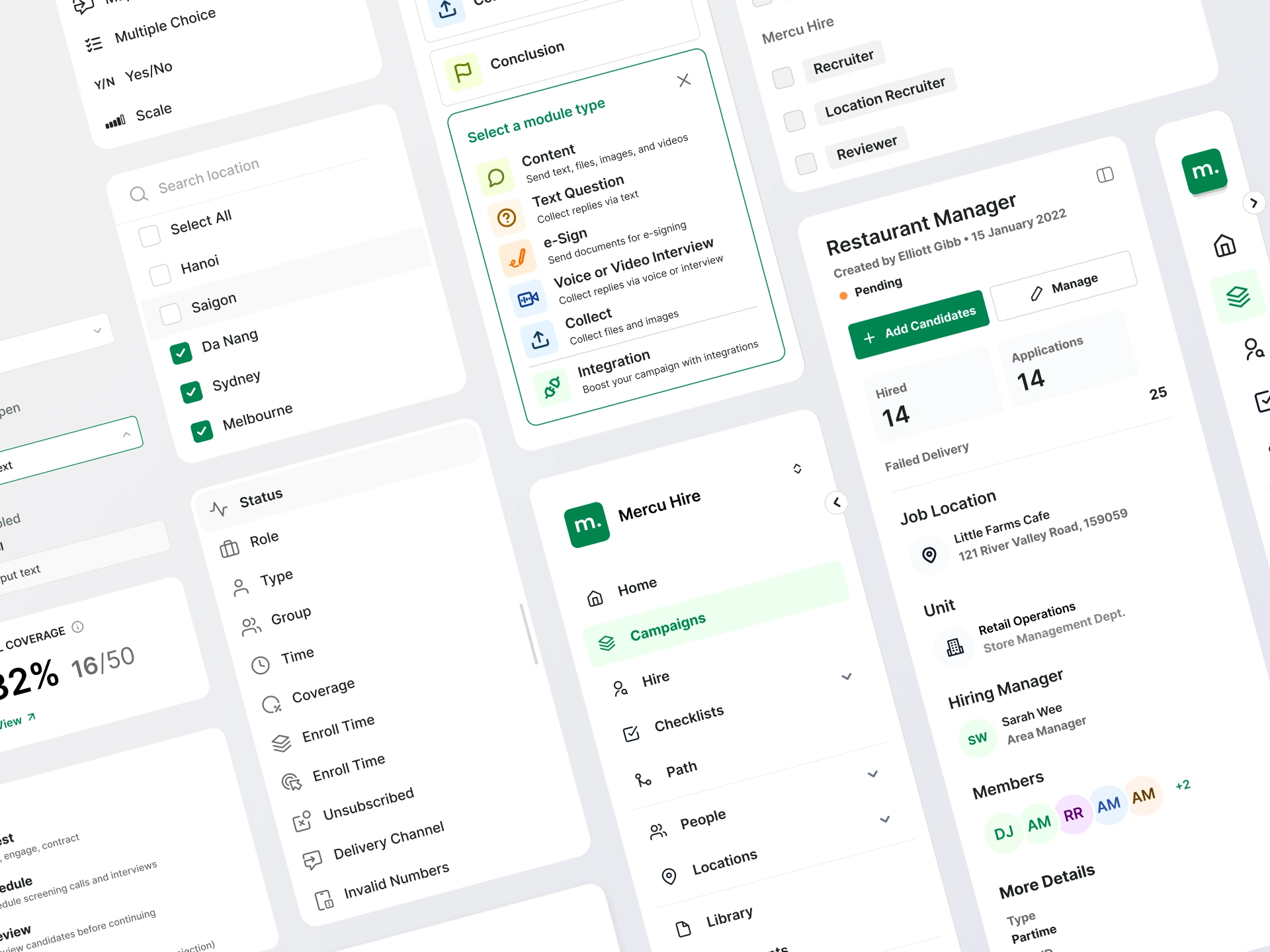
Design system | Shared navigation, filters, menus, and cards give recurring tasks a consistent structure, allowing new features to build on familiar interactions.
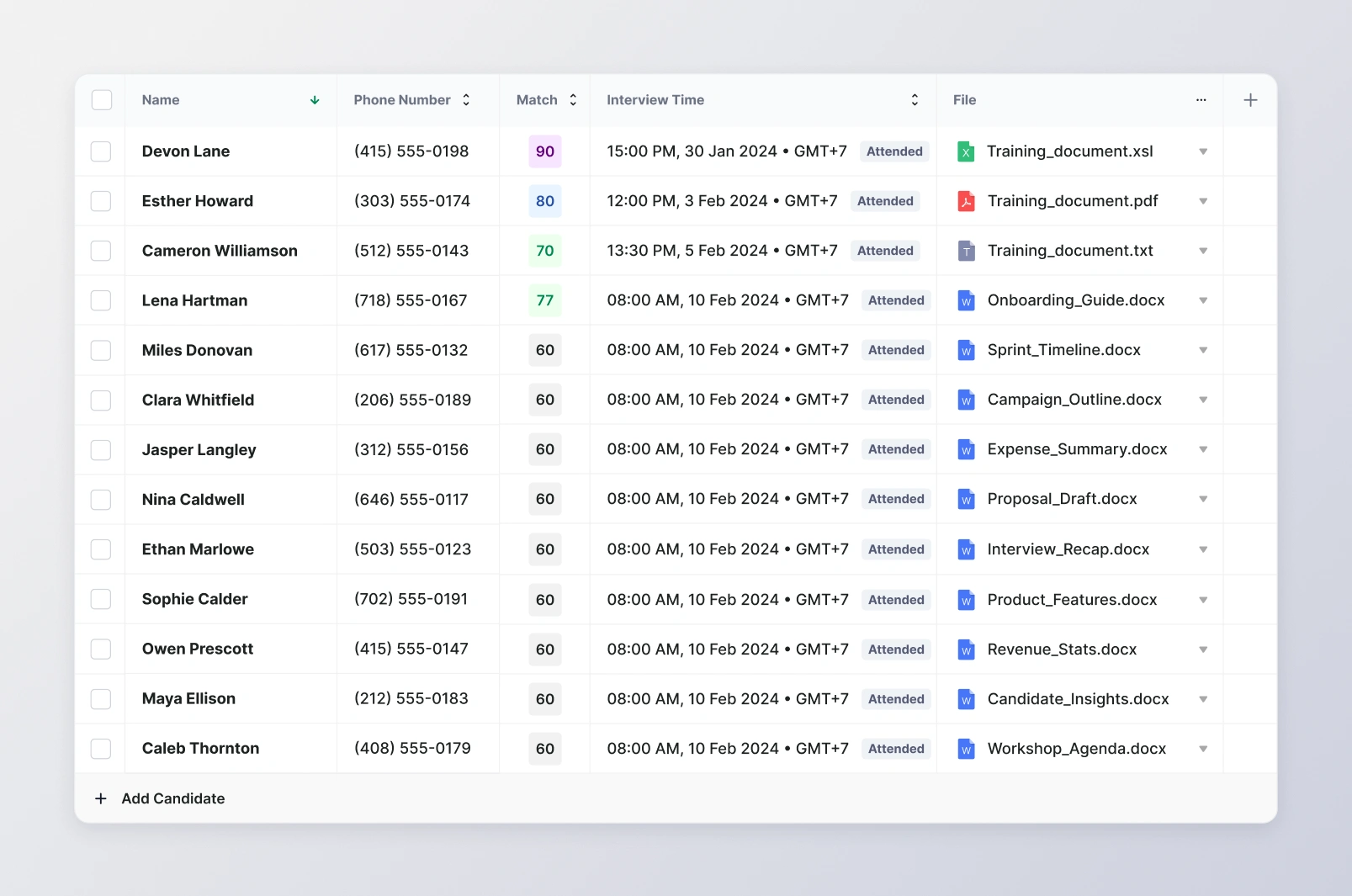
Candidate list | Match scores, interview times, attendance, and files appear in aligned columns to support comparison across candidates without opening each profile.
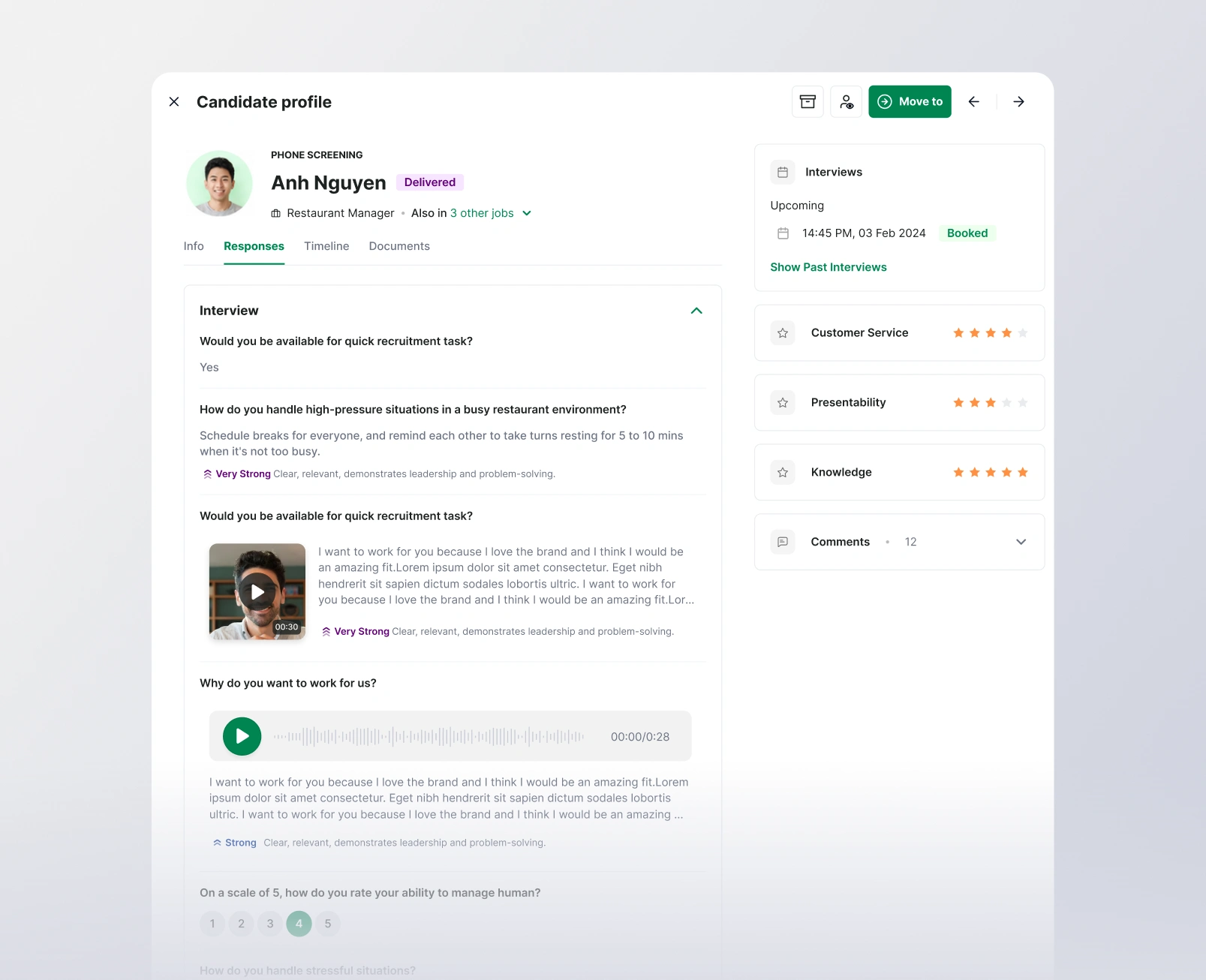
Candidate profile | Screening responses and recorded answers sit beside ratings and interview details so recruiters can review the evidence and assessment within the same candidate context.
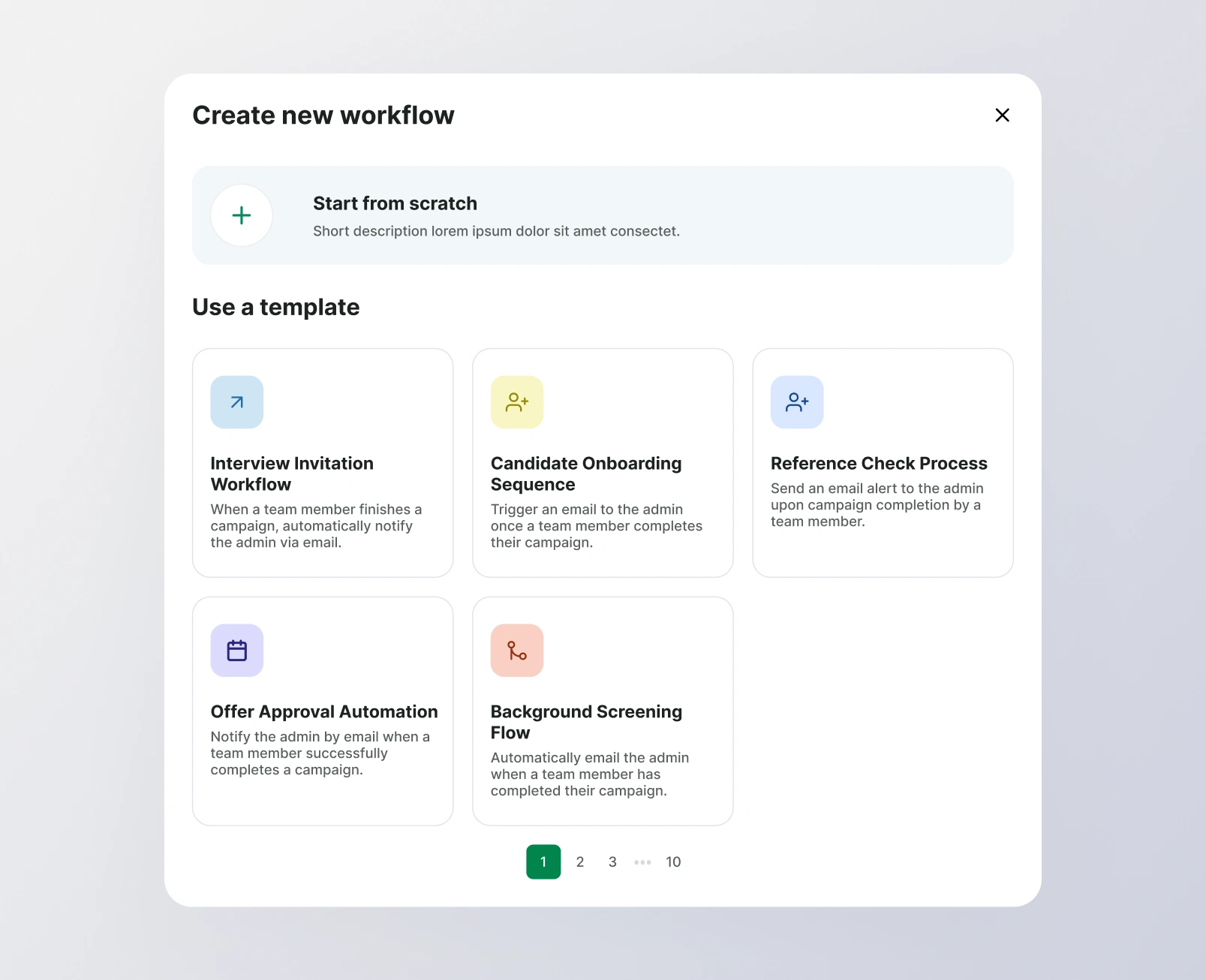
Workflow templates | Ready-made templates offer a starting point for common tasks, while a start-from-scratch option keeps the flow open for users with a specific automation in mind.
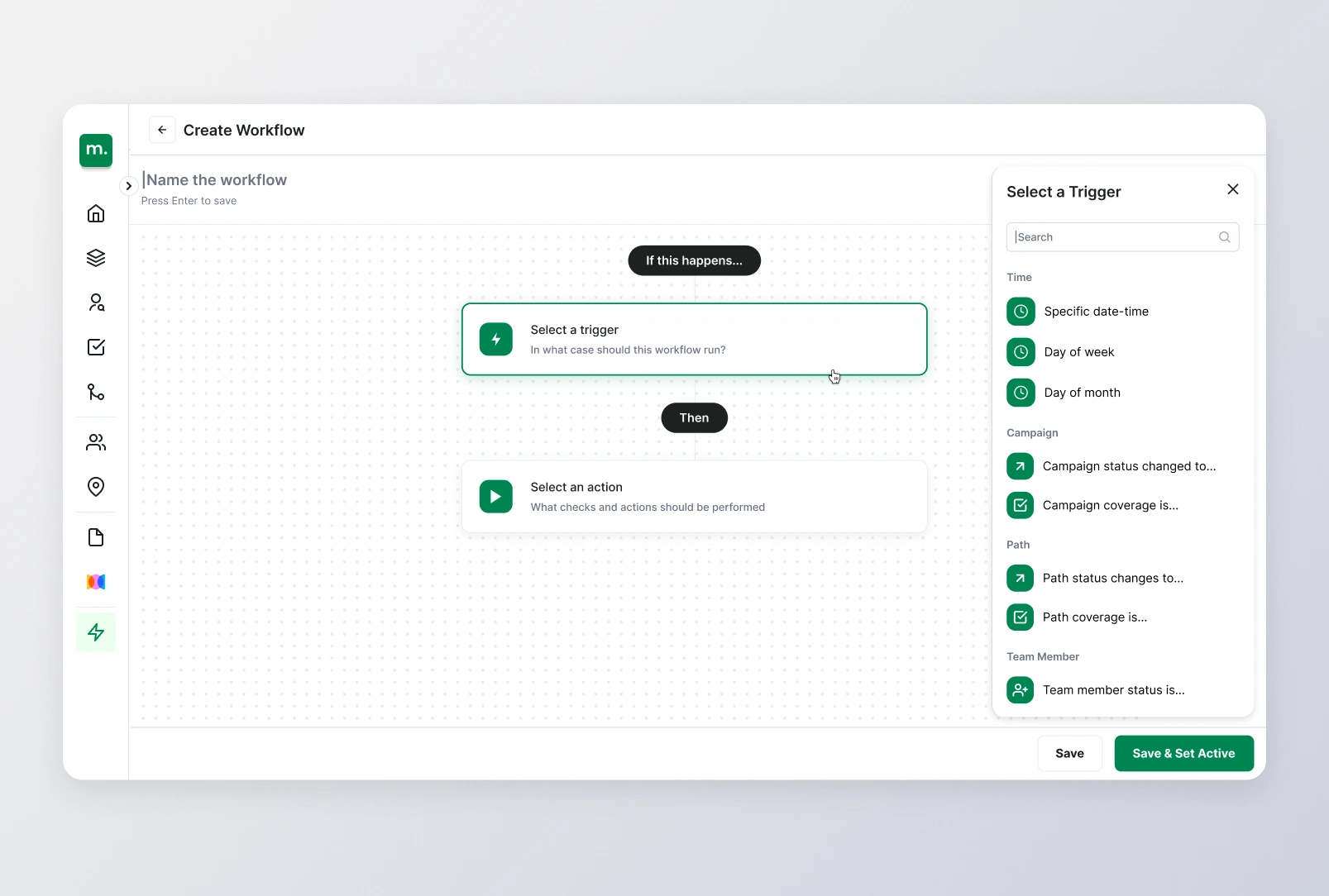
Workflow builder | A vertical trigger-to-action sequence makes the automation’s cause and effect explicit, while the side picker keeps available triggers close to the step being configured.
Scheduling interviews without the back and forth.
Recruiters choose how a candidate is interviewed - one on one, as a group, or by round robin, where interviews are shared out in turn. Auto matching pairs each candidate with an interviewer who is free, and conflicts with connected calendars are flagged.
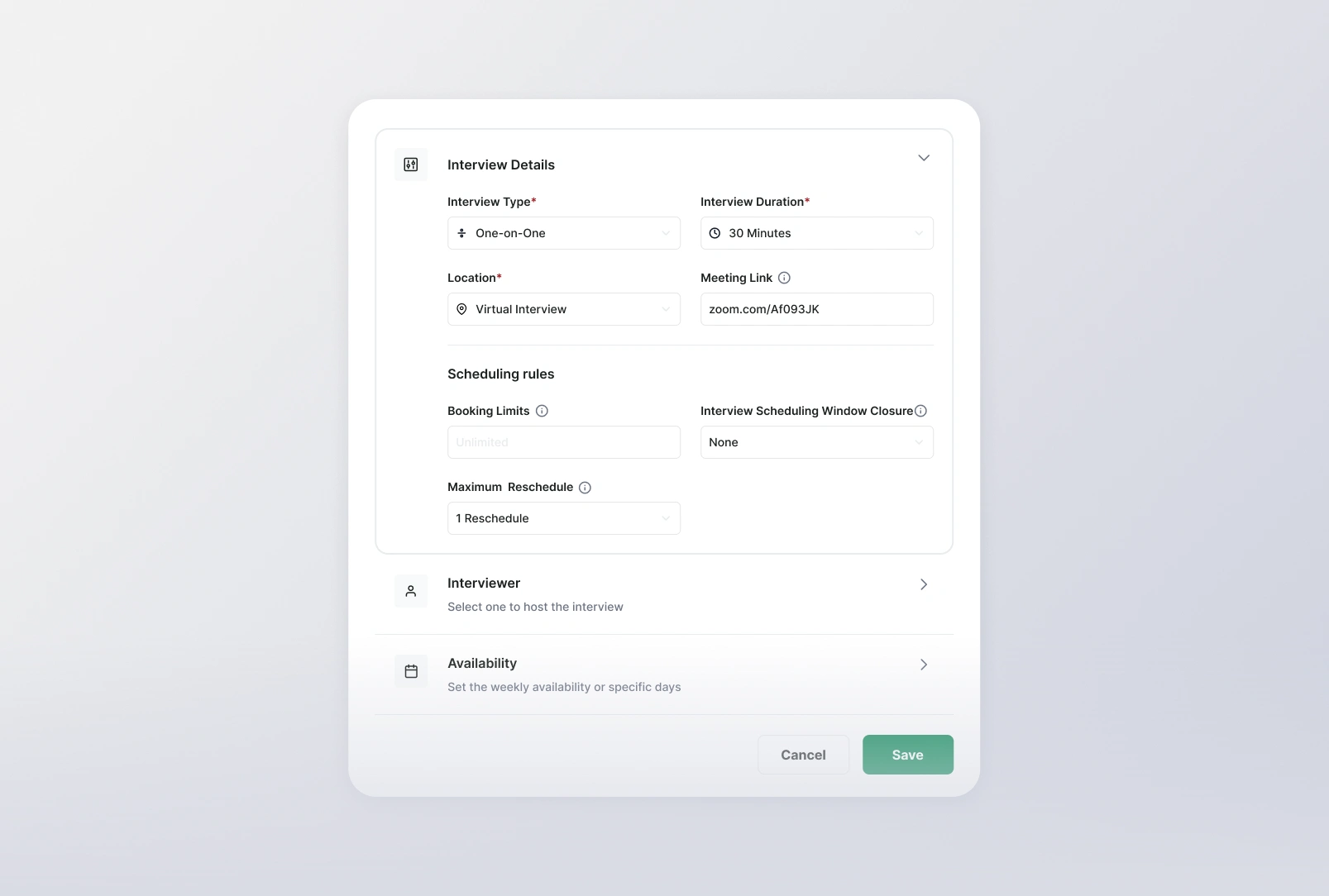
Interview details | Interview format, duration, location, and booking rules are grouped separately from interviewer selection and availability to break scheduling setup into related decisions.
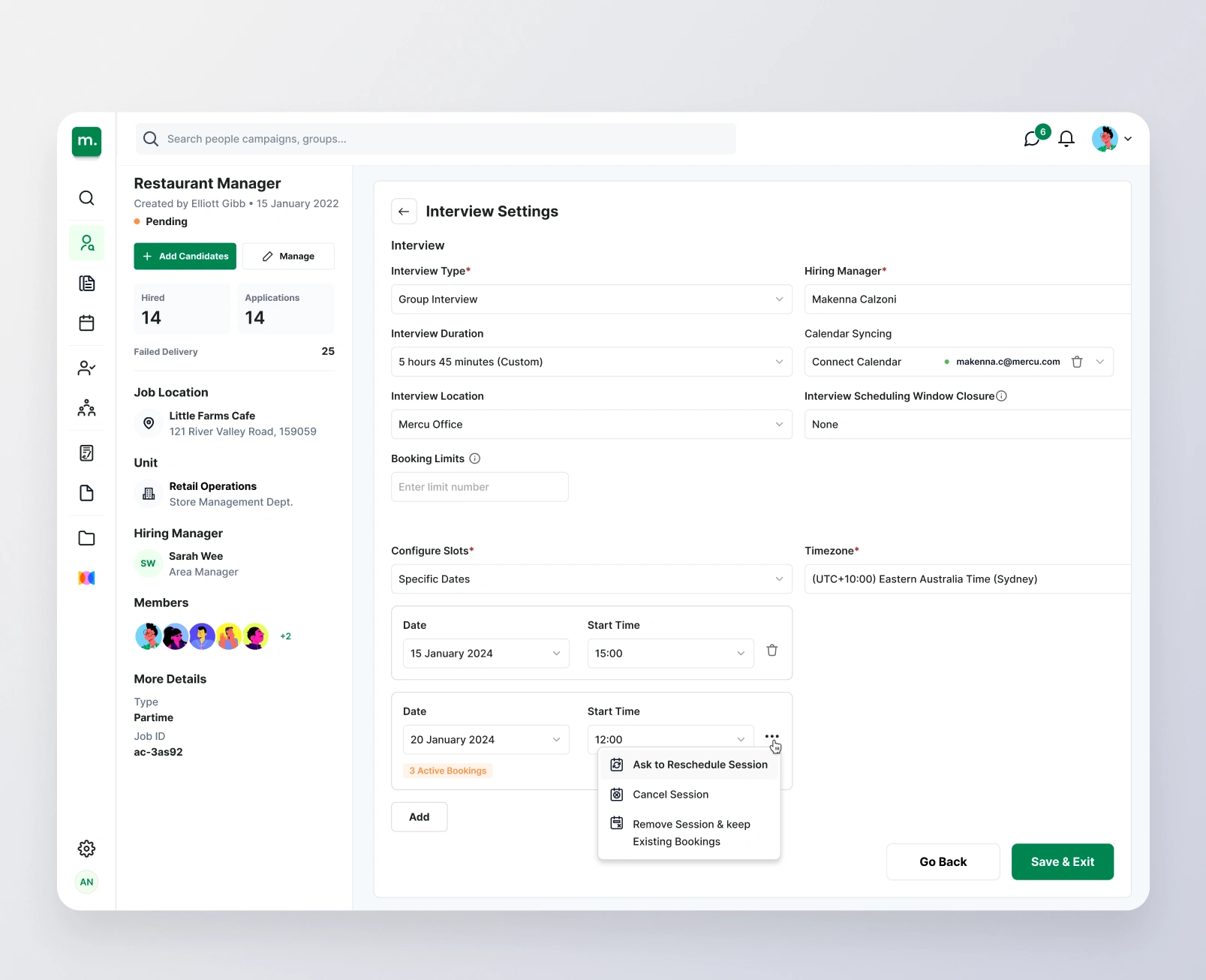
Group interview settings | Calendar connections and session controls sit within the interview setup so recruiters can manage shared time slots and handle changes with existing bookings in view.
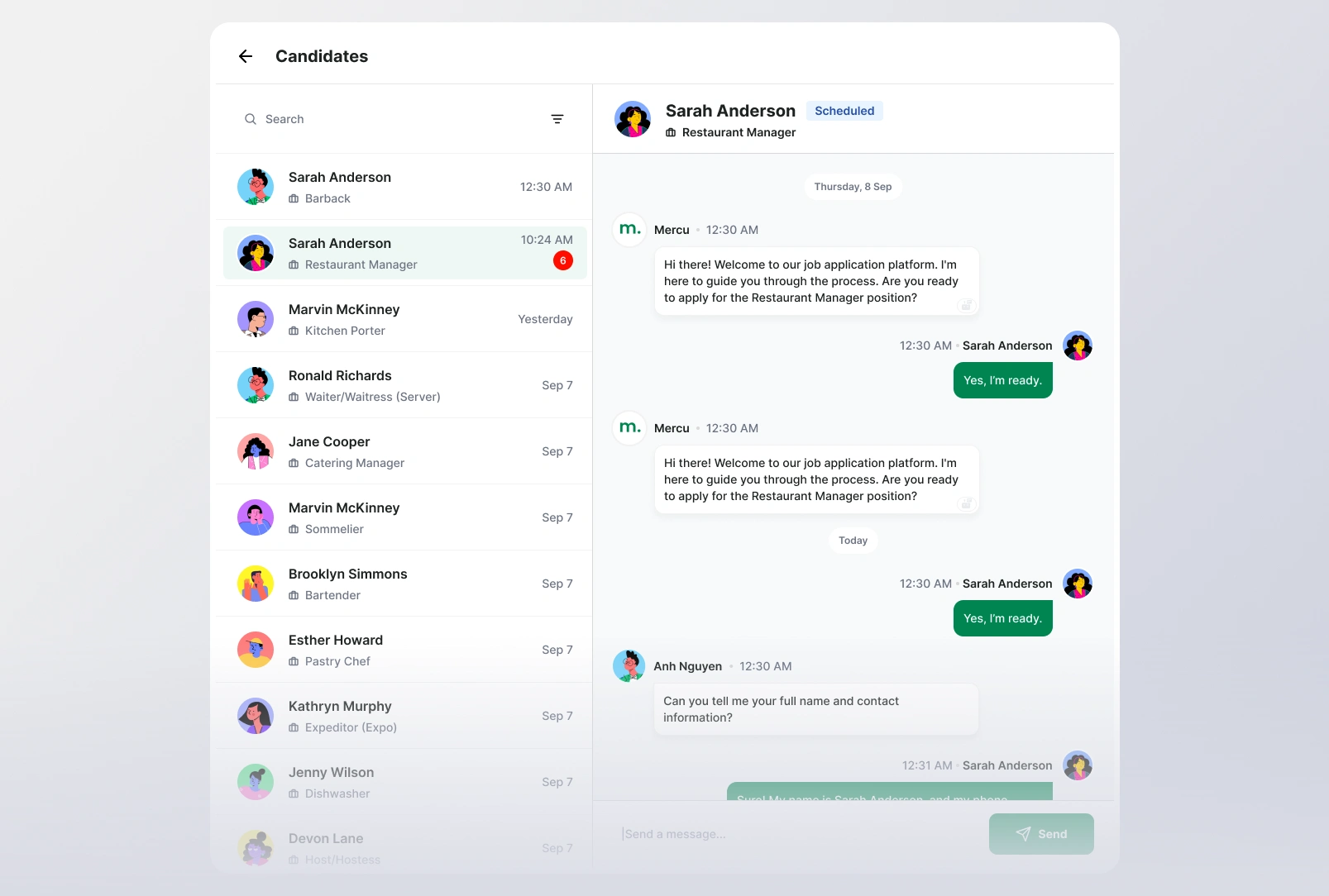
Candidate inbox | A conversation list beside the active thread lets recruiters switch between applicants while retaining each candidate’s identity, role, and application status.
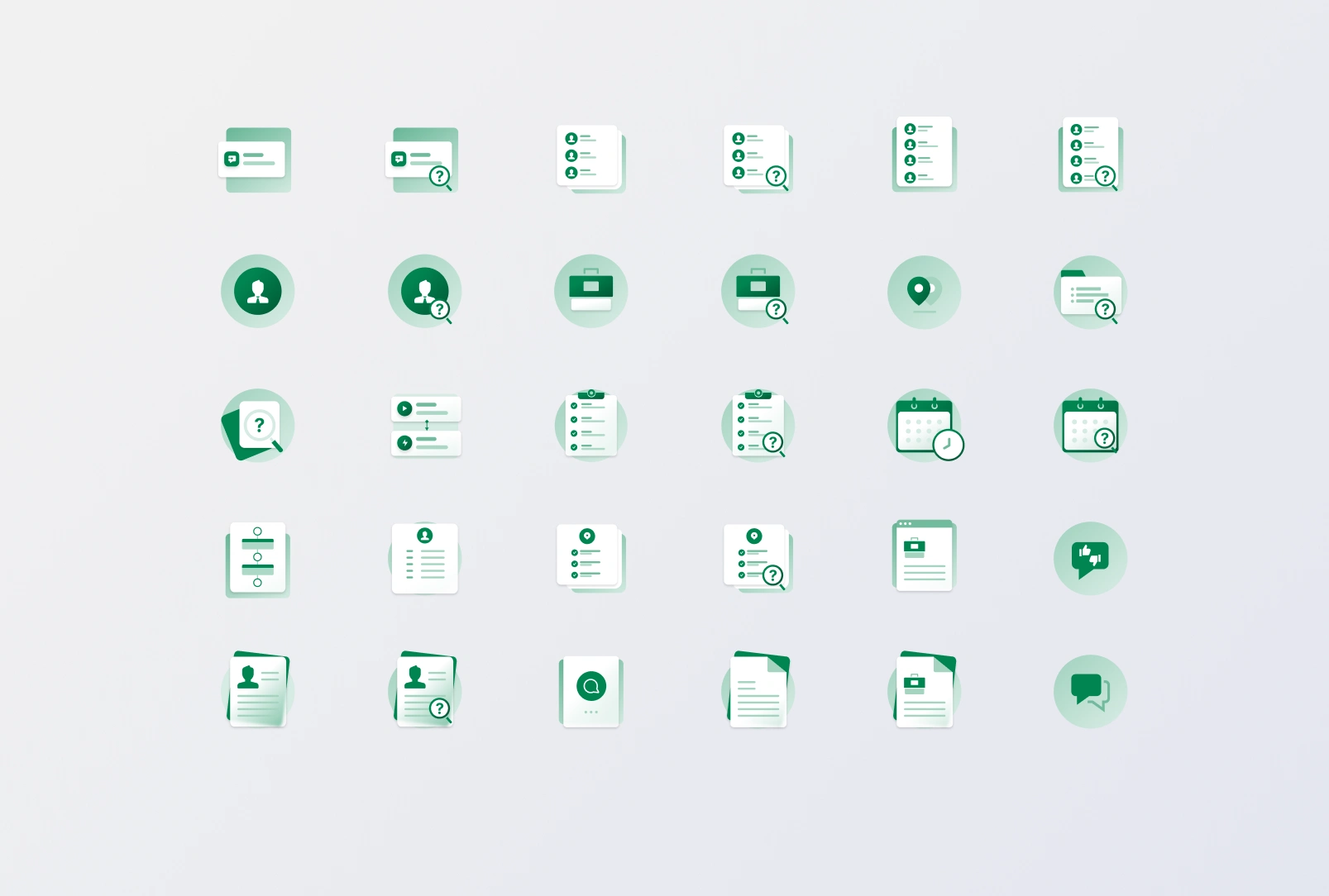
Empty-state illustrations | I designed a shared illustration style that connects empty states across the product, while distinct symbols identify whether the missing content relates to candidates, jobs, schedules, or documents.
0 likes · 1 view · Nov 18, 2026
- Build and maintain design system - Improve the platform UX desktop & mobile experience - Research and propose designs for new features
