School ERP | Website, Admissions & School Operations

Somveer Kumar


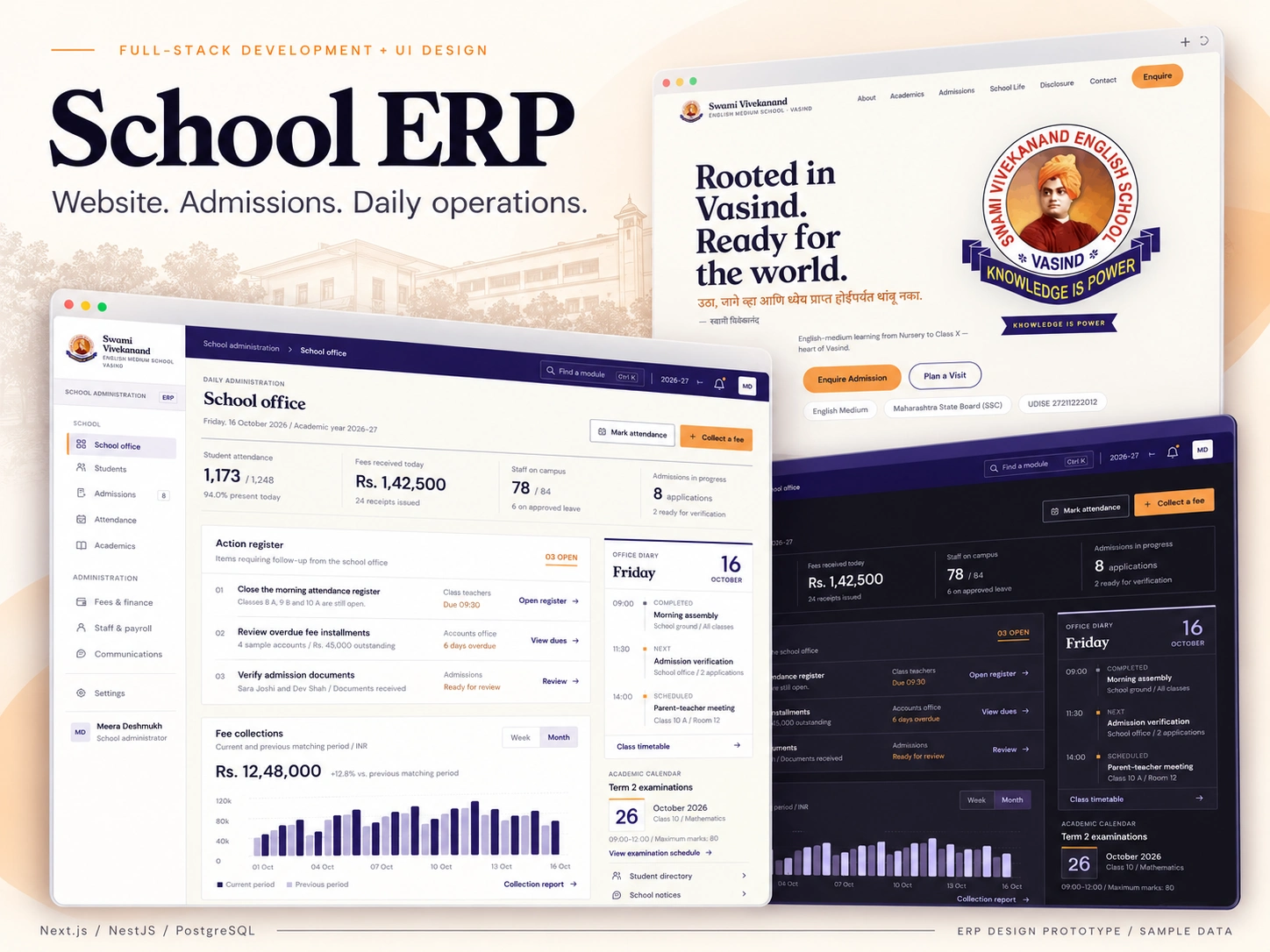
From first enquiry to the school day
I built a public school website and an ERP workspace for admissions, student records, attendance, fees and administration. The website helps families explore the school, while the staff workspace keeps daily operations organized around the same student and academic-year context.
My role: Full-stack development across the interface, API, database and deployment configuration.
01 / Make the next action visible
The school office brings attendance, collections and admissions together with an action register and office diary. Each exception leads to the relevant workspace, so the overview provides a starting point for the day.
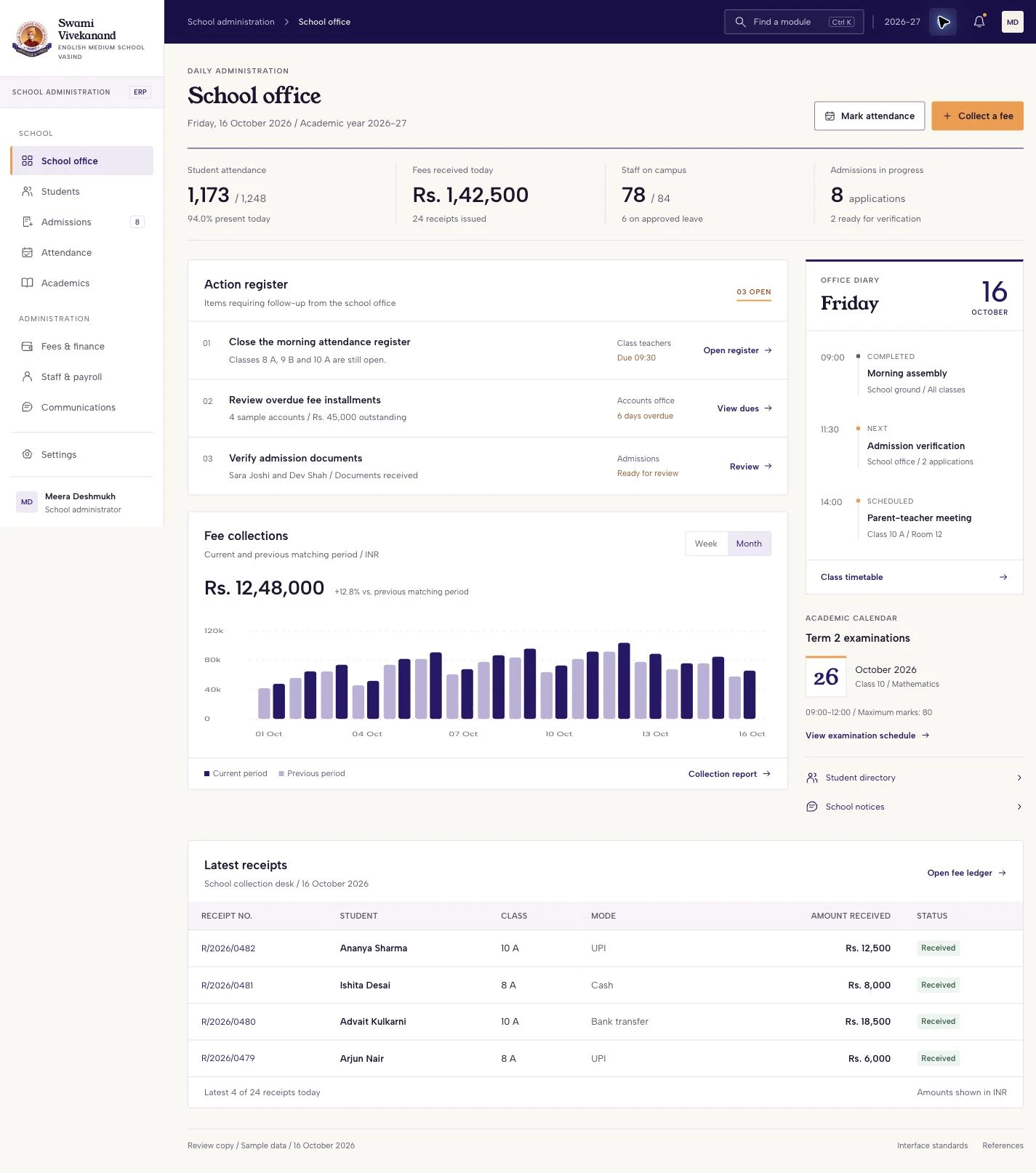
Light-mode ERP design prototype: the school office, action register, collections and diary. All records and amounts are fictional.
02 / Help families find their next step
The public website carries the school identity through admissions guidance, academic information and clear enquiry and visit actions. Families contact the school by phone or WhatsApp; staff record and manage applications inside the ERP.
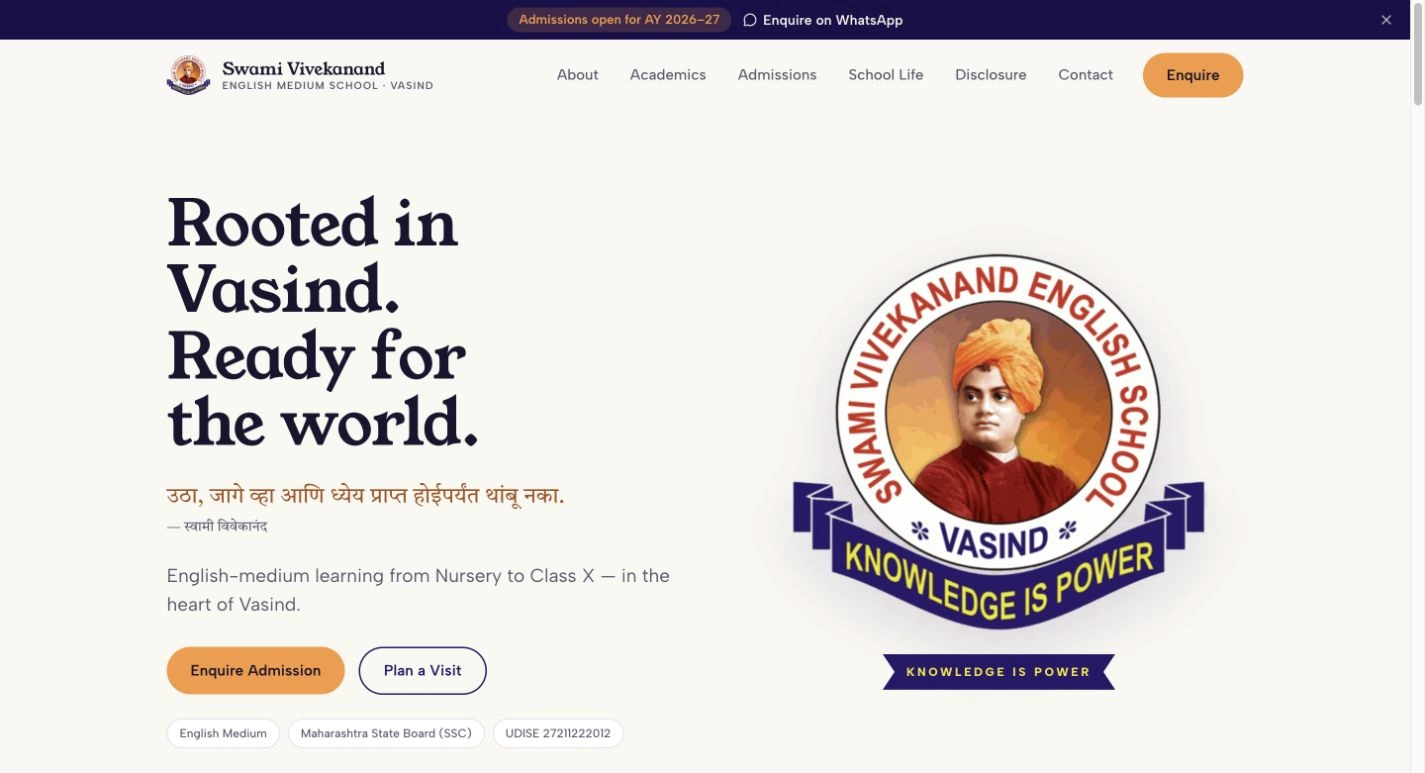
Public school website: the existing identity, admissions guidance and contact actions. Some website content remains placeholder material.
03 / Give each application a clear next step
The admissions board groups candidates by enquiry, visit, review and approval. Document readiness and waiting time stay visible alongside the next action. The application backend uses a transaction to create linked enrollment records when approval is completed.
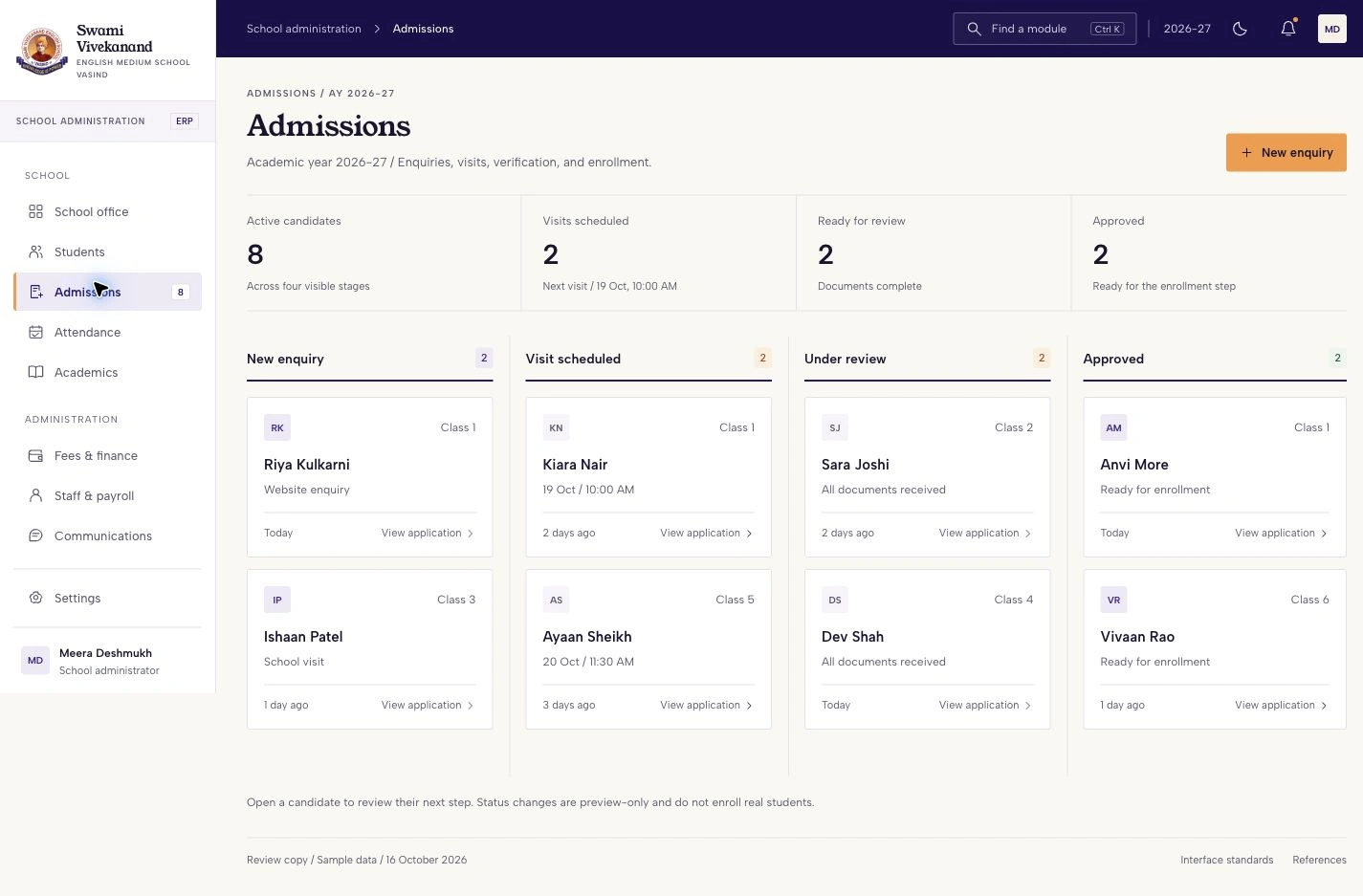
Admissions design prototype: four stages, document readiness and next actions using fictional applicants.
04 / Keep student context close
The student record preview puts guardian, class, attendance and fee context together. It gives staff a focused view of the student while retaining a direct route to the collection workflow.
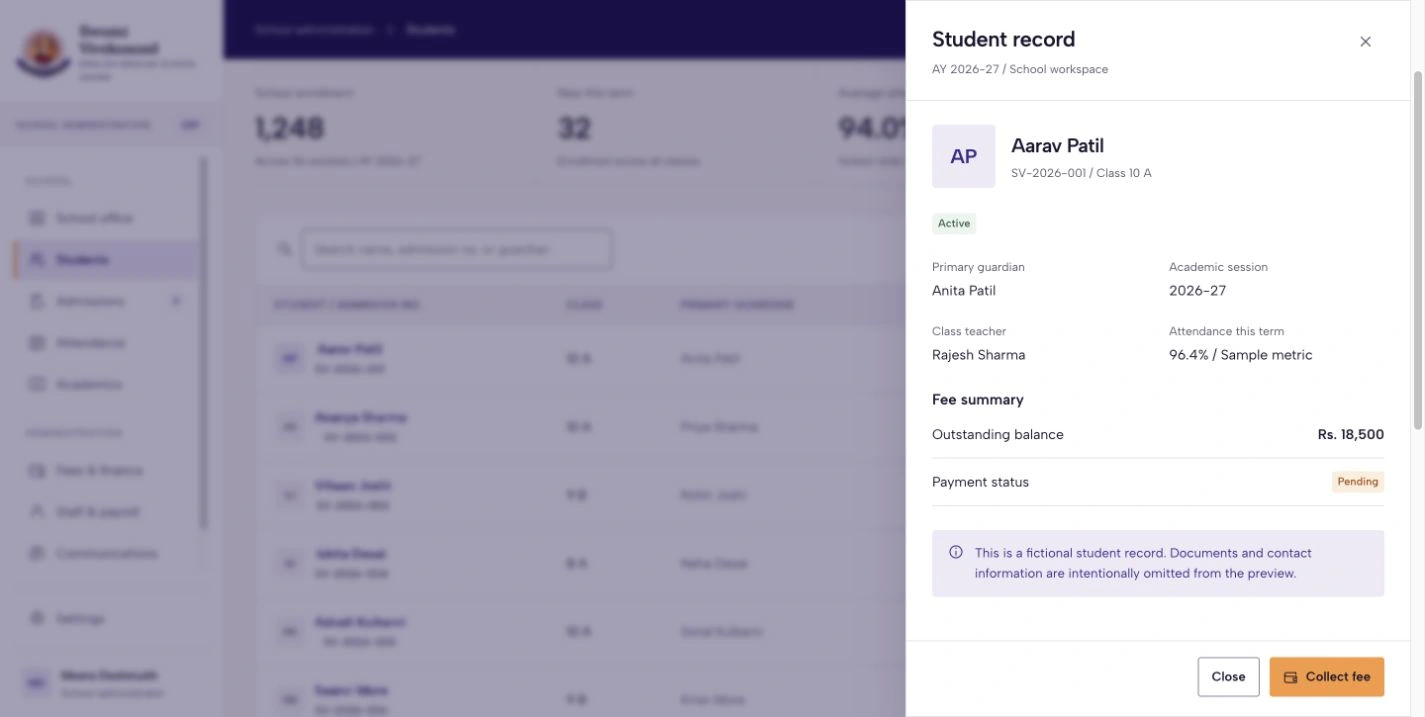
Student detail design prototype: fictional student, guardian, class, attendance and outstanding balance.
05 / Review dues before recording a collection
The finance workspace connects collection totals to student-level dues, installment dates and receipt actions. The application models fee structures, concessions, recorded payments, receipt PDFs and expenses.
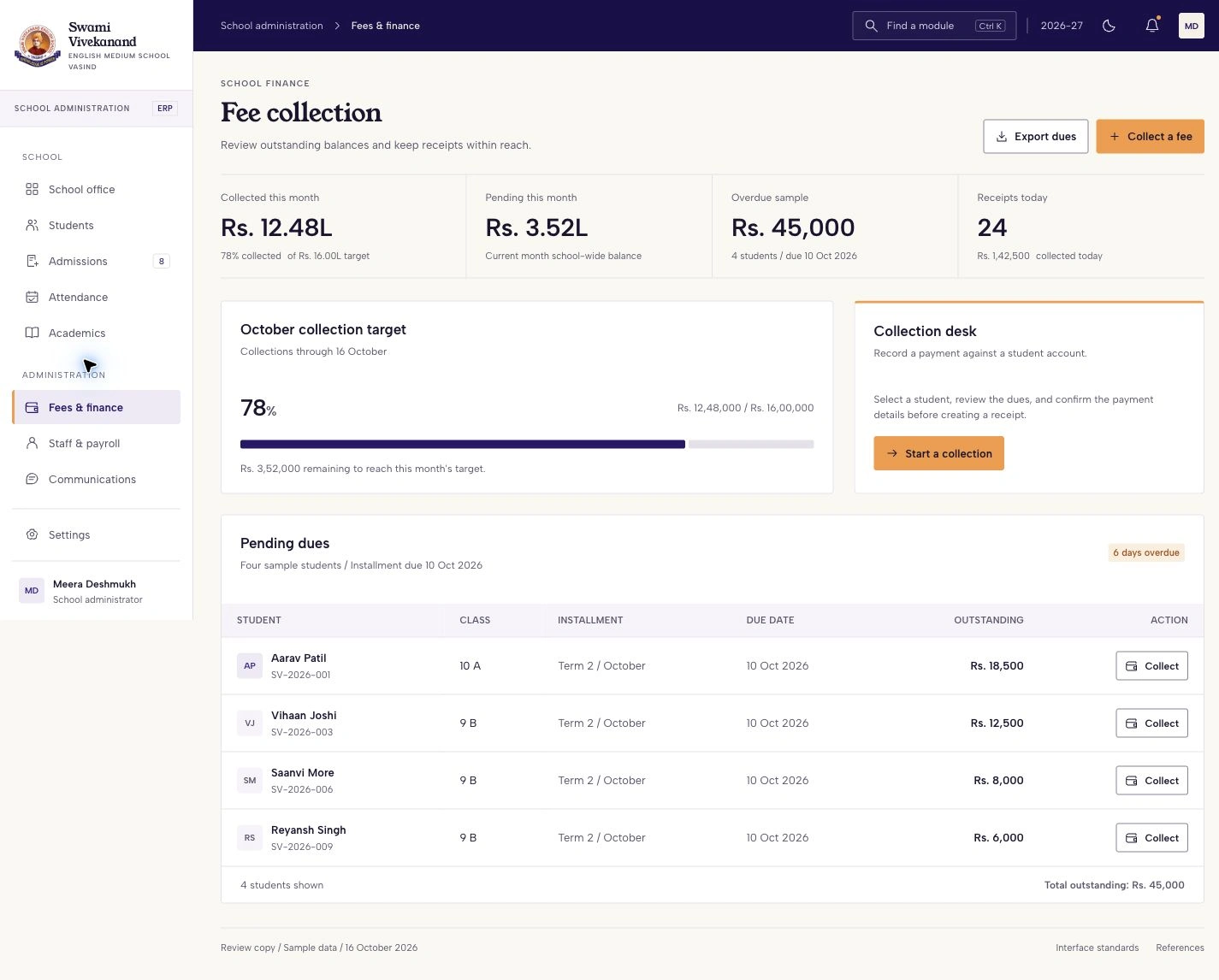
Fee-management design prototype: collection summary, pending installments and student-level dues. All figures are sample data.
06 / One identity across light and dark
Both themes use the school website's indigo, saffron, paper tones and typography. Compact controls, ledger-like summaries and restrained dividers adapt that identity for repeated administrative work.
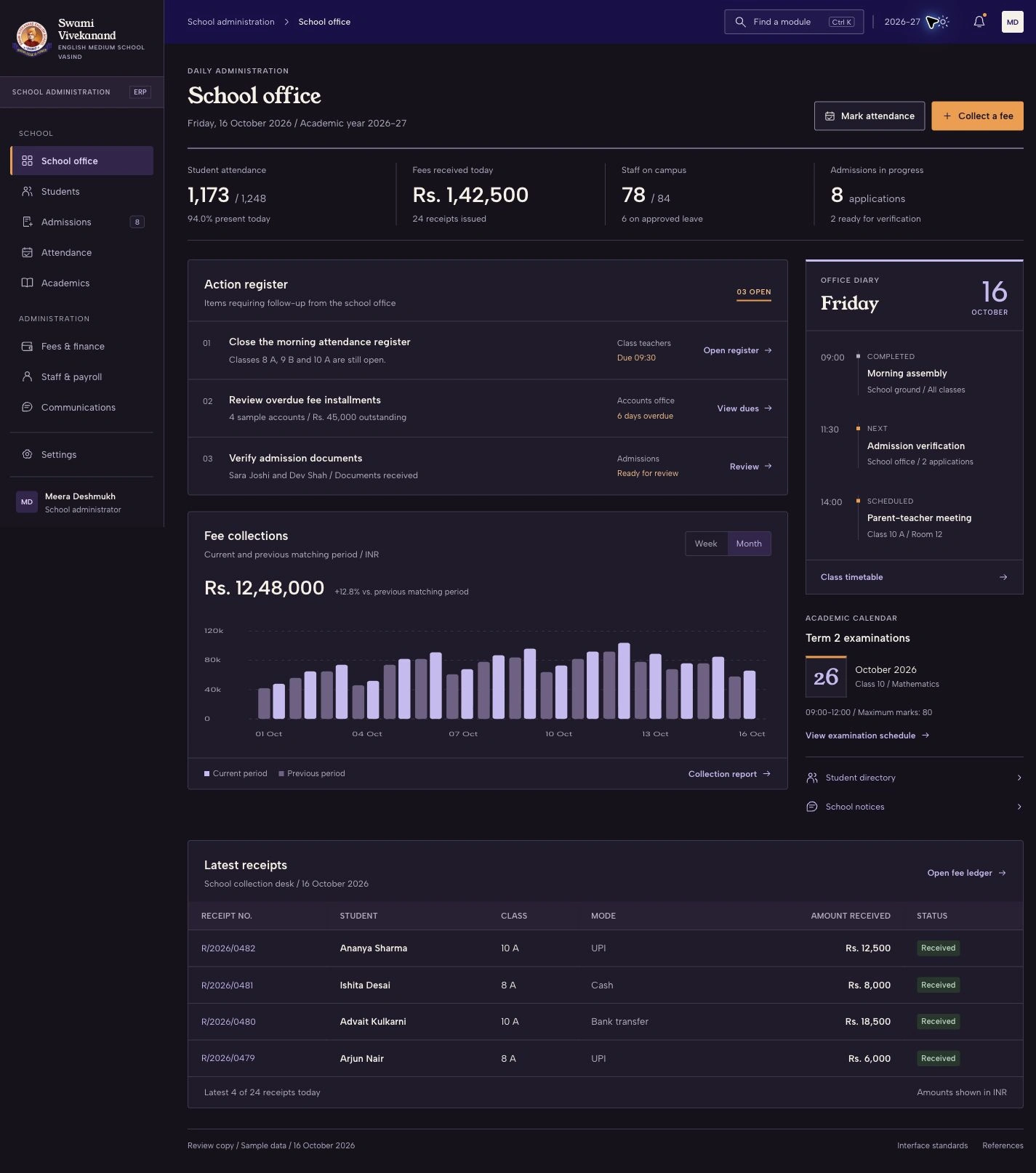
Dark-mode ERP design prototype: the same school office hierarchy, action register and fictional operational data.
Engineering behind the application
Consistent enrollment: Admission approval creates the student, academic, document and applicable fee records in one database transaction, reducing partial enrollment states.
Explicit school context: Authentication, role, permission and school-context guards govern API access. Switching schools clears the frontend query cache so the previous school's results do not remain on screen.
Careful fee handling: Decimal database fields, integer-paise allocation, unique receipt constraints and collision retries address rounding and document-number conflicts.
Technology
Website: React, TypeScript, Vite, React Router and Tailwind CSS.
ERP interface: Next.js App Router, React, TypeScript, Tailwind CSS, shadcn/Base UI, TanStack Query, Axios and Recharts.
API and data: Node.js, NestJS, Prisma, PostgreSQL, Zod, Passport JWT, bcrypt, refresh sessions, HTTP-only cookies, S3-compatible storage and PDFKit. Deployment configuration uses Docker Compose, nginx and MinIO. The repository includes API/mobile test suites and Playwright browser tests.
Project scope
The redesigned ERP remains an offline prototype. Exam workflows are unfinished, website content includes placeholders, and recorded online payments represent manual entries. Live messaging and mobile feature parity were not verified for this presentation.
Need a school platform, internal tool or operations dashboard? Send me your workflow, current stack and priorities.
Like this project
Posted Oct 14, 2026
School website and ERP for admissions, student records, attendance and fees, with a light/dark interface prototype and full-stack architecture.