Frishmann — Webflow development and animations

Olga Travnikova


Project description
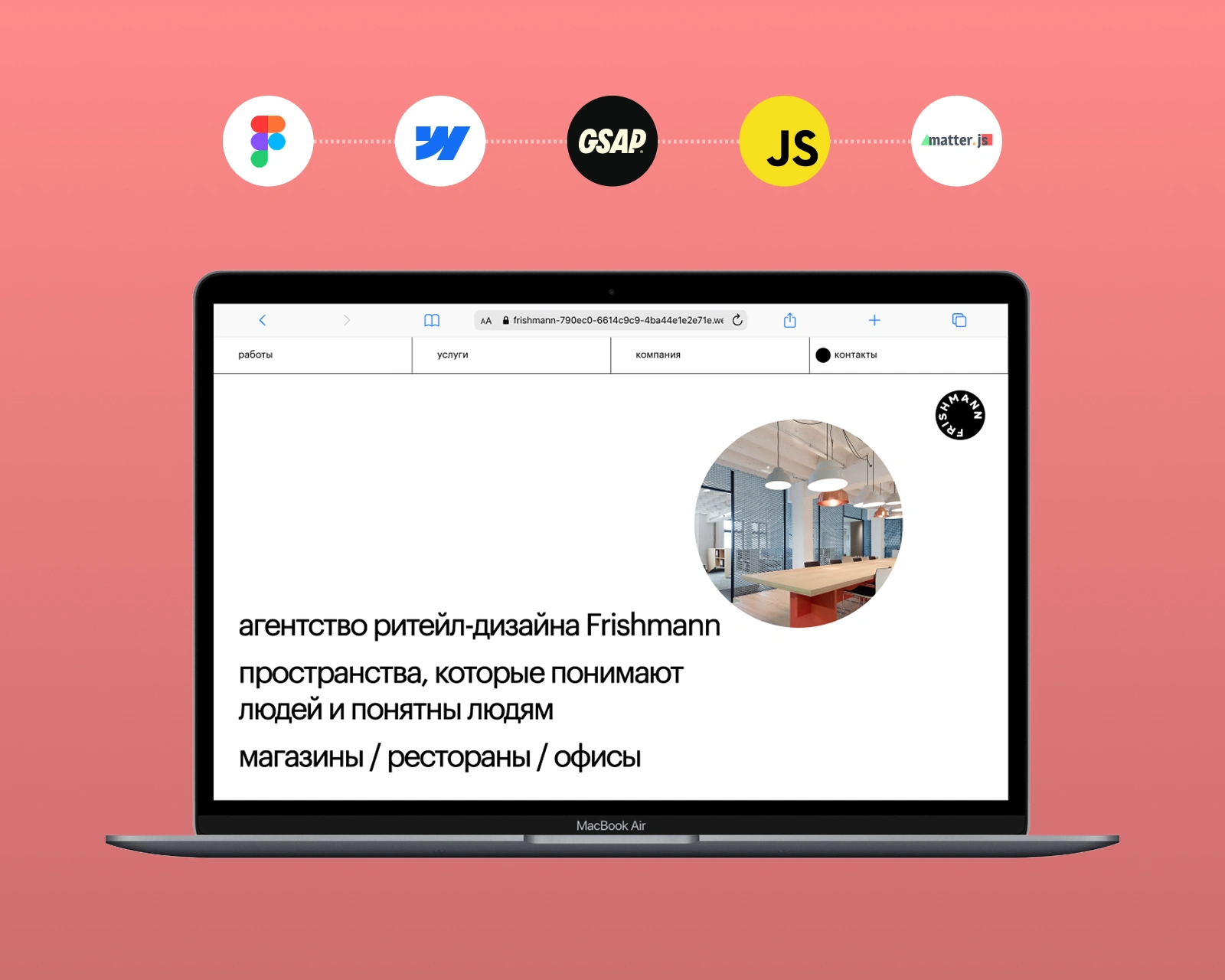
The client. Frishmann designs retail spaces — shops, restaurants, offices. Their pitch is that a space should be legible to the people walking through it, so the site had to work the same way: spatial, tactile, alive on the first scroll. The art director handed over a static Webflow layout and a list of animations Webflow cannot produce on its own.
The real constraint. An agency ships new projects every month. If swapping one photo inside a physics simulation needs a developer, the site is dead within a quarter — the team quietly stops updating it. So the brief was not just to build the animations. It was to build them and leave every one of them editable in Webflow build mode. That shaped every technical decision below.
Live preview: frishmann-790ec0-6614c9c9-10ee8270ec9d9.webflow.io
What follows is the build, section by section — what a visitor sees, and what the client can change without me.
Hero. Physics the client can restock.
Implemented an interactive animation for the hero section, where a circle moves across the screen, bounces off the edges, and changes the image inside on each bounce. The feature was built with Matter.js, fully responsive across all screen sizes, with images easily replaceable in Webflow's build mode.
Case grid. The image follows the cursor.
Created an interactive animation using JavaScript, where a circle with the project image follows the cursor when hovering over a case. Implemented image transitions when moving between cases. All images are easily replaceable in Webflow's build mode.
Services, as an interactive diagram.
I developed a custom JavaScript-based functionality for the "Services" section. The interface works like an interactive diagram. When a user clicks on a service, its related sub-services expand. Each sub-service can be clicked to reveal a detailed step description. Selecting a different service automatically closes the previously opened one and displays the new content. A sidebar with a list of all services is synchronized with the diagram, allowing users to control the navigation both from the scheme and the list.
Case-page hero. A mask that tracks the cursor.
For the case study hero section, I built a custom interactive animation with a fullscreen background, a cursor-tracking circular mask, and a Text Mask Effect for the title. On scroll, the hero lifts to reveal the full project image. All images and text are easily replaceable in Webflow Builder.
Section navigation, pinned to the bottom.
A navigation panel is placed at the bottom of the page. Its items match the section headings and stay fixed at the bottom of the screen until the corresponding section is scrolled past. At the top of the page, there is an indicator showing the current section the user is viewing. A dropdown menu is also available, allowing users to quickly jump to any section without scrolling manually.
Gallery. Circles that fall into place.
I developed a gallery section where photo circles, powered by Matter.js physics, drop into view as the user scrolls. I made it possible for the client to easily add any number of images directly in Webflow's build mode. A maximum number of circles was defined, remaining images were counted and displayed in the last circle. On click, any circle opened a fullscreen gallery popup implemented with PhotoSwipeLightbox.
The part that took longest: the content grid.
I designed and implemented a complex, variable image grid in the case description section. To manage the content, I used page slots and components, allowing the client to build the layout like a constructor from different block variations with images of various sizes. All changes can be easily made in Webflow's build mode, so the client can customize and rearrange the content without coding. It is the least visible thing on the site and the reason it will still look current in two years.
Handover and status.
I trained the client's team to edit the site in build mode: every animated section above, plus the case grid, is theirs to change without me. The build is handed over and the team is loading content now, so the link above is a preview rather than the public domain.
Like this project
Posted Aug 17, 2026
A static Webflow layout turned into a physics-driven site for a retail design agency, with every animation wired to build mode so the team can edit it.