Smart Grocery Mobile App Design

Sagor Shopon


🛒 Smart Grocery Mobile App – Simplify Your Shopping Experience 🧠
Designed with ease and efficiency in mind, the Smart List & Reminders screen helps you stay organized and ahead of your grocery needs—without the hassle.
Whether you're planning weekly essentials, tracking what’s running low, or prepping for a special meal, this interface keeps everything streamlined and stress-free.
Enjoy intelligent reminders that adapt to your shopping habits and routines—so you never forget the milk (or anything else). With features like smart reordering, recurring lists, and timely nudges, your grocery planning just got smarter.
Because smarter shopping isn’t just about saving time—it’s about making life a little easier, every single day.
Have any idea💡 Let's Talk ⤵
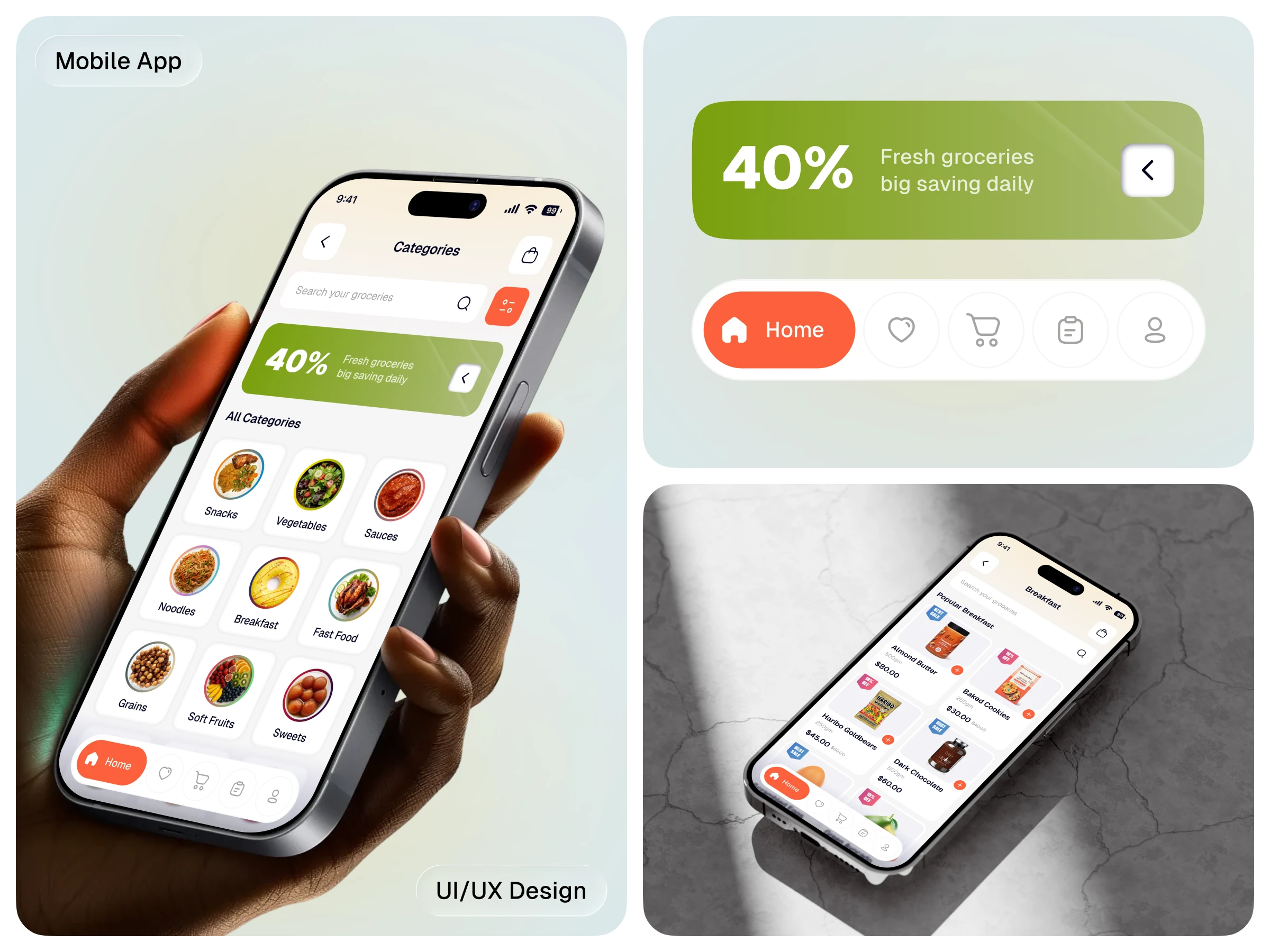
🧺 Project Overview: Discover with Ease – Smart Categories & Product Listings
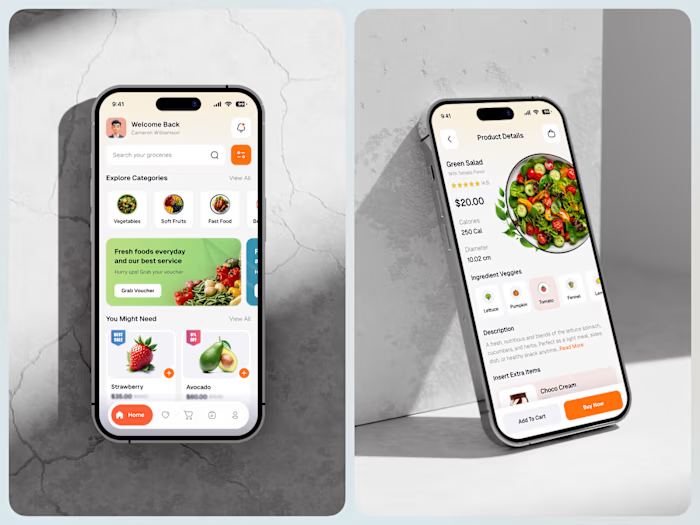
The Smart Grocery App's Categories and Product List experience is designed to make product discovery as fast, intuitive, and personalized as possible. Whether browsing by aisle or exploring curated lists, users are guided through a clean, structured interface that helps them find what they need—without the overwhelm.
From everyday staples to seasonal finds, every screen reduces decision fatigue and brings clarity to the shopping experience.
🎯 Objective
Deliver a structured, user-friendly flow that supports fast browsing, filtered discovery, and intelligent suggestions. The goal: make it easier than ever for users to find, compare, and add products—whether they’re browsing by category or on a mission to refill the pantry.
🎨 Color & Typography
Color Palette: A calming neutral base (off-white, light gray) paired with action-guiding tones like green (available), amber (low stock), and red (out of stock or hot deal)—ensuring users can scan and decide instantly.
Typography: Clean, readable typefaces like Inter or SF Pro work alongside modular card designs and icons to create a smooth, scannable layout—perfect for mobile-first browsing.
📱 Key Features
📂 Categories Page • Visual-first layout with icons or image tiles for each category • Adaptive grid layout based on screen size and usage pattern • “Top Picks,” “Frequently Bought,” and “Trending” mini-sections within categories • Sticky filter/search bar for faster navigation • Seasonal collections or time-based categories (e.g., “Back to School,” “Weekend Grill”)
🧾 Product List Page • High-speed scrolling with lazy loading for performance • Clear pricing, availability, and badges (e.g., “Bestseller,” “Organic,” “Limited Stock”) • Tap-and-hold quick-add to cart • Swipeable filters: brand, price, dietary tags, user rating, etc. • Sort options (e.g., popularity, price, recommendations) • Dynamic loading based on user behavior and preferences
🧠 UX Thinking
Every product list is thoughtfully structured to support quick scanning, smart filtering, and minimal taps. Features like sticky headers, floating filters, and contextual category highlights reduce user effort and improve engagement. Haptic touches and visual cues keep the user confident and in control.
✅ Outcomes
• Speeds up product discovery through category clarity and list efficiency • Increases AOV (average order value) by surfacing relevant add-ons and bundles • Reduces drop-offs by simplifying path to cart • Builds user trust through clarity, organization, and personalization
Like this project
Posted Jul 20, 2025
Designed Smart Grocery App for efficient shopping experience.
Likes
3
Views
14