UI/UX Design for Myndex EDMS

Faruq Gambari


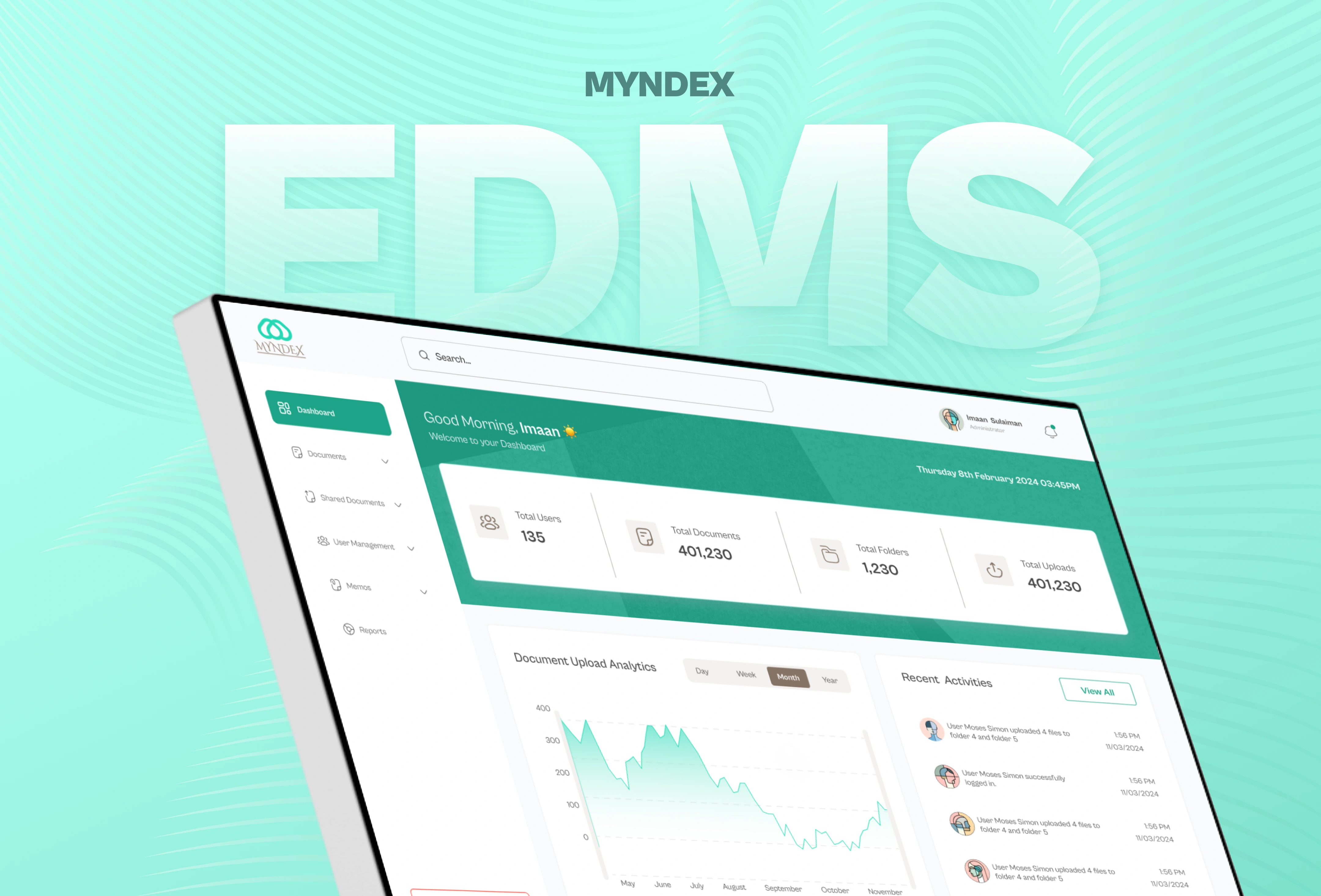
Myndex Electronic Document Management System
Overview
I led the UI/UX design for an Electronic Document Management System (EDMS) commissioned by a judiciary partner.
The goal was to replace paper-based memo circulation and manual filing with a secure, fully digital platform that simplifies document sharing, approval, and access for court staff. I was responsible for drafting the Product Requirements Document (PRD), defining workflows, creating wireframes, and designing a responsive, high-fidelity prototype that was later used for stakeholder review and internal usability testing.
The Challenge
Judicial offices relied heavily on paper communication, memos, approvals, and case documents were manually handled, often leading to delays, misplaced files, and inefficient communication between departments.
The challenge was to design a simple yet powerful system that could digitize these processes while ensuring security, accessibility, and clarity for non-technical users.
Project Goals
Create a user-friendly platform for document upload and sharing.
Streamline document and memo circulation between departments.
Ensure secure role-based access to files and records.
Improve communication efficiency and document retrieval time.
Key Contributions
Drafted and structured the Product Requirements Document (PRD).
Created detailed user journeys and wireframes for core features.
Designed a full UI system and high-fidelity prototype.
Conducted internal usability tests and integrated stakeholder feedback.
Design Process
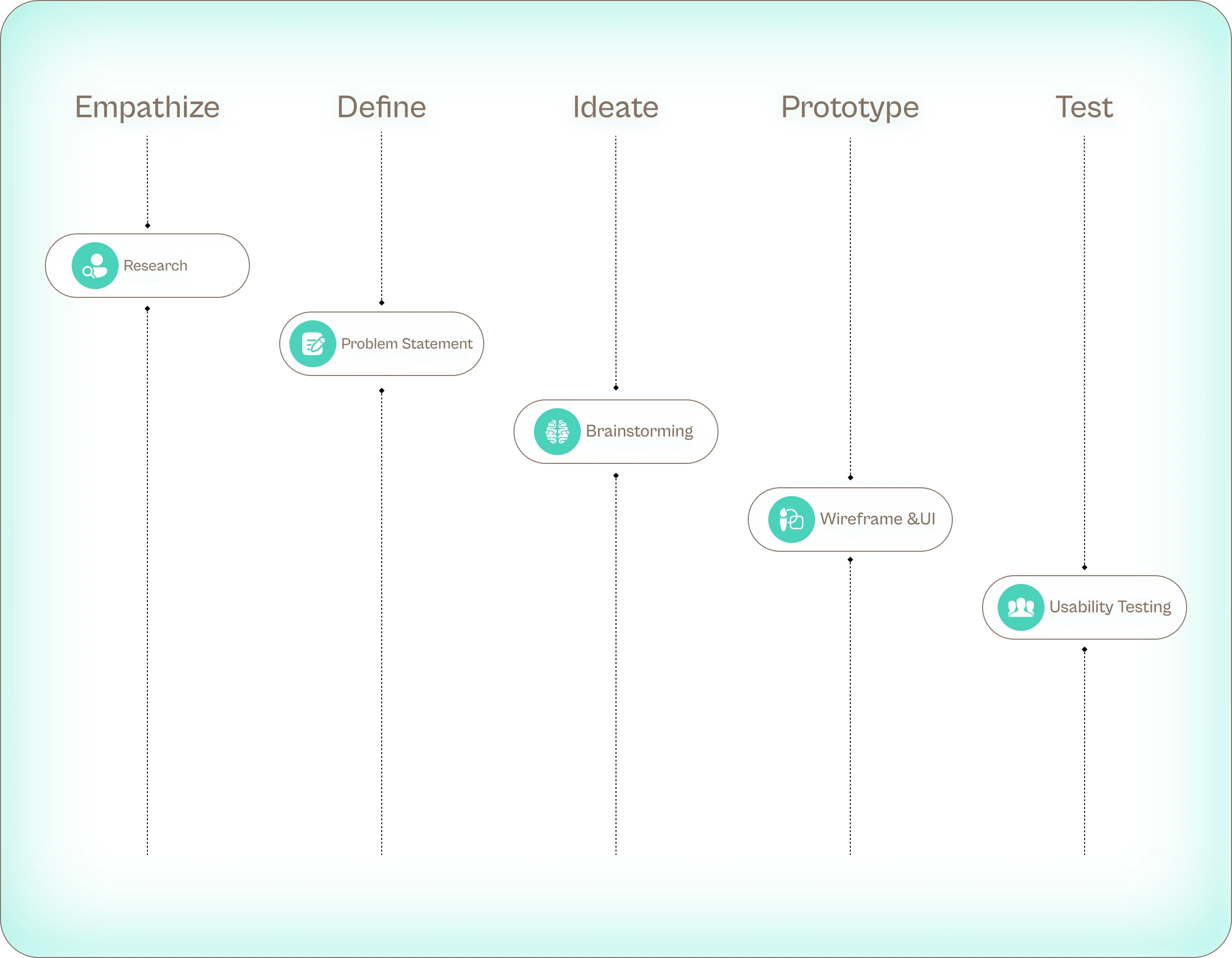
Research & Discovery
To understand the challenges of the existing workflow, I started by observing how administrative teams handled document uploads, memo distribution, and departmental communication. Most processes were still paper-based, which caused unnecessary delays and confusion. Staff members mentioned difficulty retrieving old files, tracking shared documents, and confirming whether recipients had received important memos. These insights helped shape the foundation of Memosync; a system built to make document handling faster, sharing more transparent, and communication easier to manage across departments.
Key Insights
Staff needed an easier way to find and organize files without relying on physical storage.
There was no clear way to track document sharing or memo delivery, leading to miscommunication.
Teams wanted a central platform where they could upload, share, and manage files in real time.
User Persona
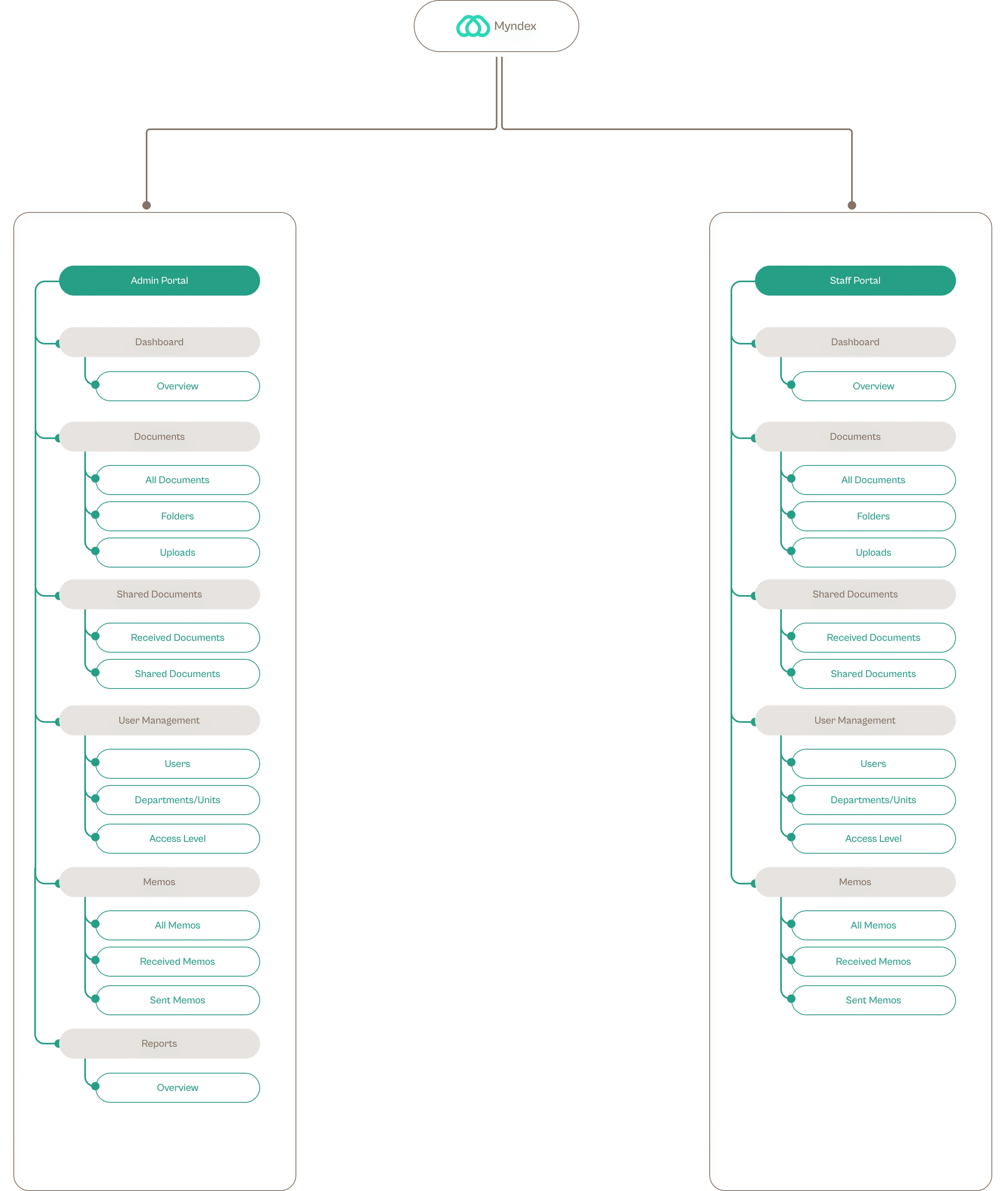
Information Architecture
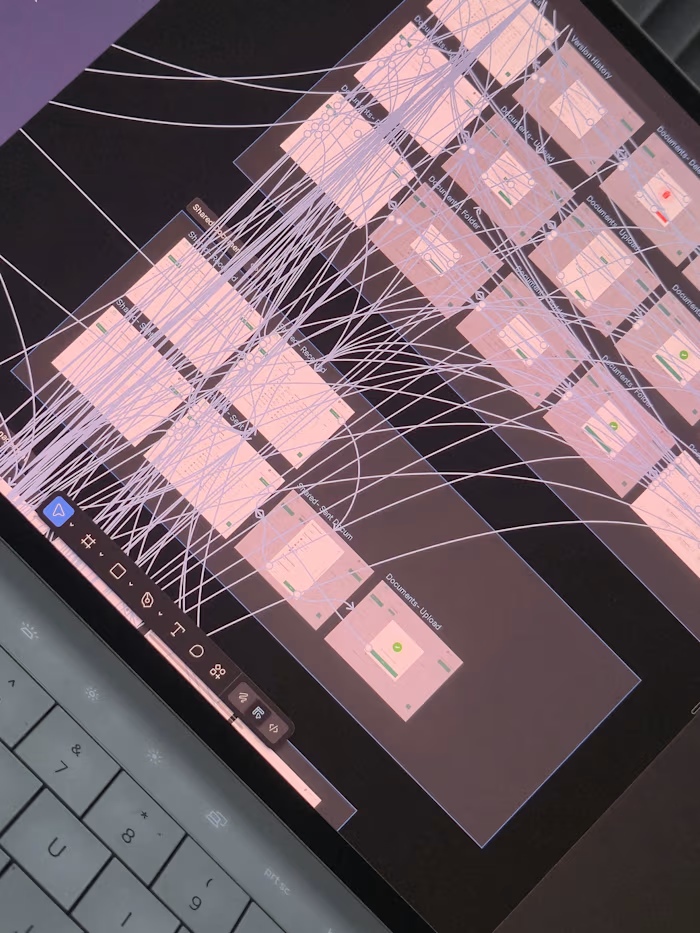
Before diving into wireframes, I mapped out Myndex’ overall structure to define how different users interact with the system.
Since the platform serves two main user types; Administrators and Judicial Staff. The goal was to create a hierarchy that feels logical, efficient, and scalable.
Admin Portal
The Admin Portal gives full control over document and memo management. Admins can upload, categorize, and share files, track user activity, and manage access levels, keeping the entire system organized and transparent.
Staff Portal
The Staff Portal lets users upload and organize documents various formats, share them with specific departments, and track recent activity. It provides a clear overview of uploads, received memos, and sent files, keeping daily tasks simple and organized.
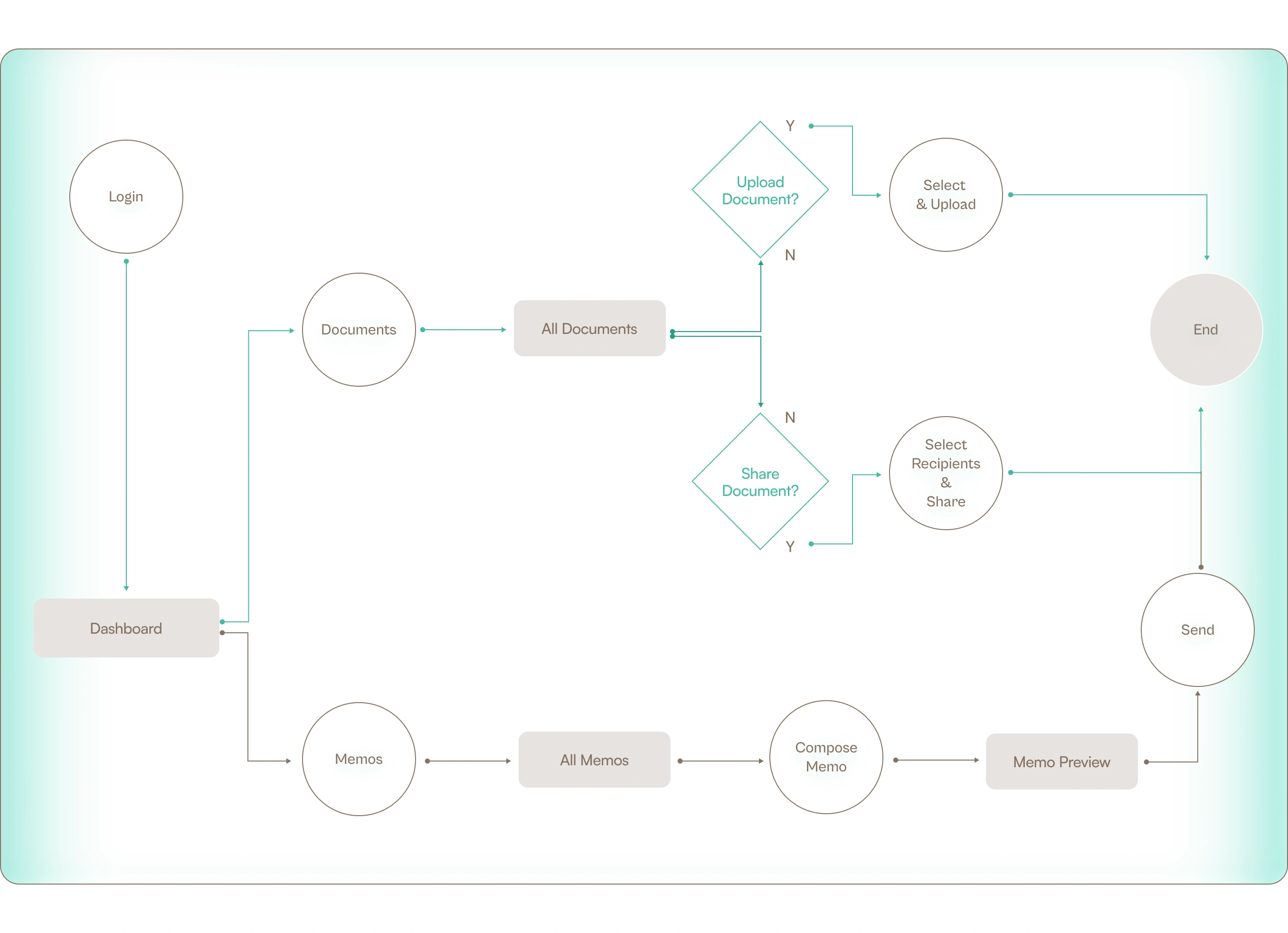
User Flow
The main goal of Myndex EDMS is to simplify how staff and administrators upload, share, and manage documents; including sending and tracking electronic memos across departments.
The user flow maps out how users navigate through the system to complete these actions efficiently. It focuses on minimizing steps, ensuring clarity, and reducing friction between uploading, sharing, and confirming document or memo delivery.
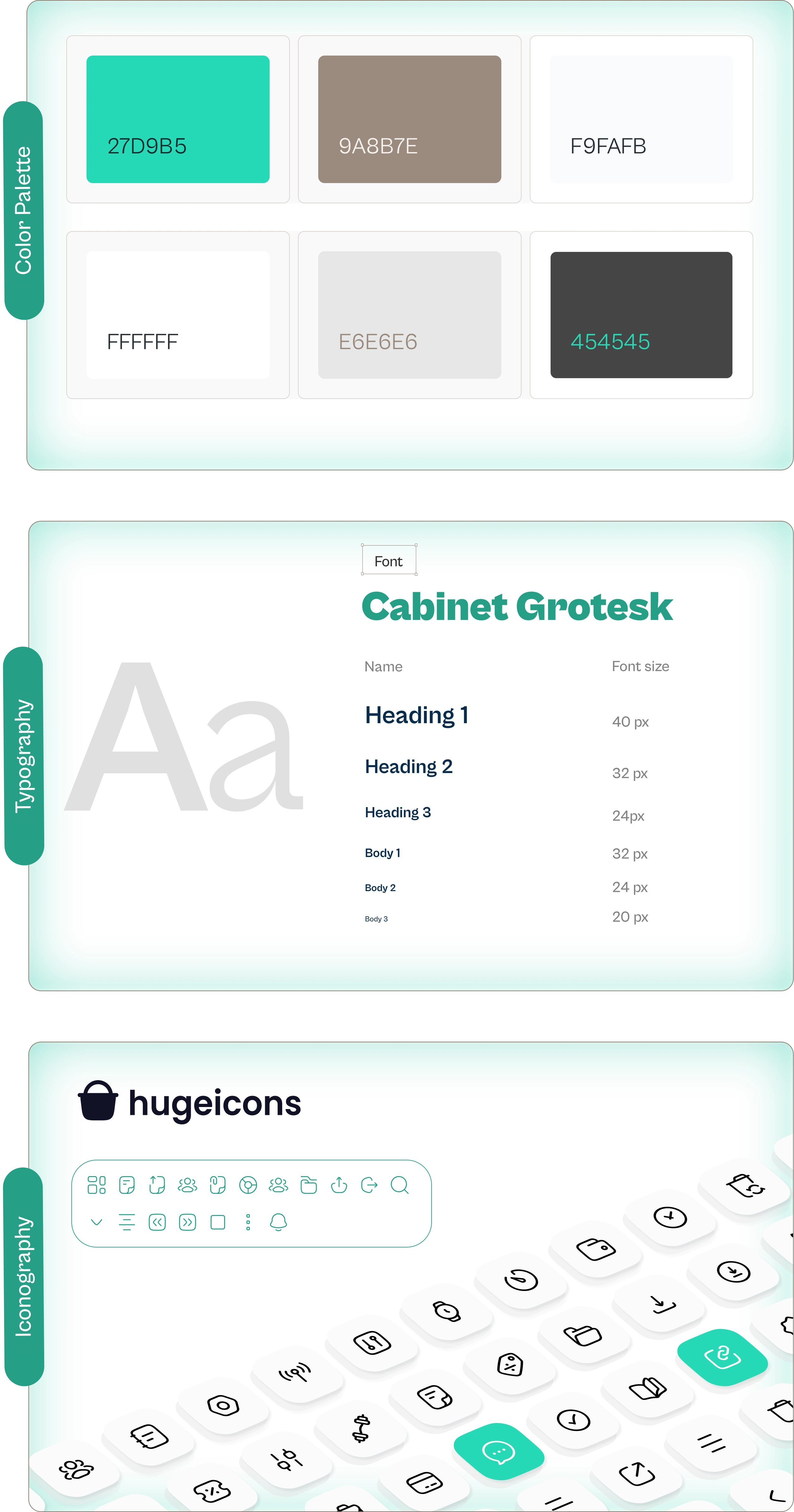
Style Guide
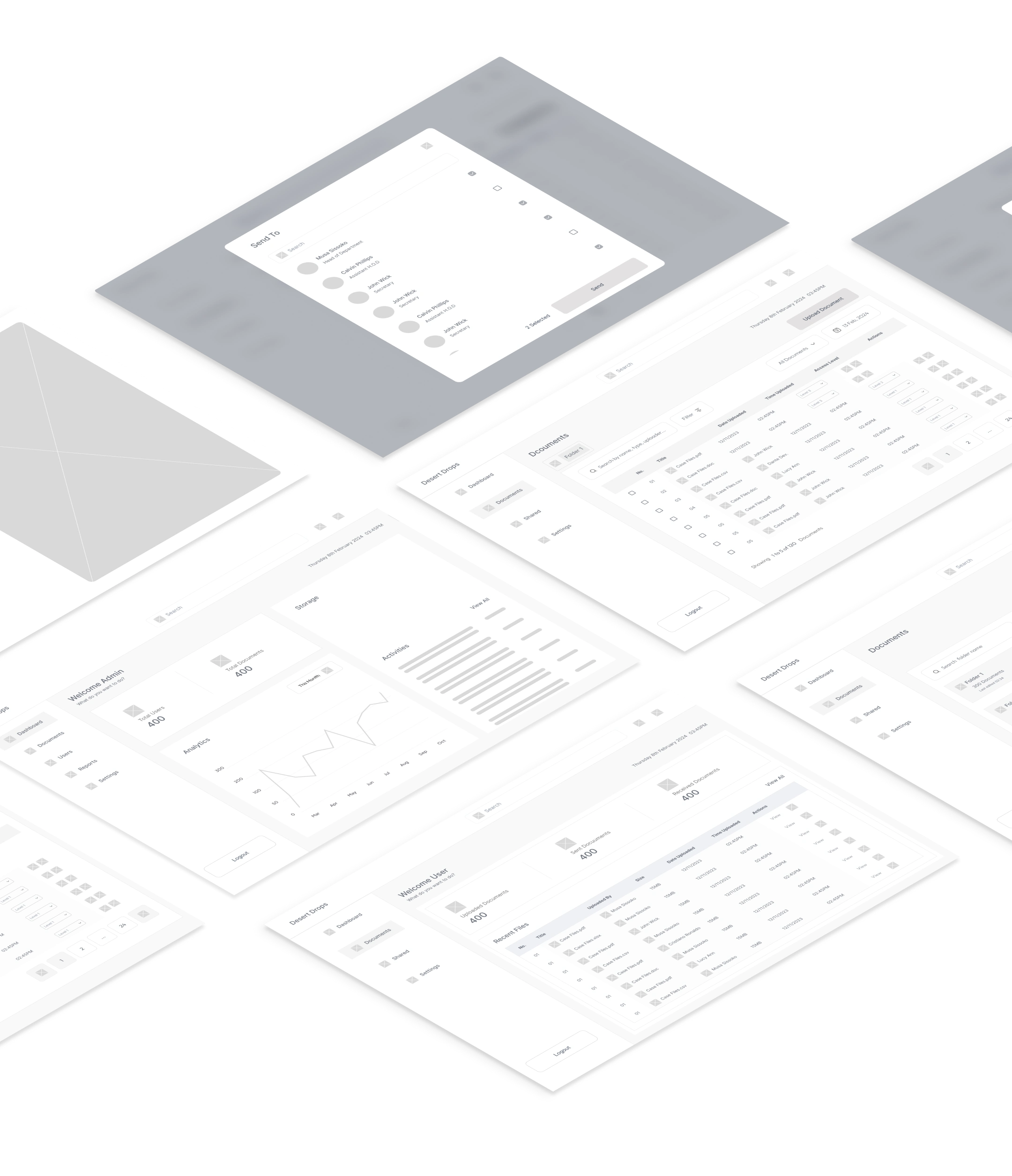
Wireframes
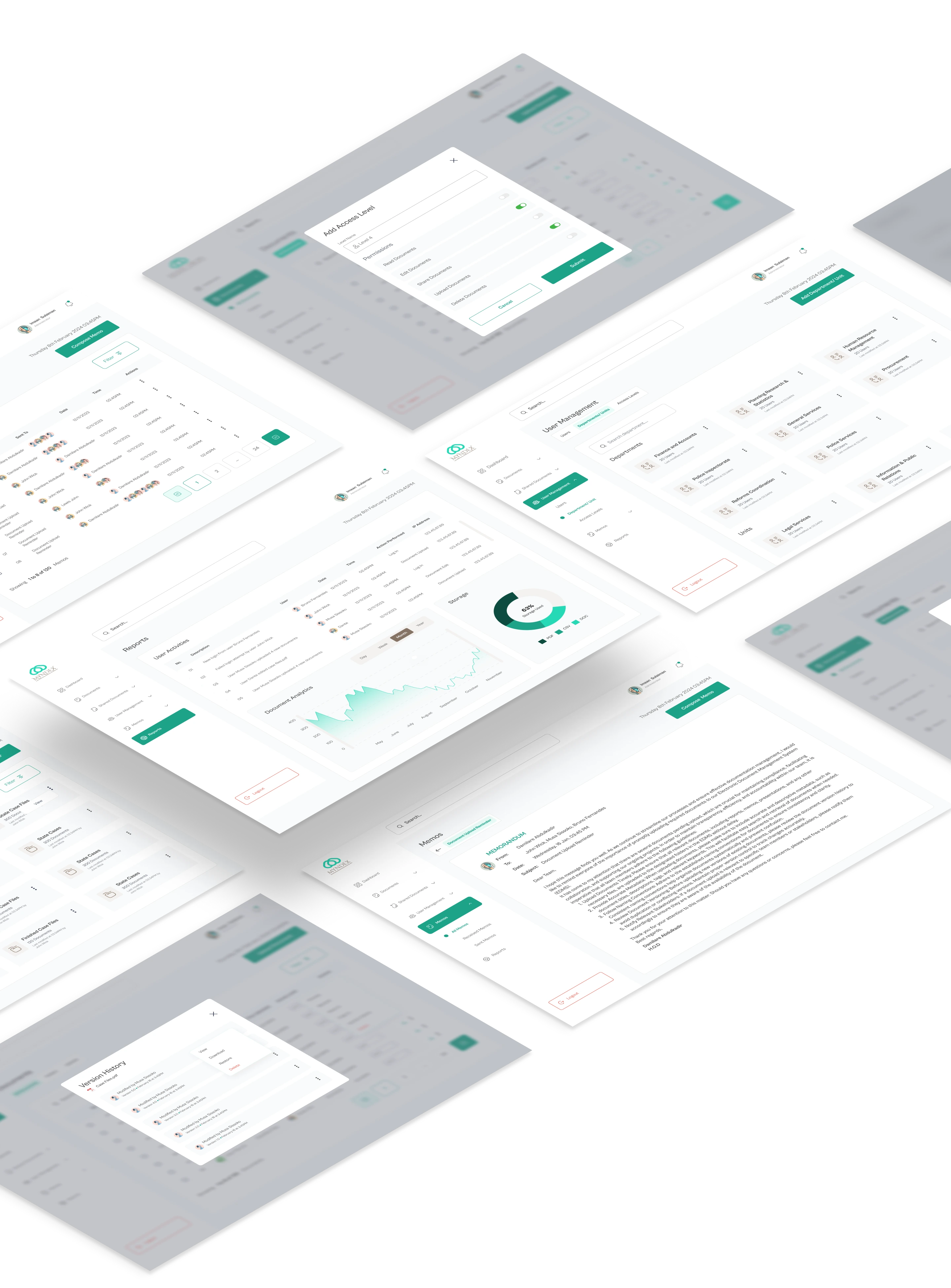
High Fidelity Design
Dashboards
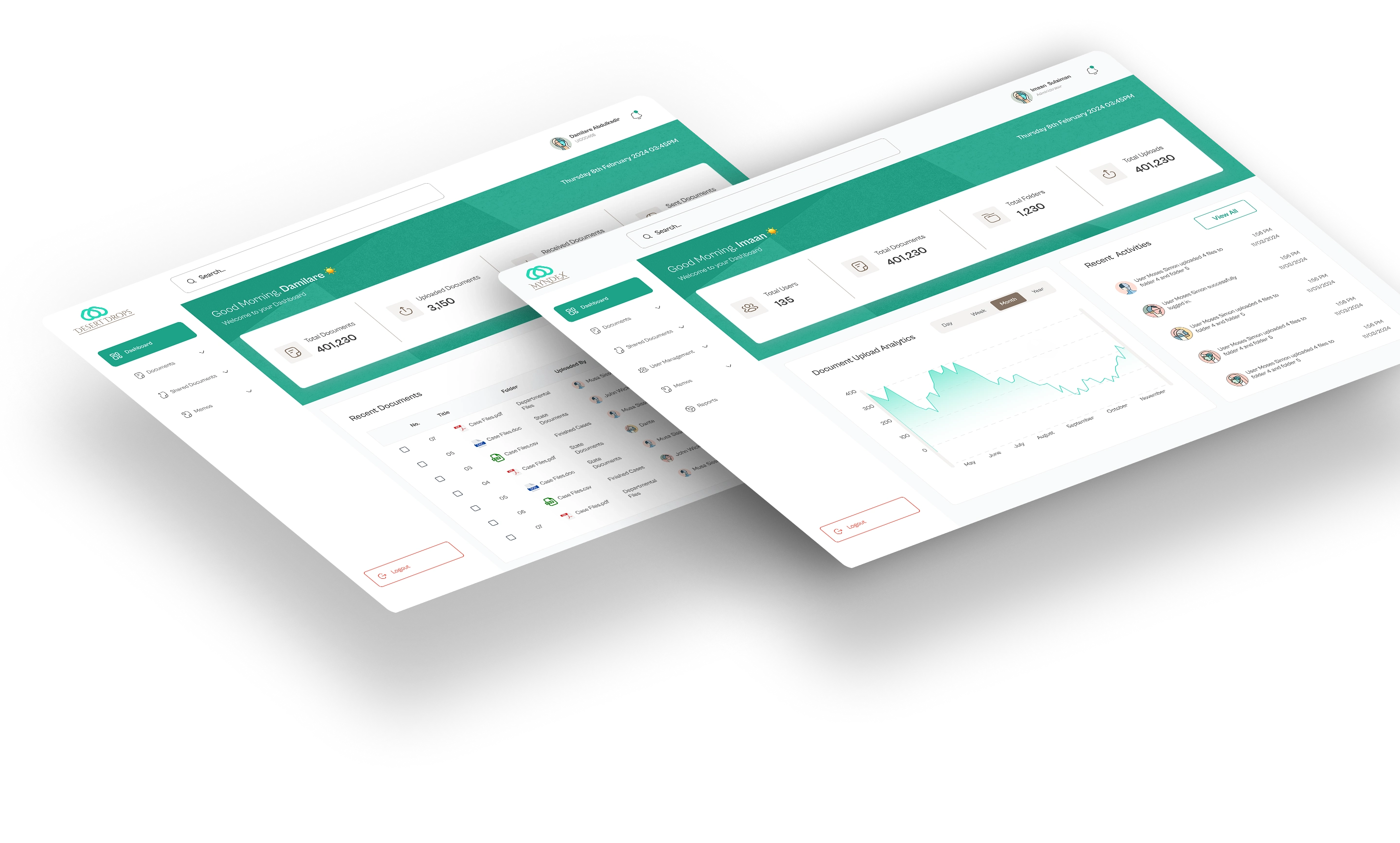
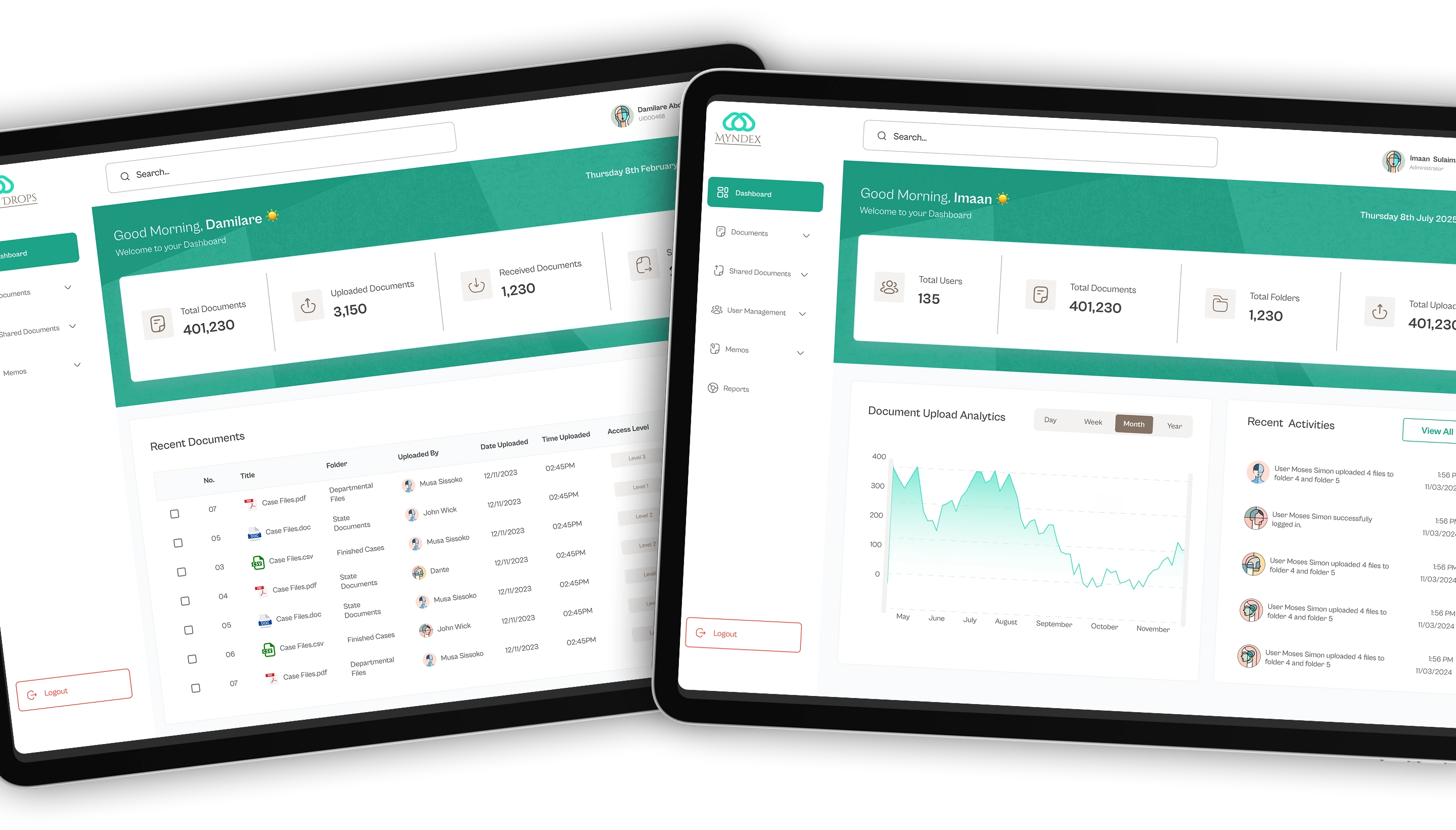
The Myndex dashboard is designed to give both Admins and Staff instant insight into their activity at a glance.
For Admins, the dashboard highlights system-wide metrics; total users, documents, folders, uploads, and recent user activity, enabling quick monitoring and management.
For Staff, it focuses on personal contributions, showing their total, received, and sent documents, as well as a live table of recently uploaded files across the organization.
Both views are crafted to reduce clutter and keep users focused on what matters most to their role.
Documents
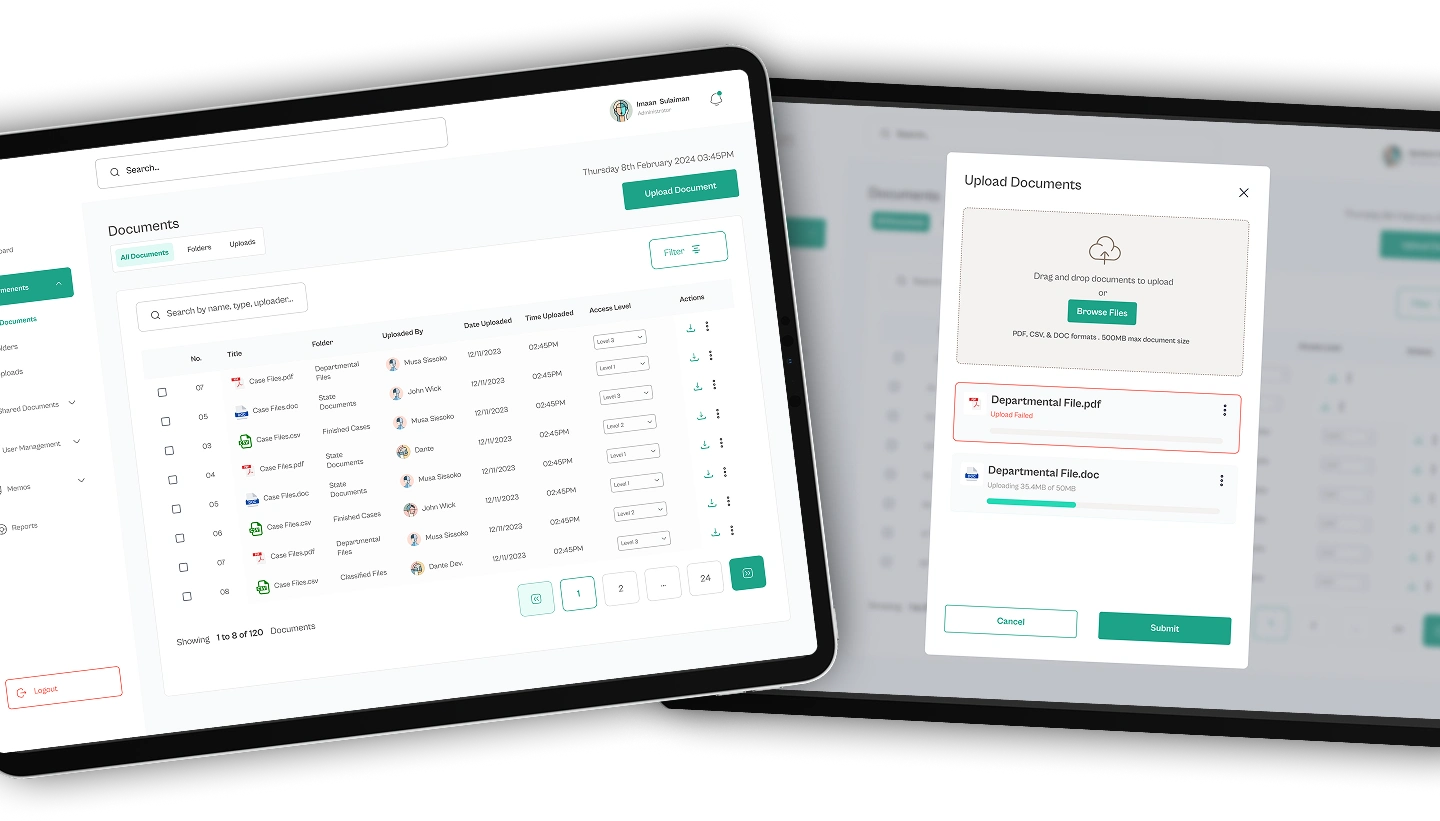
The Documents section provides a clear and efficient way for users to view, upload, and manage files in PDF, Word and CSV formats. All documents can be previewed directly within the system for quick reference, reducing the need for external downloads. Users can also upload new files into specific folders, keeping everything neatly structured and easy to find. The layout was designed to balance simplicity and functionality, ensuring both Admin and Staff can access and organize documents without friction.
Memos
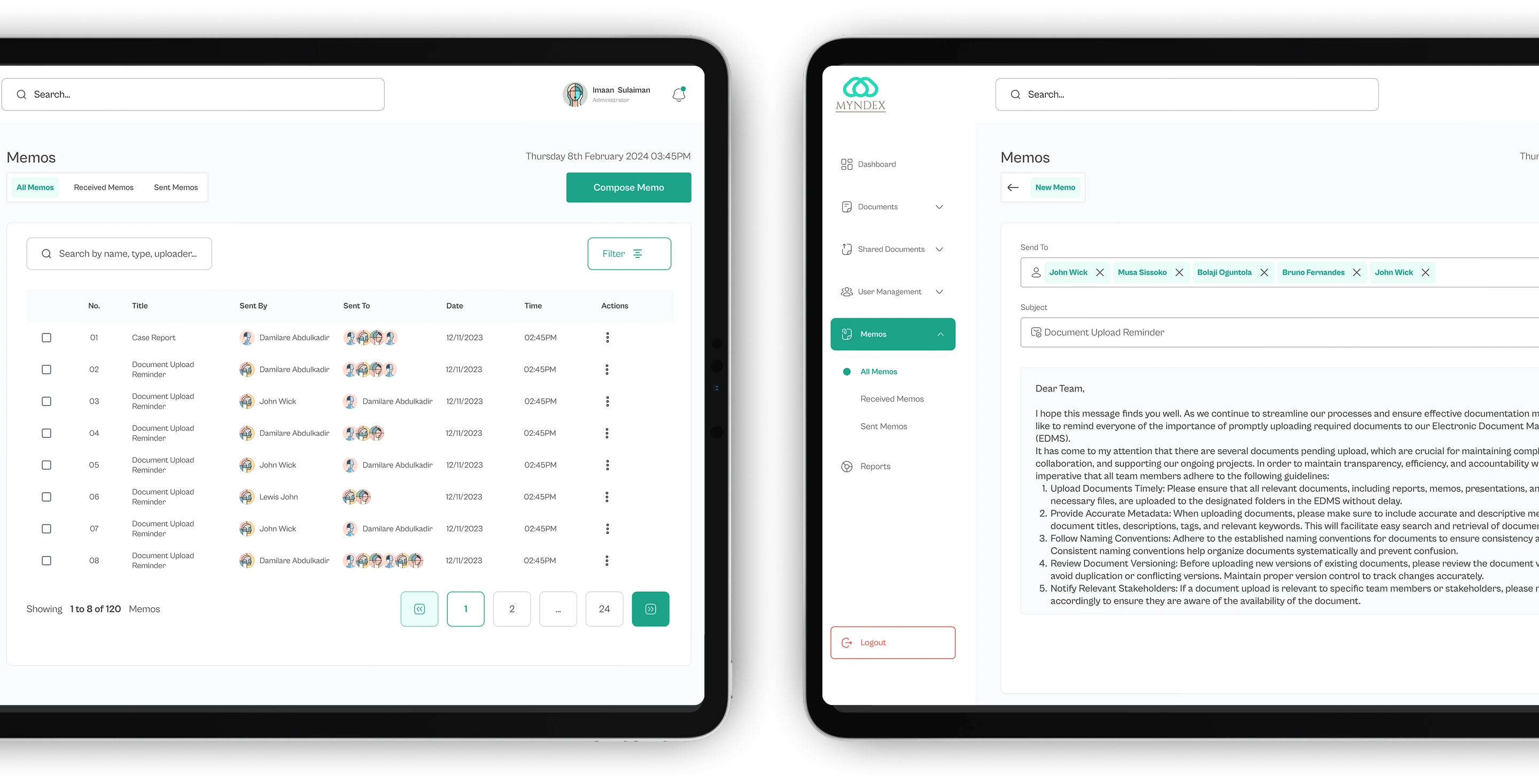
The Memos feature transforms traditional paper-based correspondence into a fast, digital communication channel. Users can create, send, and manage memos directly within the system, attaching relevant documents and assigning recipients by department or role. Each memo is timestamped and trackable, allowing users to monitor delivery and responses in real time. The interface was designed for simplicity and precision, helping teams communicate efficiently while maintaining a clear record of every exchange.
Impact & Outcome
Myndex made document and memo management significantly faster and more transparent. By moving key workflows online, users could upload, share, and track files in minutes rather than hours. Administrative staff reported less confusion around document status, while department heads gained better visibility into overall communication flow. The design’s simplicity helped increase daily adoption, showing that even complex systems can feel intuitive when built around real user behavior.
Reflection
This project deepened my understanding of how design decisions directly impact productivity in structured organizations. Translating complex, paper-heavy workflows into simple digital interactions required patience, empathy, and strong information hierarchy. If I were to improve the system further, I’d integrate automated reminders for pending memos and build analytics dashboards to help teams measure communication efficiency over time.
Thank You For Viewing.
Like this project
Posted Nov 7, 2025
Led UI/UX design for Myndex EDMS, digitizing judiciary document management.
Likes
0
Views
7