AI Workflow Platform Design

Arina Alexandra


AI workflow platform
A platform designed to bring different parts of the AI workflow into one place, from writing and testing prompts to comparing model outputs, tracking usage and managing fine-tuning.
The challenge
Working with multiple AI models can get messy pretty quickly. Prompts live in different places, outputs need to be compared manually, and things like token usage, cost and training progress are often handled separately.
The goal was to make all of that feel more connected and easier to manage, without oversimplifying the more technical parts of the product.
The approach
I focused on creating a clear structure around the main things users need to do: test prompts, reuse them, compare results, keep an eye on usage and improve model performance over time.
Because there’s a lot of information on each screen, hierarchy was a big part of the design. I wanted the product to feel detailed and capable, but not overwhelming.
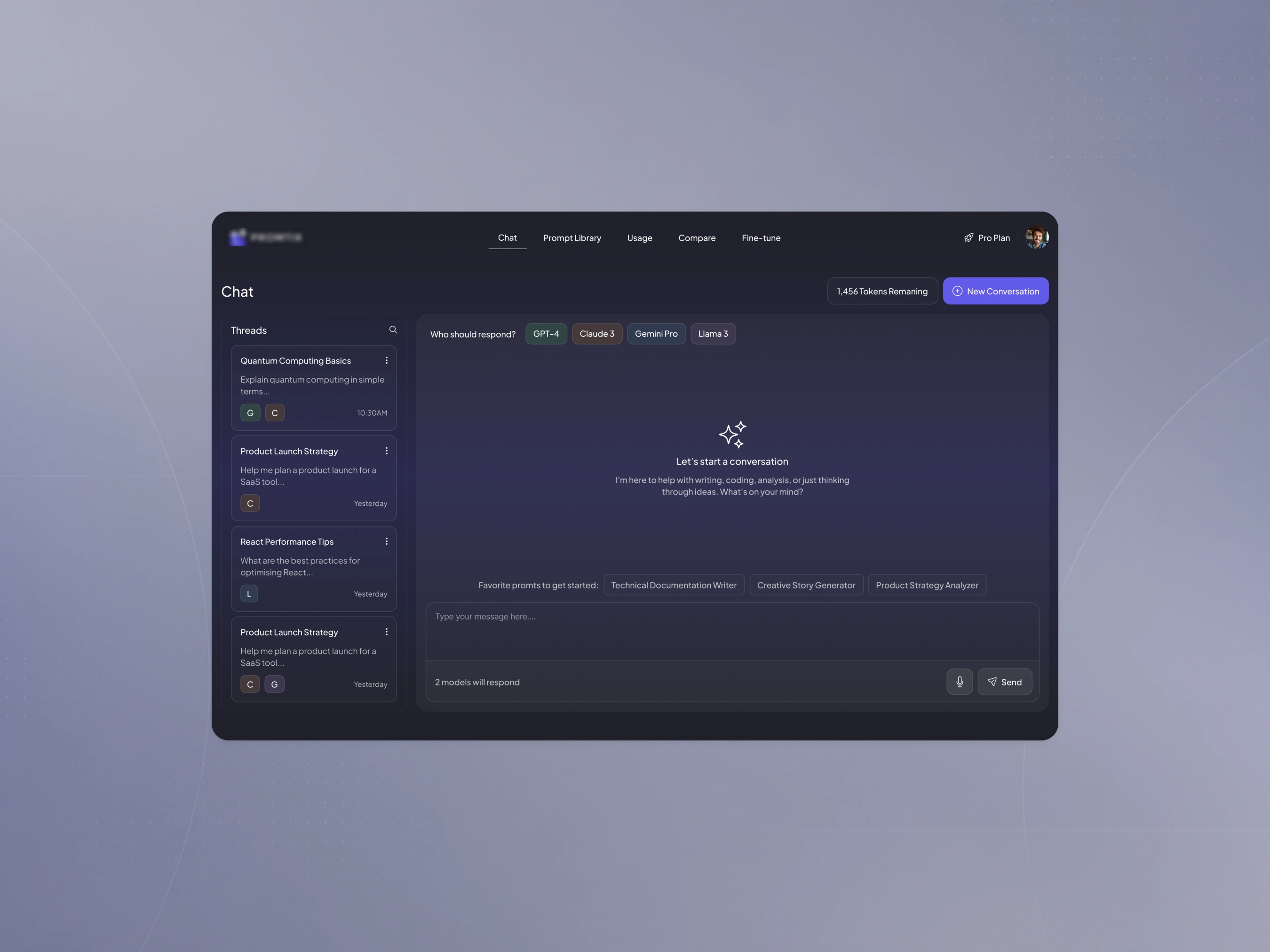
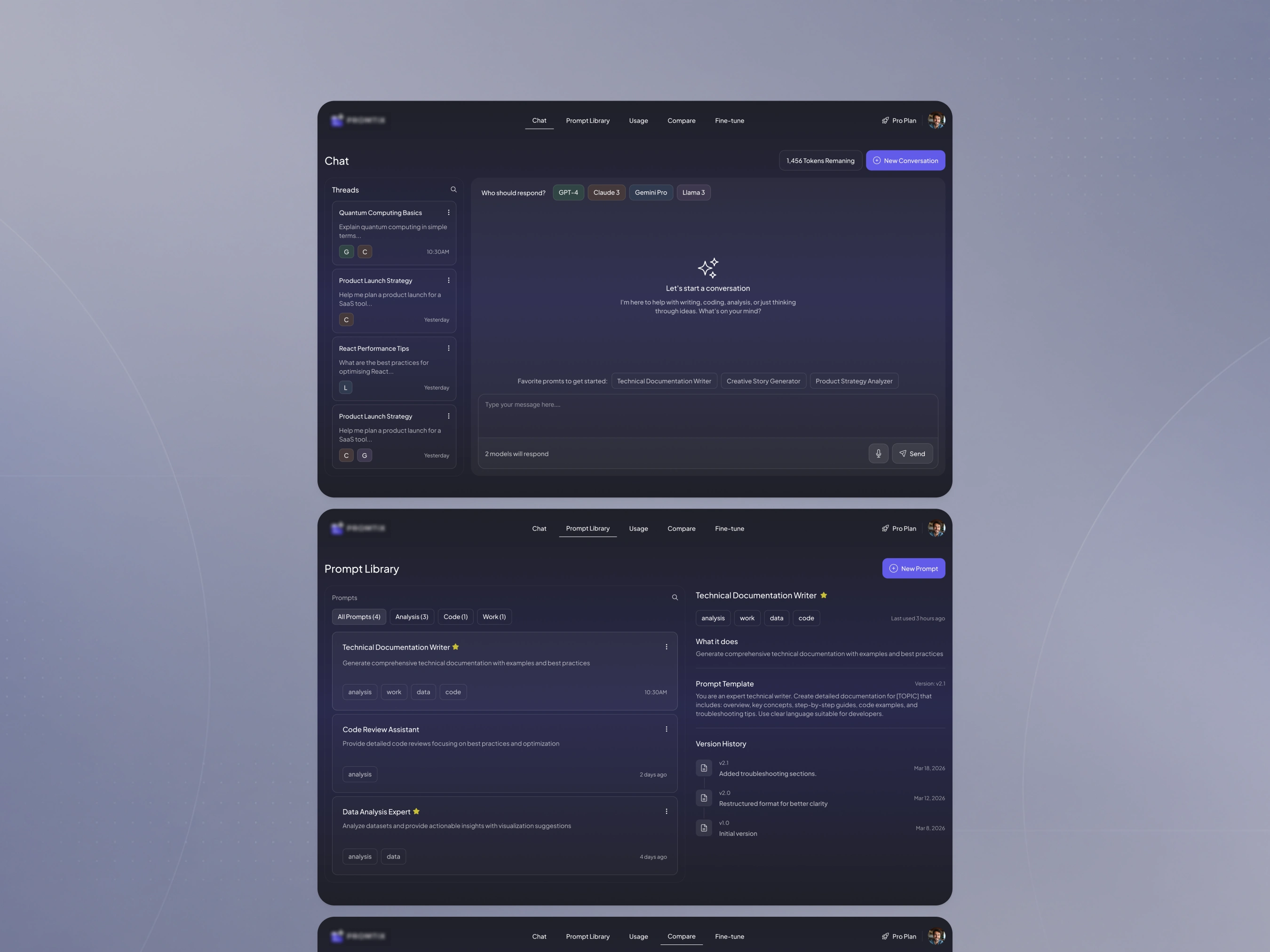
The chat workspace lets users test prompts across different AI models from one place and choose which models should respond.
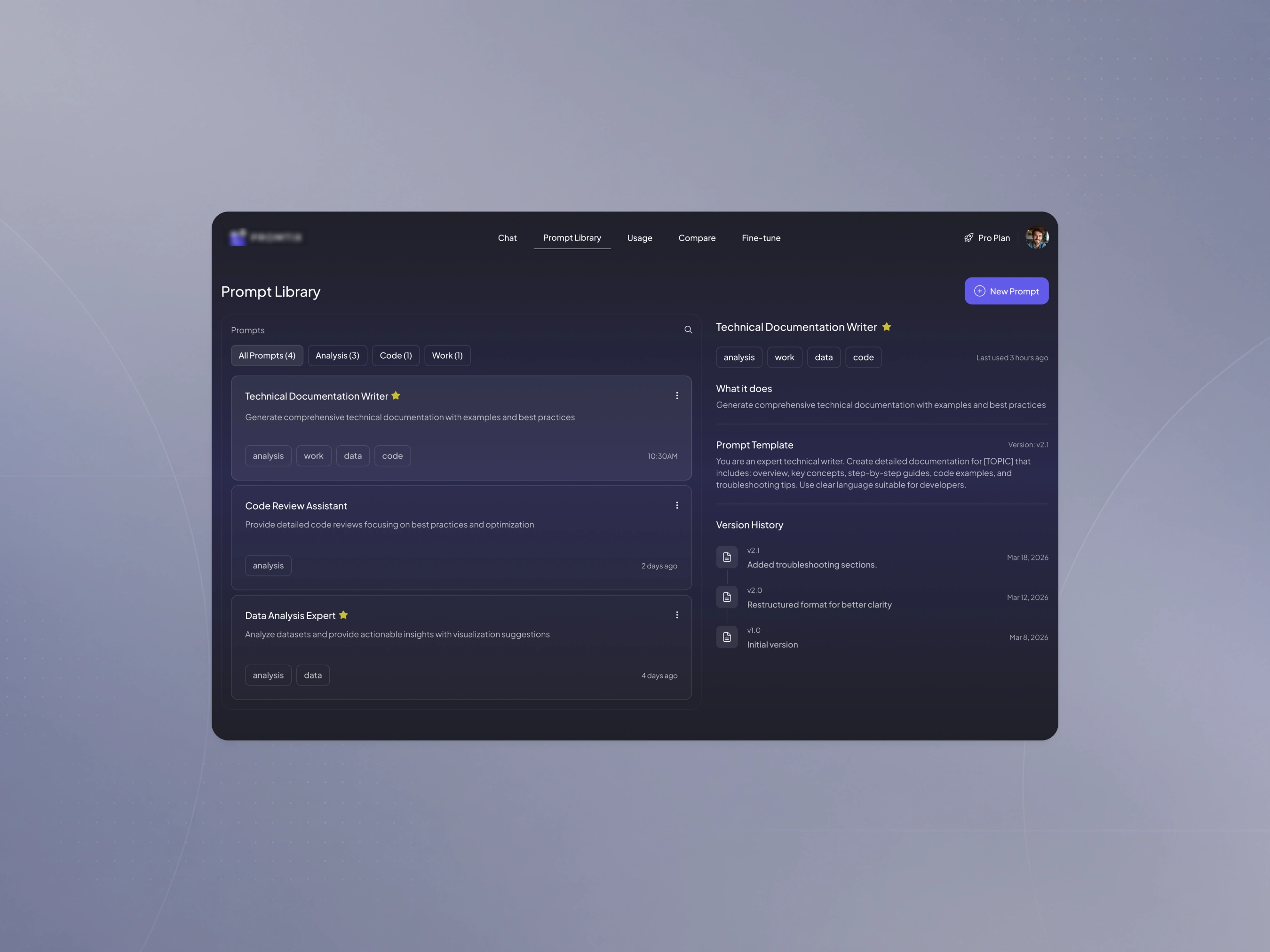
Prompt Library - organise, search and reuse prompts instead of rebuilding them from scratch.
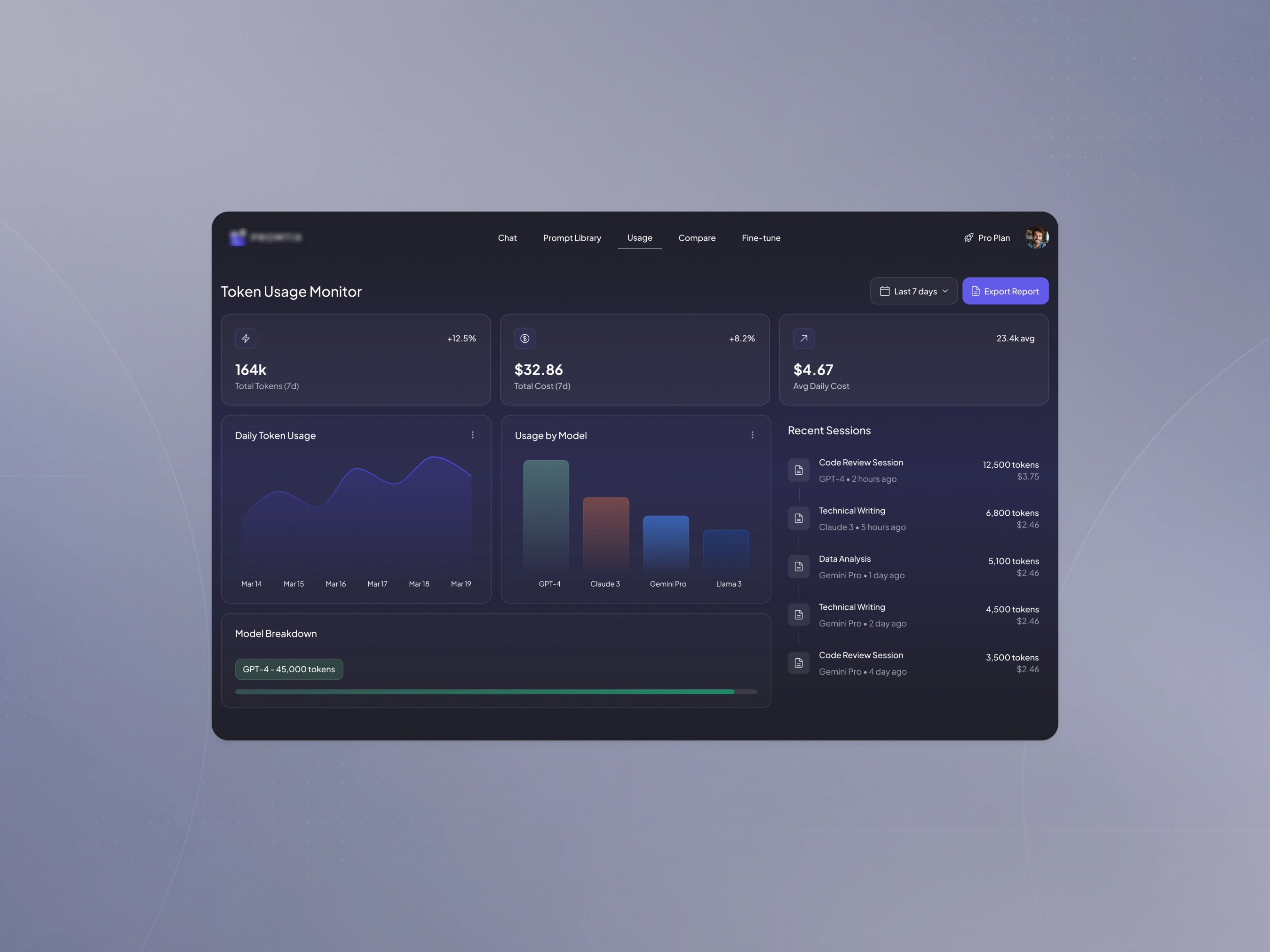
Usage monitoring
The usage area gives a clear view of token consumption, cost, model activity and recent sessions, so users can understand how the platform is being used over time.
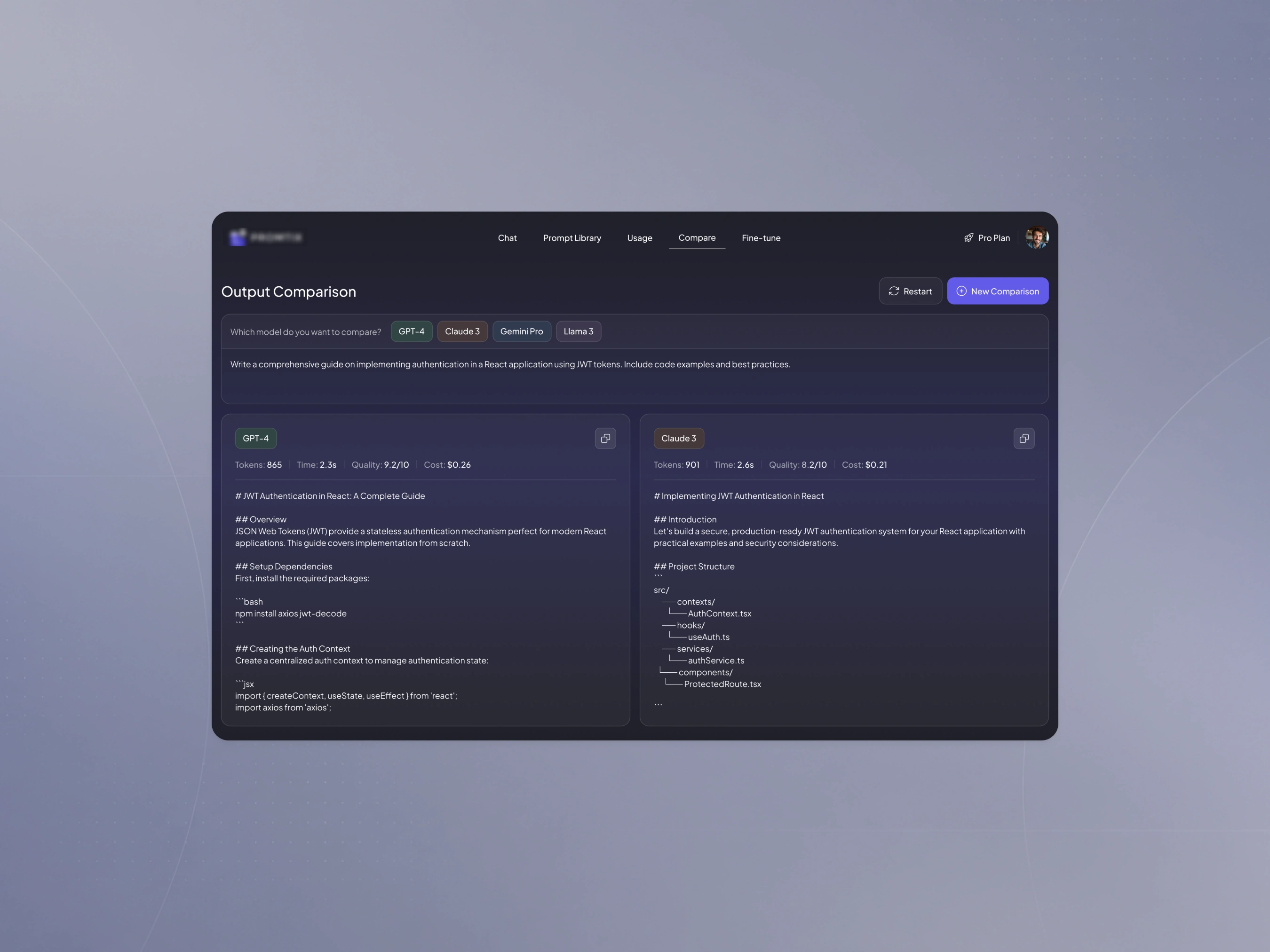
Model comparison
Responses from different models can be viewed side by side, making it easier to compare the quality of the output alongside things like speed and cost.
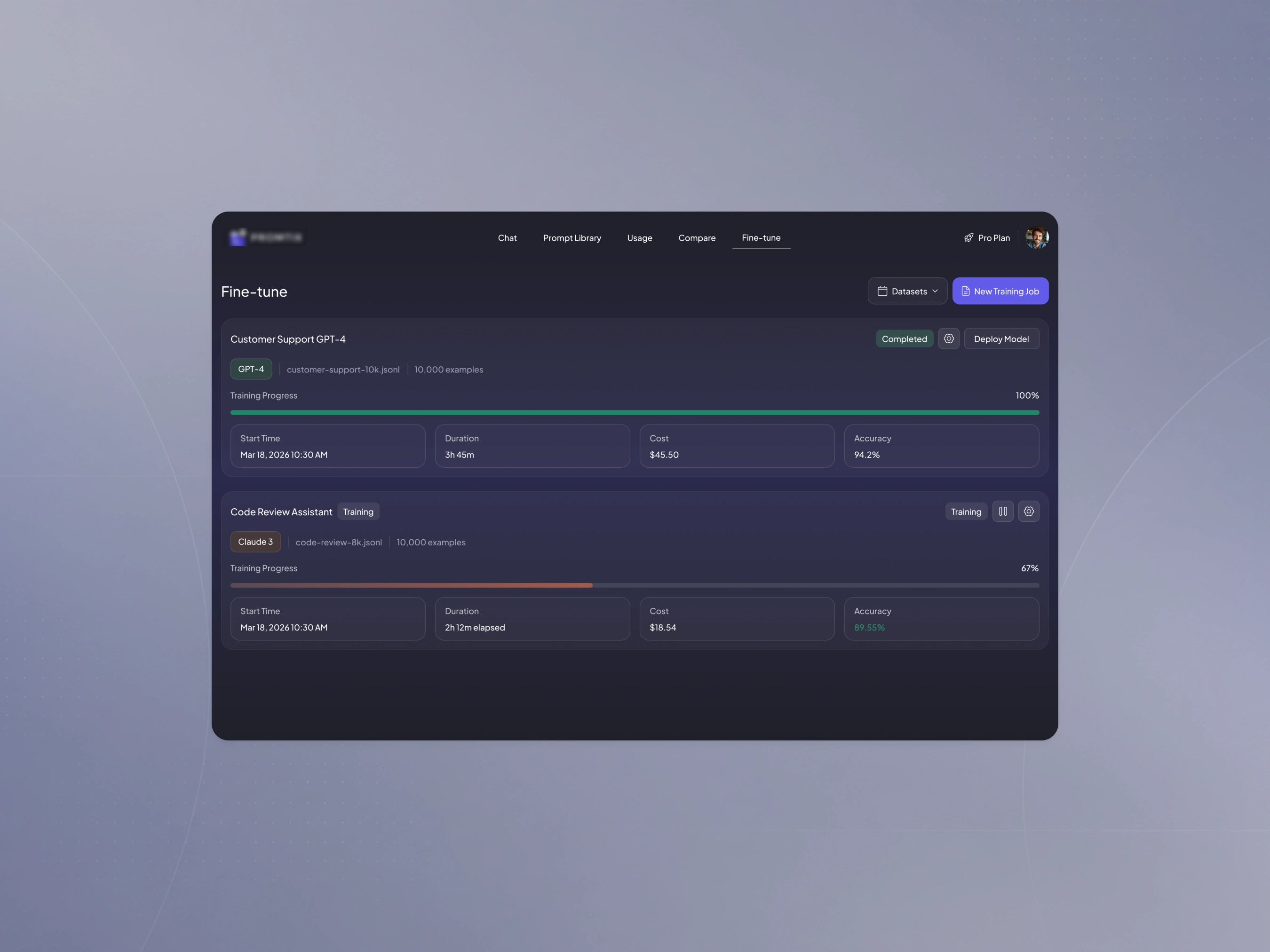
Fine-tuning
The fine-tuning experience brings datasets, training jobs, progress and model performance into one place, making a more technical workflow easier to follow.
Visual direction
The interface uses a dark, restrained visual system designed to work well with dense information.
Colour is used selectively to differentiate models, statuses and key actions, while reusable components help keep the experience consistent across the platform.
Outcome
The final product brings several AI workflows into one connected experience, giving users a clearer way to experiment with models, manage prompts, monitor usage and improve performance over time.
Like this project
Posted Sep 24, 2026
Designed a unified AI workflow platform to manage prompts and track usage effectively.