
Rajesh P
UX/UI Designer | Mobile Apps & SaaS Interfaces (Framer)
- 3
- Followers



Your SaaS product might be solving the wrong problem. And most designers don't realize it.
Before jumping into Figma, designing dashboards, or creating beautiful interfaces, there's something much more important to understand.
The difference between a Business Problem and a User Problem.
In Part 01 of my SaaS Product Design Masterclass, I'm breaking down:
🔹 1.1 — Start with the Business Problem
🔹 1.2 — Understand the Business Impact
🔹 1.3 — Identify the User Problem
🔹 1.4 — How Business Problems and User Problems are connected, but different.
Here's an important thought:
A business wants to achieve a goal.
A user wants to solve a problem.
Great digital products understand both.
This is where meaningful product differentiation begins — not with UI, but with problem understanding.
🎯 This is Part 01 of my 10-hour practical SaaS Product Design series, where I'll walk through the complete process of understanding and designing a SaaS product.
If you're a UX/UI Designer, Product Designer, aspiring designer, or SaaS founder, this series is for you.
One question: Do you start your design process with business problems or user problems?
Share your thoughts below!
#SaaSProductDesign #UXDesign #ProductDesign #UXResearch #DigitalProduct
1
17
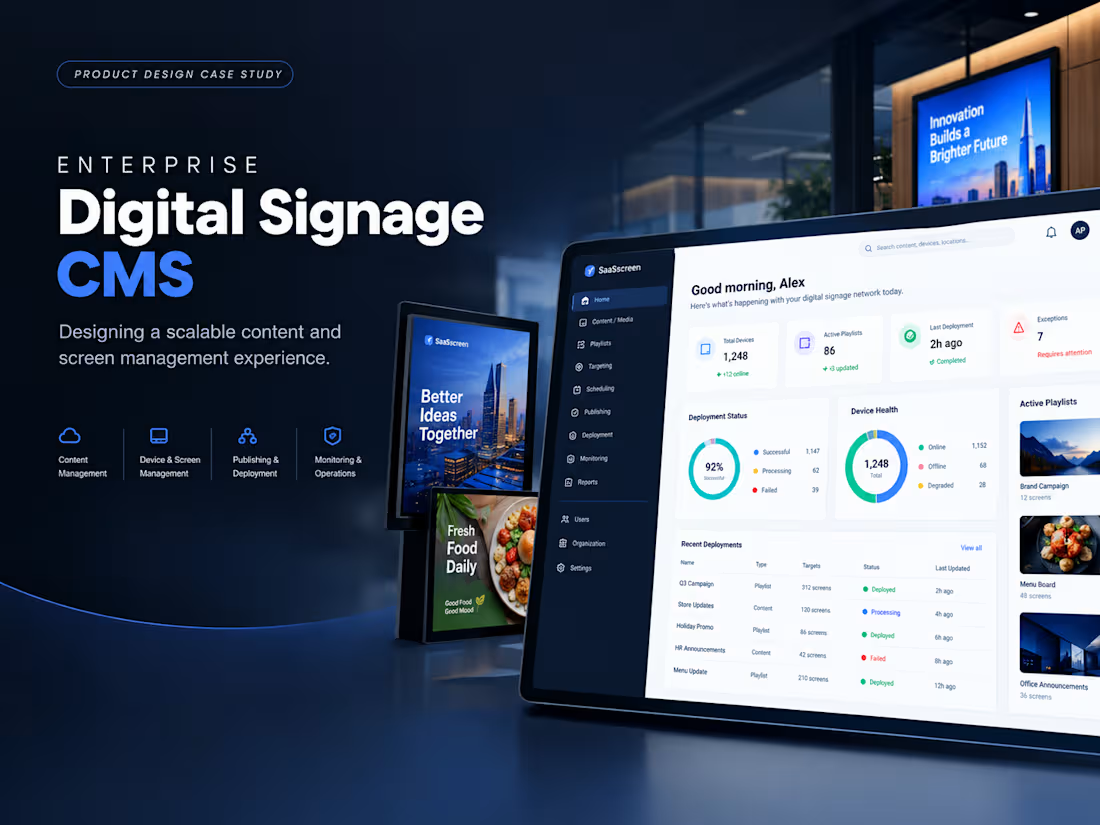
Enterprise Digital Signage CMS Design
1
1
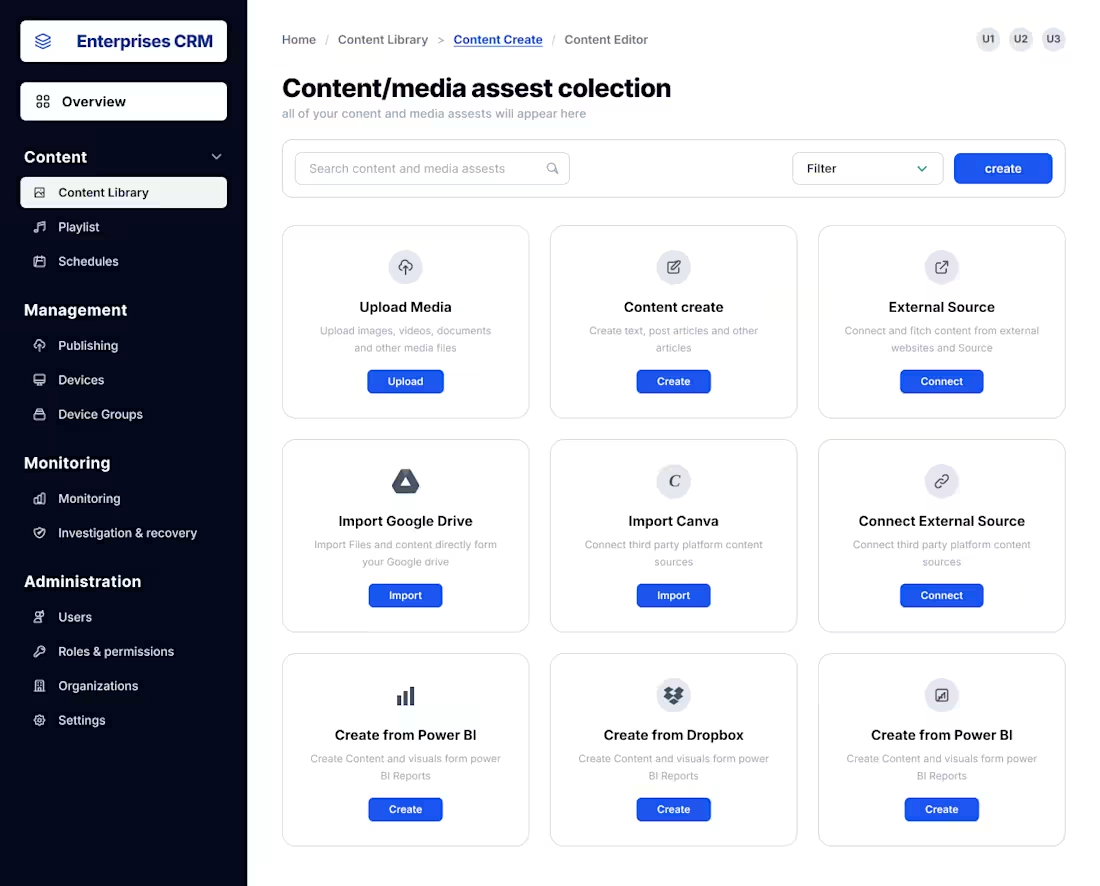
Enterprise Digital Signage CMS — Content Library & Media Management
Designing the control center behind thousands of digital displays.
Enterprise teams managing hundreds or thousands of screens cannot rely on scattered files, manual USB updates, or disconnected content workflows.
For this cloud-based Digital Signage CMS, I designed the Content Library as the central entry point for managing, creating, importing, and connecting digital content before it reaches distributed displays.
The experience brings multiple content workflows into one structured workspace — from uploading media and creating content to importing from Google Drive, Canva, Power BI, Dropbox, and external sources.
The UX direction focuses on:
• Fast content discovery — search and filtering designed for growing asset libraries
• Multiple creation paths — upload, create, import, and connect without forcing users into a single workflow
• Enterprise scalability — an information architecture designed to support large content volumes and distributed teams
• Clear separation of content operations — Content Library, Playlists, Schedules, Publishing, Devices, and Monitoring form a connected operational workflow
• Reduced operational friction — moving teams away from manual content handling toward a centralized cloud workflow
This screen is not designed as an isolated dashboard UI.
It is the foundation of a larger enterprise workflow:
Content → Playlist → Schedule → Publish → Devices → Monitor → Recover
The goal is simple: make managing thousands of displays feel as controlled as managing one.
Digital Signage CMS, Enterprise SaaS UX, Content Management System, Digital Signage Dashboard, B2B Product Design
1
159

1
1
5