
Lucas Leyes
IT Specialist for Remote Support & Admin Tasks


Demo: Building a project using local AI (llama.cpp + DeepSeek/Harness)
In this video I walk through my workflow for developing quick projects using local AI models, without relying on cloud services. As an example, I build a tic-tac-toe game in HTML5 in real time, comparing two tools:
llama.cpp (web interface) for local code generation
DeepSeek via Harness, with close-up shots of the development process
The goal is to show how you can prototype and build functional software using AI that runs 100% on your local machine, no API costs and no dependency on an internet connection — ideal for MVPs, micro SaaS products, and fast proof-of-concept work.
If you're looking for a specialist in local AI environment setup (Ollama, LM Studio, llama.cpp), n8n automation, or AI-assisted development for small to medium projects, I can help you define the right stack and get it running.
Full video: https://youtu.be/eYOiZU5LDaU
1
163
My first video created locally in Minimax H3!
I want to make much longer videos, what do you think?
2
141
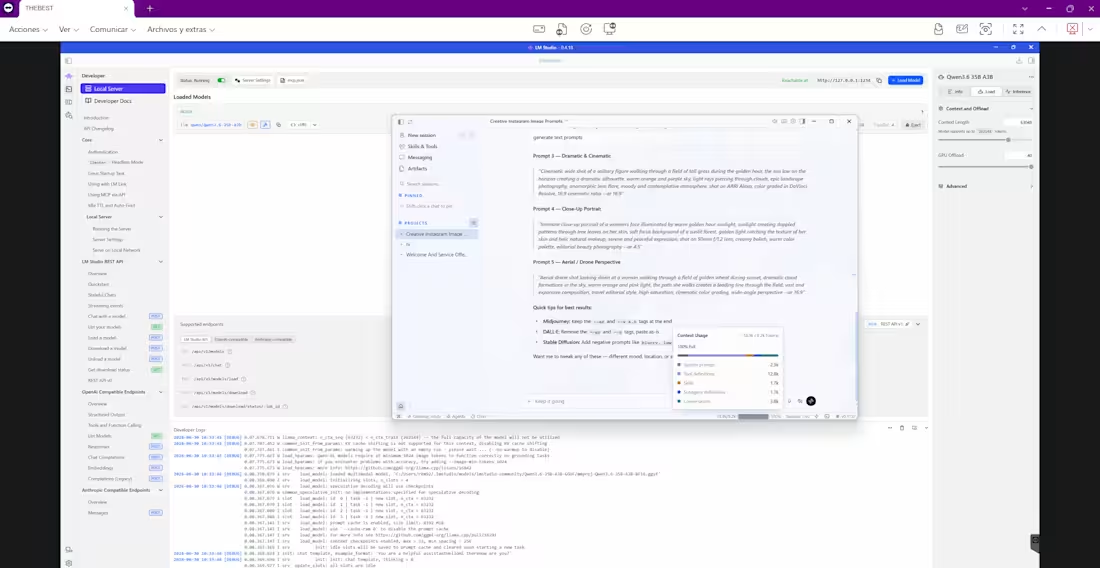
Set up a private, local AI environment (LM Studio + Hermes Agent Desktop) on a client's Windows PC — no cloud dependency, no data leaving their machine. 😊
0
77
New promo video dropped 🎬
I do more than just video editing. Here's what I offer:
🎬 VIDEO EDITING
Gameplay (Minecraft, FPS & all games) · Motion graphics · Thumbnails · Subtitles
🤖 AI SETUP
Local AI models (Ollama, LM Studio) + Hermes AI Agent on Windows
💻 IT SUPPORT
Remote troubleshooting, monthly plans for small businesses, data entry
Fast · Professional · Affordable
1
207