


Architects spend weeks on 3D models... then leave them off the website. Their reasons:
It lowers page speed scores
The visitor has to go to a separate page to view the 3D Model
It feels clunky on a phone
So the 3D model ends up behind a “View in 3D” button nobody clicks... and buyers go back to scrolling flat renders.
For Wooden Housing we did the opposite.
Every home in the Projects Listing Page is a live 3D model, all loaded together on the same page. Buyers can spin two homes side by side and compare them without opening a new tab or clicking away.
Nobody buys a house from one photo. They want to see the porch and the roofline from every side before they call. If the listing page shows them that, the call starts warmer.
Page speed is a fair worry. Part of the fix was controlling how many models load at the same time. The rest is too technical for a LinkedIn post, but you can try the site yourself.
This works for anything people can’t touch before they buy: furniture, lighting, bathroom fittings, machinery.
Their CMO, Mr. Shivam, reported an immediate increase in inquiries after launch, and had this to say about us:
“They committed to 28 days and finished in 28 days, with no delays and no excuses. If you have a clear vision and want it executed properly and on time, I’d recommend them without hesitation.”
If you’re selling a physical product and want it in 3D on your store without slowing it down, DM me “3D”.
1
1
87
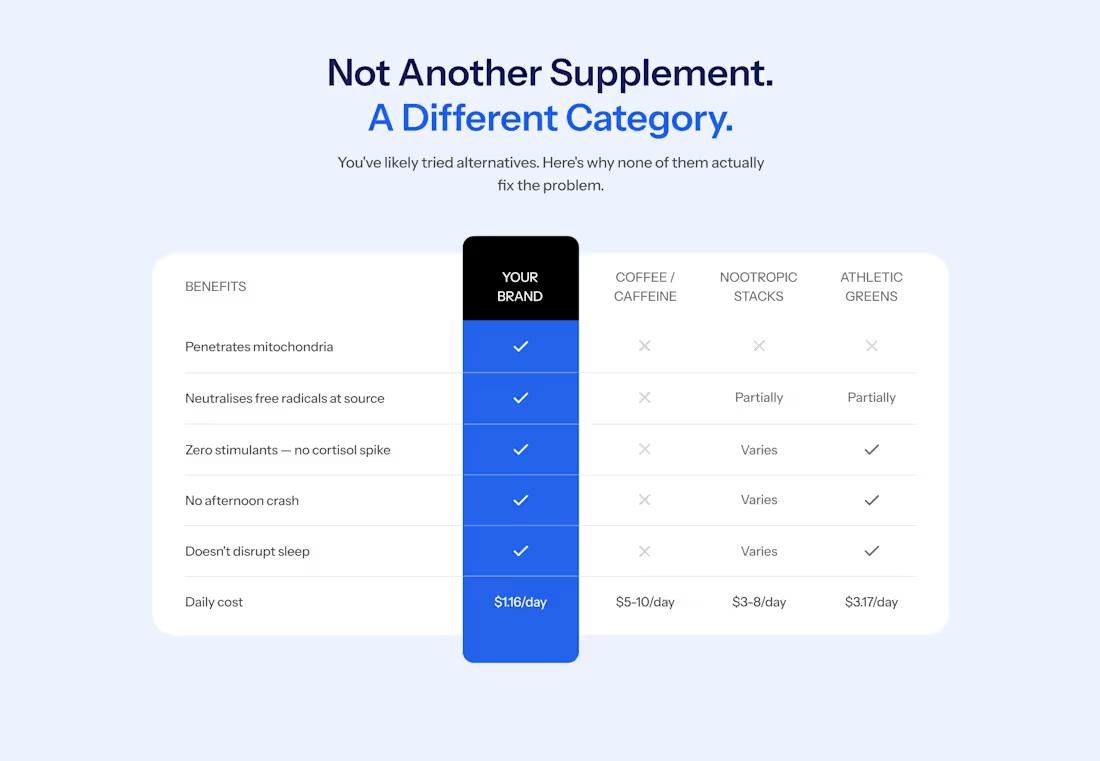
Most websites get comparison tables wrong. You see a colorful grid of green ticks for their brand and red crosses for everyone else.
Shoppers have seen these kind of tables so many times that they skim straight past it. If your product is winning on every row, it reads like an ad. And people hate ads.
On a supplement store I worked on this year, the comparison table gives one of the competitors three ticks out of five. When a rival gets credit where it's earned, the rows where your product wins looks more believable.
The design here also helps reduce cognitive. Instead of a disorienting grid of ticks and crosses, the brand's column is a solid color and runs past the top and bottom of the table, so it's the first thing you see. Every other column stays plain white with grey marks, so nothing competes with it.
This layout works well on mobile too, a breakpoint most websites treat as an afterthought.
Follow me, I'll soon be sharing how to design your comparison tables for mobile.
0
29
Micro-animations for a discount nudge
0
28
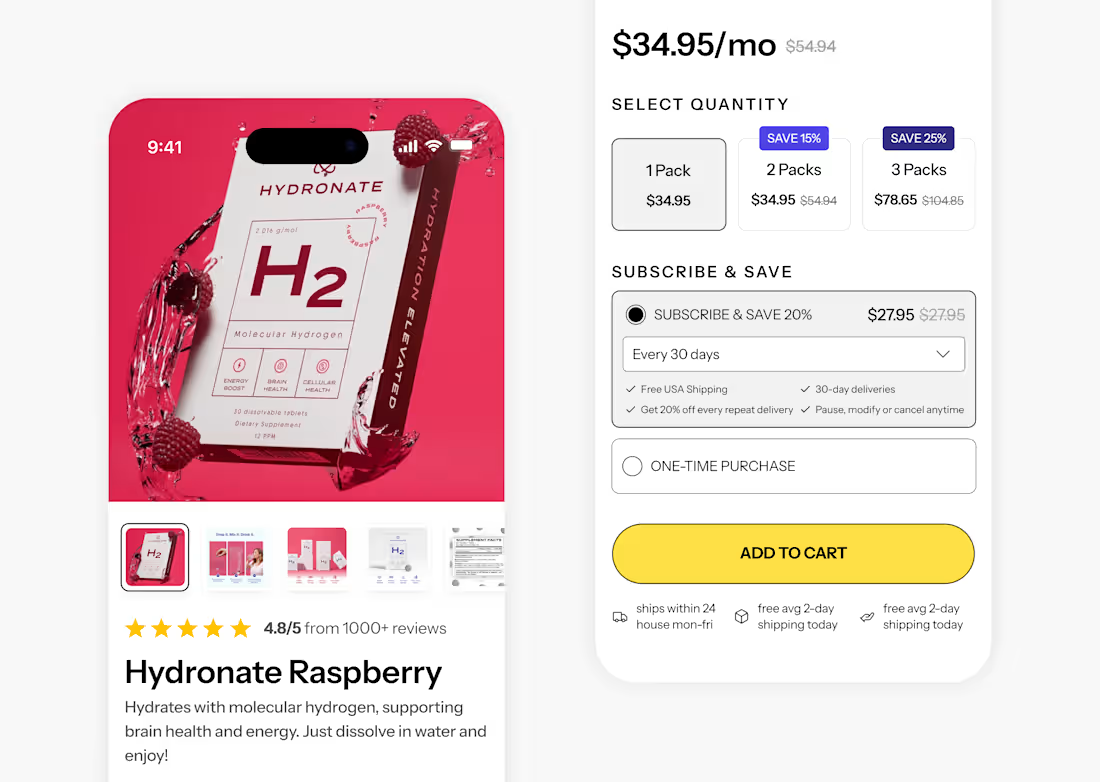
I love customization on product pages. 😍
0
27