Freelancers using Wave AccountingFreelancers using Wave Accounting
Construction Bookkeeper | QBO & Xero ProAdvisor | Wave Acctg
New to Contra
Construction Bookkeeper | QBO & Xero ProAdvisor | Wave Acctg
Cover image for ๐Ÿ“Š ๐–๐ก๐ฒ ๐ญ๐ก๐ž ๐‚๐ก๐š๐ซ๐ญ ๐จ๐Ÿ
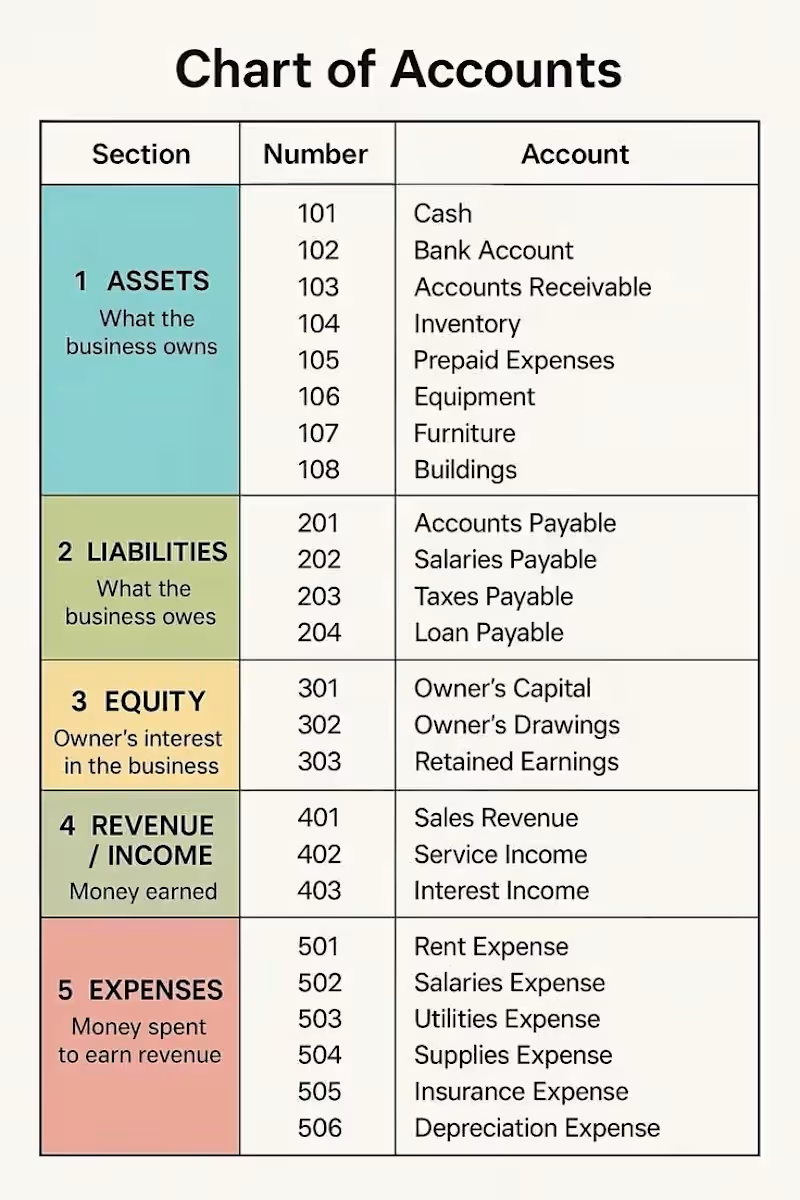
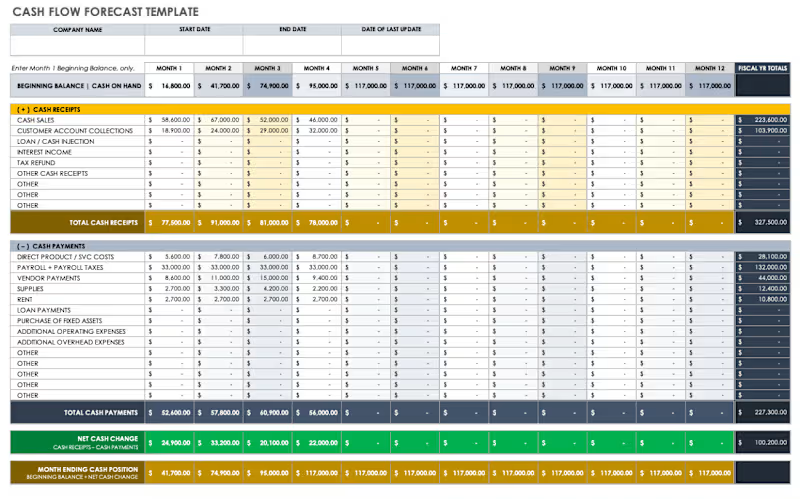
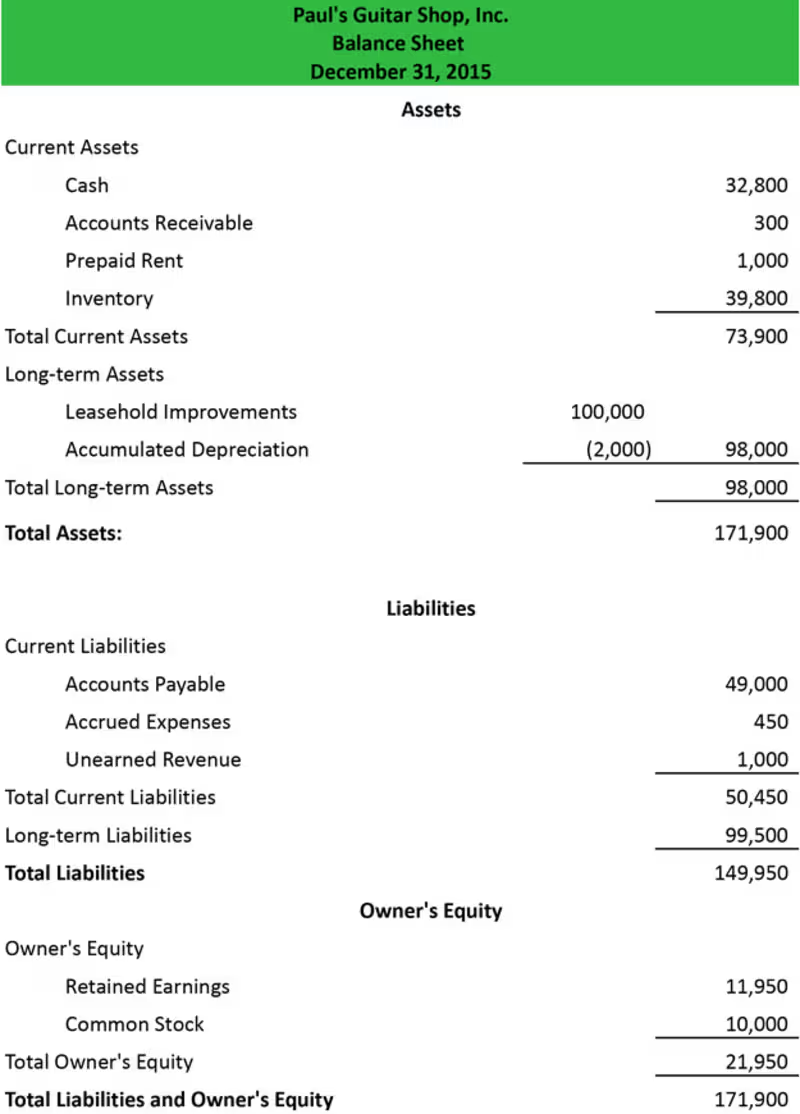
๐Ÿ“Š ๐–๐ก๐ฒ ๐ญ๐ก๐ž ๐‚๐ก๐š๐ซ๐ญ ๐จ๐Ÿ ๐€๐œ๐œ๐จ๐ฎ๐ง๐ญ๐ฌ ๐Œ๐š๐ญ๐ญ๐ž๐ซ๐ฌ Behind every clear financial report is a well-organized ๐‚๐ก๐š๐ซ๐ญ ๐จ๐Ÿ ๐€๐œ๐œ๐จ๐ฎ๐ง๐ญ๐ฌ (๐‚๐Ž๐€). Think of the COA as the financial filing system of a business. It organizes transactions into the right categories so financial information stays clear, accurate, and useful. The five main account categories are: ๐Ÿ’ฐ๐€๐ฌ๐ฌ๐ž๐ญ๐ฌโ€” What the business owns ๐Ÿ“Œ ๐‹๐ข๐š๐›๐ข๐ฅ๐ข๐ญ๐ข๐ž๐ฌโ€” What the business owes ๐Ÿ‘ค ๐„๐ช๐ฎ๐ข๐ญ๐ฒโ€” The ownerโ€™s interest in the business ๐Ÿ“ˆ๐‘๐ž๐ฏ๐ž๐ง๐ฎ๐ž โ€” What the business earns ๐Ÿ’ธ ๐„๐ฑ๐ฉ๐ž๐ง๐ฌ๐ž๐ฌโ€” What the business spends to operate and generate income A well-structured Chart of Accounts can help businesses: โœ… Keep financial records organized โœ… Generate clearer financial reports โœ… Understand where money is coming from and going โœ… Make more informed business decisions You donโ€™t need to be an accountant to start understanding your numbers. Sometimes, it begins with knowing how your financial information is organized. As a bookkeeper, I believe organized books should do more than produce reportsโ€”they should help business owners understand the story behind their numbers. ๐Ÿ’ฌ๐–๐ก๐š๐ญ ๐›๐จ๐จ๐ค๐ค๐ž๐ž๐ฉ๐ข๐ง๐  ๐ญ๐จ๐ฉ๐ข๐œ ๐ฐ๐จ๐ฎ๐ฅ๐ ๐ฒ๐จ๐ฎ ๐ฅ๐ข๐ค๐ž ๐ž๐ฑ๐ฉ๐ฅ๐š๐ข๐ง๐ž๐ ๐ข๐ง ๐š ๐ฌ๐ข๐ฆ๐ฉ๐ฅ๐ž ๐ฐ๐š๐ฒ ๐ง๐ž๐ฑ๐ญ?
1
171
Operations Manager | Systems, Teams & Remote Ops

New to Contra
Operations Manager | Systems, Teams & Remote Ops
CFO & Accountant | Clarity, Profitability & Scalable Success

7
Followers
CFO & Accountant | Clarity, Profitability & Scalable Success

Clean books, zero stress โ€” CA (CPA) with 20+ years
New to Contra
Clean books, zero stress โ€” CA (CPA) with 20+ years
Bookkeeping and Tax Expert
New to Contra
Bookkeeping and Tax Expert
Entry-level Data & SEO professional with analytics skills
Cover image for Stop treating your freelance lead
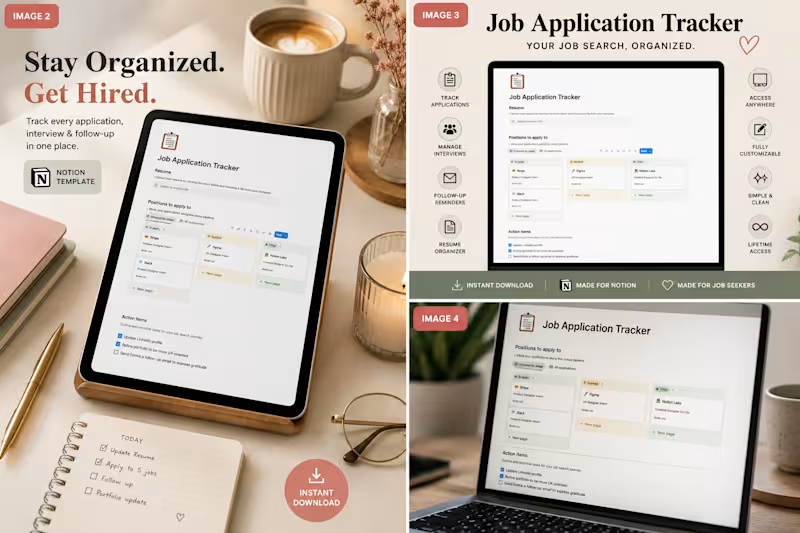
Stop treating your freelance lead generation like a messy checklist. Tracking client pitches, job board applications, and contract conversations in scattered notes apps or clunky spreadsheets is a recipe for missed revenue. When you scale your freelance business, your intake pipeline is everything. If a prospective client reaches out for an intro call, you need to know exactly which pitch deck you sent them, what their budget parameters were, and when you last followed up. The solution? Turn your job search into a visual workspace. Here is the exact setup I use to manage my opportunities: 1. Centralized Asset Hub: Every application entry holds the exact portfolio link, custom proposal version, and job description text before it gets taken down. 2. Visual Kanban Statuses: Move opportunities seamlessly from Pitching โž” Interviewing โž” Contract Proposal โž” Closed/Signed. 3. Follow-Up Reminders: Keep clean checkboxes for daily micro-tasks so a warm lead never goes cold. To help fellow independents skip the administrative headache, I packaged my personal system into a clean, minimal dashboard. The Job Application Tracker Notion Template gives you a ready-to-use pipeline to manage applications, interviews, and follow-ups in one view. It's built to keep your pipeline clean so you can focus entirely on executing great client discovery calls. Grab the tracker for just $3 here: gumroad.com (http://gumroad.com) How are you currently tracking your active freelance pitches and contract leads this month?
2
69
Cover image for Aesthetic Digital Planner โ€“ 2026
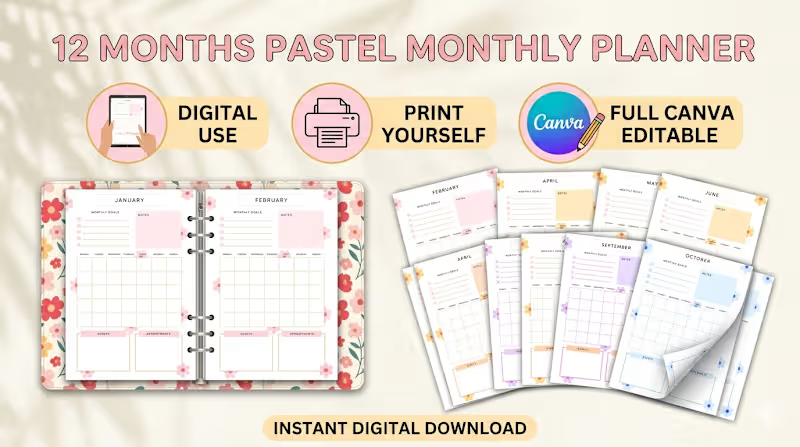
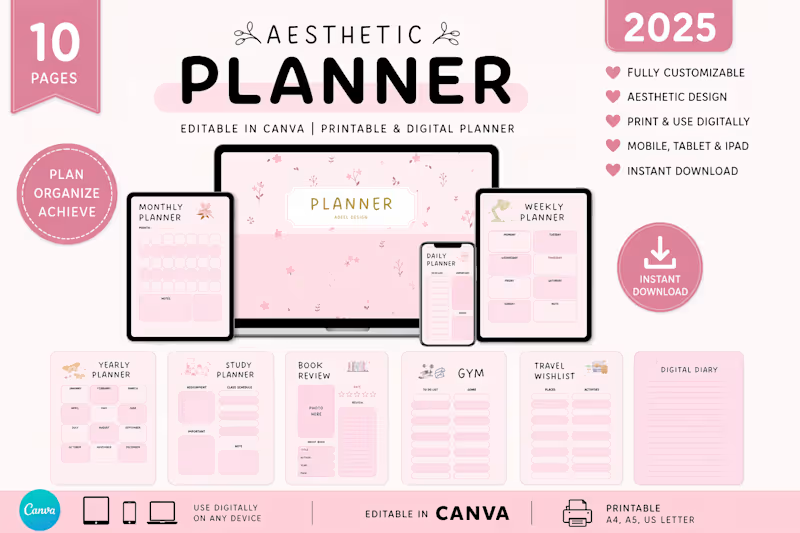
Aesthetic Digital Planner โ€“ 2026 Edition Project Overview I designed a 10โ€‘page customizable digital planner that blends clean minimalism with soft pastel aesthetics. Built as an editable Canva template, this planner is optimized for digital use across iPad, tablet, laptop, and mobile. Buyers can also print it if they prefer a physical version, but the product is delivered as an instant digital download. Features Editable in Canva โ€“ personalize layouts to fit your workflow. Daily, Weekly & Monthly Pages โ€“ structure your schedule with clarity. Notes Section โ€“ capture ideas, reflections, and reminders. Multiโ€‘Device Friendly โ€“ works seamlessly on iPad, tablet, laptop, and mobile. Premium Aesthetic โ€“ soft pastel colors, clean typography, and balanced layouts. Deliverables Gumroadโ€‘ready product mockups (hero image, multiโ€‘device layouts, closeโ€‘up detail shots). SEOโ€‘optimized product title, description, and tags for Gumroad Discover. Marketing copy for Medium, Pinterest, and Contra portfolio. Refund policy and trust badges for buyer confidence. Why It Works This planner isnโ€™t just a tool itโ€™s a lifestyle upgrade. By combining functionality (editable, multiโ€‘layout, instant download) with design appeal (minimal, pastel, professional), it positions itself as a premium digital product that resonates with students, freelancers, and professionals worldwide. Call to Action Explore the full product here: Aesthetic Digital Planner 2026 (https://planorastudioo.gumroad.com/l/aesthetic-planner-2026)
2
50
I help businesses modernize their accounting systems.
22
Followers
I help businesses modernize their accounting systems.