Freelancers in ThatchamFreelancers in Thatcham
Graphic Designer & Brand Strategist
$1k+
Earned
3x
Hired
5.0
Rating
67
Followers
Graphic Designer & Brand Strategist

Helping Businesses Build, Automate and Grow - Kajabi Expert
$1k+
Earned
5x
Hired
5.0
Rating
22
Followers
Helping Businesses Build, Automate and Grow - Kajabi Expert

Product Designer, UI/UX / Web and Mobile App Designer
5.0
Rating
24
Followers
Product Designer, UI/UX / Web and Mobile App Designer
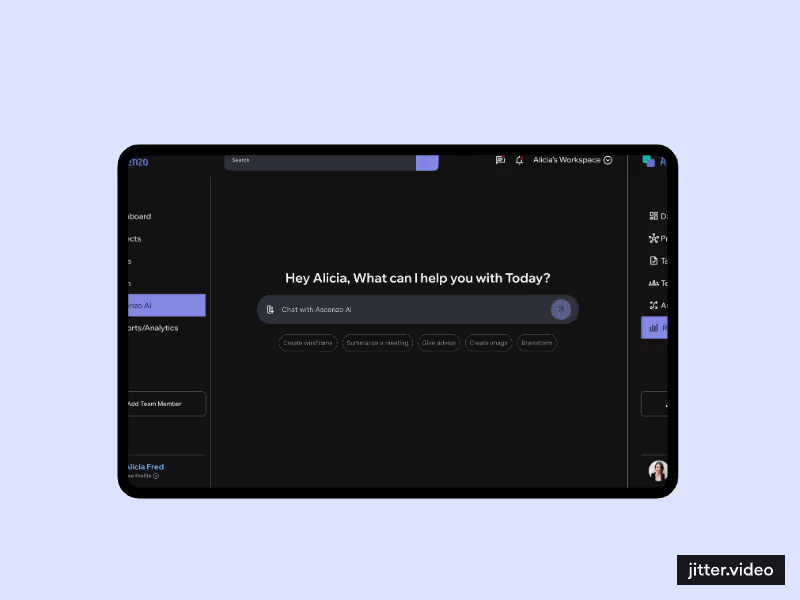
Web App Designer | Website\Landing Page | Mobile App| Framer
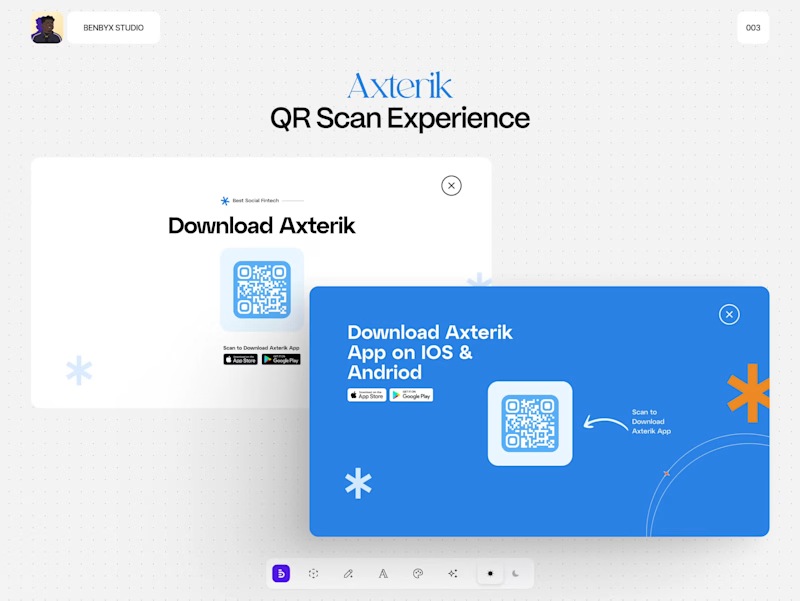
5.0
Rating
12
Followers
Web App Designer | Website\Landing Page | Mobile App| Framer
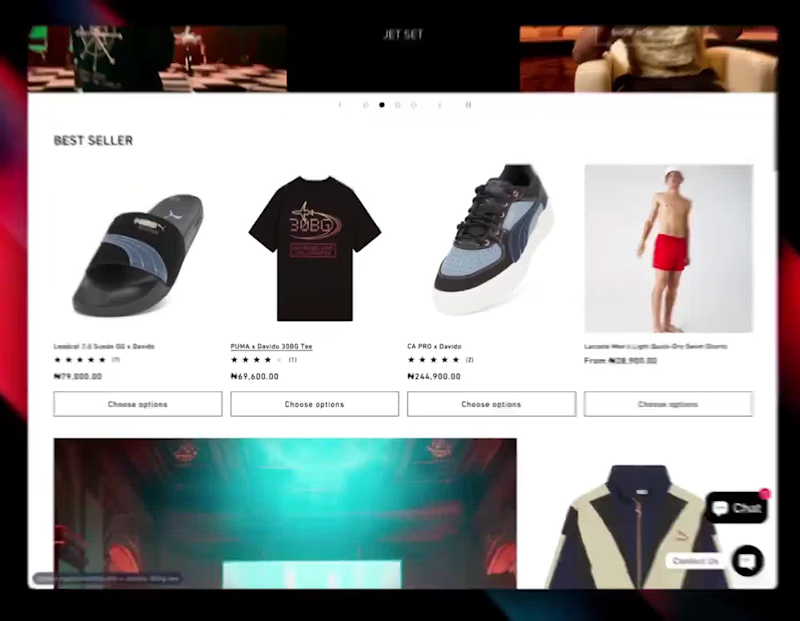
Translating brands into unique digital experiences. UX + UI
50
Followers
Translating brands into unique digital experiences. UX + UI

Make.com specialist, API enthusiast, and Perfectionist
New to Contra
Make.com specialist, API enthusiast, and Perfectionist
Cover image for Automated Alphabetical Patient Routing -
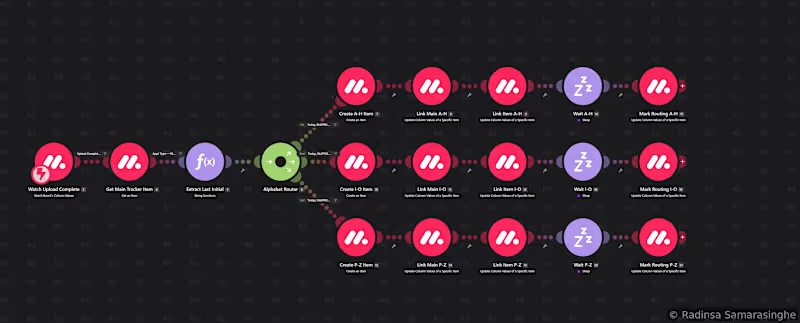
Automated Alphabetical Patient Routing - monday.com (http://monday.com) & Make.com (http://Make.com) This scenario implements a real-time, condition-driven patient routing system that automatically distributes clinical case records across dedicated team workspaces based on the patient's last name initial, eliminating manual case assignment and ensuring workload is evenly distributed across operational teams. Trigger & Initiation: The scenario fires instantly via a monday.com (http://monday.com) webhook, triggered when a status column reaches a specific value on a patient record. This status flag is set upstream by a separate data ingestion scenario, creating a controlled pipeline where routing only begins once a patient record has been fully processed and confirmed. This deliberate sequencing prevents race conditions between the upload and routing stages. Record Retrieval: On trigger, the full patient item is fetched from the source board via the monday.com (http://monday.com) API, retrieving all relevant column data needed for routing decisions and downstream record creation. Last Name Initial Extraction: A dedicated string functions module parses the patient name, stored in Last, First format, extracting the first character of the last name and converting it to uppercase. This normalisation step ensures consistent routing regardless of how names were entered, handling edge cases such as lowercase input or leading whitespace. Alphabetical Router: The extracted initial is passed into a three-path router that segments patients into alphabetical bands: Path A - Initials A through H: Patient records falling in this range are routed to the first operational team's dedicated board section Path B - Initials I through O: Records in this range are routed to the second team's workspace Path C - Initials P through Z: Records in this range, including any non-letter fallback cases, are routed to the third team's workspace Item Creation and Bi-Directional Linking: On each path, the scenario creates a new linked item on the target board in the correct alphabetical group. Two separate column value updates then establish a bi-directional board-relation connection, one update on the source board item pointing to the newly created target item, and one on the target item pointing back to the source. This two-way link ensures that mirror columns on the target board auto-populate with live data from the source record without any additional data mapping required. Controlled Handoff: A sleep delay is applied on each path before a final status column update marks the routing as complete on the source record. This deliberate pause prevents downstream automation conflicts in environments where multiple scenarios are watching the same status columns simultaneously. End Result: Each time a patient record is confirmed as processed, this scenario automatically determines the correct team assignment based on last name initial, creates a linked working record in the right team's board section, establishes the full data connection, and signals completion, all within seconds and with no human intervention required. Skills demonstrated: Make.com (http://Make.com) multi-path router architecture, monday.com (http://monday.com) GraphQL API item creation and column value updates, bi-directional board-relation linking, string parsing and normalisation using Make functions, status-driven pipeline chaining between scenarios, sleep-based conflict prevention, webhook trigger configuration, and alphabetical segmentation logic.
1
23
Cover image for Advanced Multi-Sheet Healthcare Data Pipeline
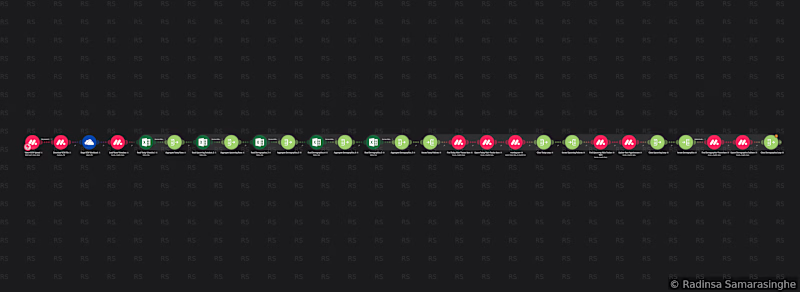
Advanced Multi-Sheet Healthcare Data Pipeline - monday.com (http://monday.com) & Make.com (http://Make.com) This scenario implements a sophisticated, fully automated data ingestion pipeline designed for healthcare operations environments where patient records must be kept current across multiple systems without manual intervention. Trigger & Initiation: The scenario activates instantly via a monday.com (http://monday.com) webhook, firing the moment a new file is uploaded to a designated file column on a monday.com (http://monday.com) board. A group-level filter ensures the trigger only fires from an authorised upload zone, preventing accidental triggers from unrelated board activity. File Handling & Staging: Once triggered, the scenario downloads the uploaded Excel workbook from monday.com (http://monday.com) and stages it to a OneDrive folder. This staging step is necessary to make the file accessible to the Microsoft 365 Excel module, which requires a cloud-hosted file rather than a direct binary stream. Board metadata is simultaneously fetched via a GraphQL query to support dynamic column resolution downstream. Multi-Sheet Sequential Processing: The scenario reads five distinct worksheets from the workbook in strict sequential order, two schedule sheets and three demographic sheets. Each sheet is fully read and aggregated into a single bundle before the next sheet begins processing. This sequential chaining via aggregators ensures data integrity across sheets and prevents race conditions that would arise from parallel processing. Today's Schedule Processing: The first schedule sheet is iterated row by row. For each patient record, a GraphQL search query looks up the patient on the monday.com (http://monday.com) board by their unique identifier. A router then branches into two paths, an update path for existing records and a create path for new ones, implementing a full upsert pattern. Appointment date, time, provider, location, status, insurance, and source fields are written to the board. On completion, an Upload Complete status flag is set on each processed item, which serves as the downstream trigger for routing automation scenarios. Upcoming Schedule Processing: The second schedule sheet follows the same iteration and lookup pattern but writes only to future appointment fields, next appointment date, time and type, leaving all other fields untouched. Unmatched patients are silently skipped. Demographics Processing - Three-Sheet Join: The three demographic sheets are processed sequentially, each using a two-stage Data Store check to confirm whether the current patient appeared in either the today or upcoming schedule before processing. Only patients present in the schedule are processed, reducing unnecessary operations by several orders of magnitude. For matched patients, the scenario locates their parent board item and either creates a new subitem or updates an existing one with personal details including date of birth (converted from Excel serial format), phone number, address, city, gender and insurance information. End Result: On each daily run the scenario synchronises a healthcare operations board with fresh appointment and demographic data, correctly handling new patients, returning patients, and demographic updates, all from a single multi-sheet file upload with no manual data entry required. Skills demonstrated: Make.com (http://Make.com) advanced scenario architecture, multi-sheet Excel processing via Microsoft 365, OneDrive file staging, monday.com (http://monday.com) GraphQL API (custom queries and mutations), upsert pattern implementation, Data Store usage for cross-sheet deduplication and membership checking, sequential aggregator chaining, subitem create and update logic, Excel serial date conversion, webhook trigger configuration, and multi-path router design.
1
24
Cover image for End-to-End Meeting Lifecycle Automation -
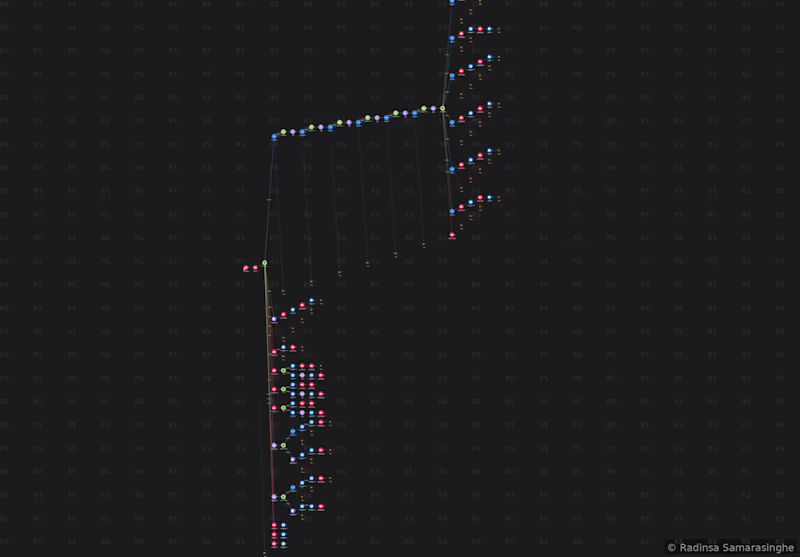
End-to-End Meeting Lifecycle Automation - Make.com (http://Make.com), monday.com (http://monday.com), Zoom, and Microsoft 365 This project illustrates a highly sophisticated scenario I have developed: an integrated Make.com (http://Make.com) solution that effectively manages the complete lifecycle of a scheduled meeting, from initiation to cancellation, across multiple third-party platforms simultaneously. Trigger Mechanism: The scenario is designed to activate immediately via a webhook whenever a designated status column in a monday.com (http://monday.com) board is modified. By focusing on a specific column rather than monitoring the entire board for changes, it ensures a precise trigger and enhances execution efficiency. Intelligent Zoom Account Selection: Before the creation of a meeting, the scenario conducts a thorough availability assessment across six different Zoom accounts in a sequential manner. Each account is queried using the Zoom API to determine if a meeting is already scheduled at the requested time. The results are then aggregated and evaluated, leading to the automatic selection of the first available account. If all six accounts are occupied during that period, a specific status is updated back to monday.com (http://monday.com) to inform the team, rather than allowing a potential oversight. Once an available account is identified, the scenario seamlessly routes into one of six parallel paths, one for each Zoom account, utilizing that account’s native connection to create the meeting. Following creation, essential meeting details, including the join link and meeting ID, are promptly recorded back to the respective monday.com (http://monday.com) entry. Management of Dual Calendar Invites: A core architectural feature of this scenario is its ability to manage two completely separate Microsoft 365 calendar events for each session, one dedicated to the primary party and another to the partner organizations. This deliberate separation ensures that neither side can view the other’s attendee list prior to the meeting. Both events are created through the Microsoft 365 Calendar module, and their respective event IDs are documented in distinct columns within monday.com (http://monday.com) for future reference in subsequent automation tasks. Microsoft Teams Path: An additional top-level path has been established to address sessions that utilize Microsoft Teams instead of Zoom. This pathway creates a Teams Online Meeting through the Microsoft 365 Teams module, establishes the relevant calendar event, and records all pertinent details back into monday.com (http://monday.com), thus maintaining parity with the Zoom path. Flexible Partner Invite Management: Three additional routing paths adeptly manage partner calendar invites, one for each time slot. Each path checks to see if there is an existing calendar event for that specific slot. If an event is not present, a new one is created. Conversely, if an event already exists, the scenario retrieves the current event, constructs an updated attendee object, and appends the new contact to the existing event. This ensures that partners can be added incrementally to a session over time, without disrupting the integrity of existing invitations. Each action is confirmed back to monday.com (http://monday.com) with a status update. Session Updates: In instances where an existing session requires rescheduling, the scenario routes to an update path. An internal router identifies whether the session relies on Zoom or Teams, subsequently updating both the meeting platform and the related calendar events (for both primary and partner) to reflect the new date and time. All attendees receive updated calendar notifications in due course. Cancellation Process: The cancellation path efficiently manages the deletion of the Zoom or Teams meeting through the appropriate API, followed by the removal of both associated calendar events from Microsoft 365. An internal router adeptly differentiates between Zoom and Teams, ensuring that the correct API calls are employed for each scenario. A status update is then recorded back to monday.com (http://monday.com) to confirm the completion of the cancellation process. Technical Significance: This scenario encompasses a comprehensive array of over 130 modules across eight top-level router paths and numerous nested routers, all initiated by a single column change. It adeptly orchestrates the collaboration of three external platforms (monday.com (http://monday.com), Zoom, Microsoft 365) in real time, accommodates multi-account load distribution with thoughtful fallback mechanisms, and simultaneously maintains two parallel calendar event lifecycles. Each step diligently records its outcome back to monday.com (http://monday.com), ensuring that the record accurately represents the current state of the meeting. Demonstrated Skills: Proficiency in instant webhooks, multi-platform orchestration, Zoom OAuth and API integration, Microsoft 365 Calendar and Teams API expertise, multi-account availability checking with aggregation, nested routing, logical differentiation between creation and update processes, parallel event management, effective handling of error states, and real-time CRM write-back.
1
27
Cover image for The following provides a brief
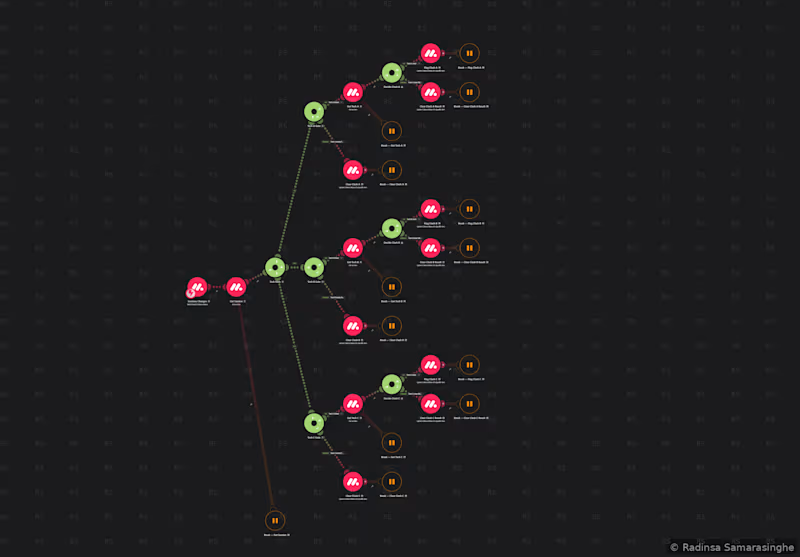
The following provides a brief overview of my current portfolio on Make.com. The accompanying screenshot illustrates a project in which I have automated functions on monday.com for multiple enterprise-level organisations. My proficiency in Make.com has enabled me to design and implement efficient workflows tailored to meet the needs of these companies. Below screenshot: Automated Compatibility Checker - Make.com (http://Make.com) + monday.com (http://monday.com) This scenario demonstrates the capability of real-time cross-record validation between related Customer Relationship Management (CRM) items utilising Make.com (http://Make.com) and monday.com (http://monday.com). When a column value undergoes alteration on a monday.com (http://monday.com) board item, an instantaneous webhook trigger is activated, which retrieves the complete record from monday.com (http://monday.com). Subsequently, the scenario bifurcates into three parallel paths, each independently assessing a distinct connected entity associated with the same item. For each of the three paths, the scenario evaluates whether the corresponding slot is populated. In instances where a slot is populated, the scenario retrieves the linked record from a secondary board and evaluates a compatibility condition to ascertain whether a relationship constraint has been violated among the connected records. Based on this evaluation, it records either a "Clash Detected" or "Clear" status back to the originating item. Conversely, if a slot is unpopulated, the scenario automatically clears the flag for that slot without necessitating any further processing. This scenario operates entirely in real time, requiring no manual intervention. The moment a record is updated, all three compatibility checks are executed in parallel, and the results are recorded back to monday.com (http://monday.com) within seconds. Skills Demonstrated: Instant webhook triggers, parallel multi-path routing, conditional logic, cross-board record lookups, dynamic write-back, and real-time CRM validation.
1
38