Freelance UX Designers in Tamil NaduFreelance UX Designers in Tamil Nadu
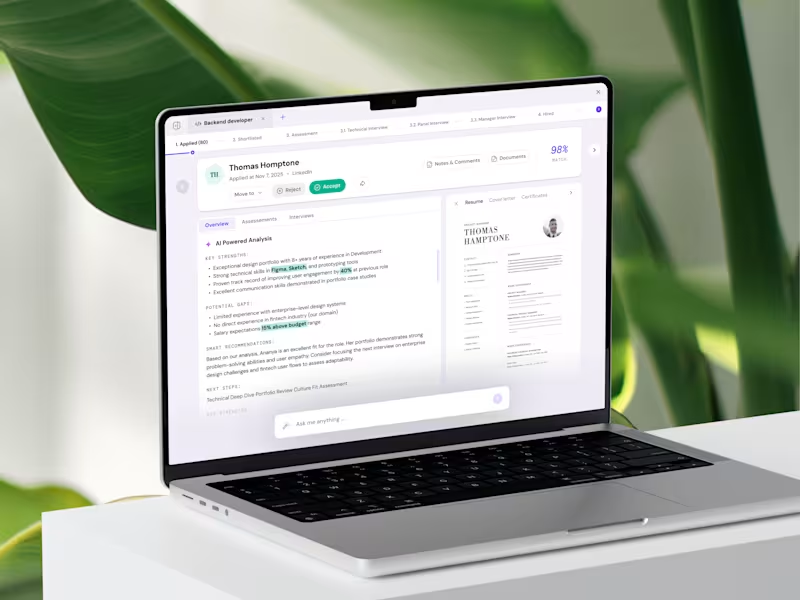
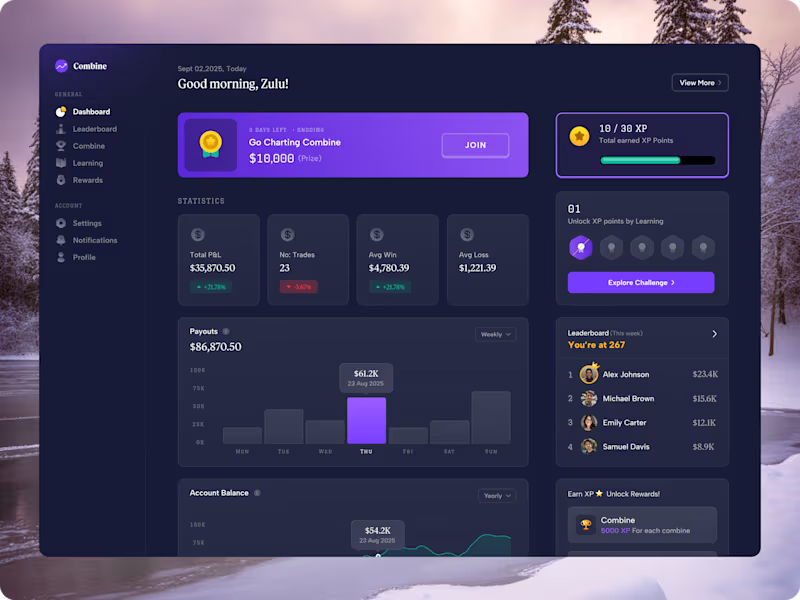
Crafting clean, modern digital experiences for fast-growing
$1k+
Earned
2x
Hired
12
Followers
Crafting clean, modern digital experiences for fast-growing
Product Designer & Developer
$1k+
Earned
8
Followers
Product Designer & Developer
Cover image for Been heads down on this
Been heads down on this for a bit and I'm genuinely hyped to share it 🎸 Jamly - everyone deserves an instrument 🎸🎹🥁 I always wanted to learn guitar. I just never wanted to buy one. So instead of buying one, I built it Turns out tools that let you play piano off your keyboard already exist, but why does literally none of them feel like an actual instrument, something worth touching? 🤔 That question turned into Jamly, built for the Flowstep Challenge - guitar, keys, and drums, played entirely off the keyboard you already have. Free. No login. Nothing to download. 🎯 What it does 🎸 Guitar - six strings, live. Fret with your fingers, strum with space, and the string actually rings out and fades, the way a real one does 🎹 Keys - two full octaves, playable with both hands, notes fading in over 300ms 🥁 Drums - five pieces, snappy 150ms hits that feel percussive, not laggy Guided Play - real songs, chord by chord, at your pace, ending in a jam-ticket recap screen instead of a plain checkmark Upload your own chords and play your own song, your way ✨ How Flowstep made it possible Every screen was designed in Flowstep - including the three instruments themselves, down to the guided-play animations. Getting the instruments right took a few honest misses first: an early pass leaned on a reused reference photo, then a stock image standing in for it, then flat shapes with no real depth. The actual fix was staying in Flowstep and iterating hard, screen by screen, until the material and depth genuinely looked right Claude Code was connected straight into Flowstep through its MCP server, and that connection did double duty: first, prompting and refining Flowstep's own design tools until the instruments hit real fidelity; then same connection, building and shipping the actual live site This was never really about a cheaper guitar. It's a bet that the only real gate between curiosity and actually playing was ever the price of admission, and once that's gone, it's just you, deciding if you want to keep going. 🎶 🎨 Flowstep file: Jamly Design (https://app.flowstep.ai/file?activeFileId=f31e7f50-3ca4-4dbb-af42-9da94f33c183) 🔗 Try it : https://jamly-muxic.vercel.app/
4
8
222
Cover image for So happy to finally share
So happy to finally share what I've been building for the Figma Config Makeathon 2026 ✨ Afterword is a digital legacy app where you preserve your stories, memories, voice, and letters - and deliver all of it to the people you love, when the time comes. When someone passes away, their loved ones don't just deal with grief. They deal with chaos. Which bank accounts did they have? What subscriptions are still running? Is there a life insurance policy somewhere? Who's the lawyer? Where's the will? What passwords do they need? Nobody knows. So, the family spends months, sometimes years - tracking everything down. Calling banks. Cancelling subscriptions. Trying to claim insurance without the right documents. All while grieving. And beyond the practical side, the stories are just gone. The memories, the things they always meant to say, the letters they never wrote, the sound of their voice. All of it fades. This shouldn't be this hard. So, I built Afterword. Afterword is a place where you document everything, not just the practical stuff, but the things that actually matter. Your stories. Your voice. Letters you've been meaning to write. Memories you don't want to fade. All of it, kept safe, and delivered to the people you love, when the time comes. What it does: 🤖 AI Story Interviewer powered by Gemini - asks real thoughtful questions about your life, you answer by typing or speaking hands-free, your answers become chapters 📖 Stories & Memories - written chapters and photo journals, every moment preserved with context 🎙️ Voice Notes - record messages for your loved ones, attach them inside letters or save standalone ✉️ Letters - parchment aesthetic, one letter per recipient, voice note attachment inside ⏳ Time Capsules - seal a message for her 18th birthday, his wedding day, or after you're gone 🔐 The Vault - 8 categories: Financial, Legal, Medical, Digital, Property, Contacts, Wishes, Documents, locked until needed 🎁 Care Packages - choose exactly what each person receives, personalized per recipient 👁️ Recipient Experience - what they see when everything unlocks, six tabs, everything delivered exactly as intended How it works: 👥 You start by adding the people you love - your daughter, your partner, your best friend. Then you create your content, stories, voice notes, letters, capsules, vault entries, and build a personalized care package for each person, choosing exactly what they receive. 🤝 You set a trusted contact, someone you trust completely. And a check-in interval - weekly, monthly, whatever works for you. 🔒 As long as you keep checking in, everything stays private and locked. The moment you stop - Afterword waits, then gently notifies your trusted contact. They confirm. The vault unlocks. Each person receives exactly what you prepared for them, their stories, their letters, their voice notes, their capsules all at once, exactly as you intended. 📬 The recipient experience has six tabs - Home, Stories, Memories, Capsules, Vault, Voices. Everything organized, everything personal, everything yours. ⏳ You can also set time capsules to unlock independently - on a specific date, on a specific event, or as part of the vault unlock. So, her 18th birthday letter arrives on her 18th birthday, whether you're there or not. If you've ever lost someone and wished you'd asked them more questions, this one's for you. 🎨 App: https://afterword.figma.site 📱 Try as a native app: https://afterword-mauve.vercel.app (https://afterword-mauve.vercel.app)Open in Chrome on Android or Safari on iOS → tap Share → Add to Home Screen to install as a native app What remains, matters.
3
5
259
Cover image for FIFA World Cup 2026 Live
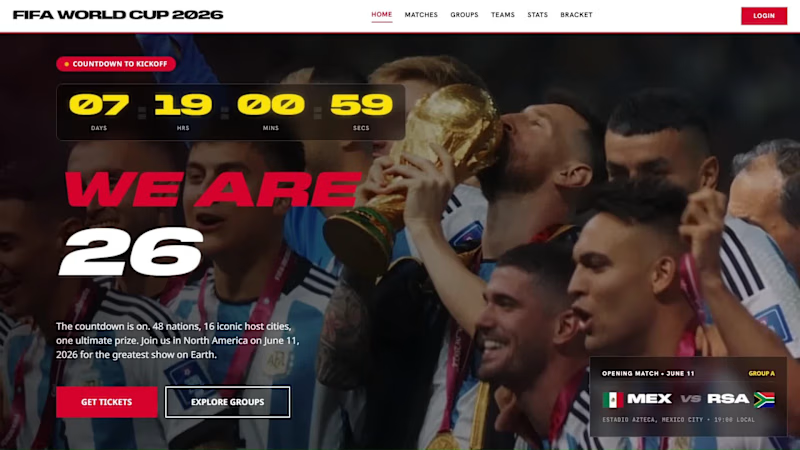
FIFA World Cup 2026 Live Dashboard is a broadcast-grade, 6-page tournament experience built entirely with Google Stitch and deployed on Netlify. Starting from the official FIFA 2026 brand kit, I used Stitch’s streaming generation to build each page iteratively, in-place AI edits to refine components like match cards and the knockout bracket, and connected Stitch via MCP to Antigravity to automate multi-screen generation programmatically. The result is a real-time-aware dashboard with 104 match fixtures, animated Panini player cards, a CSS bracket visualizer, and live tournament state logic - all designed to feel like a FIFA+ broadcast experience. I used Stitch as the primary design and generation tool throughout. Workflow: (1) Uploaded the official FIFA 2026 design system as a design.md (http://design.md) file, (2) Used streaming generation to build all 6 screens iteratively on the canvas, (3) Used in-place AI edits to redesign components - most notably the cyberpunk → FIFA broadcast redesign of the home hero, (4) Connected Stitch via StitchMCP to Antigravity to programmatically generate and edit screens via the MCP API - - used edit_screen, get_screen tools to automate multi-screen updates simultaneously, enabling batch edits across all pages without touching Stitch manually, (5) Used edit_screen again to iterate on the design layer directly through MCP - refining match cards, the knockout bracket, and player card layouts programmatically, (6) Used native HTML canvas and CSS animations for the bracket connector lines and motion design throughout. Stitch’s streaming generation and in-place edits are genuinely game-changing for rapid prototyping. But the real unlock was the MCP integration - using an AI agent to orchestrate Stitch programmatically was the highlight of this entire build. It turns Stitch from a design tool into an automation layer, which is a completely different (and more powerful) workflow. Two things I’d love to see: better design token syncing between screens so global style changes propagate automatically, and a way to export the full project as a React codebase with routing intact rather than individual screen exports. Live on Netlify: https://fwc-weare26.netlify.app/ Stitch Project: https://stitch.withgoogle.com/projects/7889672183129917406
7
4
645
Tailored Graphic Solutions for Brands ✨
5.0
Rating
33
Followers
Tailored Graphic Solutions for Brands ✨