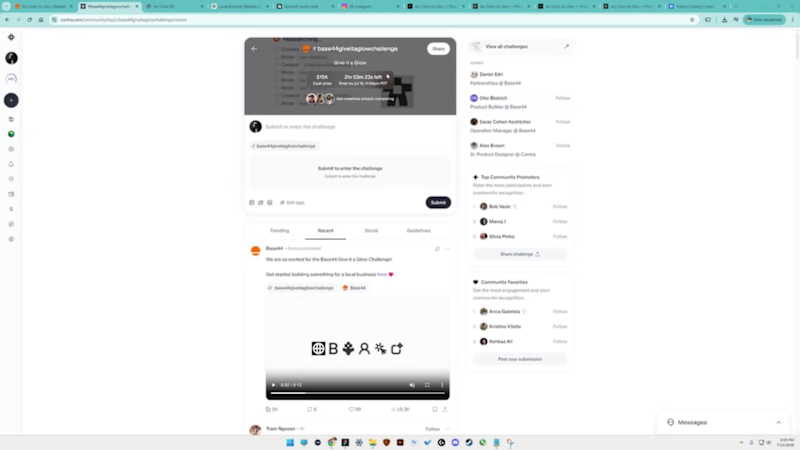
Projects using ChatGPT in HaywardProjects using ChatGPT in HaywardHere is my submission for the Base44 Give It a Glow Challenge ✨🥋
This was my first time using the @Base44 platform, and I came into the challenge with no idea what it was capable of. I was honestly blown away by how much I could build in just a few hours.
For the challenge, I chose a local jiu-jitsu instructor who had a strong Instagram presence, but only a very basic Carrd website. Even the email button wasn’t working.
Instead of making assumptions, I reached out and asked him directly:
“What are some of the challenges you’re dealing with on your current website? What do you want it to accomplish that it isn’t doing right now?”
He told me he wanted to:
• Establish a more professional online presence
• Give people an easy way to book private lessons
• Create a way to sell merchandise
So I ran with it.
I created a completely new visual identity and logo with the help of ChatGPT, then brought it into QuiverAI to produce a clean SVG version.
The new public-facing website includes:
🥋 Clearer messaging and positioning
📅 An easy private-session booking experience
👕 A way for visitors to inquire about and purchase merch
⭐ A more professional and trustworthy visual presence
🎥 A powerful testimonial from a well-known lead instructor
📸 An Instagram carousel that helps funnel visitors back to his social content
On the backend:
• View and manage new leads
• Tag leads and move them through a simple pipeline
• Track merchandise inquiries
Bonus feature:
I also built an on-brand social content generator that makes it easy to create graphics for upcoming lessons, promotions, discounts, and announcements.
Since this was my first experience with Base44, I was seriously impressed by what I was able to create in such a short amount of time. I only spent a few hours on this version, but I can already see how much further it could be pushed with a few more days of refinement.
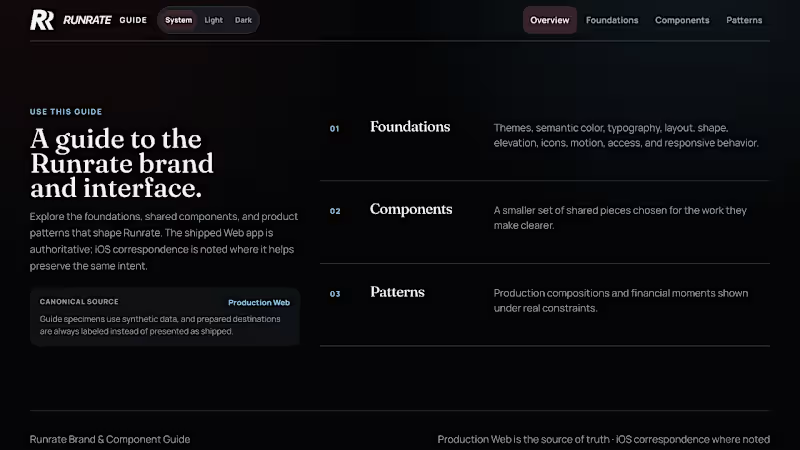
Overall, this challenge was a great excuse to help a real local business, explore a new platform, and build something that could actually improve how they attract and manage customers. I built Runrate's design guide in HTML by describing it to Codex in natural language instead of starting in Figma.
It still covers what I would normally organize in a Figma library:
- semantic color tokens and themes
- typography, spacing, shape, elevation, icons, and motion
- accessibility and responsive behavior
- reusable components with states, usage guidance, anti-patterns, and live examples
- product patterns for the ledger, accounts, forms, navigation, and risk or recovery states
- guidance for translating the same intent between Web and iOS
The difference is that these are not static frames.
The tokens are implementation contracts. The components can be used in the browser. The patterns include real constraints, interaction behavior, and accessibility. Production Web remains the source of truth.
Then I point the project's AGENTS.md file at the guide.
The instruction is essentially this:
Before creating or changing a customer-facing Runrate surface, consult the design guide. Use Foundations for tokens, hierarchy, and voice. Use Components for behavior and states. Use Patterns for composition. Reuse the existing system before extending it.
That applies to new product features, email templates, marketing creative, and anything else that should match the guide.
So the design system is not only a library.... it becomes part of the context used to generate the work.
https://myrunrate.com/design
What do you think about this? And are you making your design system readable by agents? Curious what other people are doing. 

![Cover image for Vibe Coding Prompt Engineer [Custom GPT]](https://media.contra.com/image/upload/q_auto:good,w_800/h0rsivdib3ed37zljnwn.avif)