Freelancers using Python in DagenhamFreelancers using Python in Dagenham
Full-Stack & AI Dev | TypeScript, Next.js, React, Node
$25k+
Earned
4x
Hired
5.0
Rating
65
Followers
Full-Stack & AI Dev | TypeScript, Next.js, React, Node
AI Agent & Automation Engineer | LangChain, Python, n8n, RAG
New to Contra
AI Agent & Automation Engineer | LangChain, Python, n8n, RAG
AI Automation Engineer | n8n Claude & Python
New to Contra
AI Automation Engineer | n8n Claude & Python
Fractional CTO / AI Specialist Award Winning AI Engineer
$5k+
Earned
5
Followers
Fractional CTO / AI Specialist Award Winning AI Engineer
Cover image for I've spent the last few
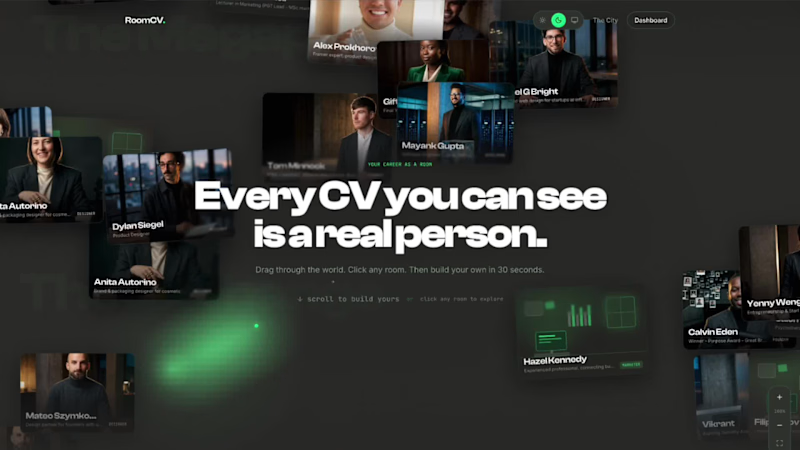
I've spent the last few days building something I genuinely wish existed years ago. When I was job hunting, I had a PDF. A white rectangle with my name, dates, and bullet points. The same format invented in 1482. I was competing with thousands of people who had the exact same white rectangle. I'm a builder. I ship products. I've worked with real companies, shipped real things, have real skills. None of that showed in a CV. It couldn't. A PDF wasn't built to show it. And building a personal website? That's a project in itself. Design it, code it, host it, maintain it. Most people never do. So their career stays a white rectangle forever. So I built RoomCV. (https://roomcv.figma.site/) You don't build anything. You paste your LinkedIn URL, your Contra profile, or upload your CV. In under 60 seconds, your career has a home on the internet. A real one. With your name on the door. Not a template you fill in. Not a prettier PDF. A room that reads your data and builds itself with all your pretty links. And then there are the portraits. The AI photoshoot is unlike anything else in this space. It runs a 3-stage pipeline (thanks to Figma Weave): Stage 1 - A casting director model analyses your reference photo and writes a precise physical description. Hair, skin tone, bone structure, build. This becomes a consistency anchor so every portrait is recognisably you. Stage 2 - A photography director model reads your actual CV. Your job title, your company, your career highlights, your personal note. It writes a bespoke scene brief the way a Vogue photo director would. A founder gets a quiet boardroom at night with a city skyline. A developer gets a dark server room with terminal green glow. A designer gets mood boards and soft daylight. Stage 3 - The image model takes that bespoke brief, your reference photo, and your character anchor and generates 6 editorial portraits. Hero. At work. Thinking. Off duty. Achievement. Environmental. Every portrait is specific to you. Because the AI read their actual careers before picking up the camera. The room is alive. People can visit your room at its permanent URL. They can leave signed notes in your guestbook. They can react with rockets, fire, or lightbulbs. You can see who's browsing right now, live presence, like a real room. Every visit is counted. The whole city of rooms is browsable and is a directory of real people's careers, each one visually distinct. Three visual themes: Cinematic - moody contrast, 35mm grain, deep editorial shadows. Brutalist - harsh direct light, raw concrete textures, technical glitch aesthetic. Minimal - soft diffused window light, high-key, warm neutrals, conversion-focused. The copywriting changes completely per theme too. Same person, three radically different editorial voices. Wieden+Kennedy wrote none of them — Gemini did, with a prompt that bans every CV cliché and demands specific references to real company names, real project names, real skills. What I used to build it: Figma Make - the entire app. Every component, every interaction, every route. Built in natural language, iterated in real time. Figma Weave - the portrait pipeline visualised as a node-based workflow. The casting director, the photography director, the 6 parallel image generation nodes. The hero background video on the landing page. The logo. Figma MCP - connecting the design token system into the Make build so the three themes stayed consistent with the Figma source of truth. Supabase - backend, auth, KV storage, private portrait bucket, signed URLs, edge functions. Gemini - character extraction, photography direction, copywriting, profile parsing, room generation from raw LinkedIn/Contra/CV data. The numbers that matter: 60 seconds from paste to published room. 6 portraits per person, all unique. 3 complete design systems per room. 0 templates. Every room is generated, not filled in. 1 permanent URL per person. Unlimited visitors, reactions, guestbook notes. Who this is for: Designers who are tired of Behance looking like everyone else's Behance. Developers whose GitHub is invisible to anyone who isn't technical. Founders who have a LinkedIn but not a story. Freelancers on Contra who want their profile to stop at the URL and start in the room. Anyone who has ever felt like their career deserved better than a white rectangle. Yesterday a dev called Andrei pasted his LinkedIn URL. 30 seconds later he had six editorial portraits and a career room that looked like the cover of Wired. He sent me a voice note. He said it was the first time his career had felt like his, and here it is for everyone to try. Try it. Paste whatever you have. LinkedIn URL, Contra URL, raw CV text, PDF. Your room is waiting. roomcv.figma.site (http://roomcv.figma.site)Figma Make: https://www.figma.com/make/3kpbdErsXVZqPSkZS2LdvY/Design-RoomCV-Creatively?t=ZnnNnUei4aE16P6e-1 Figma Weave: https://app.weavy.ai/flow/RK8qIG0eKBpyoJLOg4JgrC Figma Community: https://www.figma.com/community/file/1649649240602428392/roomcv?fuid=1004476920505329686 X: https://x.com/AshishSandhu/status/2067821599223316662 (https://x.com/AshishSandhu/status/2067821599223316662?s=20)https://x.com/AshishSandhu/status/2067824940154269961 Drop your room link in the comments. I want to see every single one. Built for the Figma Config Makeathon. Figma Make + Figma Weave + Figma MCP + Supabase + Gemini. #ConfigMakeathon #Figma #FigmaMake #AI #Portfolio #CareerDesign
2
3
157
Cover image for Reinventing the wheel 🛞 for
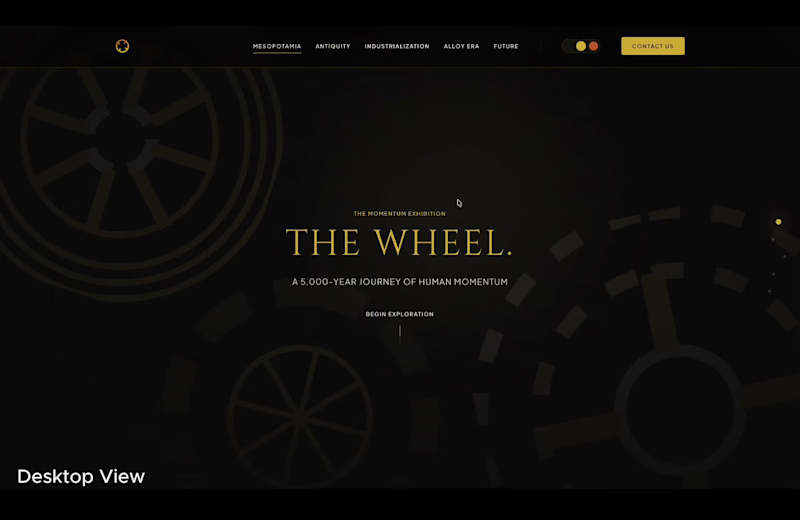
Reinventing the wheel 🛞 for Google. Designed with Google Stitch for all platforms Desktop, Mobile, and Tablets. I’m a engineer and founder with tech experience but not design, and going into this challenge, my real question was simple: Can an AI-native interface builder actually handle deep-time narrative storytelling and high-fidelity, scroll-linked interactions without turning into a complete mess? To stress test the absolute limits of the platform, I didn't feed it an established design, or any files right away. I wanted to see exactly how Stitch thinks, handles design drift, and iterates from scratch. I gave it a massive, conceptually complex prompt: Build a highly cinematic, ultra-polished, deep-time historical timeline mapping the evolution of the wheel, from primitive Mesopotamian stone discs to active, computational morphing hub systems in 2026. How Stitch Fit into the Workflow The streaming generation on the canvas is easily one of the most hypnotic interactions I've seen in a design tool. It genuinely feels like watching a remote design partner building on your screen through AnyDesk. Instead of staring at a loading spinner and waiting for a static layout, I was reacting to a living interface taking shape in real time. Instead of keeping things static, I ended up executing three distinct modes across this project to see how Stitch adapts to different workflow mindsets: I pushed a light but descriptive prompt system to build out a strict, zero-color, high-contrast monochrome design philosophy titled "Liquid Slate." Stitch completely conquered the blank page problem, mapping out an editorial-style landing page with absolute black layouts and deep-etched glass elements. The Codebase Sync via Antigravity (The Engineering Bridge) is where it killed it, To see if this could handle a real-world production loop, I leveraged the new MCP skills. I imported stitch into Antigravity straight from Stitch's HTML native canvas, synced those changes, and published a React Website in Minutes to Netlify which was bug free and ready for a Run. The motion authoring surprised me the most. I didn't have to jump out into a secondary motion app or wrestle with standard transition bugs, the native hover states, custom text blur modules (BlurInText), and smooth continuous wheel rotations were all handled seamlessly on the HTML canvas before exporting the build. New Features I Leaned On Streaming generations to canvas: Watched the entire layout materialize and iterated on components before they were even finished rendering. In-place AI edits via prompts + point-and-click: Controlled fine-grain text styles and layout spacing directly on the artboard. Redesign : Got the same design in 3 colours, just wow. Native motion, hover states, and shaders on HTML canvas: Authored complex scroll-linked component rotations and aesthetics. Antigravity Code Integration via MCP: Ran a perfect, bi-directional round-trip sync between my code editor and the visual design canvas. MCP Export: One-click, zero-friction final production deployment. Feedback on the Platform Google Stitch shifts the entire AI design paradigm because it collapses the classic "describe, wait, judge, re-prompt" delay loop into an interaction that feels like direct manipulation. In-place edits genuinely feel like real design work. Two things I'd love to see in future updates: Option to upload/generate videos: it makes it easier for a designer to have their backdrop beautiful just by adding or generating a video which Stitch can definitely add beautifully. A way to save a specific in-place edit style (like the exact blur, noise, and border-radius of my "Liquid Slate" glass cards) into a recipe that I can reapply to other sections instantly without describing it again. Stitch doesn't feel like an AI platform you have to constantly fight against, it feels like a living, interactive canvas that intuitively understands structural design system logic. Check it out: Live Site: https://contragoogle.netlify.app/ Stitch Project Space: https://stitch.withgoogle.com/projects/13302732653849354465 (https://stitch.withgoogle.com/projects/13302732653849354465)X: https://x.com/AshishSandhu/status/2062413585095995813?s=20
9
8
407
Cover image for I created THE GIFT because
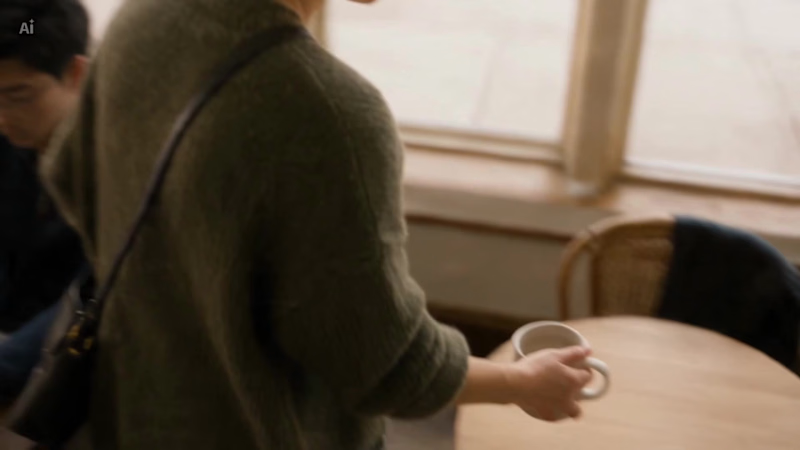
I created THE GIFT because the most devastating love stories deserve to be felt, not just remembered. O. Henry wrote "The Gift of the Magi" in 1905, and most people know the ending before they finish the first paragraph. Yet I had never seen it made into something that stops your breath. I wanted to create a cinematic experience that makes the audience who already knows the story feel it as if for the first time, and the audience who doesn't feel something they cannot name until the very last frame. What if we watched two people stand quietly in the ruins of their devotion, and simply refused to look away? That question became THE GIFT. The Production Workflow I came into this project with a vision but no pipeline. The Melius canvas workflow changed that completely, making something overwhelmingly complex feel creative and alive. Audio-Driven Pacing: The original score was generated and structured with a strict tempo map in Suno, ranging from a 60 BPM cold open to a 140 BPM climax. Every visual decision followed the music, not the other way around. Master Character Seeding: To ensure 1905 period accuracy and strict character continuity across every scene, I generated a single Master Character Reference node and wired it into every subsequent generation. The candlelit amber interiors, the cold blue gaslit streets, and the period film grain stayed consistent throughout without manual intervention. Extensive Agent Use: I did not just execute instructions. I conversed with the Melius agent. It helped select the right models for the right moments, we even redid the whole canvas midway and restructured, as instead of more nodes, more important was the structure, matched the visual grammar to the emotional register of each scene, and made intelligent decisions I had not anticipated. I was not managing tools. I was directing a film. The Assembly: Melius built the continuous, high-fidelity scene blocks the trailer required. I then brought those outputs into CapCut to execute the rapid sub-second flash cuts that match the music's climax, where the cuts land. Platform Feedback What moved me most was how Melius held the entire world together without me having to manually navigate the technical layer underneath, it took less than 3 hours on this. It chose what each moment needed and delivered it with a consistency that felt less like a platform and more like a collaborator who understood the story. One honest piece of feedback: producing a continuous 2.5 minute cinematic trailer with these state of the art models requires a lot of iterative generation. A higher credit tier or more optimised rendering costs for long-form visual storytellers would make a meaningful difference for projects at this scale. Ultimately, Melius helped me protect the silence at the end of the film when every instinct said to fill it. That restraint is where the whole story lives. A Final Note: I am a software engineer by trade, with zero professional background in filmmaking or the video industry. I came into this project with a feeling I wanted to convey, but no traditional pipeline to execute it. The fact that I was able to direct a period drama of this fidelity is the greatest testament I can give to Melius. https://app.melius.com/projects/1a8d974e-4f5b-4647-844e-adb87b9c5573/canvas/69eb2820-9998-47e3-8059-3bf0450c1290 https://x.com/AshishSandhu/status/2056490013378986101?s=20
6
9
865
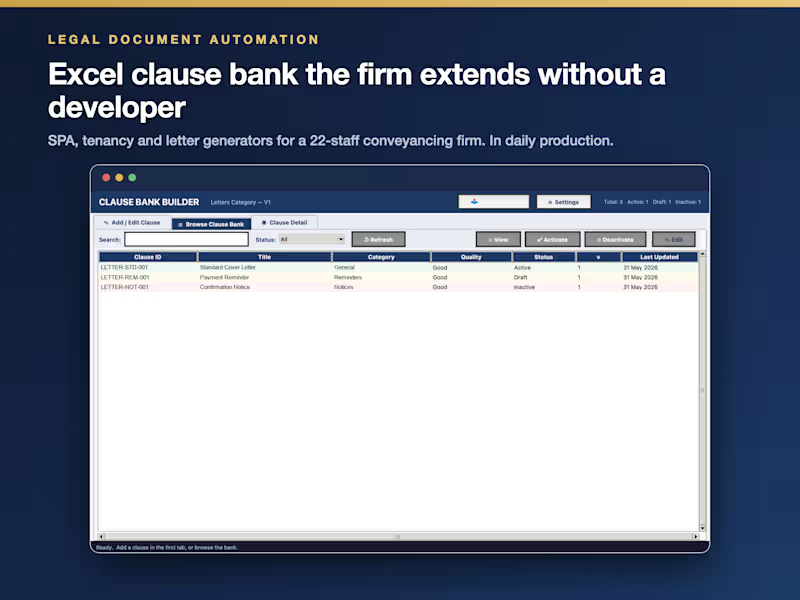
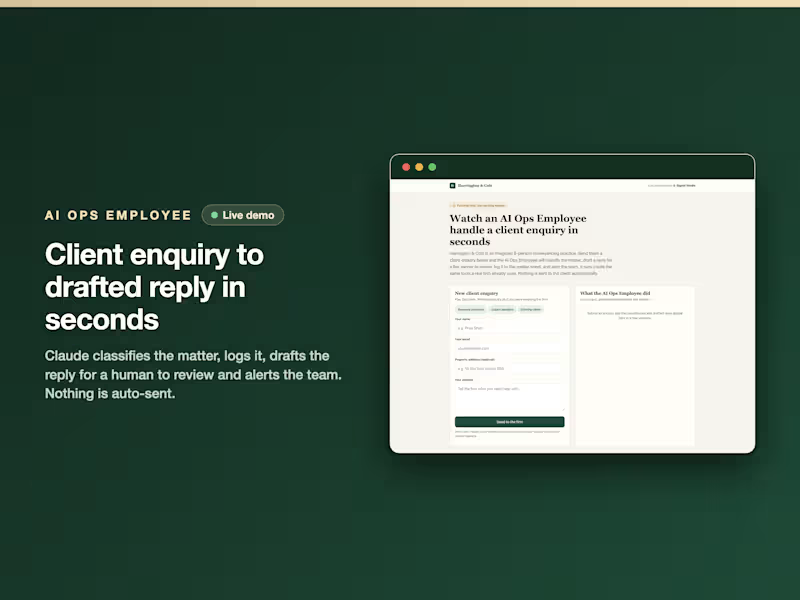
AI Automation & Web Design | n8n · Vapi · Claude API
New to Contra
AI Automation & Web Design | n8n · Vapi · Claude API
Senior Dev & Data Analyst · Laravel · Python · Next.js
New to Contra
Senior Dev & Data Analyst · Laravel · Python · Next.js