
Google Ads, Meta Ads & Conversion Tracking Xpert
- 5.0
- Rating
- 5
- Followers
Google Ads, Meta Ads & Conversion Tracking Xpert
Meta Pixel & Conversion API: Ecommerce Tracking Fix ⭐
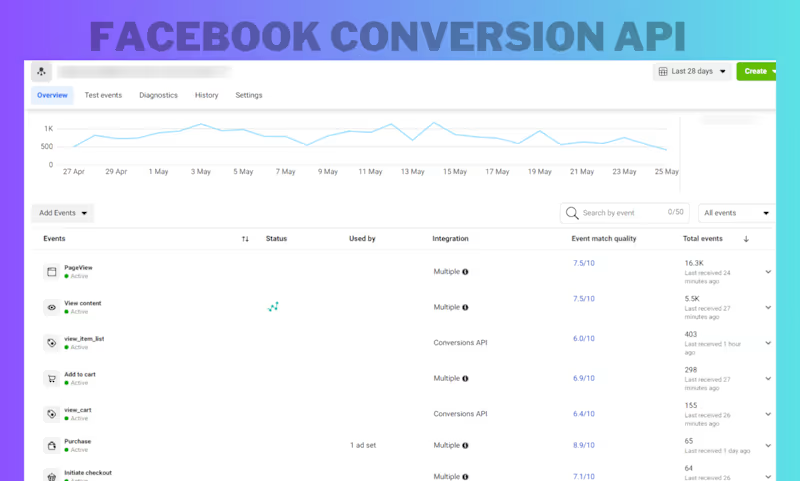
Fixed and strengthened an e-commerce Meta tracking setup by implementing Meta Pixel + Conversion API, validating key purchase-funnel events, and troubleshooting event delivery and match quality. The result was a more reliable conversion data foundation for Meta Ads optimization.
0
77
Multi-Channel Lead Tracking & Attribution
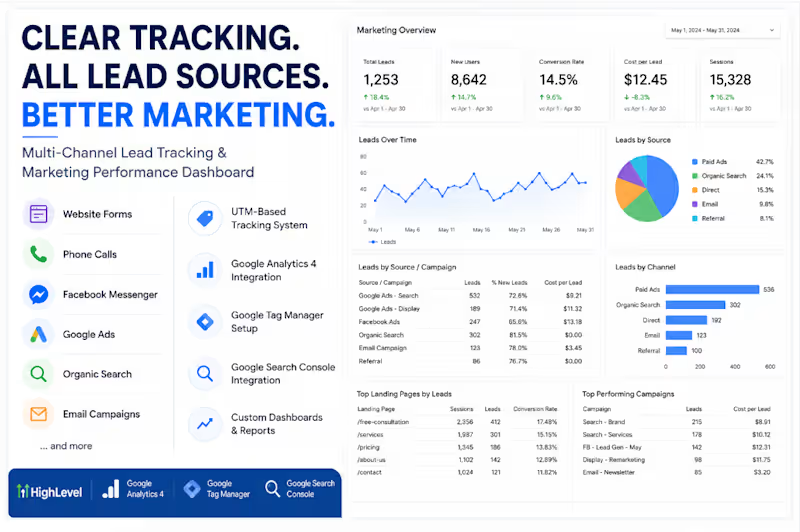
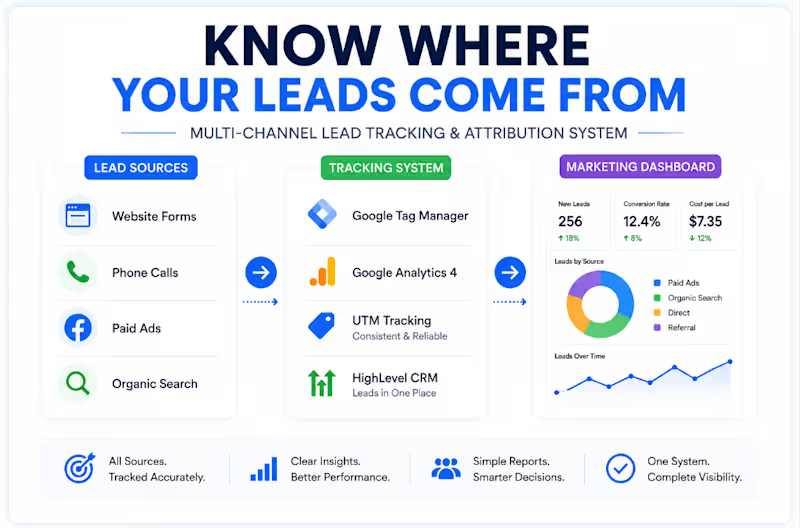
A business was getting leads from multiple channels like website forms, phone calls, paid ads, organic search, and referrals.
The problem?
They couldn't clearly see where those leads were coming from.
I built a simple tracking and attribution setup connecting:
→ Google Tag Manager
→ GA4
→ UTM tracking
→ HighLevel CRM
→ Marketing reporting
Now, lead sources can be tracked in one place and turned into clear marketing insights.
The goal wasn't more data.
It was better visibility.
When you know where your leads come from, you can see what's working, optimize with confidence, and spend your budget smarter.
Track accurately → Understand clearly → Grow smarter.
0
134

𝐆𝐨𝐨𝐠𝐥𝐞 𝐀𝐧𝐚𝐥𝐲𝐭𝐢𝐜𝐬 𝟒 (𝐆𝐀𝟒) 𝐂𝐮𝐬𝐭𝐨𝐦 𝐑𝐞𝐩𝐨𝐫𝐭𝐢𝐧𝐠
Built custom Google Analytics 4 (GA4) reports that transform raw analytics data into meaningful business insights, helping the client measure performance, understand user behavior, and make data-driven decisions with confidence.
𝐏𝐫𝐨𝐣𝐞𝐜𝐭 𝐎𝐯𝐞𝐫𝐯𝐢𝐞𝐰
The client needed a custom reporting solution that went beyond the default GA4 reports. They wanted to measure button clicks, custom events, user interactions, and conversion performance in a clear and actionable format. The objective was to make important business data easily accessible without complex exploration.
𝐖𝐡𝐚𝐭 𝐖𝐚𝐬 𝐈𝐦𝐩𝐥𝐞𝐦𝐞𝐧𝐭𝐞𝐝
➩ Custom GA4 Detail Reports
➩ Event Parameter Reporting
➩ Button Click Performance Reports
➩ Custom Dimensions & Metrics
➩ User Engagement Reporting
➩ Conversion Performance Reports
➩ Traffic Source Segmentation
➩ Event Filtering & Comparisons
➩ Report Customization
➩ Report Testing & Validation
𝐂𝐮𝐬𝐭𝐨𝐦 𝐑𝐞𝐩𝐨𝐫𝐭𝐬 𝐂𝐫𝐞𝐚𝐭𝐞𝐝
➩ CTA Button Click Report
➩ Event Performance Report
➩ Custom Parameter Reports
➩ User Engagement Report
➩ Conversion Report
➩ Landing Page Performance Report
➩ Traffic Acquisition Report
➩ Marketing Campaign Performance Report
𝐓𝐨𝐨𝐥𝐬 & 𝐏𝐥𝐚𝐭𝐟𝐨𝐫𝐦𝐬
➩ Google Analytics 4 (GA4)
➩ Google Tag Manager (GTM)
➩ Looker Studio
➩ Google Sheets
➩ UTM Tracking
𝐑𝐞𝐬𝐮𝐥𝐭𝐬 & 𝐈𝐦𝐩𝐚𝐜𝐭
➩ Delivered reports tailored to the client's business goals
➩ Made key KPIs easier to monitor and understand
➩ Improved visibility into user interactions and CTA performance
➩ Enabled faster, data-driven marketing decisions
➩ Eliminated the need for manual data analysis
➩ Created a scalable reporting system for future growth
𝐎𝐮𝐭𝐜𝐨𝐦𝐞
The client now has customized GA4 reports that surface the metrics that matter most, making it easier to monitor marketing performance, evaluate user engagement, and optimize conversions with confidence.
0
130


Google Analytics 4 | GA4 GTM Meta Pixel FB CAPI Server-Side
- 17
- Followers
Google Analytics 4 | GA4 GTM Meta Pixel FB CAPI Server-Side
A Google Ads campaign can be perfectly structured and still optimize badly if the conversion setup is sending mixed signals.
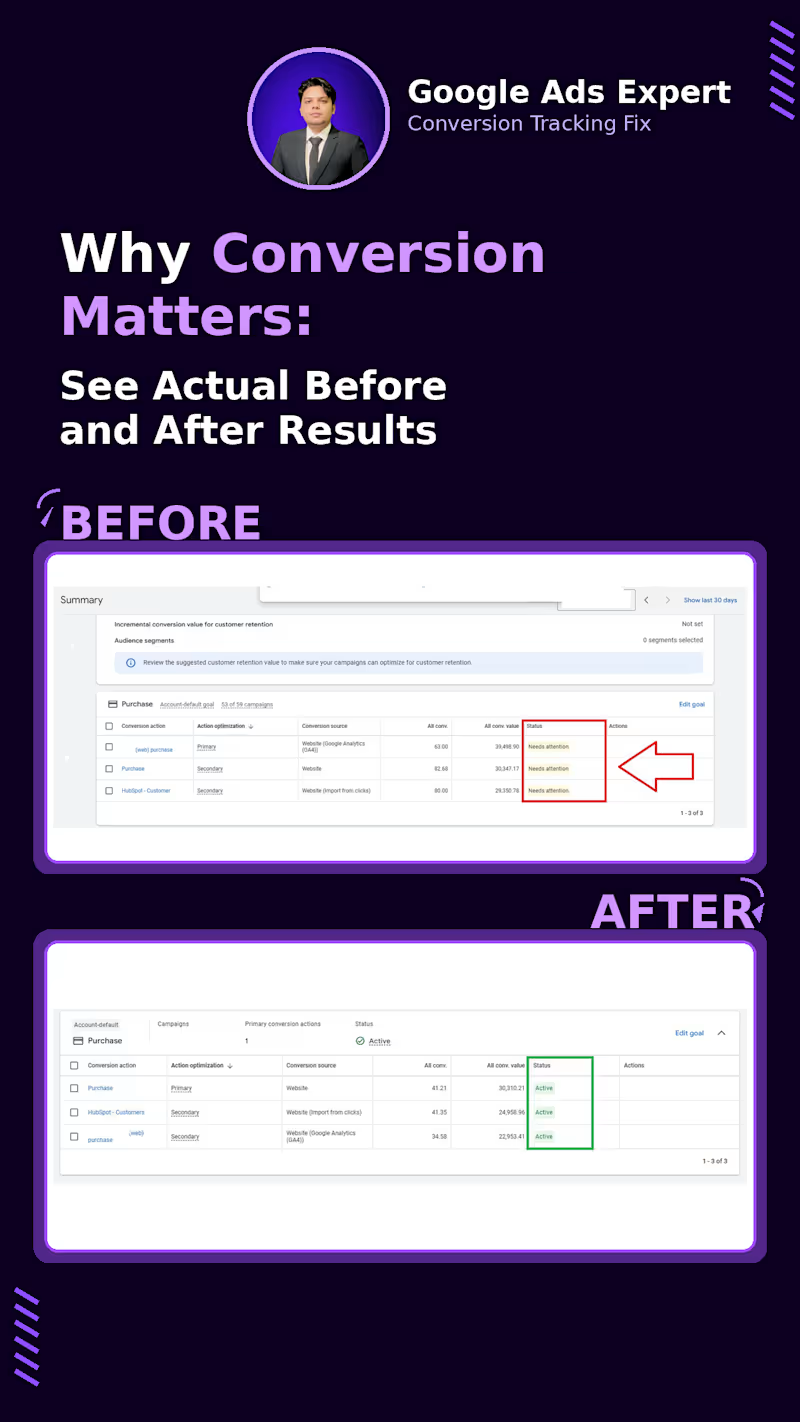
I saw this recently while auditing an account with 53 campaigns.
The account had three different Purchase conversion actions:
Purchase from GA4
Purchase from Website
HubSpot customer import
And all three were showing “Needs attention.”
The bigger issue wasn't just the warning.
There was no clear conversion setup telling Google Ads which purchase signal should actually drive bidding.
That matters because Smart Bidding depends on the conversion data you give it.
If multiple sources are tracking the same purchase, you can end up with duplicate conversions.
If the wrong action is marked as Primary, campaigns may optimize toward a signal you didn't intend to use.
And if the underlying tag or import isn't working properly, the bidding system is learning from incomplete data.
So the first thing I worked on wasn't campaign structure or bid strategy.
It was the conversion setup.
I cleaned up the duplicate Purchase actions, kept the website Purchase as the clear Primary conversion, moved the GA4 and HubSpot versions to Secondary, and re-checked the tracking and Enhanced Conversions setup.
After the cleanup, the conversion actions were showing “Active.”
More importantly, the account had a much clearer data flow:
Website → Purchase → Google Ads → Primary conversion → Smart Bidding
This is something I think gets overlooked when people talk about improving ROAS.
Sometimes the problem isn't the campaign.
It's the signal the campaign is being optimized against.
And “conversion tracking is installed” isn't enough.
You also need to know:
Is the right conversion being counted?
Is it being counted once?
Is it marked Primary or Secondary for the right reason?
Is the value being passed correctly?
And is Google Ads actually receiving the signal consistently?
This is why I spend so much time auditing GA4, GTM, Google Ads and CRM conversion setups before touching the optimization side.
Bad conversion data can make a good campaign look bad.
If you're seeing “Needs attention”, unexpected conversion numbers, duplicate purchases or strange bidding behavior in Google Ads, feel free to connect or message me.
When was the last time you checked the status of your Google Ads conversion actions?
#GoogleAds #ConversionTracking #PPC #GoogleTagManager #PaidSearch #PerformanceMarketing
0
61

I used to break my toys.
Not because I wanted to destroy them.
I wanted to know what was inside.
How did it work?
Why did it move?
That curiosity never really left me.
Years later, I started learning digital marketing with a borrowed laptop.
I remember getting my Google Digital Garage certificate. I was so happy that day.
I even thought:
“Maybe one day Google will hire me.”
Then I asked my father for a computer.
For almost six months.
Eventually, he agreed.
But there was a condition:
If I got the computer, I had to take responsibility for everything after that.
Internet. Tools. Everything.
So I started freelancing.
I opened Fiverr with almost no idea how freelancing actually worked.
I didn’t understand positioning.
I didn’t know how to find clients.
I depended almost completely on one marketplace.
Then my second order got cancelled.
My account went down.
Money was already tight. At one point, I struggled to pay my internet bill.
And the internet wasn’t just entertainment for me.
It was the thing I was trying to build my future with.
People around me also didn’t really understand how someone could build a career online.
The traditional path was familiar:
Study → degree → stable job.
So when I said I wanted to build my career through the internet, not everyone believed me.
I don’t blame them.
They were judging the future based on what they had seen.
So I decided to prove it through results.
I tried.
I failed.
I tried different businesses.
I lost clients.
I made mistakes.
I started again.
Eventually, I realized Fiverr wasn’t the entire internet.
I explored other opportunities, joined Upwork, started working with clients from different countries, and eventually earned Top Rated status.
Today, I work in web analytics and conversion tracking.
GA4. GTM. Google Ads tracking. Meta Pixel + CAPI. Server-side tracking. Data layers. Consent Mode.
And there’s something funny about the journey.
As a kid, I took things apart to understand how they worked.
Today, I do the same thing with websites and marketing systems.
I take them apart.
I look at the data.
I find what’s broken.
Then I build it properly.
I’m still learning. Still experimenting. Still failing sometimes.
But I’m still curious.
I was once a kid who wanted to know what was inside a toy.
I’m still that kid.
I’m just opening different things now.
0
97
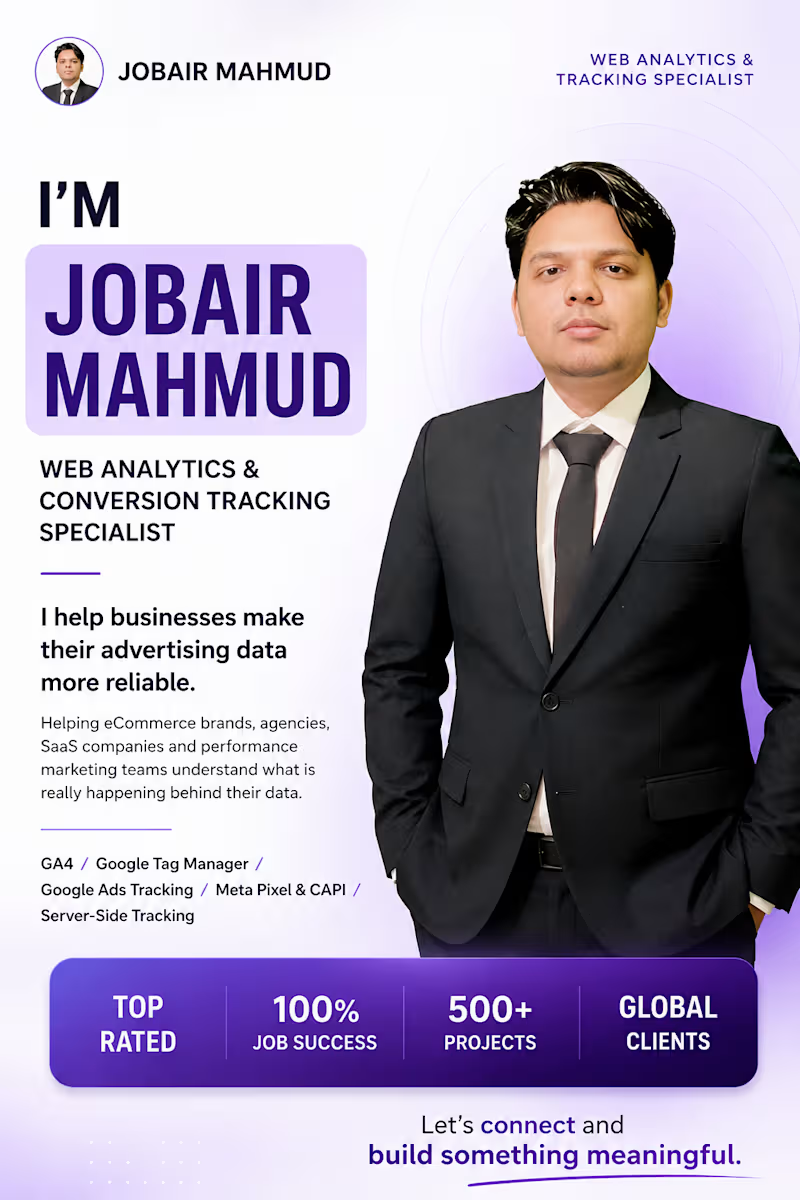
I’ve been working in digital marketing and analytics for years.
But I’m still learning how to explain what I actually do in a simple way.
So, let me introduce myself.
I’m Jobair Mahmud, a Web Analytics & Conversion Tracking Specialist from Bangladesh.
I started with digital marketing and paid advertising.
Then I became more interested in something most marketers don't spend much time thinking about:
What actually happens after someone clicks the ad?
That question took me deeper into:
→ Google Analytics 4
→ Google Tag Manager
→ Google Ads Conversion Tracking
→ Meta Pixel & Conversions API
→ Server-Side Tracking
→ Enhanced Conversions
→ Consent Mode
→ Data Layer & Ecommerce Tracking
→ Attribution & Marketing Analytics
Over time, I realized something.
Running ads and measuring ads are two different problems.
A campaign can have great creatives.
The targeting can be good.
The budget can be right.
But if the conversion data is incomplete, duplicated or incorrectly attributed, the decisions made from that data can still be wrong.
That’s why I enjoy working on the technical side of marketing.
I like connecting the pieces:
Ad → Website → Data Layer → Tracking → Conversion → Attribution → Business Decision
Today, I work with agencies, eCommerce brands, SaaS companies and businesses running paid advertising to make that measurement more reliable.
I’m not interested in simply installing another tag.
I want to understand what the business is trying to measure, where the data is coming from, where it is getting lost, and whether the final numbers can actually be trusted.
I’ll be sharing more about what I learn from real tracking problems, Google Ads, Meta Ads, GA4, GTM, server-side tracking and marketing analytics here on LinkedIn.
If you're working in performance marketing, analytics, eCommerce or paid advertising, I’d love to connect.
And if you’re building an agency or business where better tracking and better data matter, let’s talk.
What part of marketing measurement do you think marketers overlook the most?
0
100

100+ Buisness and Agencies can’t be wrong.
When I started offering tracking setups, I wanted one thing to make ads data-driven again.
Now, over 100 agencies trust my service to fix their Meta CAPI, GA4, and Shopify tracking setups.
Because when tracking works → ads perform → clients stay happy.
If you’re a web developer or marketing agency on Contra, let’s collab!
I offer white-label tracking setups that make your projects run like a dream.
1
581

Boosting Growth with Analytics, Ads & Marketing Automations
Boosting Growth with Analytics, Ads & Marketing Automations


Google Analytics, Meta Pixel | Server-Side Tracking Expert

Your Google Ads is driving leads…
but are you tracking what happens after the click?
Most businesses miss offline conversions.
And that means… incomplete data and wrong optimization.
I set up and fix Google Ads offline conversion tracking using:
- Google Sheets automation
- CRM & form integrations
- Accurate GCLID tracking
So every lead, sale, or call is properly tracked and sent back to Google Ads.
No more guessing.
Just clean data and smarter scaling.
0
125

Your Meta Pixel is tracking purchases,
but do you know which ones are from new customers?
Most businesses can’t separate new vs returning buyers.
And that means… poor targeting and wasted ad spend.
I set up advanced tracking to identify:
• New customer purchases
• Accurate server-side events (CAPI)
• Clean, deduplicated data
So you can optimize for real growth, not just numbers.
If your tracking isn’t precise, your scaling won’t be either. 🔥
2
1
266

Your GA4 Ecommerce report is full of data…
but is it actually driving decisions?
Most ecommerce stores collect data.
Very few actually use it.
I turn raw GA4 data into clear, actionable insights:
• Top selling products
• Customer journey behavior
• Revenue by source and location
So you can stop guessing and start scaling your store.
If you can’t read your data, you can’t grow your business.
4
2
333
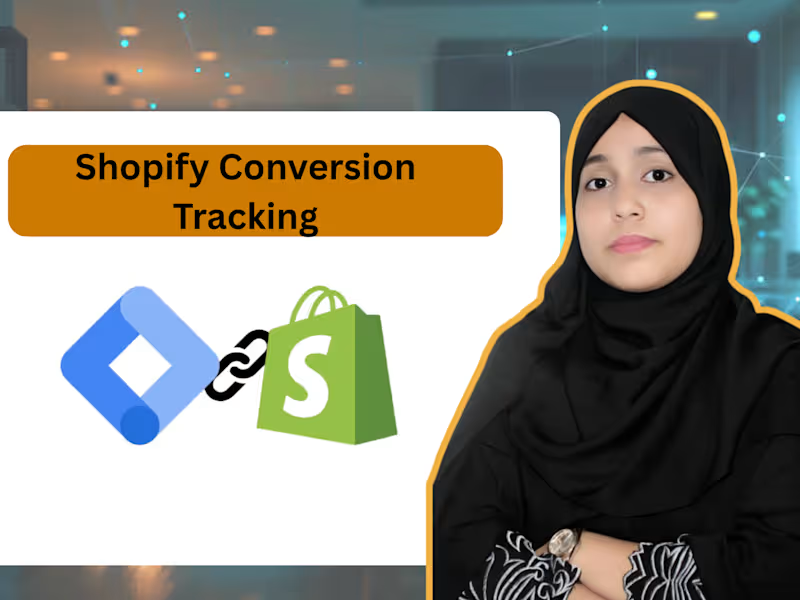
If you are using Shopify and relying only on native app tracking, you are probably missing a lot of accurate data.
I recently worked on Shopify conversion tracking using Google Tag Manager instead of native integrations, and the difference is huge.
With GTM setup:
• Tracking becomes more accurate and controlled
• You can properly send data to multiple platforms like Meta, Google Ads, GA4, TikTok
• Server-side and data layer based tracking improves attribution
• No duplicate or missing events like native apps often cause
• You get full flexibility to customize events based on business goals
Native Shopify apps are easy, but they are limited. GTM gives you full control over your tracking system.
If you want clean data, better optimization, and real performance insights, GTM is the smarter way to go.
Because at the end of the day
better data = better decisions = better ROI
2
296

🚀 Mastering GA4, GTM & FB Pixel Tracking
🚀 Mastering GA4, GTM & FB Pixel Tracking


View more →

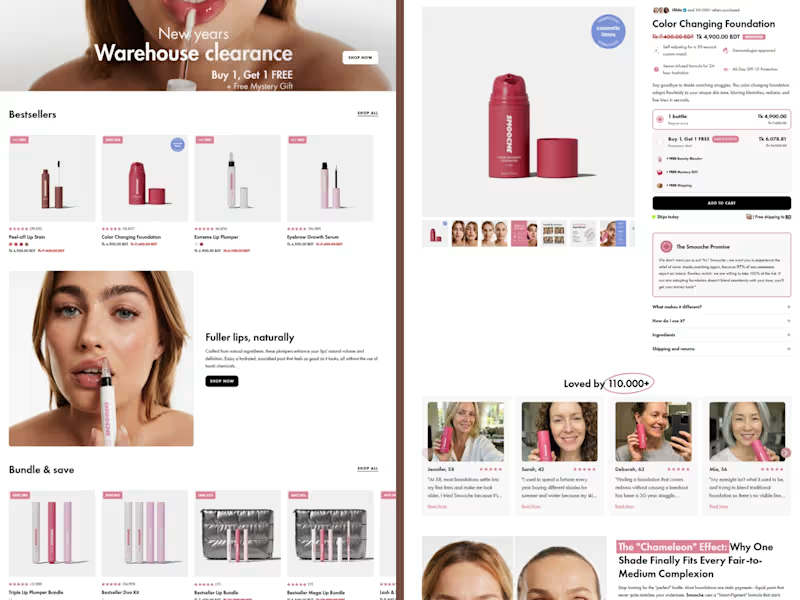
Shopify Solutions That Convert Visitors into Customers




Video Editor | SaaS Promos, Talking Head & Motion Graphics
- 9
- Followers
Video Editor | SaaS Promos, Talking Head & Motion Graphics
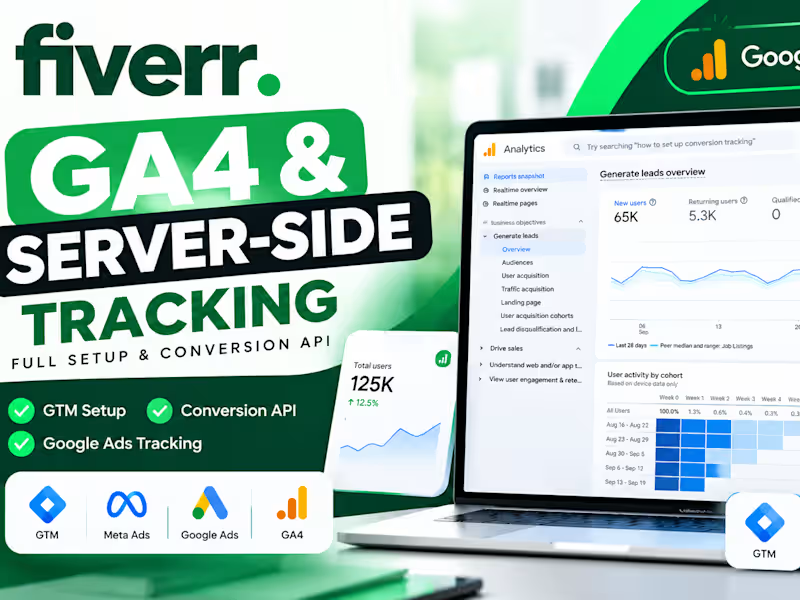
Google Analytics 4 (GA4) Setup, Traffic Architecture & Audience Optimization
End-to-end Google Analytics 4 (GA4) implementation and event tracking architecture configured to measure multi-channel user acquisition, user retention cohorts, and landing page performance.
Key Architecture & Highlights:
Scale Monitored: Tracked over 66K+ Active Users and 76.7K+ Sessions with 161K+ page views within a 28-day window.
Channel Attribution: Segmented multi-channel acquisition funnels across Organic Search, Paid Social, Paid Search, and Direct traffic.
Audience Segmentation & Behavioral Retention: Configured custom high-intent user cohorts and custom audiences (e.g., active searchers exhibiting 13+ minute average session duration).
Landing Page & Real-Time Tracking: Established real-time monitoring and landing page path analytics to evaluate visitor distribution and engagement drop-offs.
0
234
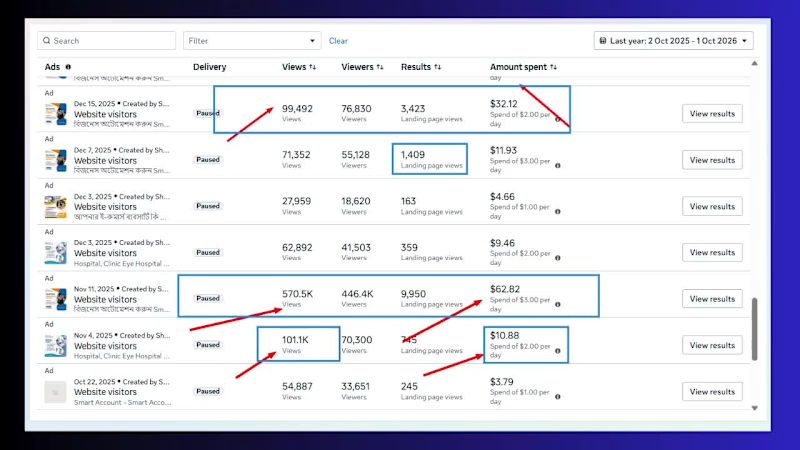
Meta Ads Performance & Traffic Scaling | Smart Software Ltd.
Engineered and scaled direct-response Meta Ad campaigns to drive verified, high-intent traffic to Smart Software’s enterprise automation and biometric attendance solutions at sub-cent acquisition costs.
Key Performance Milestones:
Total Exposure: 642K+ Ad Views & 448K+ Unique Viewers reached across targeted business audiences.
Verified Website Traffic: 9,280+ direct Landing Page Views (LPVs) driven with high click-to-render efficiency.
Acquisition Efficiency: Consistently maintained a $0.01 Cost per Landing Page View (CP-LPV) on micro-budgets ($1.00–$2.00/day).
Optimization: Prioritized Landing Page Views over generic clicks to eliminate accidental bounces and maximize qualified corporate lead generation.
Core Stack & Skills: Meta Ads Manager, Micro-Budget Scaling, B2B Audience Targeting, Landing Page View (LPV) Optimization, Performance Creative Direction.
1
150

A high-retention, educational short-form reel edit designed for language learning and creator personal branding across Instagram Reels, TikTok, and YouTube Shorts.
Key Highlights & Editing Breakdown:
• Visual Rhythm & Pacing: Tightened conversational gaps and cut on natural pauses to maintain dynamic feed momentum.
• Kinetic Typography & Anchors: Integrated on-brand colored subtitles, emphasis cues, and clear icon overlays to reinforce key English phrases visually.
• Structured Recap Card: Designed a sleek 5-point summary visual card near the end to maximize saves, shares, and completion rate.
• Sound Design: Layered subtle pop, swoosh, and typing SFX to keep viewer engagement locked from the opening hook.
Deliverables: Vertical Video (9:16), Motion Graphics Overlays, Kinetic Captions, Sound Design & Audio Leveling.
0
22

AI tools are only as powerful as the creative workflow behind them. 🎬✨
Here is a look at a commercial SaaS promo I recently produced for Smart Dokani (POS Software).
Instead of relying solely on traditional timelines, I combined AI generation with surgical post-production to keep the narrative punchy, visually rich, and conversion-focused.
How the stack came together:
Scripting & Hook Direction: Developed a tight, problem-first hook targeting retail inventory pain points using ChatGPT.
Visual Generation: Leveraged Google Veo to generate high-fidelity, contextual lifestyle visuals (grocery aisle & dynamic retail environments).
3D UI Mockups & Kinetic Flow: Integrated product dashboard elements, device mockups, and smooth transitions in CapCut with precision timing and audio sync.
Sound Design & Branding: Layered upbeat SFX, clear VO delivery, and custom brand typography to deliver a clean SaaS commercial aesthetic.
The takeaway? Modern video editing isn't just about cutting clips—it's about prompt precision, asset curation, and seamlessly blending generated footage with practical UI motion graphics.
Would love to hear your thoughts on this workflow! 👇
#AIVideo #GoogleVeo #CapCut #VideoEditing #MotionGraphics #CreativeStrategy #SaaSMarketing #GenerativeAI
0
23

Google Ads Specialist | Conversion Tracking Expert | GA4 GTM
Google Ads Specialist | Conversion Tracking Expert | GA4 GTM
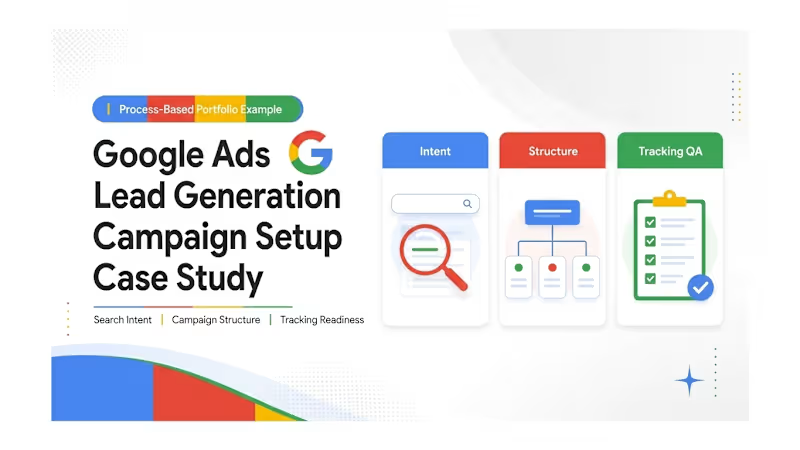
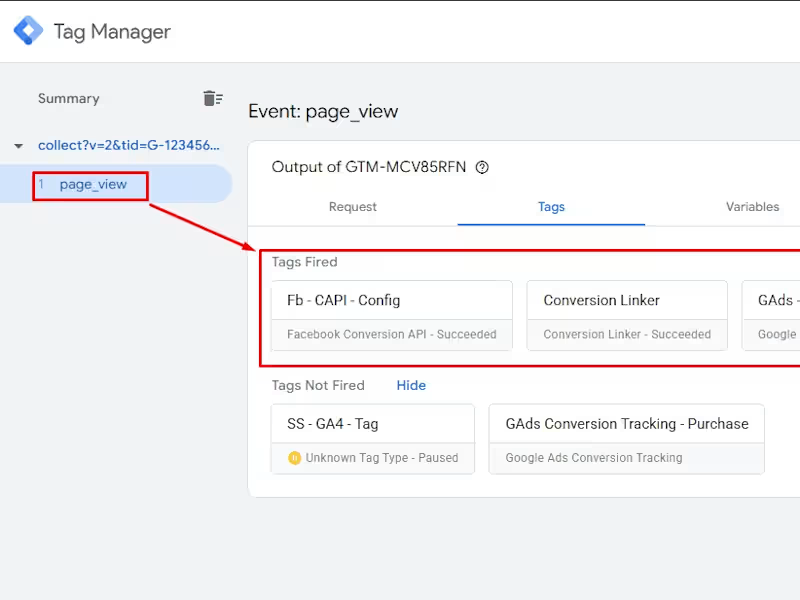
A European client faced challenges with GDPR consent requirements and evolving browser and iOS privacy restrictions that limited traditional cookie-based tracking and made reliable conversion measurement more difficult. The goal was to create a privacy-conscious tracking setup while maintaining accurate Meta campaign measurement.
I implemented Cookiebot CMP and integrated its consent signals with Meta Pixel and Meta Conversion API. The solution enabled consent-based tracking and supported a more resilient measurement approach beyond relying solely on traditional browser-side cookies.
0
142

The client required an accurate and reliable way to track Calendly booking events directly from their website. Their existing analytics setup was incomplete, resulting in missing or inconsistent booking data. My goal was to implement a seamless tracking flow across GA4, GTM, and Facebook CAPI (server-side) to improve attribution and reporting accuracy.
0
125

I implemented a complete custom dataLayer for an ecommerce website where tracking was not enabled. I created event-based data capture for product views, add-to-cart, checkout steps, and purchases, then connected the data to Google Tag Manager and Google Analytics 4. This setup now provides accurate customer behavior insights, improves campaign measurement, and helps optimize marketing decisions with reliable tracking.
0
121