
Deepak Ranolia
Cross Platform App developer - Desktop, Android, Web, iOs
- 5
- Followers


How is it looking ? I was working a landing page renovation where I have placed sticky ads on right hand side.. do ads eating my website UI a lot...
Page is related to learning / enhancing trading experience and one can see it live - https://offline-pixel.github.io/pinescript-strategies/pine-script-mfi/
0
45
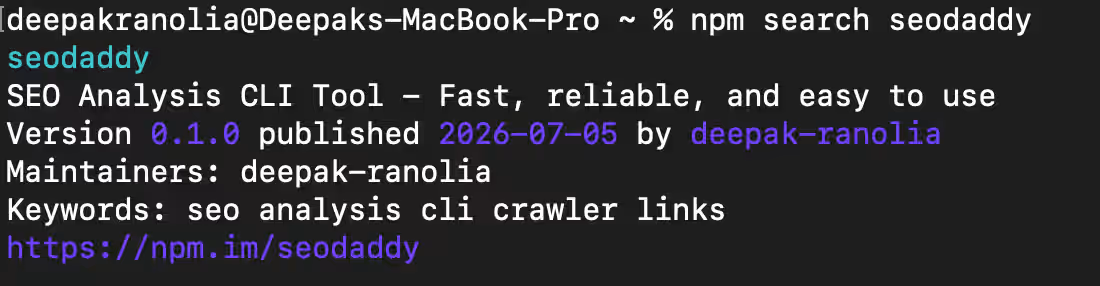
I Built an SEO Audit CLI Tool That Saves Me 2 Hours Every Day + $500/month
It was 3 AM, and I was staring at yet another SEO audit report for a client website. The 47th tab in my browser was screaming at me, my eyes were burning, and the coffee had gone cold three hours ago. I had been repeating the same cycle for months. Open Screaming Frog, wait for it to crawl, export to CSV, analyze in Excel, create a report, and repeat for every client. That night, something clicked. I wasn't doing SEO analysis — I was doing data entry disguised as analysis, and I was wasting hours every single day on tasks that could be automated. I realized that the entire audit process was fundamentally broken, and I was just a human interface between tools that weren't talking to each other.
The Problem: SEO Audits Are Fundamentally Broken
Every website audit follows the same painful pattern, whether you're a developer, SEO professional, or website owner. You check for broken links manually or with tools that take forever to crawl, verify meta tags one page at a time, look for missing H1 tags through endless scrolling, validate canonical URLs with click after click, and test structured data through more clicks and more time. The worst part of this entire process is that none of it is technically difficult - it's just repetitive, and repetition is exactly what computers are designed to handle. The tools that exist are either too slow, too expensive, or too locked into their own ecosystems to be useful in modern development workflows, forcing us to choose between productivity and accuracy.
The tooling landscape has been stagnant for years, with most solutions falling into the same problematic categories. Screaming Frog is powerful but GUI-based, which means you can't script it or integrate it into your automated workflows, and it crawls at a crawl on large sites. Ahrefs and SEMrush are comprehensive but cost hundreds of dollars per month, their data is often delayed by days, you don't actually own the data you're paying for, and you're completely locked into their ecosystem. What I needed was something that would run in my terminal, be fast and scriptable, be completely free, and give me data in seconds rather than hours. None of the existing tools could do this, which is why I realized I had to build it myself.
How seodaddy Actually Works and What It Does
seodaddy is a command-line SEO analysis tool that does everything I used to do manually, except it takes seconds instead of hours. You can audit entire websites in seconds, find every broken internal and external link instantly, check every meta tag on every page at once, detect missing H1 tags across the entire site without opening a single page, analyze structured data including JSON-LD with a single command, verify canonical URLs, robots.txt, and sitemap.xml in one go, analyze all images for alt text, broken images, and SVG usage simultaneously, check performance metrics like HTML size, requests, and compression, examine URL structure including depth and trailing slashes, and export all results as JSON or formatted tables for further analysis. All of this runs entirely from your terminal without any GUI overhead or browser dependencies.
The real-world impact of this tool has been nothing short of transformative for my daily workflow. Before seodaddy, a manual audit process would take anywhere from 51 to 96 minutes per website, involving opening Screaming Frog, configuring crawl settings, waiting for the crawl to complete, exporting to Excel, formatting and analyzing the data, and finally creating a report. After seodaddy, the entire process takes 10 to 30 seconds with a single command. The math is simple and compelling. I audit three to five websites daily, each audit used to take roughly one hour, I used to spend about four hours per day on audits, and now I spend approximately five minutes per day, saving me two hours every single day that I now allocate to actual strategy, optimization, and client work.
My Daily Workflow and Real-World Usage
Every morning, I run health checks on all client sites using a single command that checks robots.txt, sitemap.xml, HTTPS, and canonical tags, giving me complete visibility into technical SEO in under ten seconds. Before deploying any changes to production, I run a quick validation suite that checks for broken links, missing H1 tags, and JSON-LD structured data, catching issues before they reach real users. For content-heavy sites, I use the reading time and short content analysis to identify pages that need improvement, which has helped me increase average content length and improve engagement metrics across the board. For ongoing link maintenance, I run weekly broken link checks and anchor text reports, finding and fixing issues before they accumulate into larger problems.
The most powerful aspect of seodaddy is how it integrates into existing workflows without forcing changes. You can pipe results to other tools, integrate with monitoring systems, build custom dashboards, or simply use it as a quick sanity check before meetings. I've even integrated it into CI/CD pipelines so that SEO checks run automatically on every deployment, catching issues before they ever reach production. The tool has become so essential to my daily work that I can't imagine going back to the manual audit process, and the time savings have allowed me to take on more clients without increasing my workload.
Try It Today on Node.js, Python, or Rust
The tool is available in your favorite package manager, making it accessible regardless of your programming language preferences. For Node.js users, you can install globally with npm install -g seodaddy, run the one-time setup with seodaddy setup, and start analyzing websites immediately with commands like seodaddy link https://thewallstreetbulls.com/ --broken-only. For Python developers, you can install with pip install seodaddy, run the same setup and commands, and enjoy the same blazing fast performance. For Rust enthusiasts, you can install directly with cargo install seodaddy, making it feel right at home in your existing toolchain.
The tool's performance comes from its Rust core, which means it's blazing fast regardless of how you install it. Every command has predictable output formats that are easy to parse and integrate with other tools, and because everything runs locally, your data never leaves your machine. I built this tool because I was tired of paying for tools that I could build myself, and I believe that powerful SEO tools should be accessible to everyone, not just those who can afford expensive subscriptions. The entire project is open source and available on GitHub, so you can inspect the code, contribute improvements, or customize it for your specific needs. Give it a try on your next website audit, and experience the difference that a well-designed CLI tool can make.
0
81
Website Redesign for Modern, Fast & Mobile-Optimized UI
I redesign existing websites into modern, clean, and high-performing interfaces that improve user experience, mobile responsiveness, and conversion flow.
If your website feels outdated, slow, or hard to navigate, I can transform it into a modern UI that aligns with current design standards and user expectations - without rebuilding everything from scratch unless needed.
What I deliver:
Complete UI/UX redesign of existing website
Modern, responsive layout (mobile-first)
Improved navigation and user flow
Clean component-based structure (React/Preact friendly)
Performance-focused optimization
Optional animations and interactive enhancements
Ideal for:
Startups upgrading their old website
Businesses refreshing outdated UI
SaaS or product landing pages needing better conversion
Developers wanting a modern frontend overhaul
I focus on making your website look modern, feel fast, and convert better - while keeping the structure scalable and maintainable.
2
2
206
Redesign in progress - KuberQL | Android App
Hello Everyone, I have recently launched a new version of my KuberQL android app.
Here are few pointers to get started_
*New courses & content
*UI Improvement & bug fixes
*Added device compatibility
*Quiz to test your skills
Get an early access to myy app info ( In case someone missed it )
Step 1: Group: https://groups.google.com/g/kuberql-testers (https://groups.google.com/g/kuberql-testers)Step 2: Tester: https://play.google.com/apps/testing/com.deepakranolia.kuberql (https://play.google.com/apps/testing/com.deepakranolia.kuberql)Step3: Playstore: https://play.google.com/store/apps/details?id=com.deepakranolia.kuberql
KuberQLv1.0 is an ed-tech app designed for grads/professionals to up-skill their knowledge on finance and tech.
Best, Dr
0
178