
Daniel Allison
Motion Designer and Video Editor
- 4
- Followers


Motion design for NexTable, a restaurant discovery and booking app built for Lagos and Accra. 🍽️
The brief: make finding a table feel as good as actually sitting at one. The couple scenes were generated with Seedance, which let me art-direct the warm, candlelit mood without a full production shoot. I then built the rest around it: the search interaction, live map, UI animation, and branded end card.
35-second vertical ad for social. Concept, AI-assisted video direction, and motion design by me.
Open to ad, launch, and product-promo projects. Say hi if you’re building something people should want to open. 👋
0
14
Great restaurants don't always have a food problem. Sometimes they have a discovery problem.
That was the idea behind this ad I made for NexTable, a platform that connects restaurants worth discovering with people looking for somewhere worth visiting.
The story runs in three beats:
→ What the restaurant has built: the food, the mood, the experience
→ The tension: great experiences don't sell themselves
→ The bridge: NexTable
How I made it: the footage was generated with Seedance 2.0. Everything else was me. All the typography, timing, and compositing were done manually, which means the story, the pacing, and every "does this feel right?" call came from a human brain (mine, allegedly).
I'm not here to pretend AI isn't part of the toolkit, and I'm not here to let it drive either. It's a fast, slightly chaotic creative partner that helps me explore visuals quicker. I steer, it speeds me up, and the client gets something sharper in less time.
The client loved the final cut, and it's already getting a strong response on Instagram.
If you've got a brand with a story to tell and you want it made with good taste, a solid process, and a willingness to try new tools, let's talk.
0
29
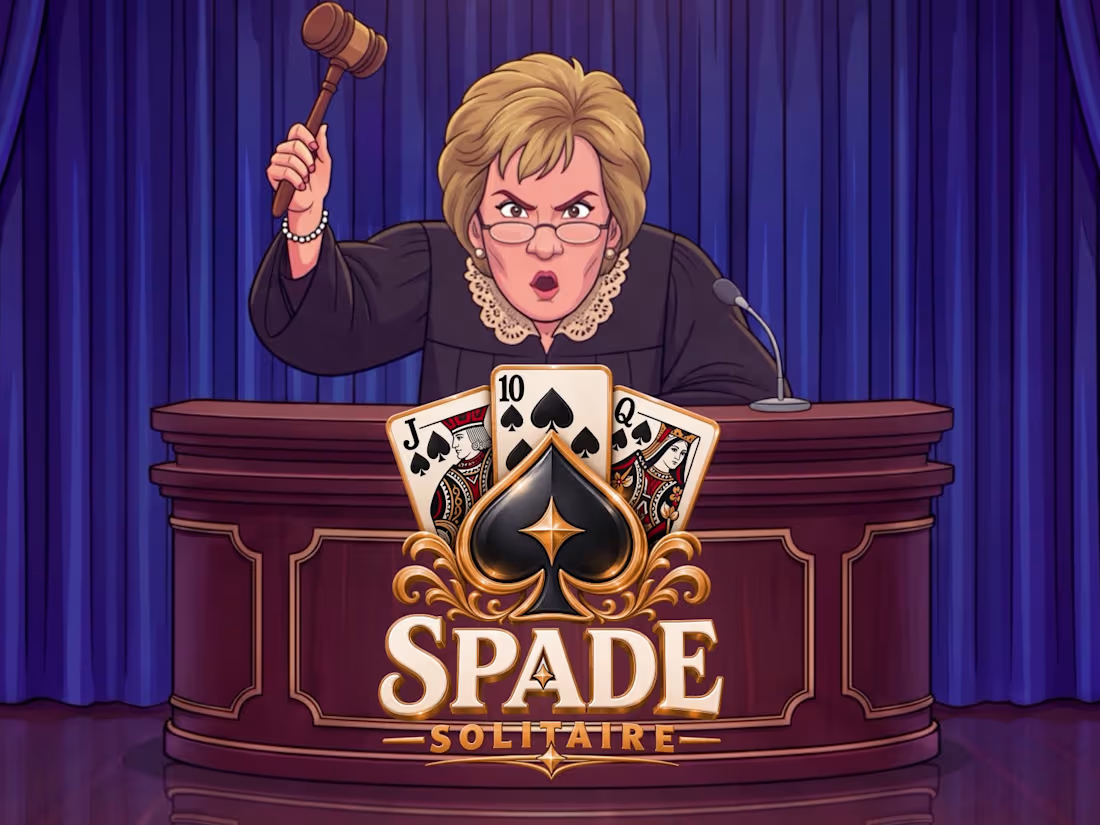
I had never played Solitaire before. 48 hours later, I was directing a courtroom drama starring an AI-generated judge.
This project reminded me why I love what I do.
Recently, I was given a creative assessment: produce a game ad built around a Judge Judy-inspired character reacting to bad Solitaire plays.
The brief sounded fun. The execution, however, was another story.
I had never played Solitaire before, and honestly, I wasn't sure how I would even begin to animate an entire gameplay sequence. But like every challenge I've faced and overcome, I decided to break the whole thing down and tackle it one step at a time.
First, I needed a character.
I found a reference image online, used ChatGPT to break down the visual details into JSON, and fed that into Nano Banana Pro to develop my own character and scene.
Then came Seedance 2.5, where I brought her to life, generating her dialogue and reactions. I wanted her to feel like a real courtroom judge. For me to get the desired effect, I had to go through a couple of her videos to get acquainted with her gestures and expressions and even her speech.
Then came animation, but first, I had to understand how the game works, so I turned to Gemini to work out a sequence of card moves that would make sense visually. Once that was resolved, I began animating the cards in After Effects.
Every element had to work together. The humor had to land. The reactions had to feel believable. And the entire thing needed to be entertaining enough to stop someone scrolling through their phone.
During my final interview, the PM mentioned that my submission was among the best in terms of how well put together and real it felt. He also mentioned how difficult it can be to find motion designers who aren't afraid to infuse AI into their work.
That comment meant a lot to me.
AI-assisted motion design has been a major focus of mine this year. I've been spending a lot of time figuring out how to use these tools to create work that feels intentional, believable, and genuinely entertaining.
Hearing that from someone who had reviewed my work was a reminder that the effort is paying off.
I'm still learning. I'm still experimenting. And I know there's so much more to explore.
But projects like this are exactly why I keep pushing myself to try things I don't think I can do yet.
The best part is that I started this assessment not knowing how to play a card game. I finished it knowing I could take an unfamiliar brief, build a creative direction around it, and bring the entire thing to life.
Here's the finished piece.
0
35
I recreated an ElevenLabs ad shot-for-shot using AI. Same script structure, same camera moves, same phone UI interaction, different product, different character, built from scratch.
Here's the part people usually skip when they talk about "using AI" for video:
I didn't type one prompt and get a finished ad. I found a look I wanted on Pinterest, ran it through ChatGPT to turn it into a structured character description, then used Nano Banana 2 to build a full character sheet, so she stayed consistent across every single shot. That consistency problem is the actual hard part of AI video; anyone can generate one great frame.
From there, each scene was generated in Seedance 2.5 through Magnific. The phone UI you see her interacting with? I designed that myself, frame by frame. Motion graphics and text overlays went through After Effects. Sound design and SFX in CapCut. The voice was ElevenLabs v3, also run through Magnific.
Six tools, one continuous pipeline, one consistent character, one final cut.
This is the actual value I bring to clients, not "AI made a video," but knowing how to direct a full production through AI: casting, consistency, UI/UX detail, motion, sound, all held together with intent. That's the difference between content that looks AI-generated and content that just looks good.
If you're a brand wondering what's actually possible with AI production right now, this is a good example of the ceiling. Happy to walk anyone through how it's done.
6
7
944