The network for creativity
Join 1.25M professional creatives like you
Connect with clients, get discovered, and run your business 100% commission-free
Creatives on Contra have earned over $150M and we are just getting started
Back to feedPost

Learning Recap: Multi-Path Automation with Zapier Paths
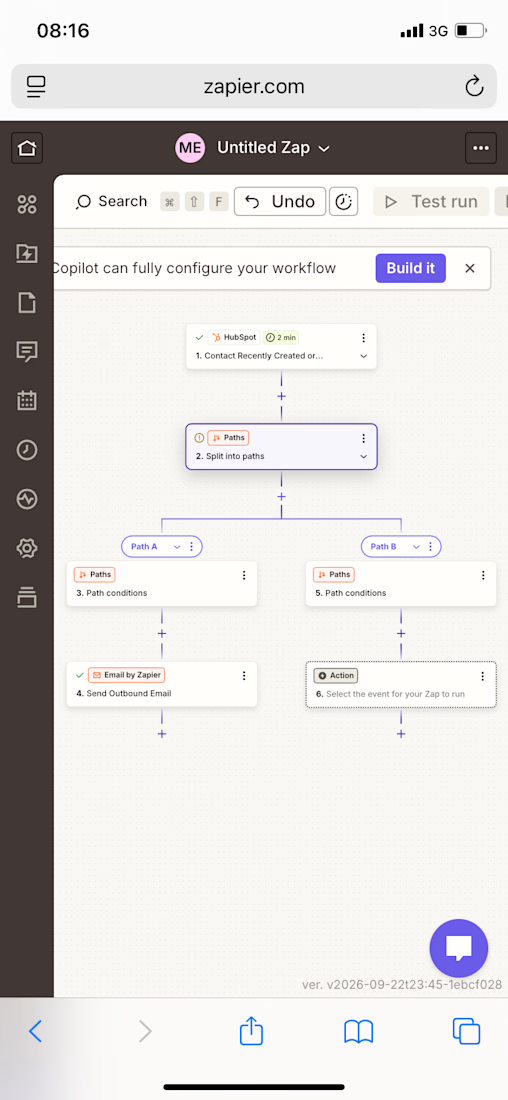
Today I advanced my Zapier skills by learning Paths — a way to build automations that branch into different outcomes based on the data they receive, rather than following a single straight line.
What I Practiced
✅ Removed a single Filter step from an existing HubSpot automation
✅ Added a Paths by Zapier step in its place, splitting the workflow into two branches
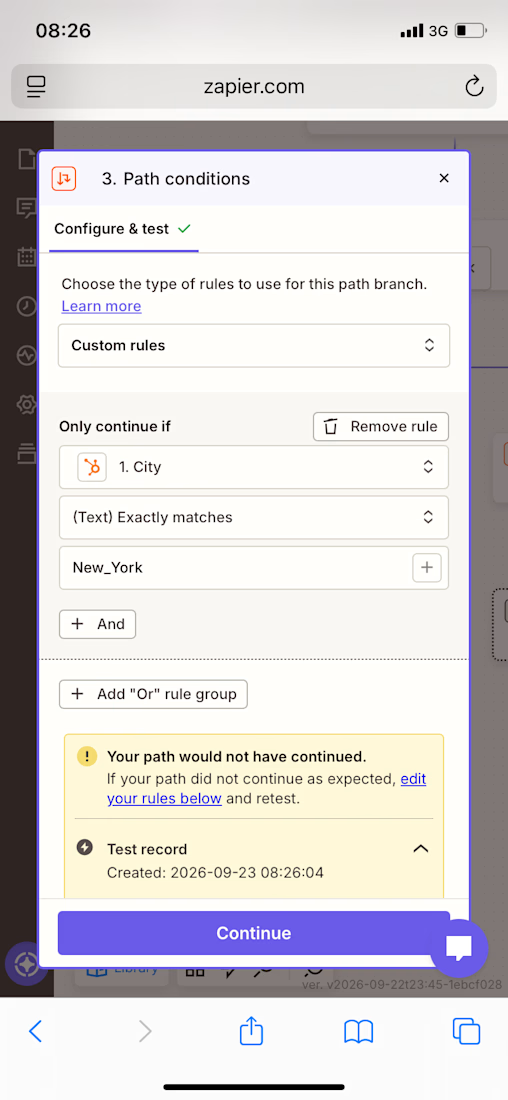
✅ Configured Path A with a condition: only continue if Contact City exactly matches a specific value
✅ Configured Path B with the opposite condition: only continue if Contact City does not match that value
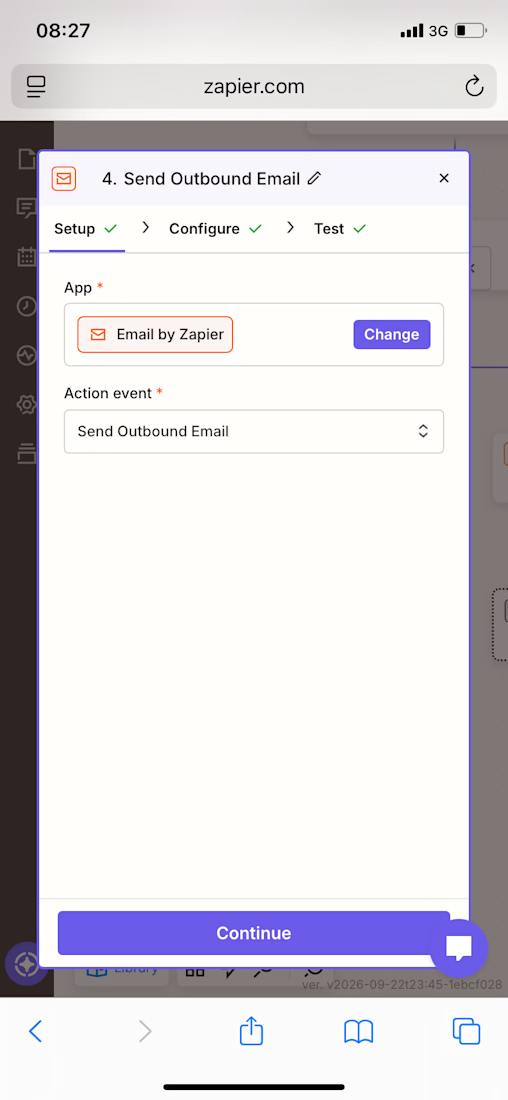
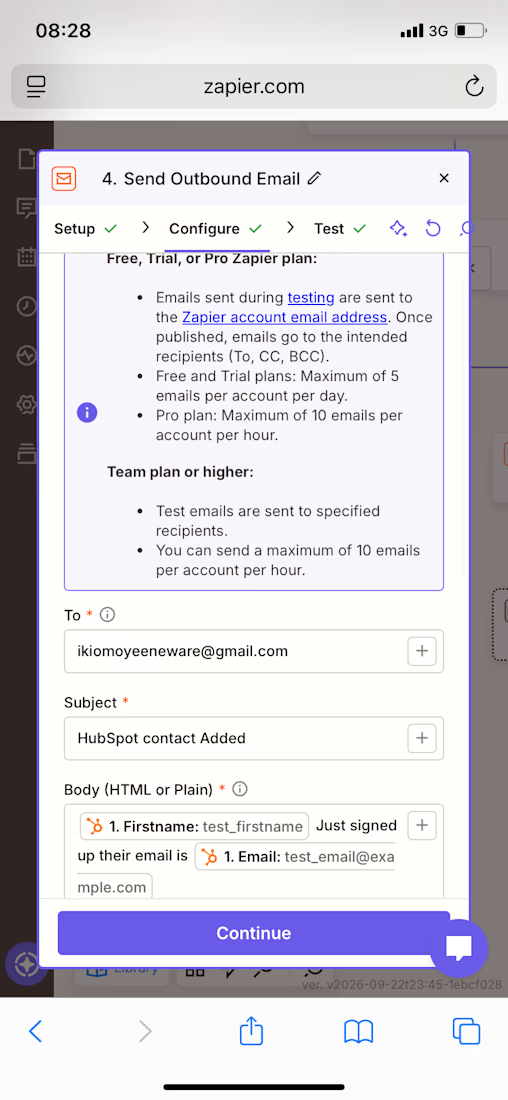
✅ Built a personalized email for Path A using dynamic contact data (first name and email)
✅ Built a separate, differently-worded personalized email for Path B using the same dynamic fields
✅ Ran live tests on both Path A and Path B to confirm each branch’s logic worked correctly
✅ Confirmed both email actions sent successfully during testing
Skills Practiced
• Conditional branching logic (multi-path automation)
• Rule-based decision making within a workflow
• Dynamic data personalization across multiple branches
• Live testing and validation of complex, multi-step automations


The network for creativity
Join 1.25M professional creatives like you
Connect with clients, get discovered, and run your business 100% commission-free
Creatives on Contra have earned over $150M and we are just getting started







Related posts

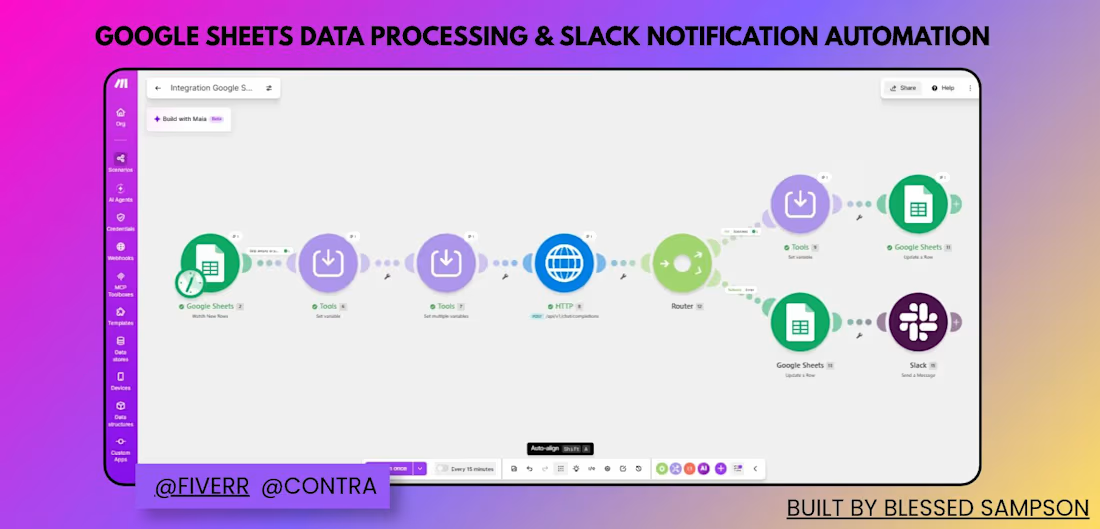
Automated a manual Google Sheets → Slack workflow to eliminate repetitive data entry and give the team instant notifications.
Previously, new data had to be manually checked, processed, and shared across the team — slow and easy to miss. I built a Make.com scenario that:
Watches Google Sheets for new/updated rows
Processes and routes the data through a router based on conditions
Creates corresponding Trello cards for task tracking
Logs processed records back to Google Sheets
Sends real-time Slack notifications so the team is instantly updated
Result: What used to be manual checking and updating is now fully automated — saving hours weekly and removing room for human error.
Tools: Make.com, Google Sheets, Trello, Slack



wow love this

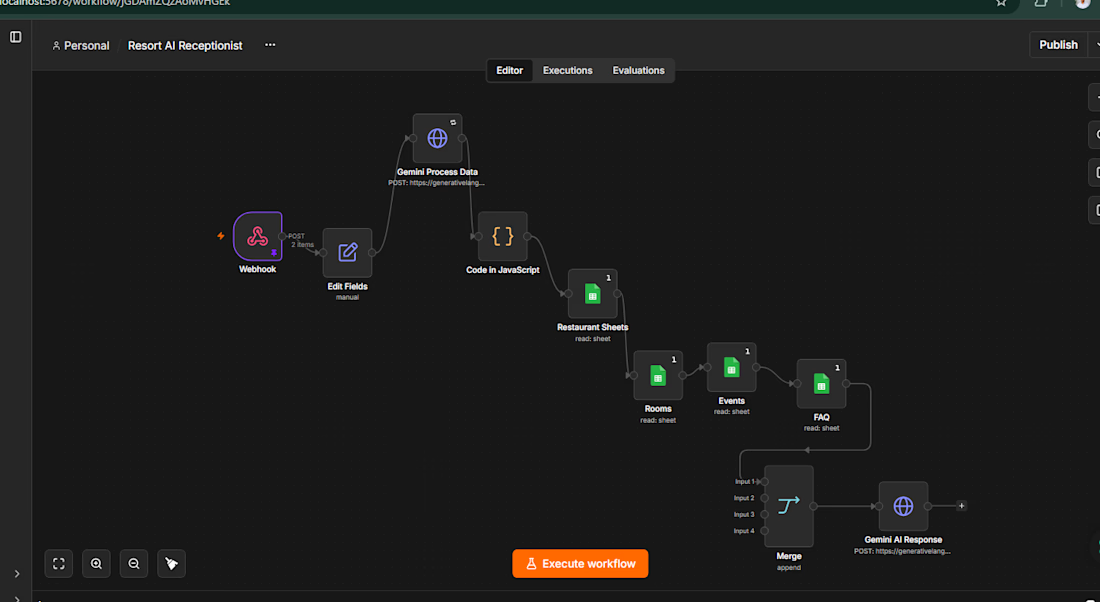
Lost 2 days building a complex n8n workflow. Here's what I learned.✌️
The project: A 12-node AI Receptionist automation for a luxury resort in Bangladesh. Multi-channel (WhatsApp, Telegram, Voice), 9 Google Sheets, Gemini API, payment automation, customer CRM.
What went wrong: Added a new voice integration node. Accidentally deleted the entire workflow.
Why it happened:
No JSON exports after milestones
No version control (Git)
Testing changes LIVE on production workflow
No documentation
Building locally with zero redundancy
The fix (now implemented):
✅ JSON backups after every 2-3 nodes
✅ GitHub versioning
✅ Clone workflows for testing
✅ Modular design
✅ Complete documentation
For automation professionals: You're not just builders—you're engineers.
Treat workflows like software:
Documentation
Version control
Backup strategy
Modular testing
Client delays = lost revenue + credibility damage.
Make the systems bulletproof.
How do you prevent data loss in your automation builds? 👇
#n8n #Automation #WorkflowAutomation #NoCode #LessonsLearned #make #AIAutomation #DataAnalyst #MachineLearning



I'd try restoring one of those JSON backups into a cloned workflow before the next handoff. That way you know it can actually get you running again.
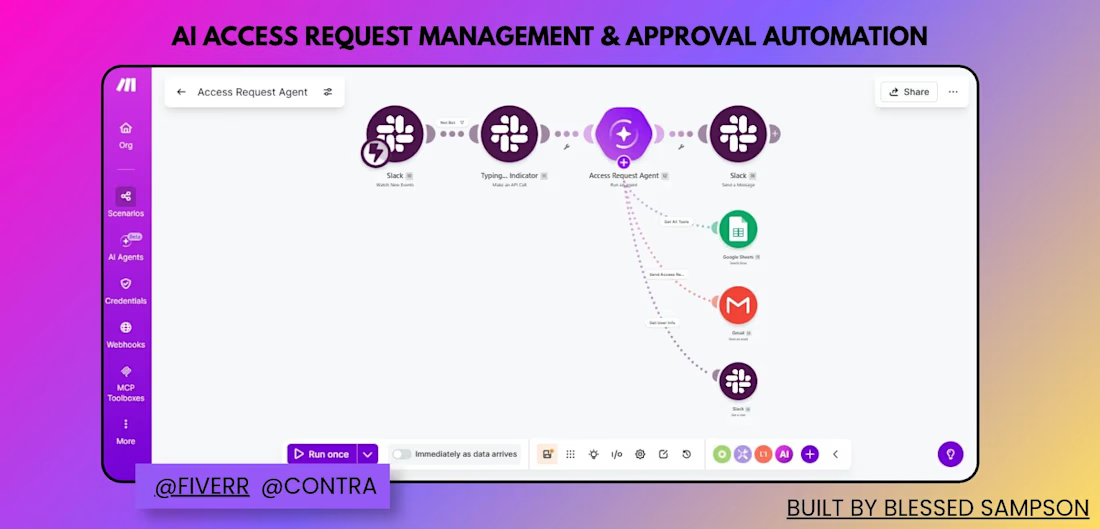
Built an AI agent that handles access requests end-to-end inside Slack — reviewing, approving, and notifying automatically.
Manually tracking who requested access to what (and following up over email) was slow and easy to lose track of. I built a Make.com scenario that:
Watches Slack for new access request messages
Shows a typing indicator while the AI Agent processes the request
The AI Agent (Access Request Agent) evaluates the request and decides the next action
Depending on the decision, it logs the request in Google Sheets, sends an email via Gmail, or replies in Slack
Sends a confirmation message back to the requester in Slack
Result: Access requests are now reviewed and routed automatically — no manual follow-up, and every request is logged and answered consistently.
Tools: Slack, Make AI Agents, Google Sheets, Gmail (built on Make.com)