The network for creativity
Join 1.25M professional creatives like you
Connect with clients, get discovered, and run your business 100% commission-free
Creatives on Contra have earned over $150M and we are just getting started
Back to feedPost

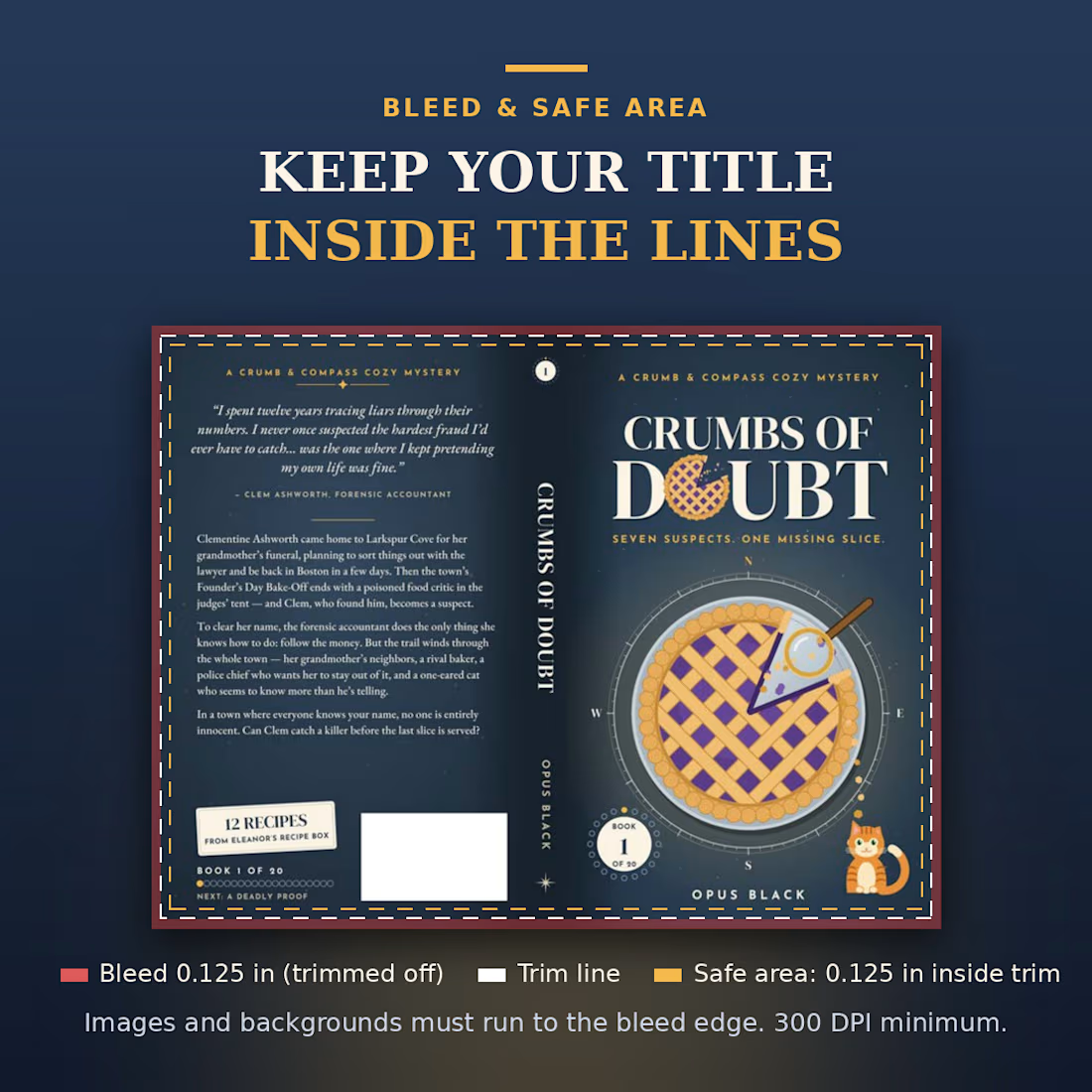
Bleed and safe area: where your artwork goes, and where your title must stay.
For a KDP paperback cover:
-Bleed: 0.125 in added to the top, bottom and outside edges. Backgrounds and images must run all the way to the bleed edge, because that strip is trimmed off.
-Safe area: keep front and back text and images at least 0.125 in inside the trim line.
-Spine: keep spine text at least 0.0625 in from the spine edges, and don't let front or back text run into the spine.
-Resolution: 300 DPI minimum.
In the picture, red is the bleed that gets cut, white dashes are the trim line, and gold dashes are the safe area.
What's the most common cover mistake you see?


The network for creativity
Join 1.25M professional creatives like you
Connect with clients, get discovered, and run your business 100% commission-free
Creatives on Contra have earned over $150M and we are just getting started







Related posts

Recent work on MAE - Visual identity




The motion blur on the figures gives the orange-to-blue gradient a reason to be there, and the small star mark stays readable on both the cheek and the shirt. Did the star come first as a standalone mark, or did it grow out of the photography direction?

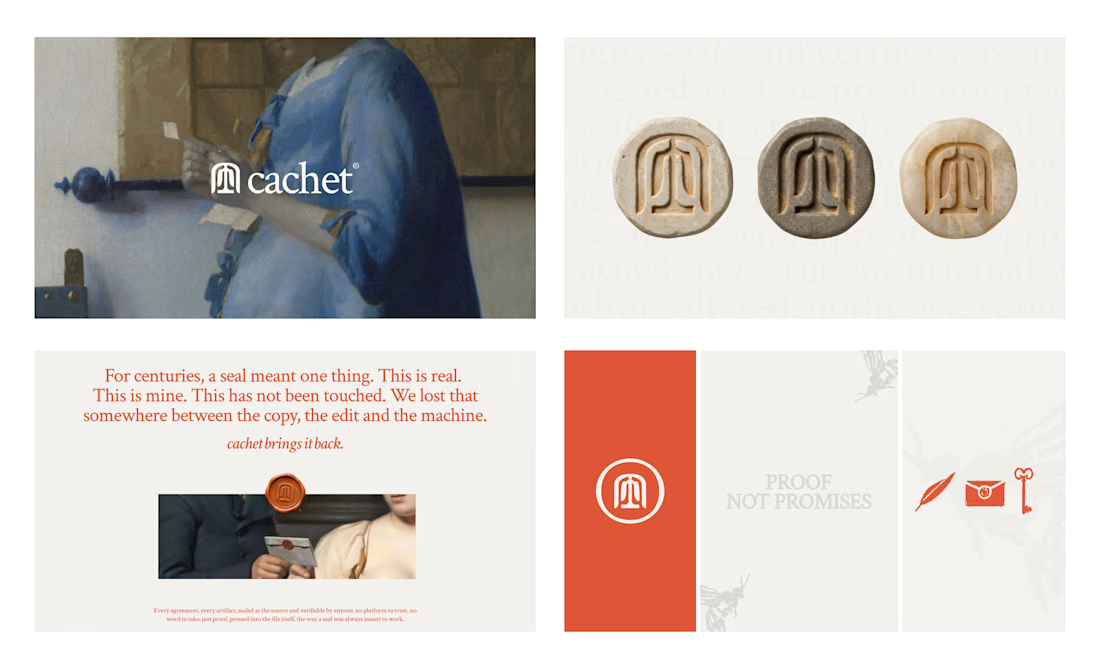
Cachet brand exploration.
Exploring patterns, textures, materials and hand-drawn illustrations

That's interesting I like it that's really unique ❤️❤️🎉🎉

What if your watch collection had a dashboard this luxurious?
Meet Chronova. Built for collectors who care about every detail.
Would you use this?

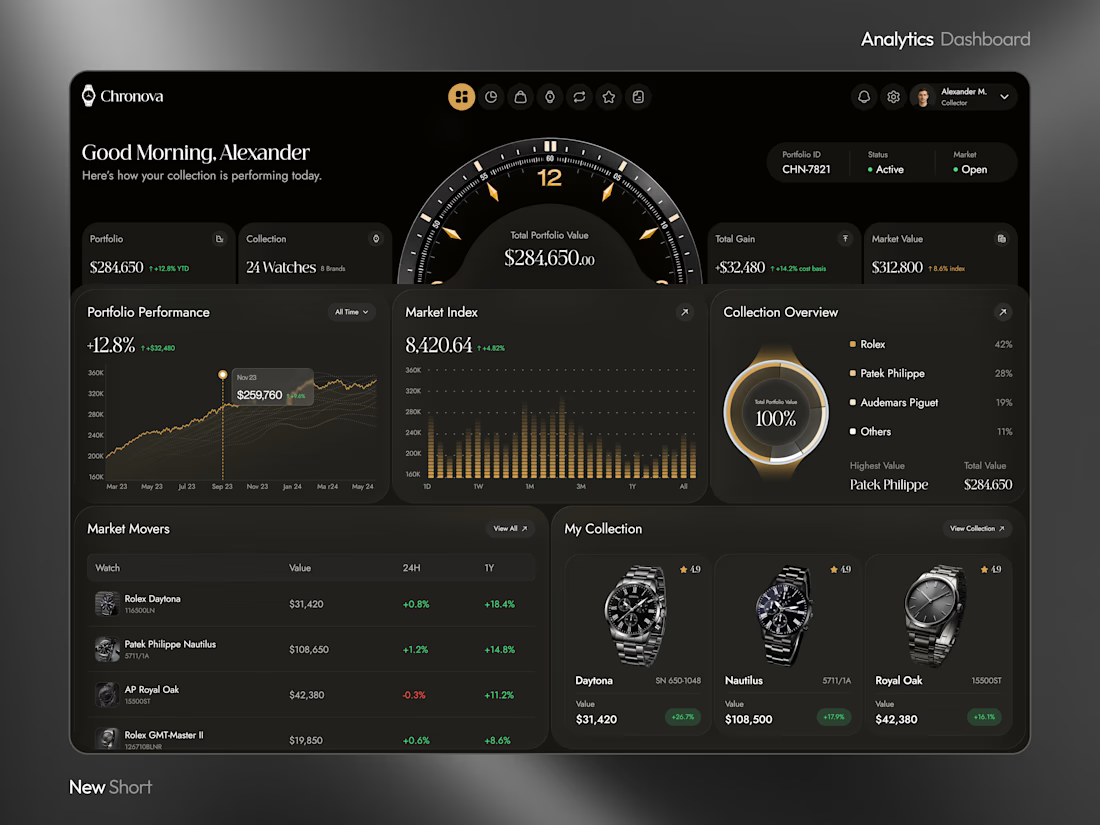



a dark dashboard makes sense here, the watches get to be the brightest thing on screen. how do you show a collection's value changing without it feeling like a trading app?