The network for creativity
Join 1.25M professional creatives like you
Connect with clients, get discovered, and run your business 100% commission-free
Creatives on Contra have earned over $150M and we are just getting started
Back to feedPost

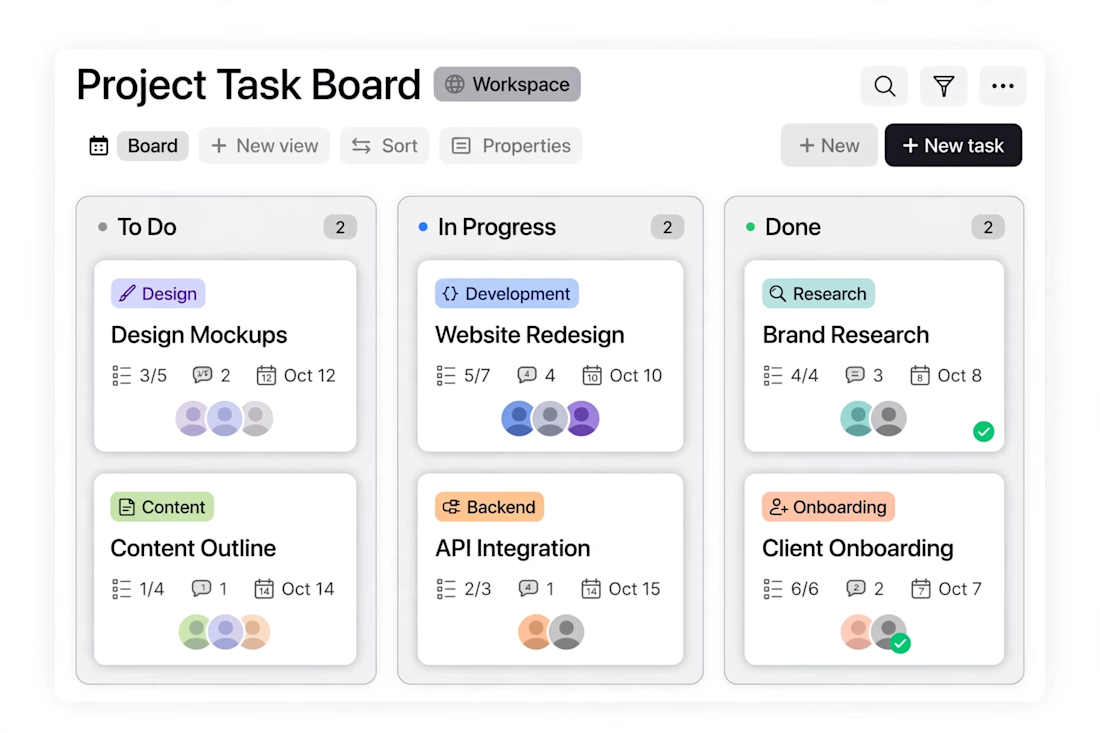
Task board - Notion Kanban for small teams.
Kanban board for small teams. Moves tasks from To Do, In Progress, to Done. Fixes lost tasks in WhatsApp chats. Built in Notion.

The network for creativity
Join 1.25M professional creatives like you
Connect with clients, get discovered, and run your business 100% commission-free
Creatives on Contra have earned over $150M and we are just getting started






Related posts

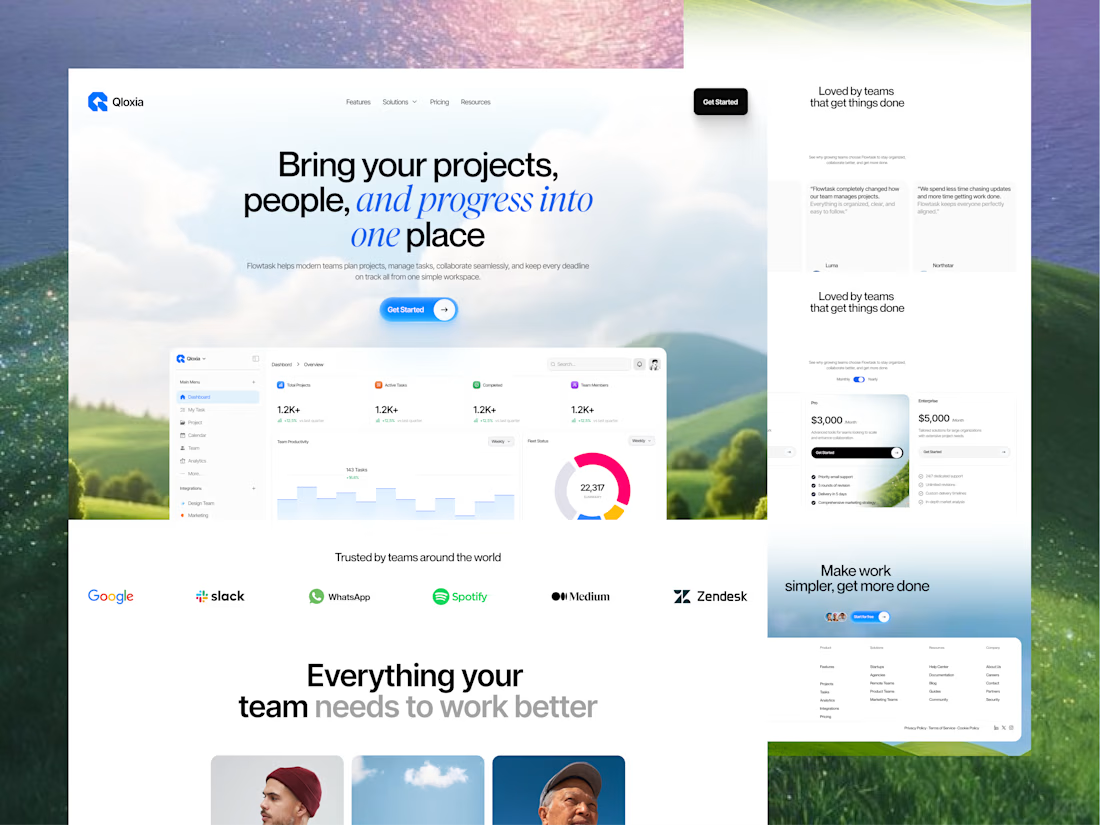
Qloxia - Project Management SaaS Web UI UX Design
Complex workflows deserve clearer interfaces.
Qloxia is a project management and team collaboration SaaS concept designed around a simple product promise:
Bring projects, people, and progress into one place.
The experience combines:
• Project management
• Task management
• Team collaboration
• Planning and analytics
• Progress visualization
• Social proof
• SaaS pricing
• Conversion-focused UX
The design direction uses soft visual environments, editorial typography, rounded components, product-led storytelling, and structured content hierarchy to make the platform feel both professional and approachable.
The goal wasn't to make another dashboard-heavy SaaS website.
It was to create an experience where users can quickly understand the product, explore its capabilities, build confidence, and take action.
Building a SaaS product, dashboard, or web application?
Taqwah can help you transform your product idea into a clear, scalable, conversion-focused UI/UX experience - from strategy and UX to polished interface design.
👉 Send us your product idea and let's discuss how we can design the experience around your business goals.
Project ManagementtaskmanagementsaaswebsiteProduct DesignUX DesignAdobe IllustratorAdobe PhotoshopFigma




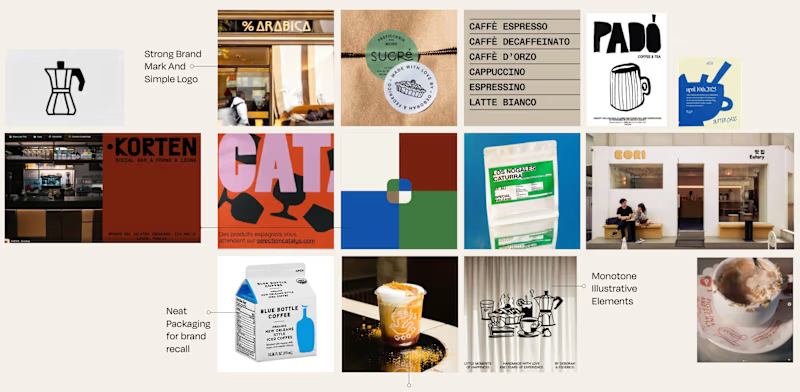
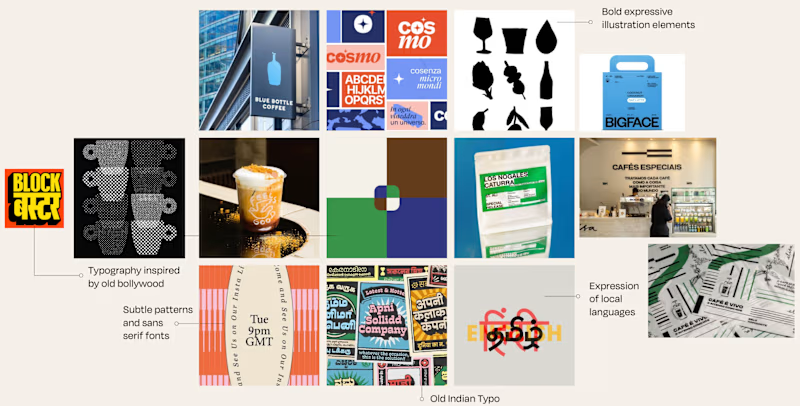
Is it Mood-board 01 or Mood-board 02!
Which mood-board do you think the client selected?

13 voted
76%
4 voted
24%
17 votes
Closed

Going with 01, it feels tighter and more intentional while 02 reads a little busy. Clients usually pick the one that looks safe to sign off on, and 01 has that calm confidence. Curious to hear which one won.

Made the dashboard for web application and used task management systems like Jira or Asana to improve efficiency and speed of work.
🤔 The problem was simple: new users opened the app, saw an empty workspace and had no idea where to start. So I turned the home page into a place that tells you what to do next. It allows to pick a template and you're set up in one click, follow a short checklist to finish onboarding, and check your inbox to see who's working on what without digging through boards.


Great fix for empty workspaces. Any plans to add a step-by-step walkthrough on first login to guide them through each section?