
pro
Yev Ledenov
Product design for SaaS & AI - MVP to fund-ready product



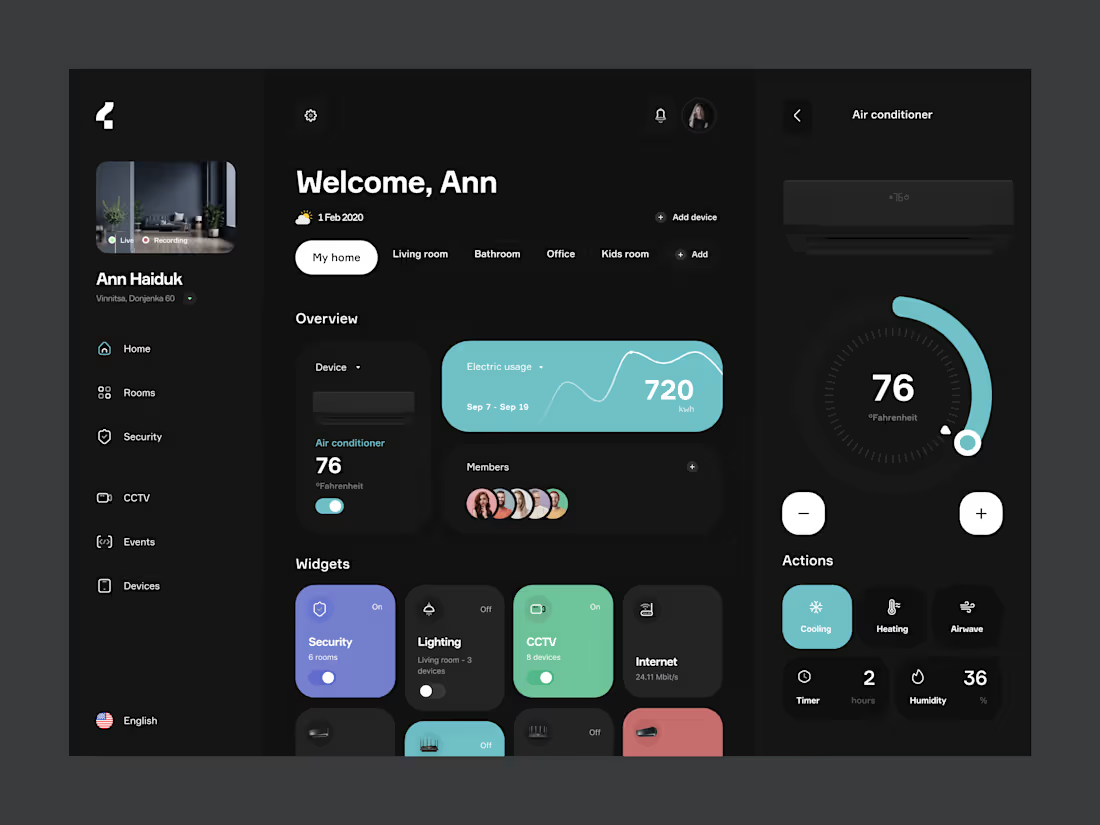
Smart Home: control dashboard
Smart home apps tend to split every device into its own screen, so checking the house turns into a scavenger hunt. This dashboard puts the whole home on one view: what's on, what's recording, how much energy it's using, and who has access.
Rooms work as quick filters at the top. The Overview shows the most used device and energy usage for the period, and the Widgets grid gives every system (security, lighting, CCTV, internet) a one-tap toggle with its status visible without opening anything. Tapping a device opens a focused control panel on the right: a large thermostat dial, plus/minus for precise steps, and modes like cooling, heating, timer and humidity.
Dark base with color coded widgets, so the state of the house reads at a glance: color means active, grey means off.
Scope: Dashboard, room filters, device widgets, AC control panel
Role: UX/UI design
5
581
Made the dashboard for web application and used task management systems like Jira or Asana to improve efficiency and speed of work.
🤔 The problem was simple: new users opened the app, saw an empty workspace and had no idea where to start. So I turned the home page into a place that tells you what to do next. It allows to pick a template and you're set up in one click, follow a short checklist to finish onboarding, and check your inbox to see who's working on what without digging through boards.
3
11
1.3K
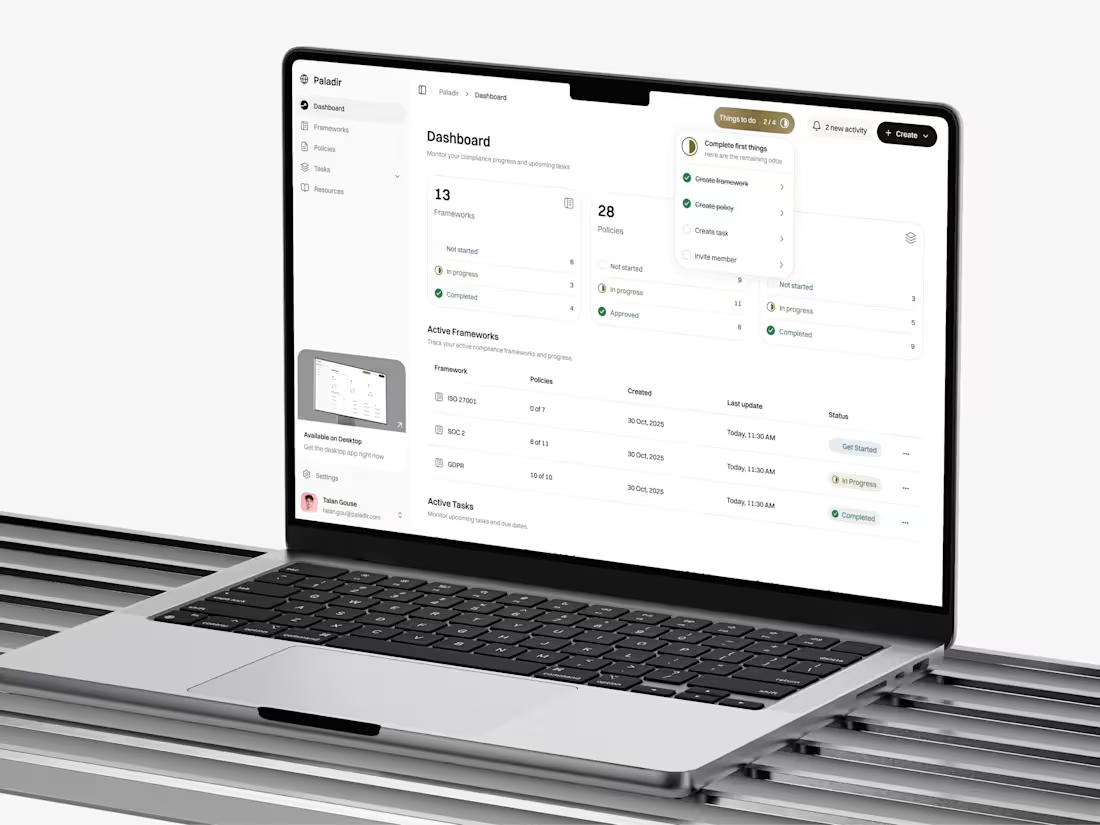
UI/UX Design and Information Architecture for Paladir
1
10
📊 Crypto Life: mobile crypto exchange
Most crypto apps greet beginners with a wall of charts and jargon. Crypto Life is built the other way around: calm, readable, and focused on getting someone from "just looking" to their first purchase.
The Markets screen shows live prices with compact sparklines, so trends read at a glance without opening a chart. The Buy flow is a single screen: pick an asset, type an amount on a large keypad, confirm. The Wallet handles the empty state properly, turning "you have nothing yet" into a clear next step (buy crypto or top up with fiat).
Dark header, soft neutral content area and one lime accent keep attention on numbers and actions, not decoration.
Scope: Markets, Buy Crypto calculator, Wallet, empty states Role: UX/UI design
7
633