The network for creativity
Join 1.25M professional creatives like you
Connect with clients, get discovered, and run your business 100% commission-free
Creatives on Contra have earned over $150M and we are just getting started
Back to feedPost

Still tracking orders manually in messy DMs?
I turned WhatsApp into a fully automated sales assistant using n8n and Google Sheets, and here's exactly how it works:
A customer messages you on WhatsApp. The bot greets them, asks for their name and guides them through placing an order. No extra apps. No extra steps.
When they request a product, it pulls real-time inventory directly from Google Sheets, only what's actually available is shown. No guessing.
Once they confirm, the bot logs their order automatically. Name, phone, size, quantity, price, one clean row per item directly into your sheet.
They can even follow up later asking "What's my order ID?" or "Is my order shipped?" The bot checks the sheet and answers instantly.
No duplicates. No confusion. No manual work.
Just clean, automated orders running quietly in the background while you focus on growing the business.
Comment ORDER BOT below and I'll show you what this looks like for your business.
Kindly follow me on LinkedIn: https://www.linkedin.com/in/daniel-oluwafikayomi-famuyiwa-268a2a3a6
N8NAI Agent DesignerAI AutomationBusiness Workflow AutomationOpenAIWhatsAppaiautomationwhatsappautomationsalesagent


The network for creativity
Join 1.25M professional creatives like you
Connect with clients, get discovered, and run your business 100% commission-free
Creatives on Contra have earned over $150M and we are just getting started



Related posts

Did a motion for the Cockpit concept ⁕ 🔈 ON
Design & Creative Direction: Me
Motion & Sound: Claude Code
Cockpit is an AI agent management platform concept that helps teams:
- Set boundaries
- Monitor activity
- Manage approvals
- Track knowledge sources
- Measure performance and costs
It brings together five key AI UX challenges:
👉 Autonomy
👉 Observability
👉 Human Approvals
👉 Context
👉 Analytics
The idea is simple:
As AI agents become more capable, the experiences we design around them need to make their actions more transparent, predictable, and manageable.
Thanks!


Human approvals is the part most agent UIs skip. Good call making it one of the five challenges.

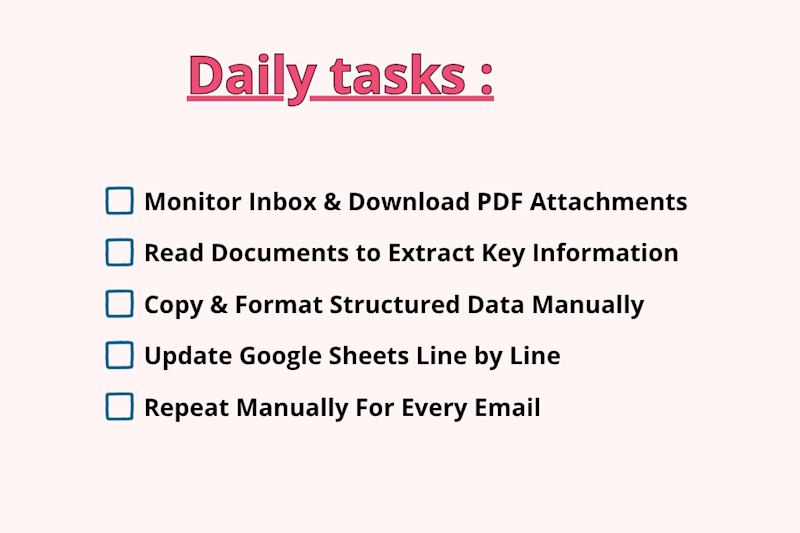
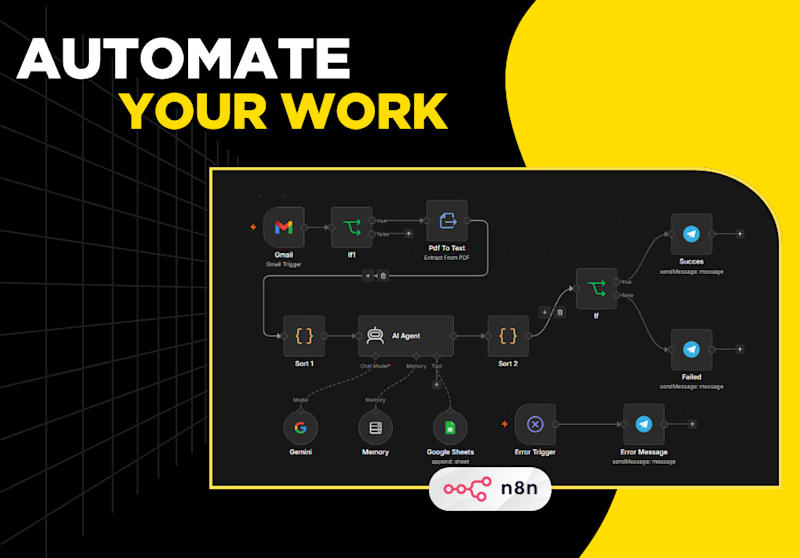
Processing incoming PDF attachments and logging key email data manually takes hours of tedious, repetitive work. Every time a new invoice, quote, or report lands in your inbox, you have to manually open the email, download the PDF, read through dense pages to extract important details, format the data, and log it into Google Sheets row by row.
Which one is faster, saves more time, and prevents mistakes?

1 voted
25%
3 voted
75%
4 votes
Closed

The manual-vs-automated framing is clear, but I'm curious how the workflow copes with PDFs that don't share a layout, like scanned invoices versus quotes. Do you parse them with a fixed template or an extraction step, and what happens to rows it can't read confidently?

Resolve: an AI support agent that answers from a company’s own policies, looks up orders, and escalates weak matches to a human instead of guessing. A human approves replies before they go out.
Live demo: support-resolver.vercel.app


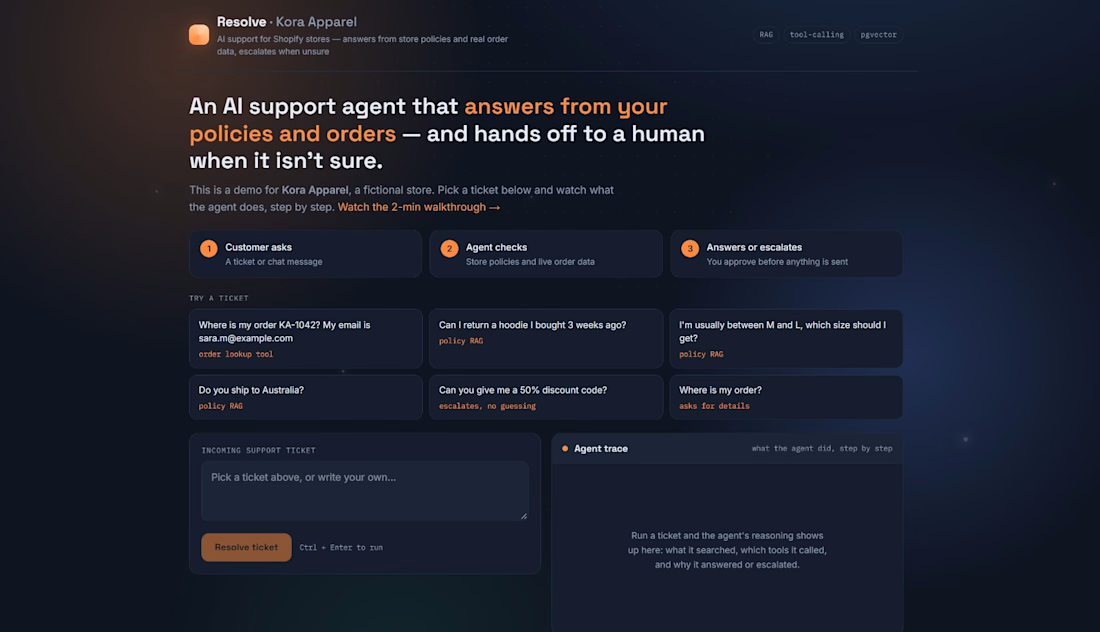

For the human approval step, I'd show the exact policy passage and its effective date beside the draft. Does Resolve flag a reply for re-review if the policy changes while it waits for approval?