The network for creativity
Join 1.25M professional creatives like you
Connect with clients, get discovered, and run your business 100% commission-free
Creatives on Contra have earned over $150M and we are just getting started
Back to feedPost
Taste Test
Processing incoming PDF attachments and logging key email data manually takes hours of tedious, repetitive work. Every time a new invoice, quote, or report lands in your inbox, you have to manually open the email, download the PDF, read through dense pages to extract important details, format the data, and log it into Google Sheets row by row.
Which one is faster, saves more time, and prevents mistakes?


1 voted
25%
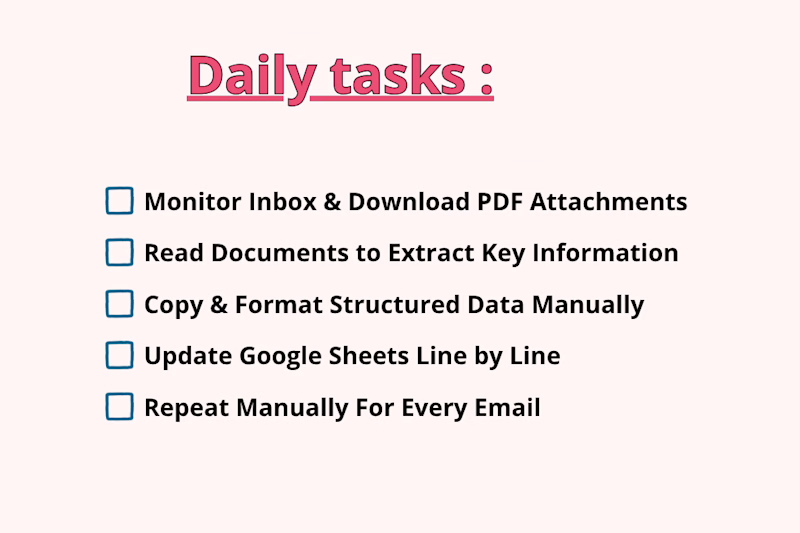
3 voted
75%
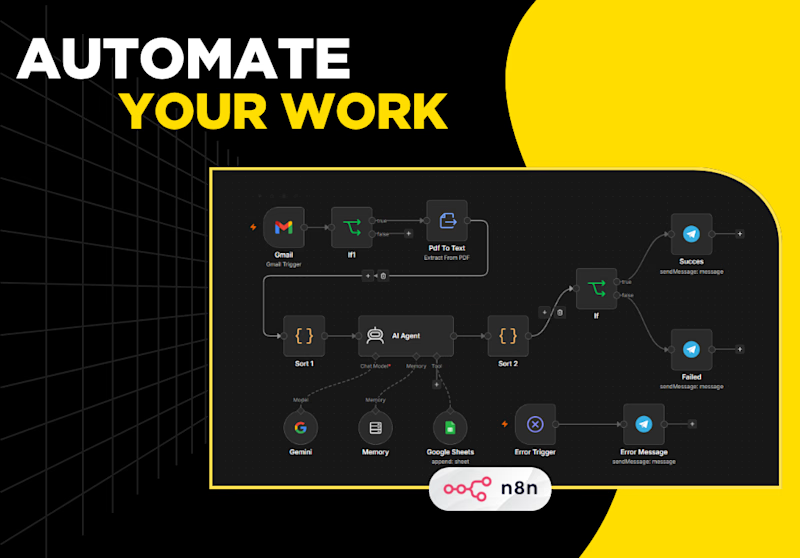
4 votes
Closed

Automated is a time saver🔥🔥

The manual-vs-automated framing is clear, but I'm curious how the workflow copes with PDFs that don't share a layout, like scanned invoices versus quotes. Do you parse them with a fixed template or an extraction step, and what happens to rows it can't read confidently?

Yes, I've faced this issue. Currently, the workflow extracts text directly from digital PDFs. I'm working on adding a detection step to identify scanned PDFs and route them to an AI model for OCR and data extraction.
The network for creativity
Join 1.25M professional creatives like you
Connect with clients, get discovered, and run your business 100% commission-free
Creatives on Contra have earned over $150M and we are just getting started



Related posts



A for me, easier to scan.


Home A wins, its clarity suits a consultancy.


A premium website isn’t about adding more.
It’s about knowing what to remove.
You can have the most expensive fonts, beautiful photography and a carefully chosen color palette and still end up with a website that feels… ordinary.
So what actually makes a website feel premium?
1. Less noise
2. Strong typography
3. Intentional hierarchy
4. Details that don’t ask for attention
5. Confidence
Premium websites don’t try to prove they’re premium. They simply look like they know exactly what they’re doing.
The goal isn’t to make a website look expensive. It’s to make it feel intentional.
Both versions of the Hero section are created for a premium website. Which one do you like better?
72 voted
60%
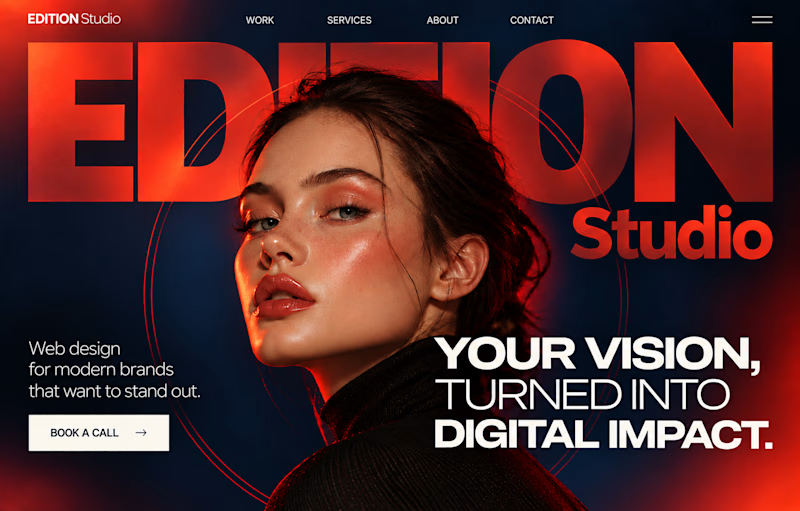
49 voted
40%
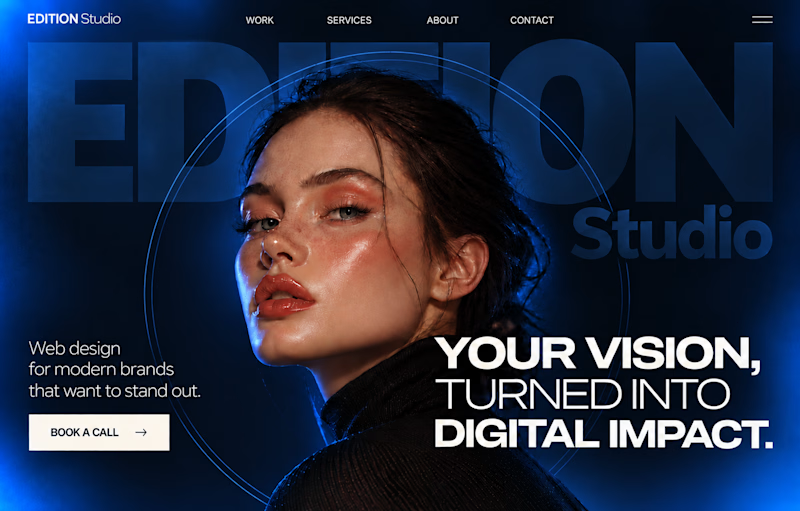
121 votes
Closed

Nice post sir
I love both design