The network for creativity
Join 1.25M professional creatives like you
Connect with clients, get discovered, and run your business 100% commission-free
Creatives on Contra have earned over $150M and we are just getting started
Back to feedPost

Leximorph — Every Letter, Alive
Social submission: https://www.linkedin.com/feed/update/urn:li:activity:7473518913796866048/
Leximorph turns typography into living particle art. You write, draw, or upload — and your letters come alive as swarms of bees, falling leaves, rising smoke, a tornado, fireflies, even a rebuilt human face. Everything you make exports as a still PNG or an animated WebM.
The problem
Text on a screen is static. The tools that do bring it to life — After Effects, motion plugins, code — make you learn timelines, keyframes, and easing curves before you can produce a single second of animation. So kinetic typography stays locked to motion specialists, and everyone else ships static words. Leximorph removes that wall: it makes particle-based, animated, expressive type something anyone can make in seconds — by typing, or just by drawing with their hand — and walk away with a shareable clip. No timeline. No keyframes. No learning curve.
What it is — three modes + Materialize
Animate — type a word, pick one of 11 effects, watch it assemble cinematically (bees fly in and form the letters; an asteroid streaks in and its debris settles into text; smoke condenses; leaves fall into place). Your cursor stirs the particles live.
Write — compose by hand. Draw: sketch freehand and every stroke becomes living particles, switchable mid-drawing. Type: type text and give each letter its own effect (F in fireflies, I in smoke, G in fire, M in magnet, A in rain).
Materialize — upload a photo; the subject is cut out and rebuilt entirely from a chosen effect's particles — a portrait made of autumn leaves.
User flow
Land → an idle headline ("Your words, alive.") cycles through every effect so you see the range instantly.
Pick a mode — Write, Animate, or Materialize.
Create:
Animate: type a word → choose an effect → Render → move your cursor to interact.
Draw: choose an effect + brush size → drag to draw → strokes form into living particles.
Type: type your text → tap a letter → assign it an effect → repeat per letter.
Materialize: upload a photo → choose an effect → the face rebuilds from particles.
Interact — hover/move the cursor; particles swarm to it, scatter from it, spin, drip, or rise depending on the effect.
Export — one click → PNG (still) or WebM (the animated reveal). Done — ready to share.
Workflow (how it was built / how to emulate)
Core insight first: instead of drawing letters, sample them. Real glyph shapes are rendered to an off-screen canvas and read pixel-by-pixel into thousands of (x, y) "home" points.
One shared engine: a single render loop eases every particle toward its home point. Each "effect" is just a small config — particle shape + themed background + formation animation + cursor behavior — so adding an effect is adding a config, not a new system.
Reuse across surfaces: the same engine and the same cursor-physics powers all four experiences (Draw, Type, Animate, Materialize), so the whole app shares one consistent feel.
Iterate live in Figma Make: built and tuned each effect's formation + cursor reaction in the live preview, one effect at a time.
Capture, don't re-render: export grabs the live canvas, so the file is exactly what you see on screen. To emulate the pattern: (a) rasterize text or an image to points, (b) animate points toward home with per-effect motion + cursor forces, (c) capture the canvas to WebM/PNG.
Tech stack
Figma Make — entire app designed and built here.
React + TypeScript — functional components and hooks (state, refs, animation lifecycle).
HTML5 Canvas 2D — all rendering; no WebGL, no animation libraries, no image assets — every bee, leaf, flame, and feather is drawn procedurally in code.
Off-screen glyph/image sampling via getImageData to convert text and photos into particle fields.
requestAnimationFrame render loop with custom per-effect physics (swarm / spike / swirl / drip / rise / scatter).
Export: canvas.captureStream() + the MediaRecorder API → WebM; canvas.toDataURL() → PNG.
Responsive desktop + mobile (touch drawing, adaptive layouts).
The 11 effects
Bee Swarm · Ghost Smoke · Rain · Asteroid Strike · Autumn Leaves · Firefly · Ferrofluid Magnet · Tornado · Butterflies · Rooster · Indian Samosa — each with its own particle shape, background, formation, and cursor physics.
Try it
Open the live link → in Animate, type a word, pick an effect, Render, move your cursor, Download. To build on it, open the Figma Community file.

The network for creativity
Join 1.25M professional creatives like you
Connect with clients, get discovered, and run your business 100% commission-free
Creatives on Contra have earned over $150M and we are just getting started


Trending
retrofuturism
Share your favorite designs from the past exploring the distant future. Or your own take on the aesthetic 🚀
halftone
Dots. Texture. Grain. Let's see your designs using the halftone technique.

Midjourney
Creatives are showing off what they're making with Midjourney.
colorgrade
Video editors sound off: How do you enhance the mood of your video in color grading?
Related posts


Incredible. Love the way you put this together

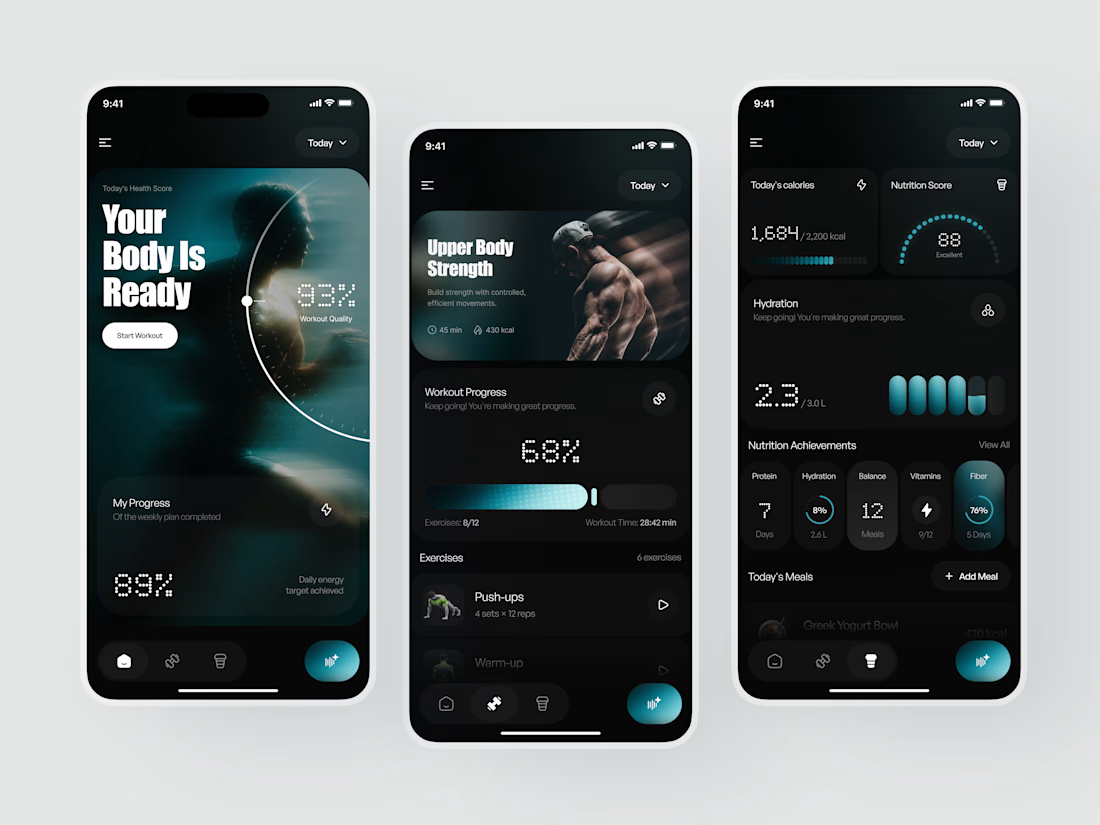
Your Body Is Ready - Fitness & Health Tracking App UI Design
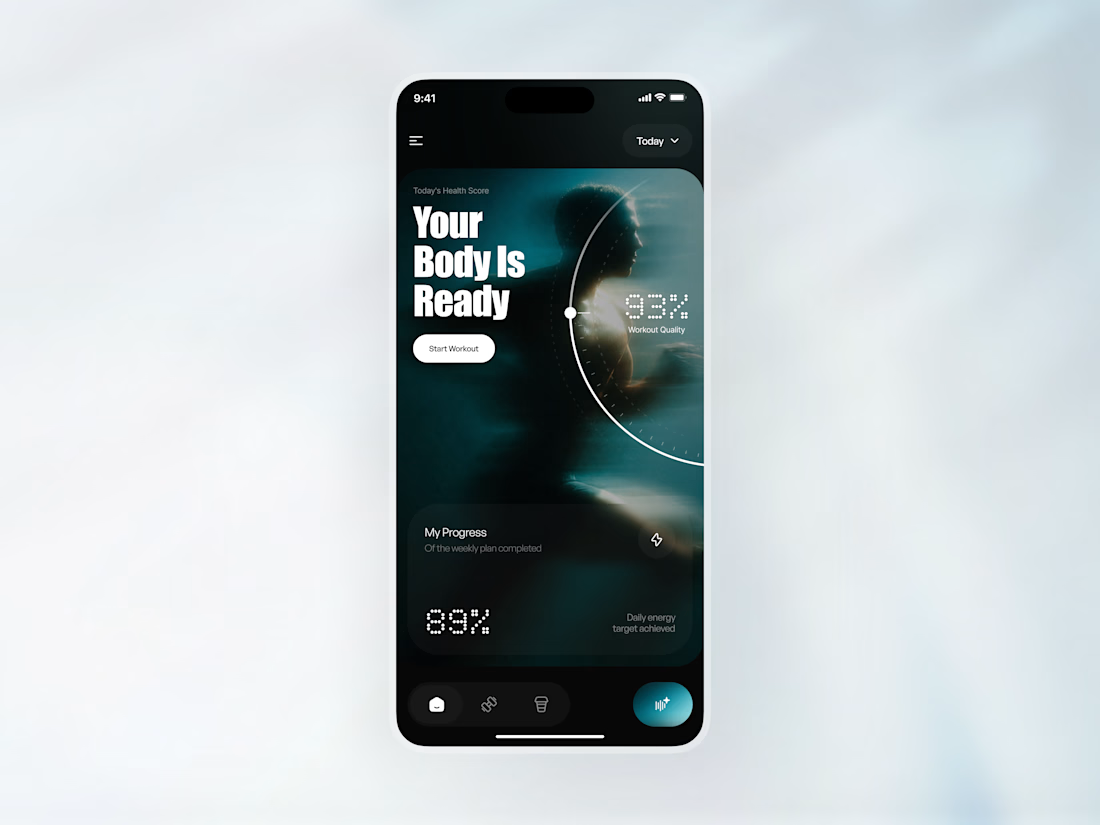
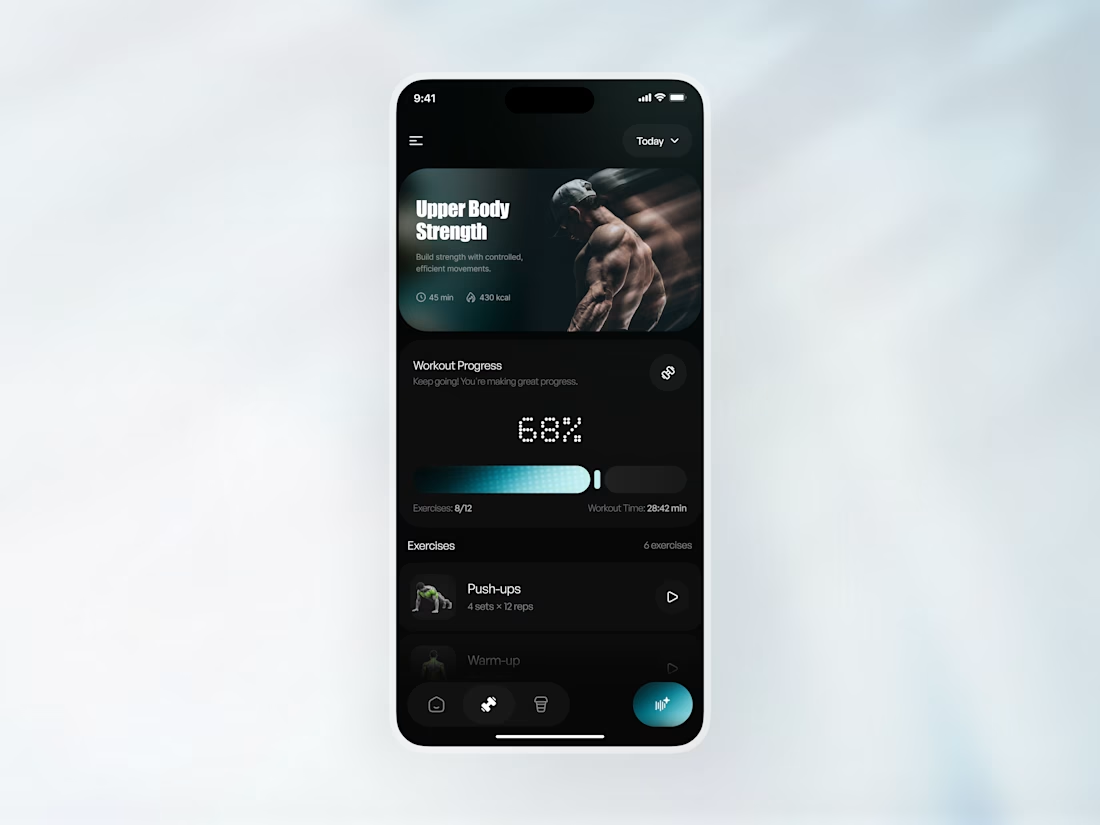
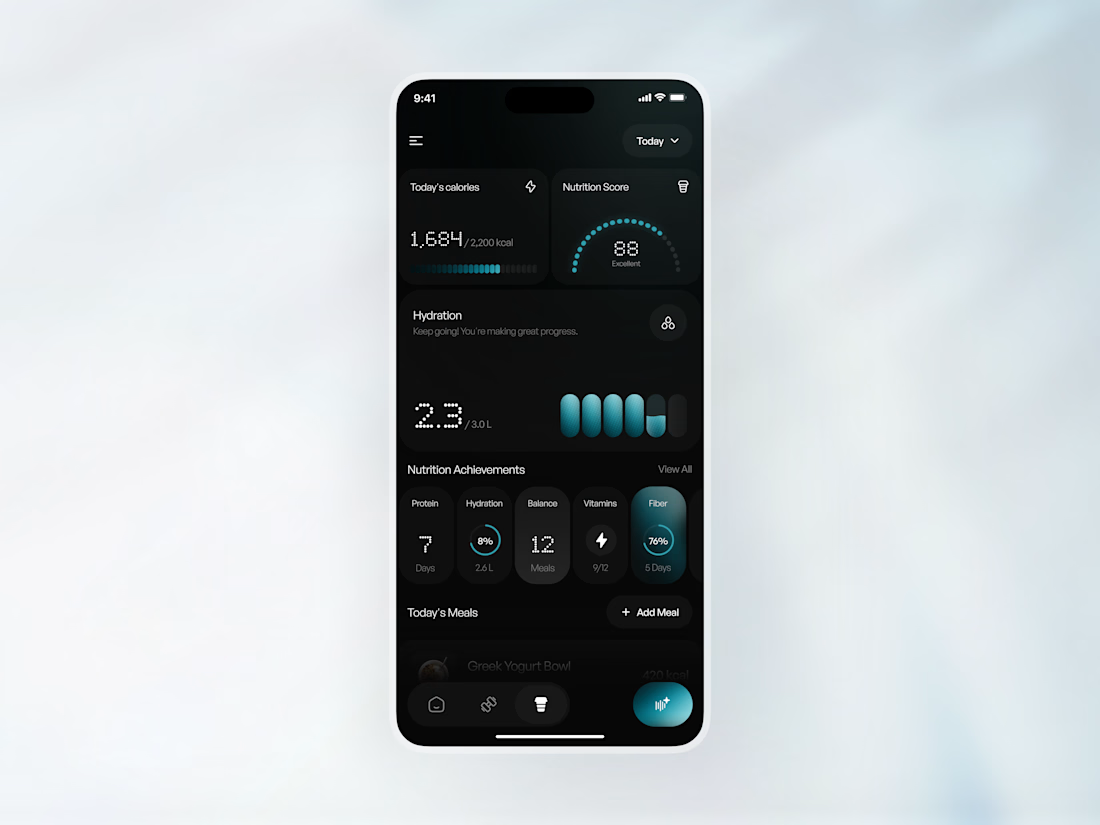
This is a modern mobile app concept designed for a fitness and wellness platform focused on helping users track workouts, monitor nutrition, and achieve their health goals - through a dark, high-performance interface that feels as serious as the training it supports.
The goal was to make health data feel motivating rather than clinical. Deep black surfaces, electric teal accents, cinematic athlete photography, and a pixel-style display font that gives every metric the weight of a scoreboard.
𝗦𝗽𝗲𝗰𝗶𝗮𝗹 𝗮𝘁𝘁𝗲𝗻𝘁𝗶𝗼𝗻 𝘄𝗮𝘀 𝗴𝗶𝘃𝗲𝗻 𝘁𝗼:
- Health score hero with 93% workout quality and 89% daily energy target;
- Workout progress at 68% 8/12 exercises, 28:42 min elapsed;
- Calories at 1,684/2,200 kcal, nutrition score 88 Excellent;
- Hydration tracker at 2.3/3.0L with teal progress indicators;
- Nutrition achievements Protein, Hydration, Balance, Vitamins, Fiber
The result is a fitness app UI that makes every rep, every meal, and every glass of water feel like progress worth tracking
Looking to design a fitness or wellness app that feels this considered? Let's build something strong together

Amazing App

A first glimpse of Senses, a skincare rebrand I’ve been working on. Here's a few highlights from the identity, packaging and art direction.
There’s still more to reveal. Full project coming soon.
packagingbrandingbrandingdesignPackaging DesignBrand DesignGraphic DesignAdobe PhotoshopFigmaHiggsfield AI


Beautiful work!