The network for creativity
Join 1.25M professional creatives like you
Connect with clients, get discovered, and run your business 100% commission-free
Creatives on Contra have earned over $150M and we are just getting started
Back to feedPost
Before:
“Where is this?”
“Did this get done?”
“Who’s handling this?”
After:
No questions.
We didn’t change the team.
We changed the system.
This is what Dosechi is built for - project management app without the noise.
#workflowautomation #appdevelopment #buildinpublic #modernsaasdesign

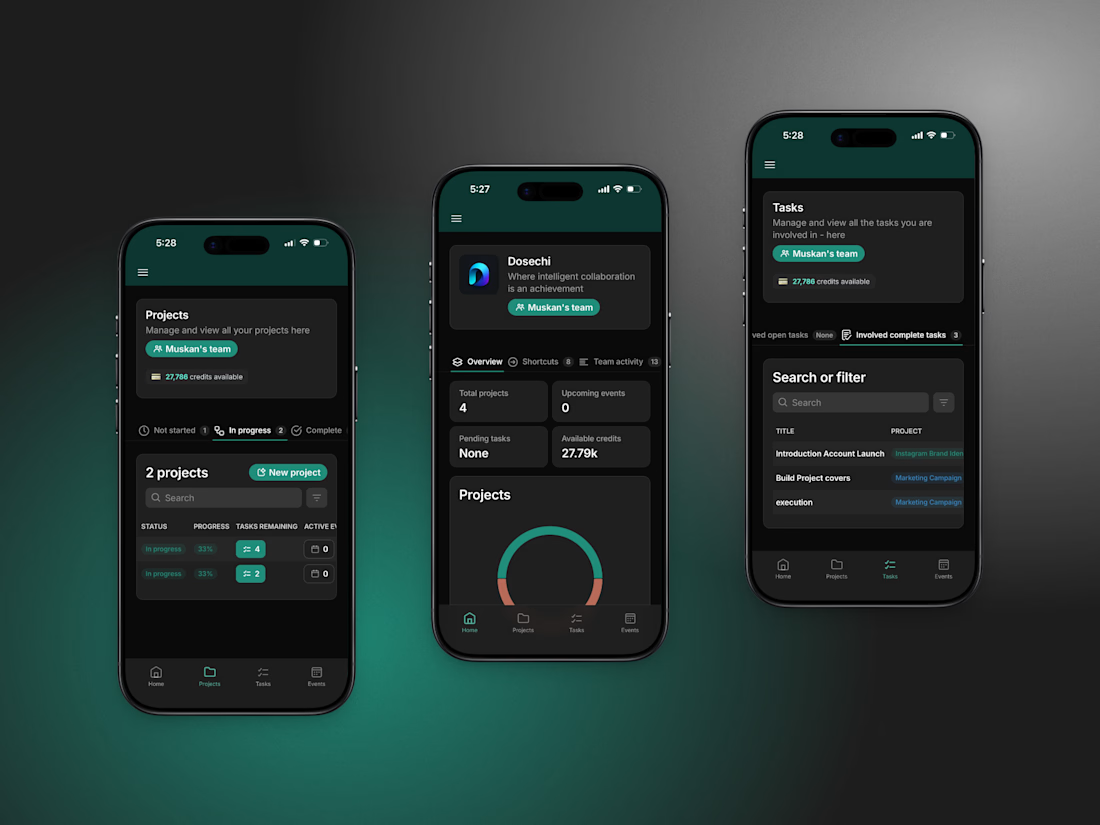


Most teams we talk to are managing work across 4–5 tools.
Curious...how many tools does your team use daily?
The network for creativity
Join 1.25M professional creatives like you
Connect with clients, get discovered, and run your business 100% commission-free
Creatives on Contra have earned over $150M and we are just getting started
Related posts

Production-ready, yes. Strategy-ready, not yet. AI can generate the clip, but someone still has to know what the product needs to say.
I don’t lead with how much AI was involved, but I never hide it if asked.

Is AI finally good enough to shoot a product demo on its own, or human touch is still needed?
I generated a 20s product demo with Seedance 2.5 in a single take providing it with one product image reference and an example video transcript (posted in the comments).
Do you disclose...

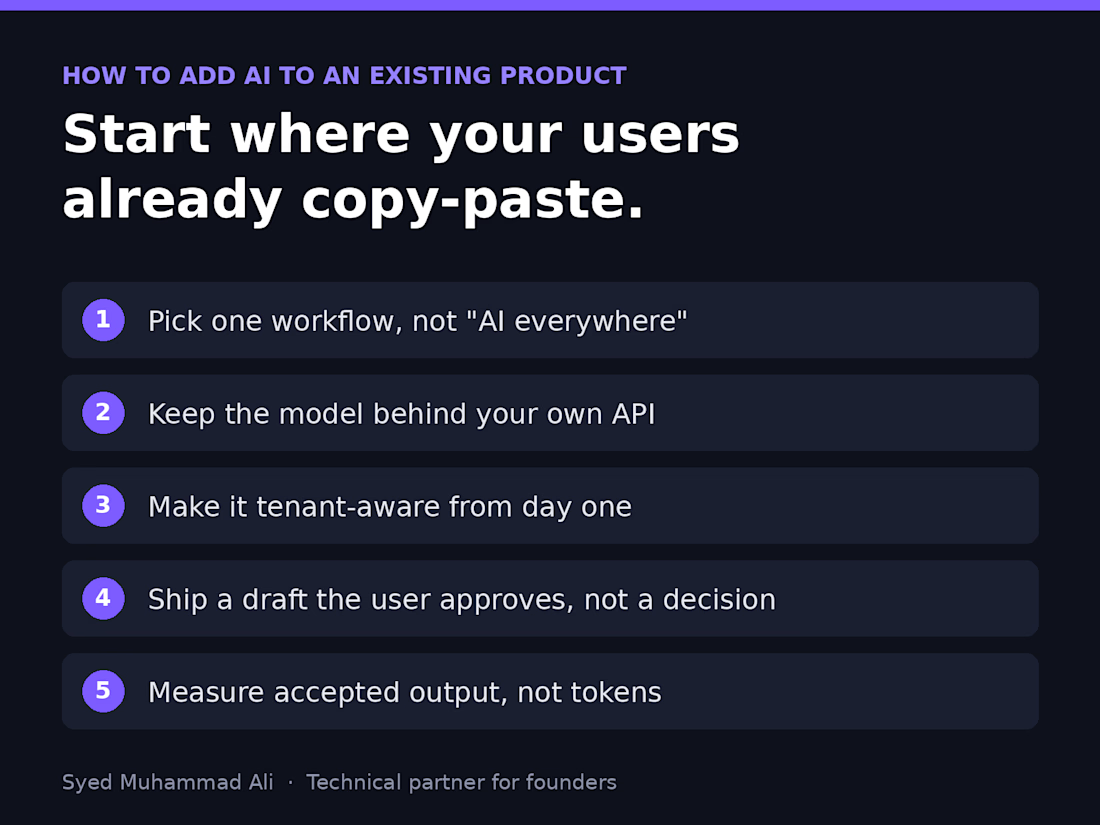
Before you add AI to your product, find the screen where your users already copy and paste.
That's usually where the real AI feature lives. Not a chatbot in the corner, but a step people already do by hand: summarising a ticket, drafting a reply, tagging an upload, pulling fields out of a PDF.
Here's the order I follow when a founder asks me to add AI to an existing SaaS:
1. Pick one workflow, not "AI everywhere." Watch where users leave your app to paste something into ChatGPT and come back. That round trip is your feature.
2. Keep the model behind your own API. One service owns prompts, retries, logging and cost limits, so you can switch providers without touching the frontend.
3. Make it tenant-aware from day one. Each customer's data, prompts and usage stay scoped to their account, or the first enterprise security review will stop you.
4. Ship a draft, not a decision. Let the AI suggest and the user approve. You earn trust and get real feedback before you automate anything.
5. Measure accepted output, not tokens. If users rewrite most of what it produces, the prompt or the context is wrong, and that's your real roadmap.
Most AI features that flop didn't fail because of the model. They were bolted onto the wrong step.
What's the one task your users still copy into ChatGPT?

Watching where users paste into ChatGPT and come back is such a practical way to find the real feature. Most teams start with the chatbot instead.


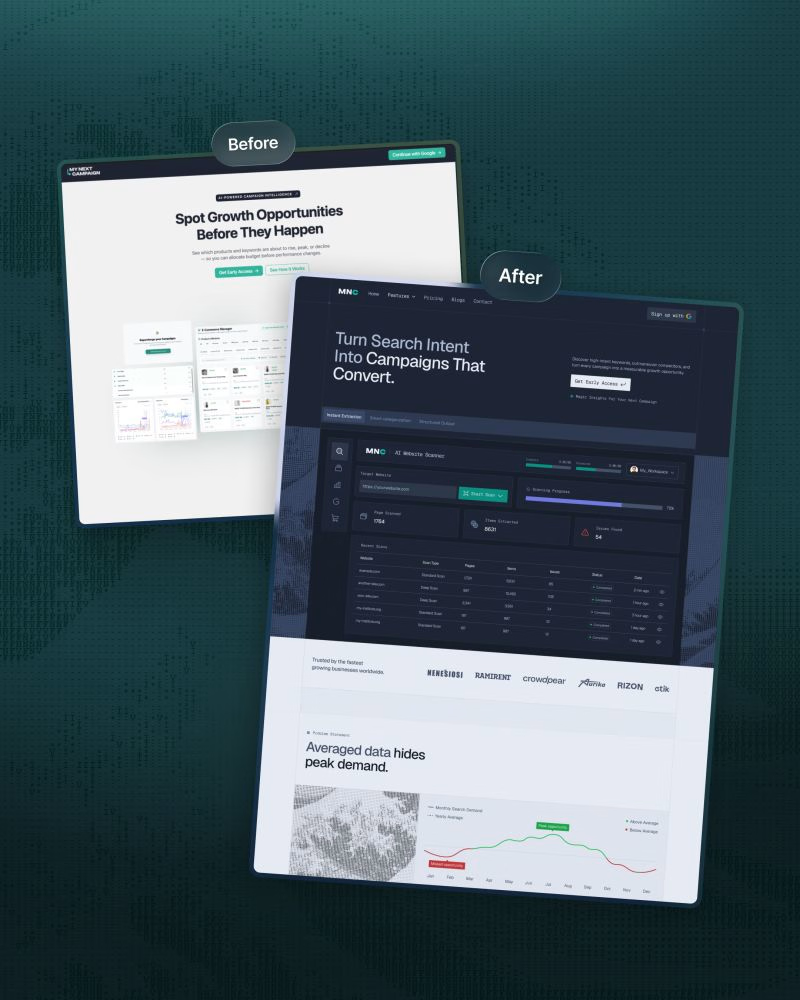
We redesigned ‘My Next Campaign’s website recently.
Clarity and a modern design were the entire plan behind this project.
The old website wasn’t up to date and didn’t match the app.
We wanted consistency throughout the brand so the product's easy to understand and navigate, and users know what to do next.
• A focused headline, supporting copy, and primary CTA.
• Kept features in a scannable module.
• Kept visual hierarchy to make the site less cluttered.
• Comparison with other tools to make the decision faster.
• Client testimonials, pricing plan, FAQ, and final CTA placed strategically.
We simplified the ‘My Next Campaign’ logo into the more distinctive ‘MNC’ mark.
The original wordmark is visually long.
It could be difficult to read at smaller sizes, and was challenging to place consistently in headers, navigation, and other branded sections.
This structure connects visuals with business goals.
Are you thinking about a redesign?
DM or comment here. Let’s work together.

Comparison with other tools placed before the pricing is a bold choice. Did you see it help people decide faster, or was it mostly a clarity move?