The network for creativity
Join 1.25M professional creatives like you
Connect with clients, get discovered, and run your business 100% commission-free
Creatives on Contra have earned over $150M and we are just getting started
Back to feedPost

PROJECTFLOW
From “I need help” to “You’re booked.”
Business: Harbor & Hammer Home Improvements
Location: Virginia Beach, Virginia
The problem
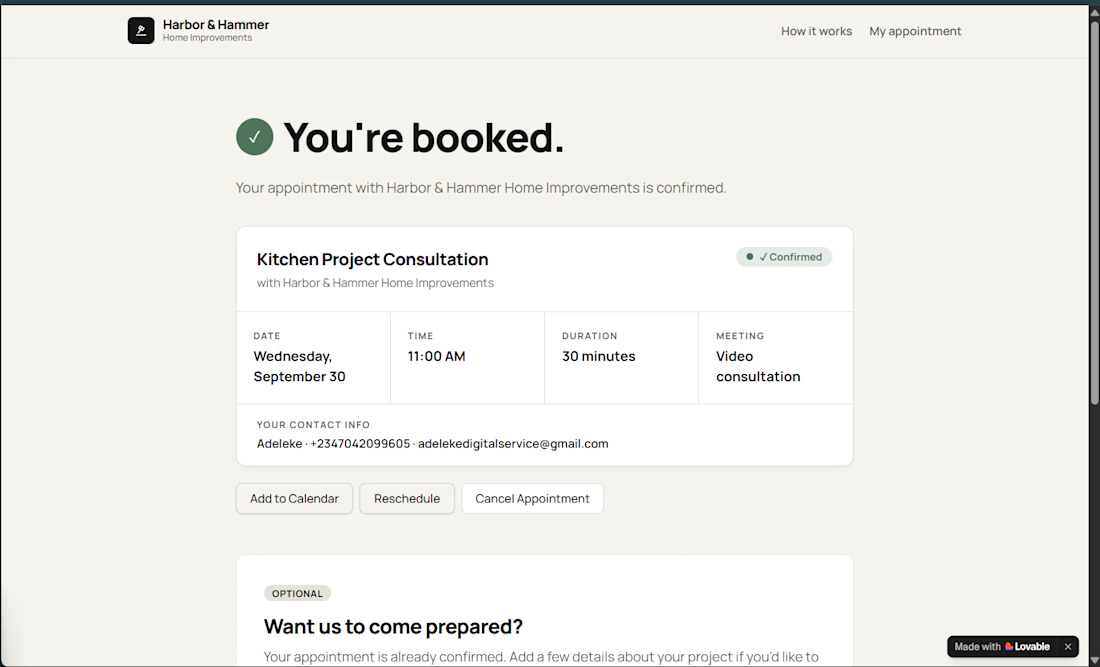
Harbor & Hammer is a small home-improvement business run by Dan Reyes. With one owner, one truck, and limited estimate slots, every new inquiry creates more than just a potential customer.
Someone has to answer the inquiry, find a suitable time, confirm the appointment, send reminders, collect project information, and make sure everything is ready before the appointment.
For a small contractor who is often already on a job, that back-and-forth can quickly become the work.
What I built
I built PROJECTFLOW, an appointment concierge designed to turn that process into a simple, mostly self-serve workflow.
The customer journey is intentionally short:
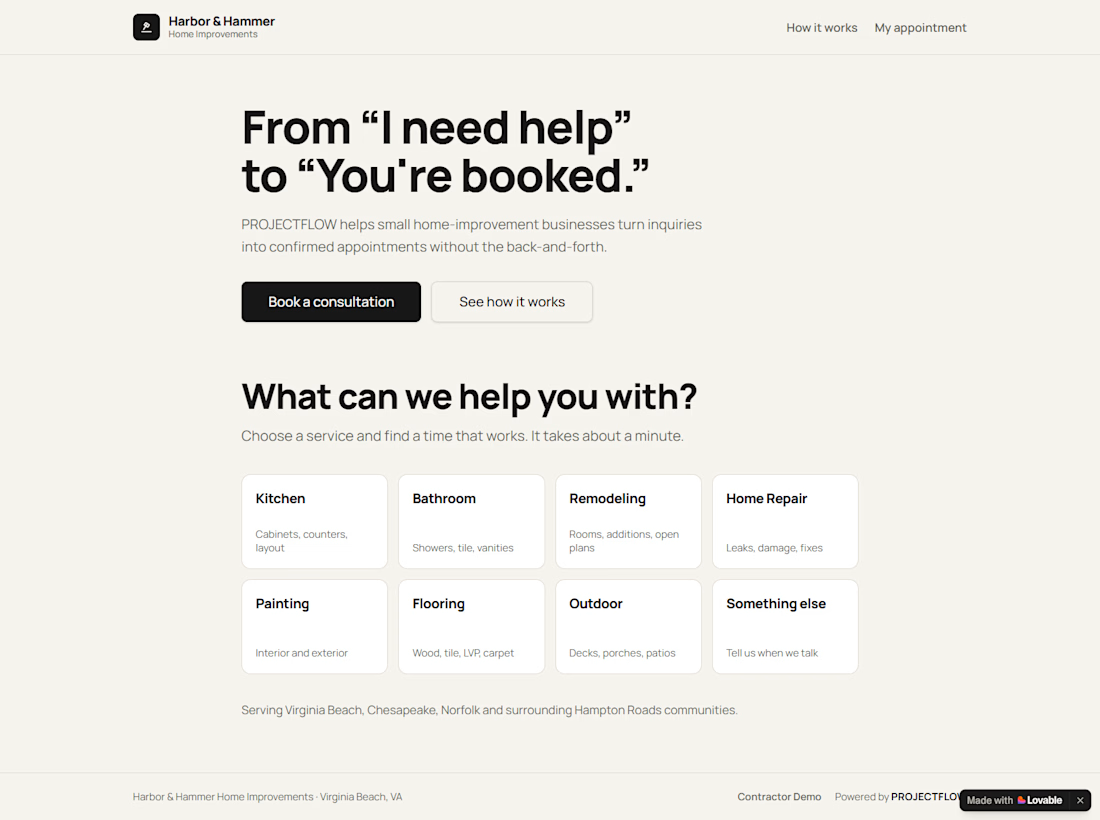
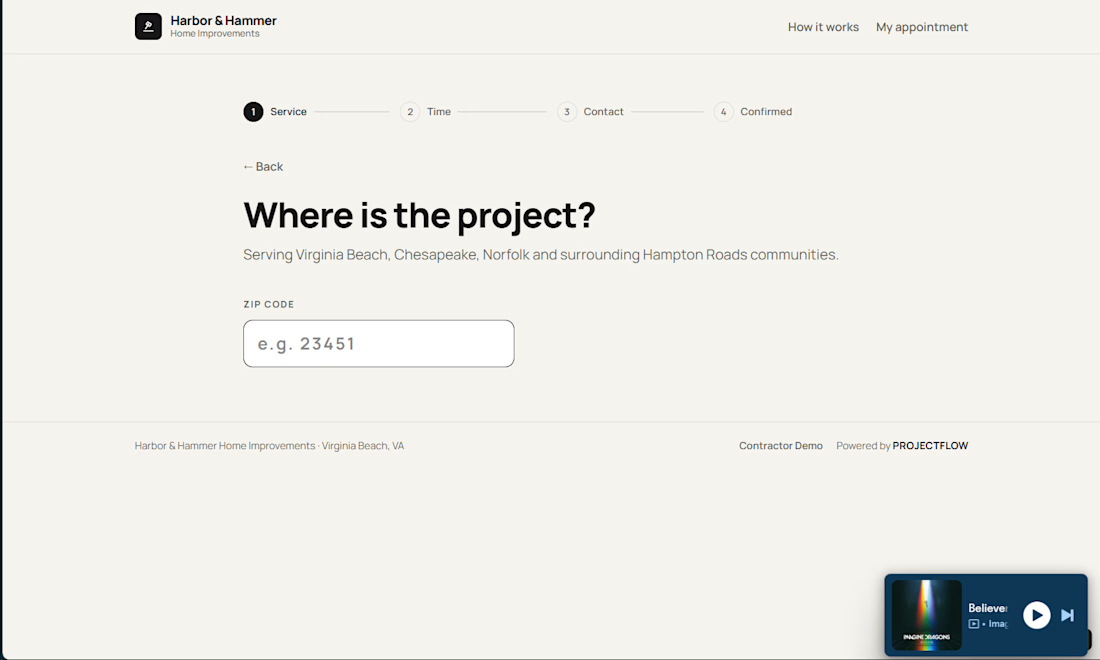
Choose a project → Enter ZIP → Choose appointment → Pick a time → Confirm → You’re booked.
After booking, the customer can optionally add project details and photos.
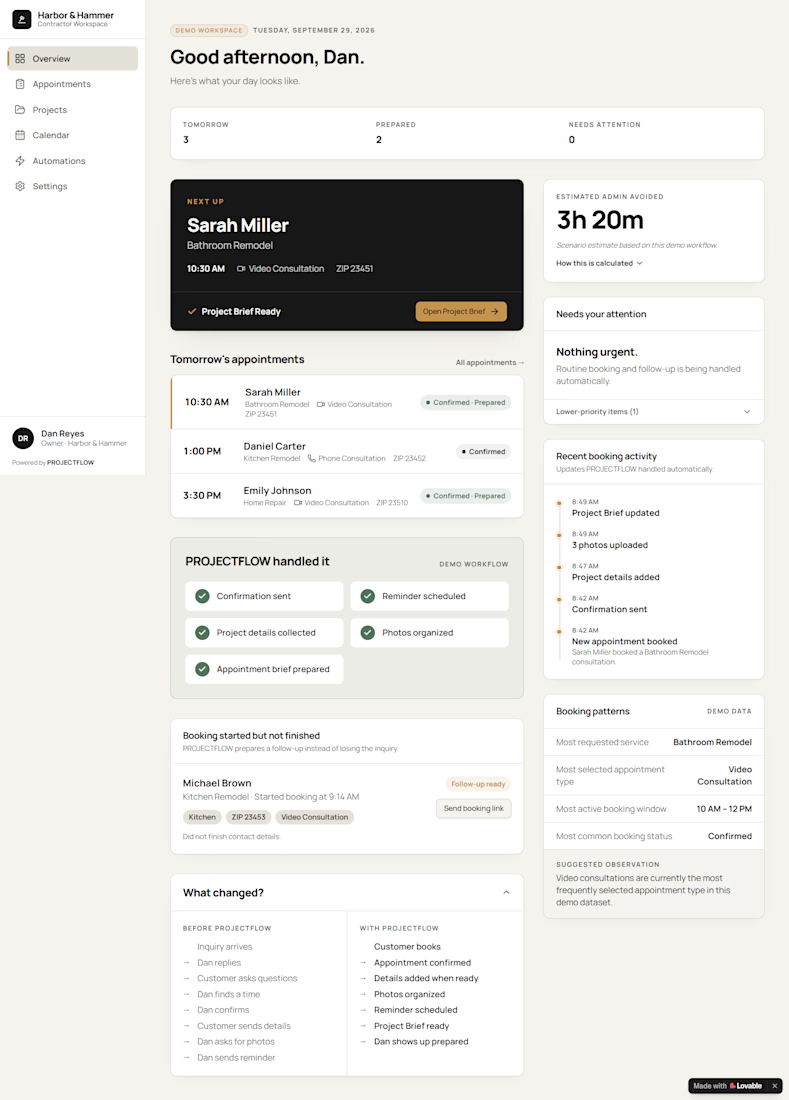
On the contractor side, the appointment is automatically organized into a simple workspace showing:
Today → Handled for You → Needs You
The contractor can see upcoming appointments, customer information, project details, photos, reminders, and appointment activity without having to reconstruct the conversation manually.
The key idea
The most important product decision was:
Book first. Figure out the rest together.
Instead of forcing a homeowner through a long intake form before they can book, PROJECTFLOW gets them to the commitment first.
Additional information comes afterward, when it is actually useful.
That makes the customer experience faster while still giving the contractor the context they need.
Why it matters
I wasn't trying to build another calendar or booking form.
I wanted to solve the operational gap between an inquiry and a confirmed appointment.
The result is a workflow where:
The customer books themselves.
PROJECTFLOW handles the follow-through.
The contractor gets the context.
What the demo demonstrates
The prototype shows:
Service selection
ZIP-based service-area logic
Appointment-type selection
Available booking times
Instant confirmation
Optional post-booking project details
Photo collection
Contractor appointment management
Automated follow-through states
Project Briefs
Customer self-rescheduling and cancellation
The contractor dashboard is deliberately focused on one question:
“Do I actually need to do anything right now?”
If not, the system simply says:
“Nothing right now.”
That is the outcome I wanted the product to create.
What I learned
The biggest lesson from building PROJECTFLOW was that reducing owner effort isn't always about adding more automation.
Sometimes it's about removing unnecessary steps.
The better experience wasn't a smarter, longer intake form.
It was a simpler booking moment followed by smarter follow-through.

The network for creativity
Join 1.25M professional creatives like you
Connect with clients, get discovered, and run your business 100% commission-free
Creatives on Contra have earned over $150M and we are just getting started











Related posts

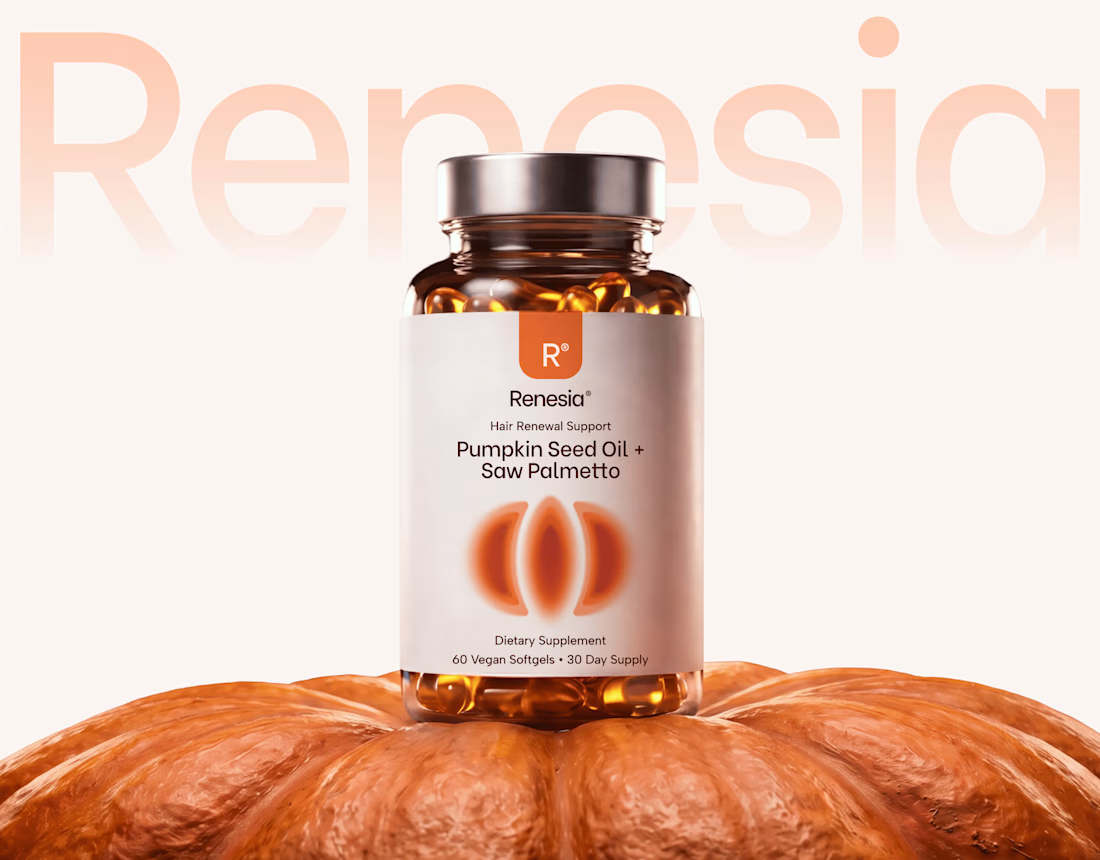
Here we go, check the full case study, I think you will love it! 🎃


Love this! 🎃 The pumpkin concept for Renesia is super creative - perfectly matches the Pumpkin Seed Oil story. Clean work in Illustrator & Figma!

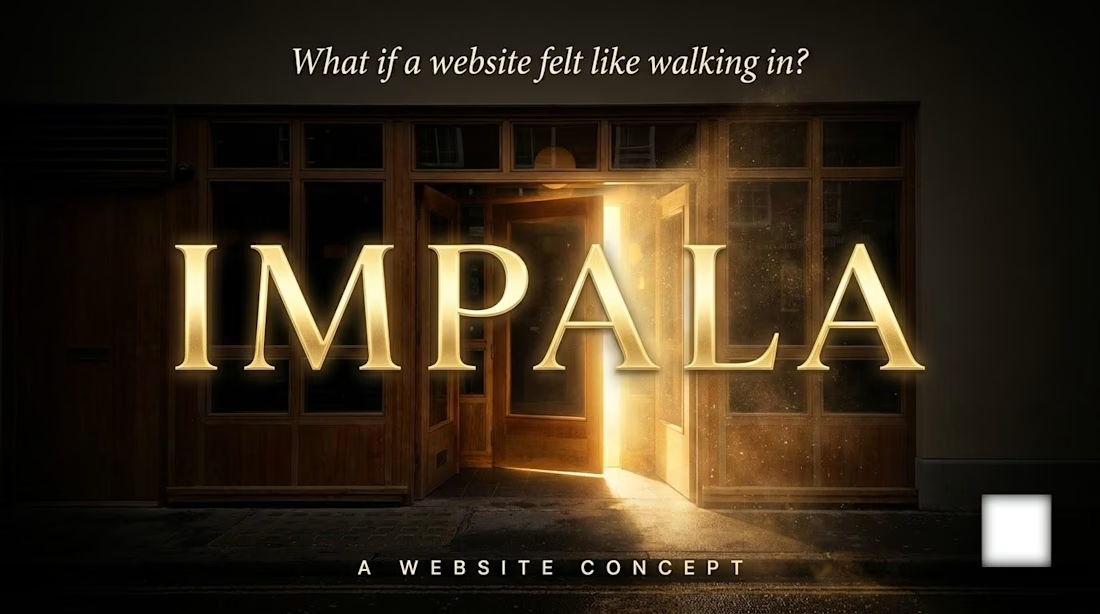
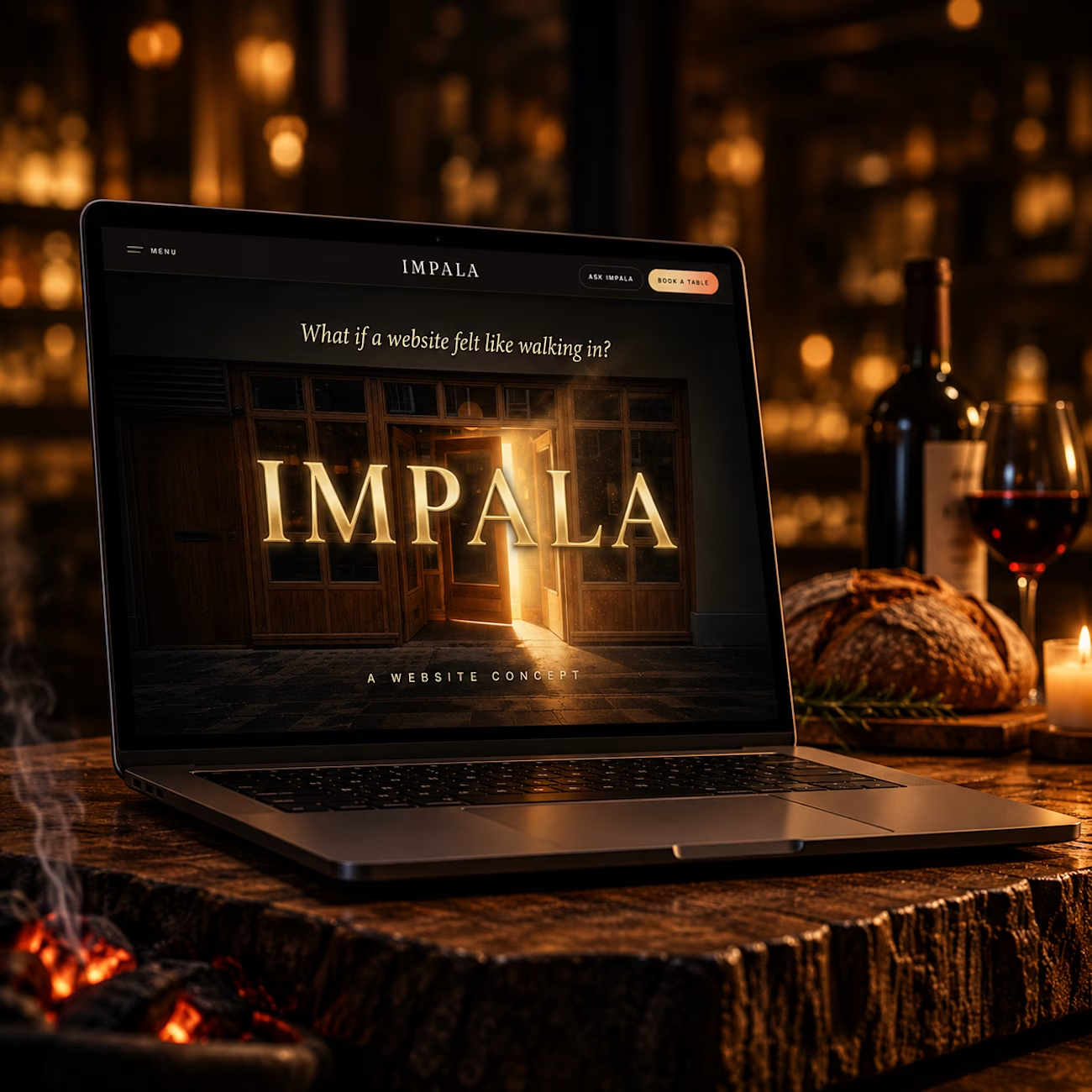
What if a restaurant website felt like walking in?
I wanted to try something different with IMPALA.
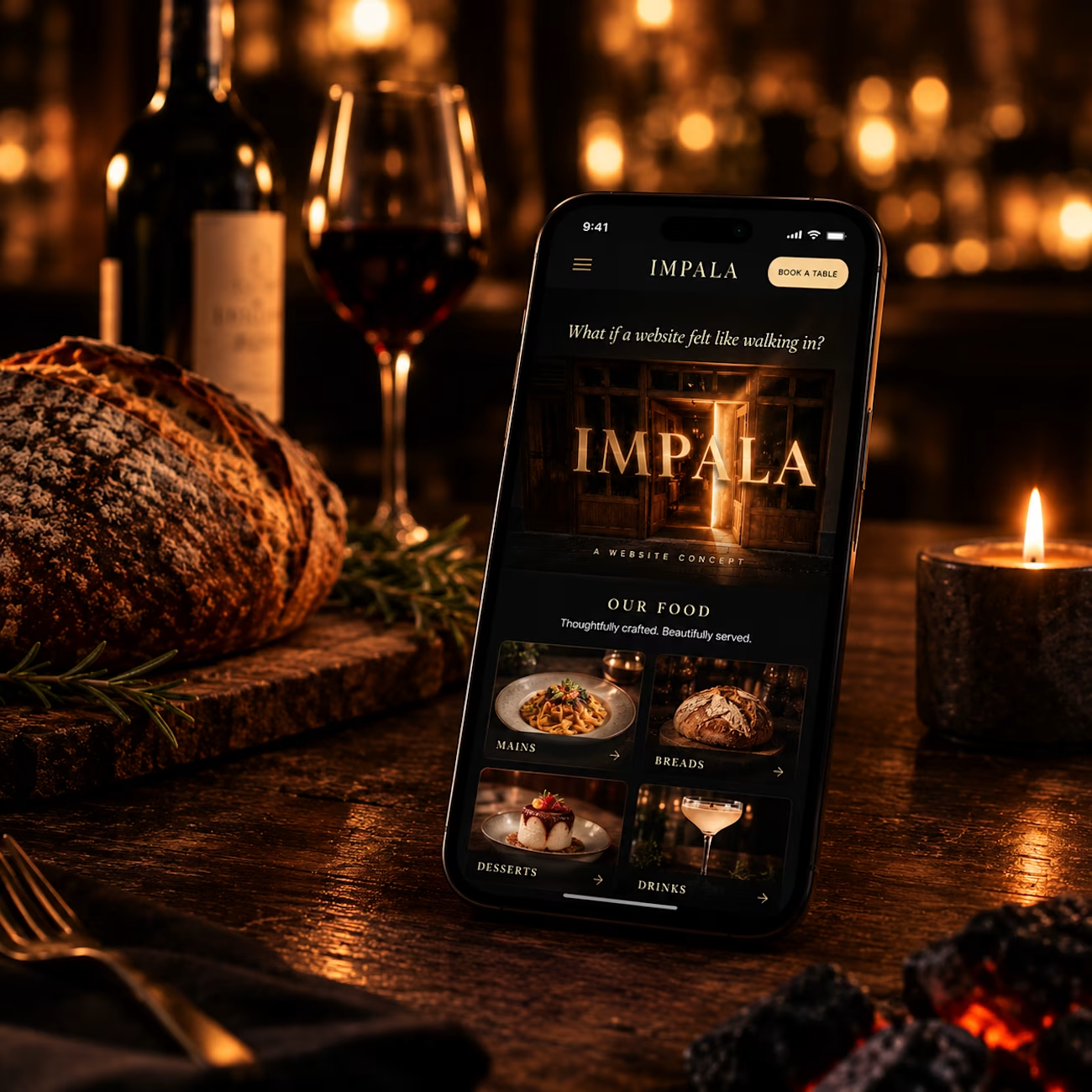
Instead of making another restaurant website that simply shows the menu, location and a few photos, I wanted the website itself to carry some of the feeling of being inside the restaurant.
Warm visuals, immersive storytelling, subtle interactions, and a menu experience that feels a little different.
One of my favourite parts is the menu instead of presenting dishes as a typical grid of cards, I designed them around a playing-card inspired interaction, where the menu unfolds and reveals each dish in a more tactile way.
The idea was pretty simple:
Don’t just show the restaurant. Make people feel it.
Designed and built for IMPALA across desktop and mobile.
How did you guys like it?
Drop your thoughts in the comments I’d genuinely love to hear them.
#RestaurantWebsite #WebDesign #UIUXDesign #HospitalityDesign #RestaurantDesign #CreativeWebDesign #WebDevelopment



Muse AI on the free plan is INSANE. 🤯
I asked Muse AI to review my portfolio website, and what happened next genuinely surprised me.
It visited my website, explored the pages, checked the details, and provided a complete website audit.
And honestly? I was shocked by how accurately it identified and evaluated everything.
The funny part? These are exactly the kinds of productivity workflows I've always wanted to explore with Claude and ChatGPT. But getting this level of hands-on website analysis can be difficult with free-tier limitations.
With Muse AI, I got to experience this kind of workflow without paying for a premium plan.
This is what excites me most about AI—not just generating text or answering questions, but actually doing the work, inspecting real things, and helping us get things done.
We're moving beyond AI that simply tells us what to do toward AI that can help us do it.
And if this is what Muse AI can do on its free plan, I'm genuinely curious to see what comes next.
Have you tried Muse AI yet? What's your experience been like?
#MuseAI #ArtificialIntelligence #AITools #Productivity #Automation


To answer your question — yes, and the audit is exactly where the shift shows. An AI working from a screenshot gives opinions. One that actually visits the site, explores the pages and checks the details is doing a real first pass of QA. Your line is the right one: from telling...