The network for creativity
Join 1.25M professional creatives like you
Connect with clients, get discovered, and run your business 100% commission-free
Creatives on Contra have earned over $150M and we are just getting started
Back to feedPost
Muse AI on the free plan is INSANE. 🤯
I asked Muse AI to review my portfolio website, and what happened next genuinely surprised me.
It visited my website, explored the pages, checked the details, and provided a complete website audit.
And honestly? I was shocked by how accurately it identified and evaluated everything.
The funny part? These are exactly the kinds of productivity workflows I've always wanted to explore with Claude and ChatGPT. But getting this level of hands-on website analysis can be difficult with free-tier limitations.
With Muse AI, I got to experience this kind of workflow without paying for a premium plan.
This is what excites me most about AI—not just generating text or answering questions, but actually doing the work, inspecting real things, and helping us get things done.
We're moving beyond AI that simply tells us what to do toward AI that can help us do it.
And if this is what Muse AI can do on its free plan, I'm genuinely curious to see what comes next.
Have you tried Muse AI yet? What's your experience been like?
#MuseAI #ArtificialIntelligence #AITools #Productivity #Automation


To answer your question — yes, and the audit is exactly where the shift shows. An AI working from a screenshot gives opinions. One that actually visits the site, explores the pages and checks the details is doing a real first pass of QA. Your line is the right one: from telling...

Yes! It helped me spot a few areas that needed improvement and gave me a clearer picture of what to prioritize. That’s what impressed me most.
The network for creativity
Join 1.25M professional creatives like you
Connect with clients, get discovered, and run your business 100% commission-free
Creatives on Contra have earned over $150M and we are just getting started



Related posts

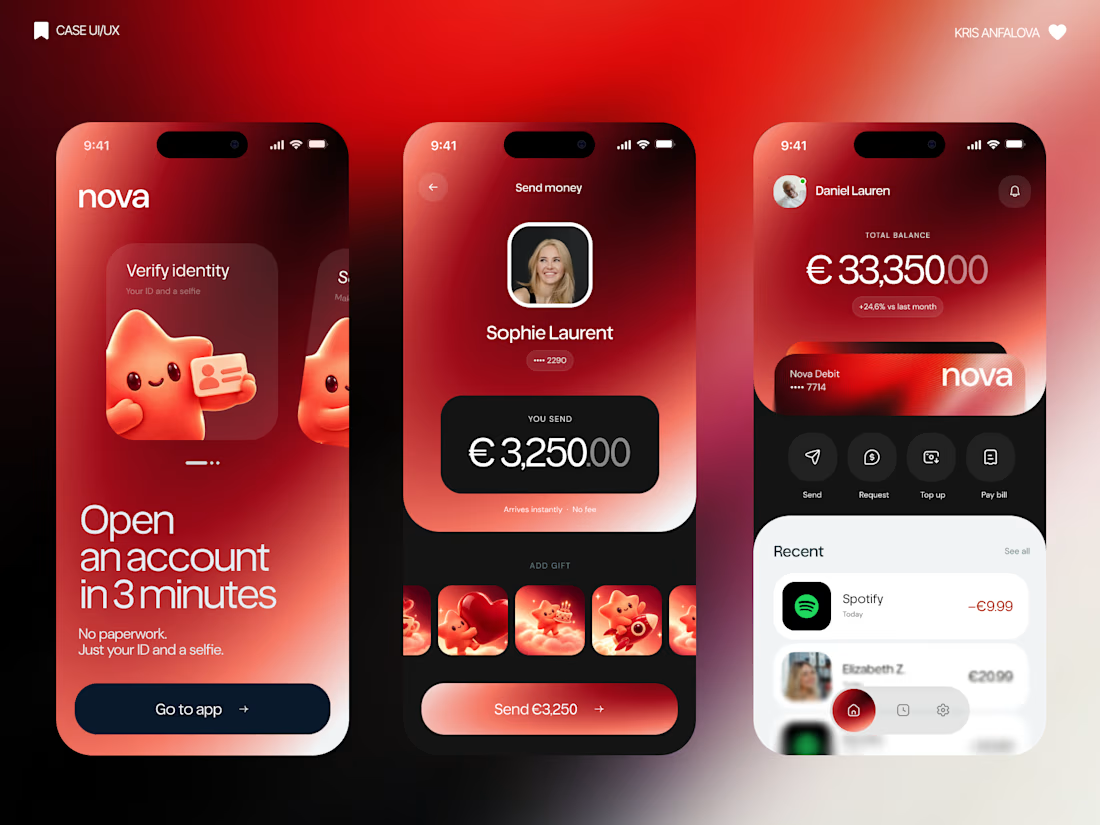
What if sending money felt a little more like giving a gift?
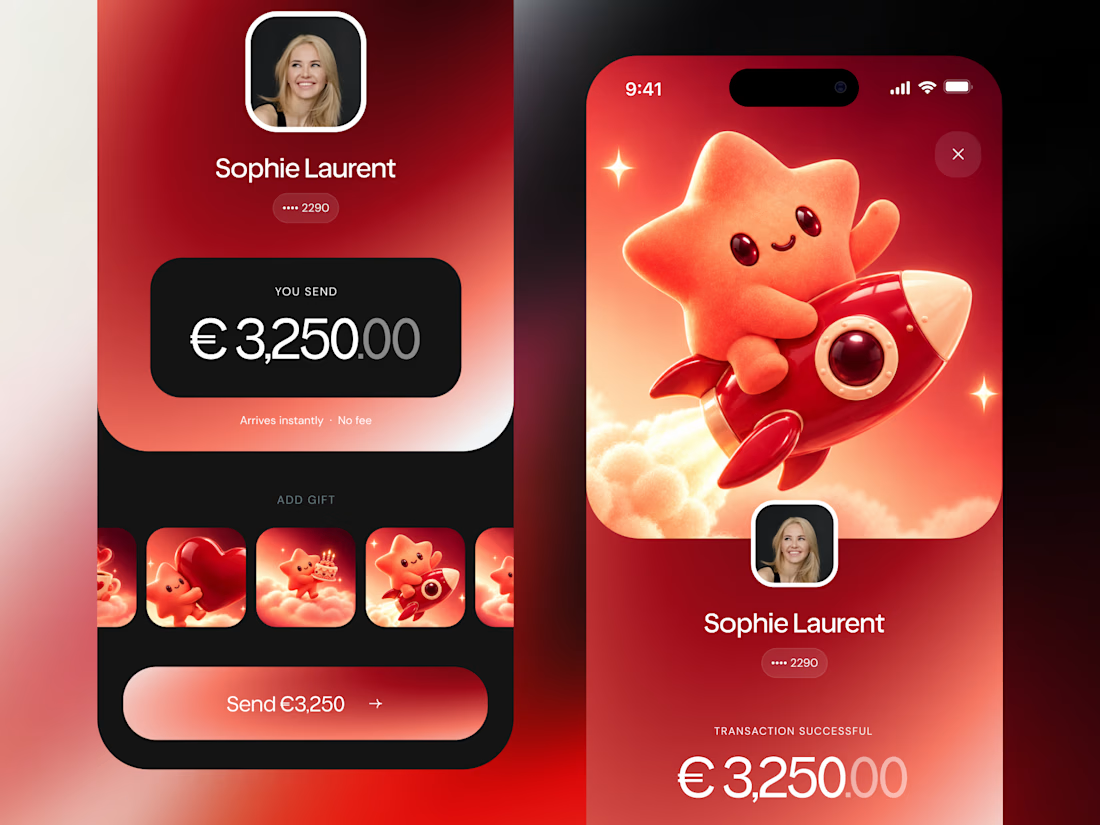
For Nova, I explored a banking app that brings payments, cards, and a bit of personality together. You can check your balance, browse recent transactions, send or request money, top up, and pay bills.
My favorite part is the digital postcard feature. Before sending a transfer, you can add a little illustrated card—a heart, a birthday greeting, or a playful character. A simple way to make birthday money or a thank-you feel more personal.
I carried that same 3D character into onboarding, pairing it with bold red gradients and large, clear payment details. There’s room for play, while the recipient and amount stay easy to check.
Would you add a postcard to a transfer? I’d love to know what occasion you’d use it for.




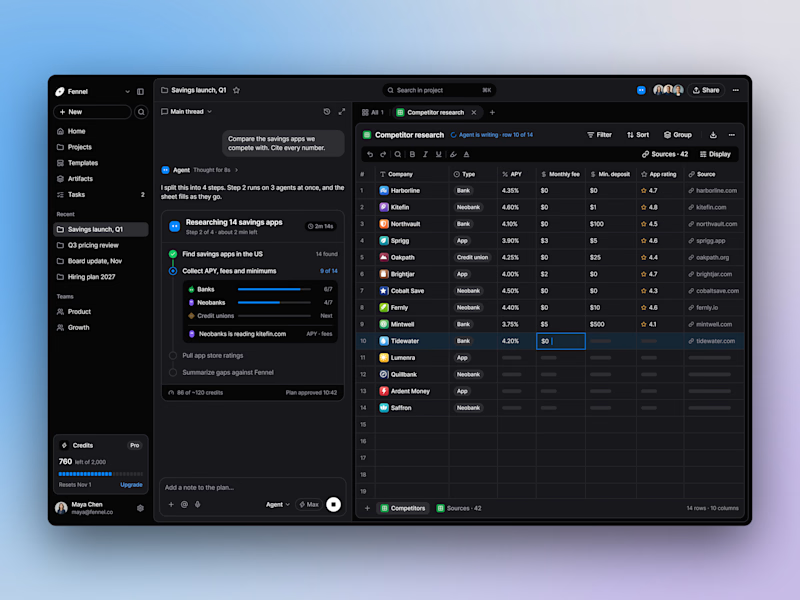
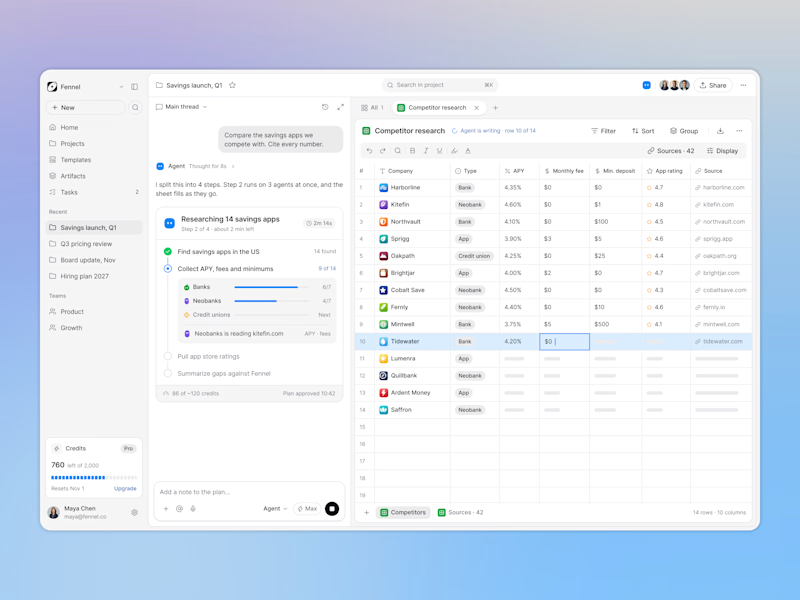
Designed an AI research workspace where the agent plans the work and fills a sheet with cited sources as it goes.
Same screen, two modes. Which one would you work in all day? 👀

13 voted
72%
5 voted
28%
18 votes
Closed

Keeping the research plan and cited results side by side is a useful way to make the agent’s work easier to inspect. I’d lean toward light mode for reading the table in daylight. How do you distinguish a verified source from one that still needs review?

Weekend fun 😺. The new MacBook Pro has a Dynamic Island, and I kept wondering: what if that little pill was where your AI agent lived?
Try it live: https://lab.behzad.me/agent-mew/
So I spent the weekend prototyping Agent Mew. You drop a file on the notch, give it a task, and it quietly works up there while you keep doing your thing. It shows progress in the wings, asks a quick question when it needs one, and always waits for your OK before doing anything that leaves your Mac, like sending an email.
A few things I explored:
- Progress that stays out of the way, readable at a glance
- Questions as one tap, not a chat window
- Approval cards for anything with real consequences
- Paused and stuck states that tell you what to do next
- A small animated cat, because agents should have some personality


Approval cards for anything that leaves the Mac is the right line to draw. Does the card show the full email before you tap OK, or a short summary? I'd lean toward full text for anything going to another person.