The network for creativity
Join 1.25M professional creatives like you
Connect with clients, get discovered, and run your business 100% commission-free
Creatives on Contra have earned over $150M and we are just getting started
Back to feedPost
I did not manually revise every screen after generation.
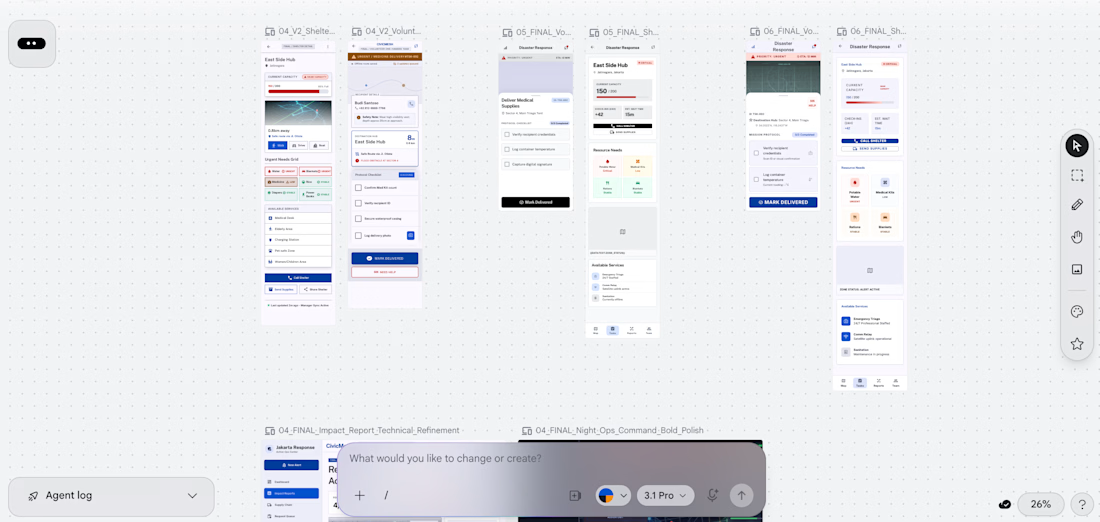
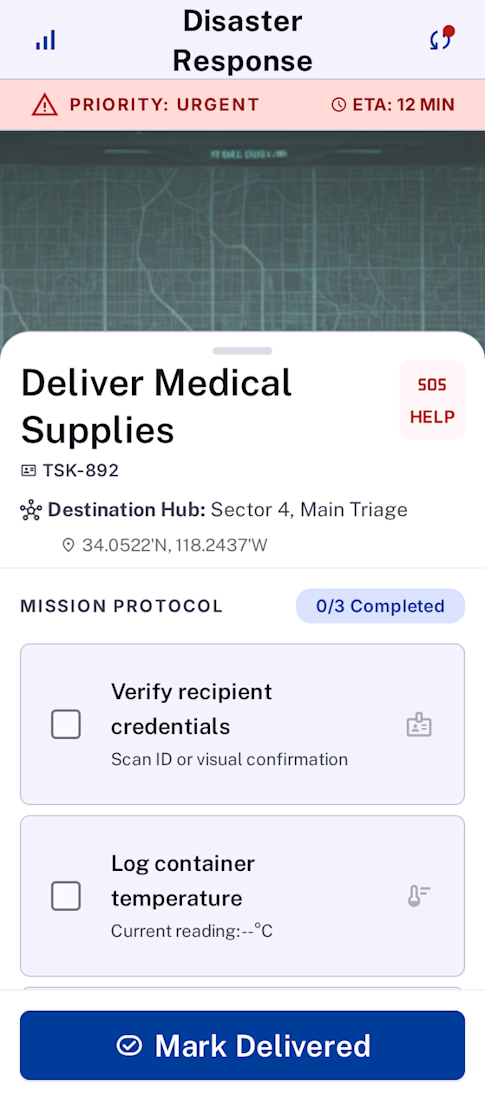
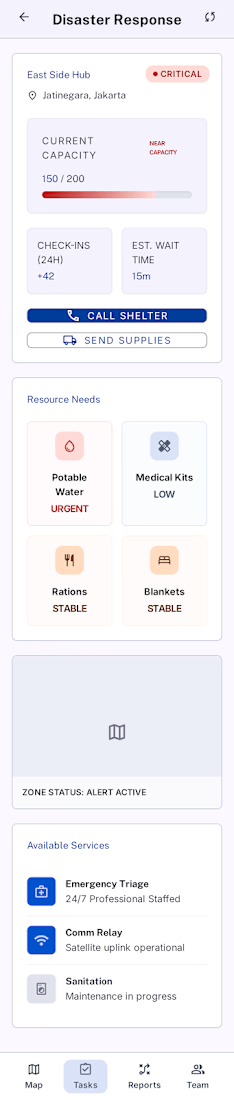
For the #GoogleStitchChallenge, I wanted to test Google Stitch as part of a real creative and product workflow, not just as a screen generator. I connected Google Stitch through MCP with Codex and gave it one CivicMesh product brief plus a reusable iteration framework.
CivicMesh, a flood response coordination platform for Jakarta connecting residents, volunteers, shelter managers, and city coordinators.
In about 22 minutes, the workflow moved from idea -> thesis -> V1 product architecture -> design evaluation -> visual directions -> final context-specific screens.
The best part: the design critique became part of the workflow. Stitch helped surface what worked, what was missing, and what needed to change for real-world contexts like weak connectivity, elderly accessibility, field volunteers, shelters, and night operations.
Stitch turned one brief into an adaptive civic design system.
Stitch made UI design feel like conversation: initial prompt, generate, evaluate, redirect, refine ✨🖌️

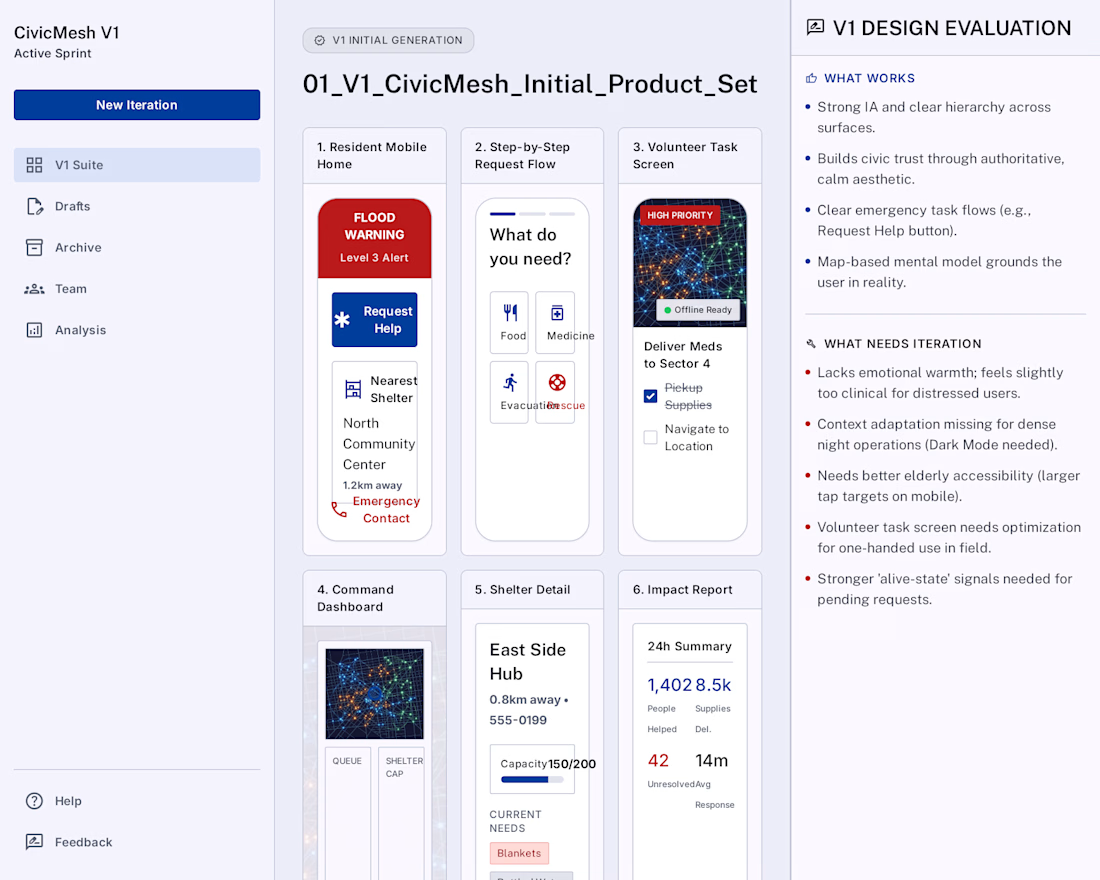
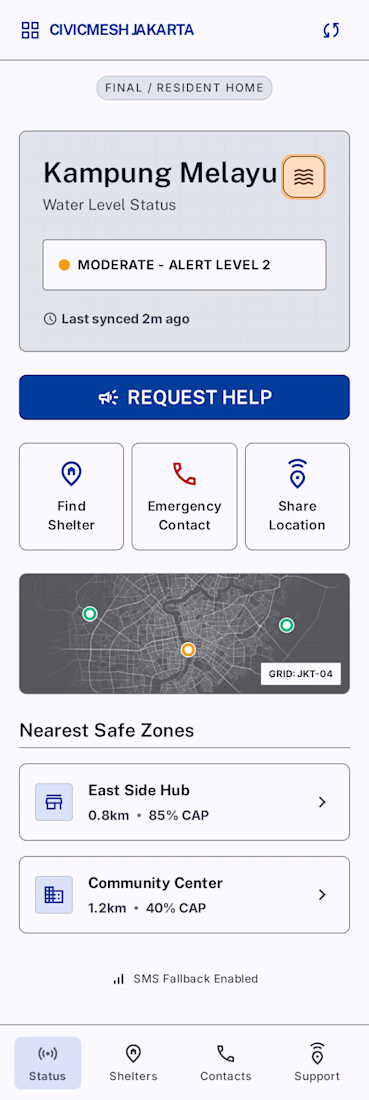
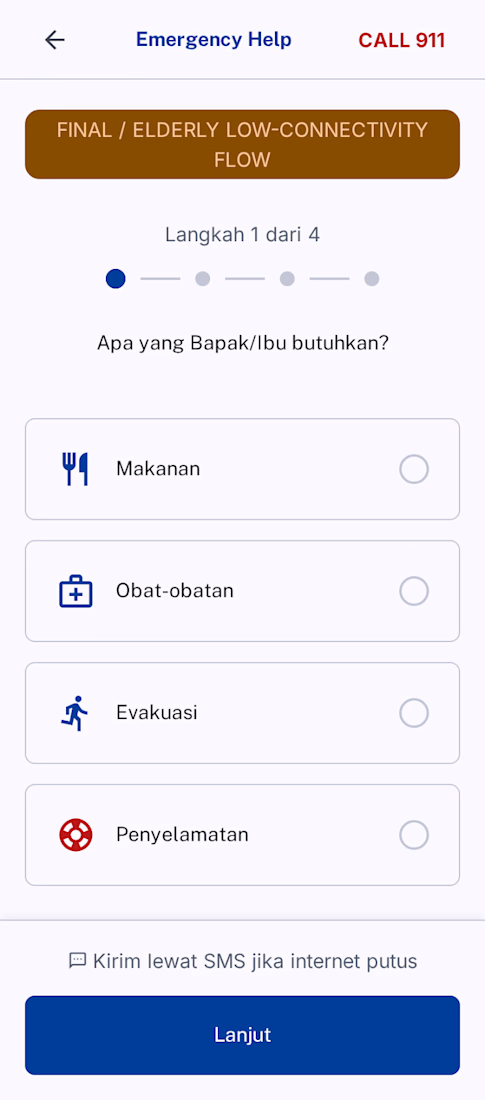

Looking at the final design after Stitch’s own iteration loop: amazed, amazed, amazed ✨

Nice One..Best of Luck for the challenge!

Wow, Elisabeth, using MCP to hook Stitch up with Codex and running a full-scale, context-driven critique loop in 22 minutes is brilliant design engineering!
Amazing work! I also just submitted my project for the challenge, STALL, a Swipe-to-Shop App designed to transform the...

on.contra.com
Swipe-to-Shop App Transforming Farmers Market Experience
Connect with next-gen talent and tools to get work underway. Hire more independents. Start more projects. Get more creative.
The network for creativity
Join 1.25M professional creatives like you
Connect with clients, get discovered, and run your business 100% commission-free
Creatives on Contra have earned over $150M and we are just getting started

Challenges
View all


Related posts


🎴 TASTY TEST 06/30: Which travel discovery experience would you choose?
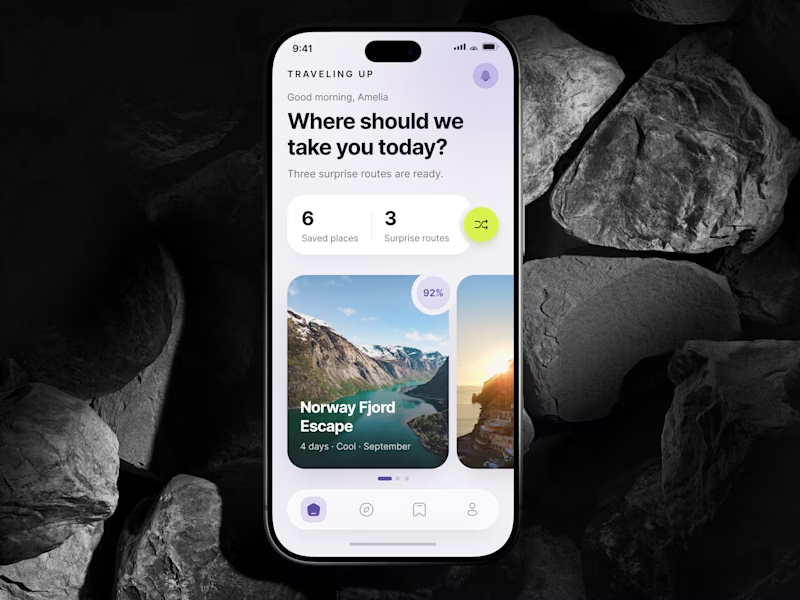
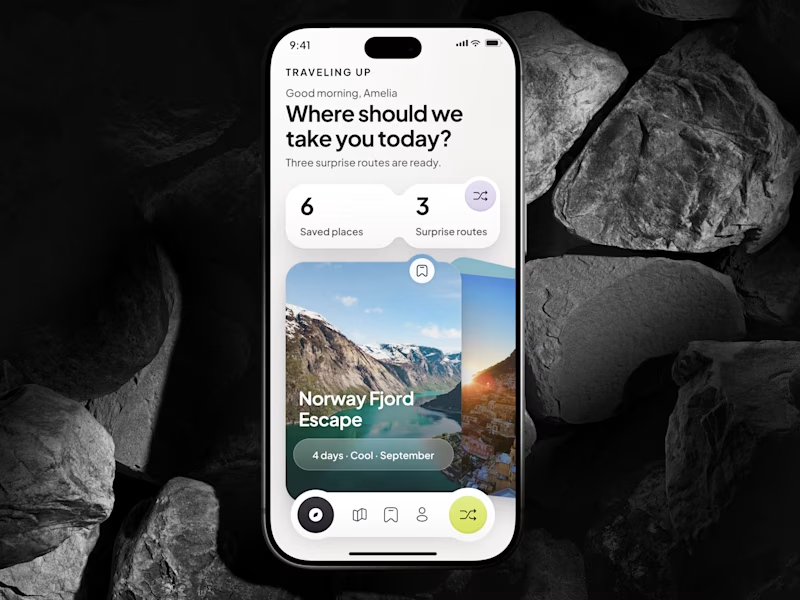
Traveling Up is probably my first mobile concept outside client work in almost three years. It was inspired by a trip where not knowing the destination was part of the fun.
Same app. Same destination. Two ways to discover it.
🤍 A Clean Carousel
Calmer, lighter, more familiar.
💚 B Immersive Deck
Bigger imagery, stronger overlap, more tactile navigation.
Which one makes you want to swipe and see where the app takes you next?
A or B? 👇
#MobileAppDesign #TravelApp #MobileUX #UIDesign #ProductDesign #AsolDesign
23 voted
49%
24 voted
51%
47 votes
Closed


day 3 of building sunroom ☀️
trying a menu bar version today. click the sun, see what time it is for everyone, scrub through the day to find a good moment to talk.


Wow