The network for creativity
Join 1.25M professional creatives like you
Connect with clients, get discovered, and run your business 100% commission-free
Creatives on Contra have earned over $150M and we are just getting started
Back to feedPost

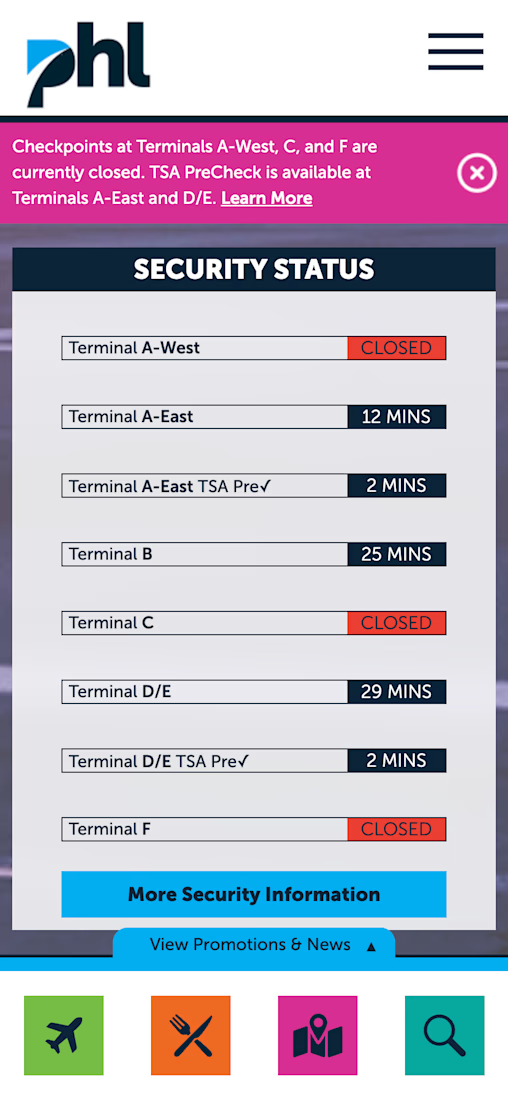
I was catching a flight at PHL last week and almost missed a critical alert.
The notification banner is pink. I ignored it — pink doesn't say "warning" to me.
Then I looked at the security status board. Too much spacing between rows, hard to scan fast when you're rushing to the airport.
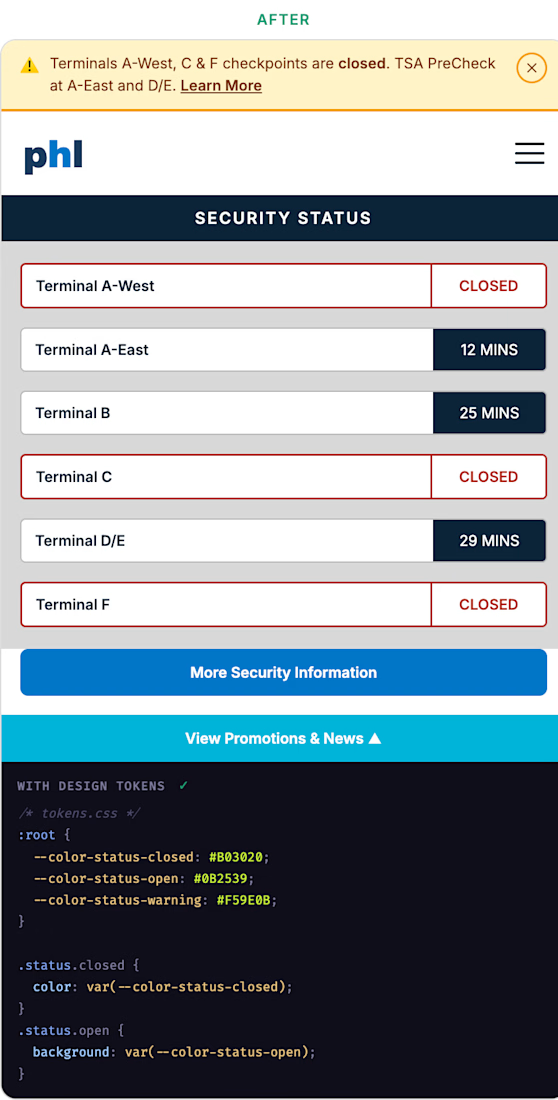
2 UI problems I noticed — and here's how I'd fix them.
The banner → warning yellow with a ⚠️ icon. Universal. Impossible to ignore.
The status rows → tighter spacing, closed terminals get a red outline so they stand out immediately from open ones.
I would use these custom tokens to keep things consistent across both components:
`--color-status-closed` · `--color-status-warning` · `--color-status-open`
Small decisions. Big difference.
The network for creativity
Join 1.25M professional creatives like you
Connect with clients, get discovered, and run your business 100% commission-free
Creatives on Contra have earned over $150M and we are just getting started







Related posts

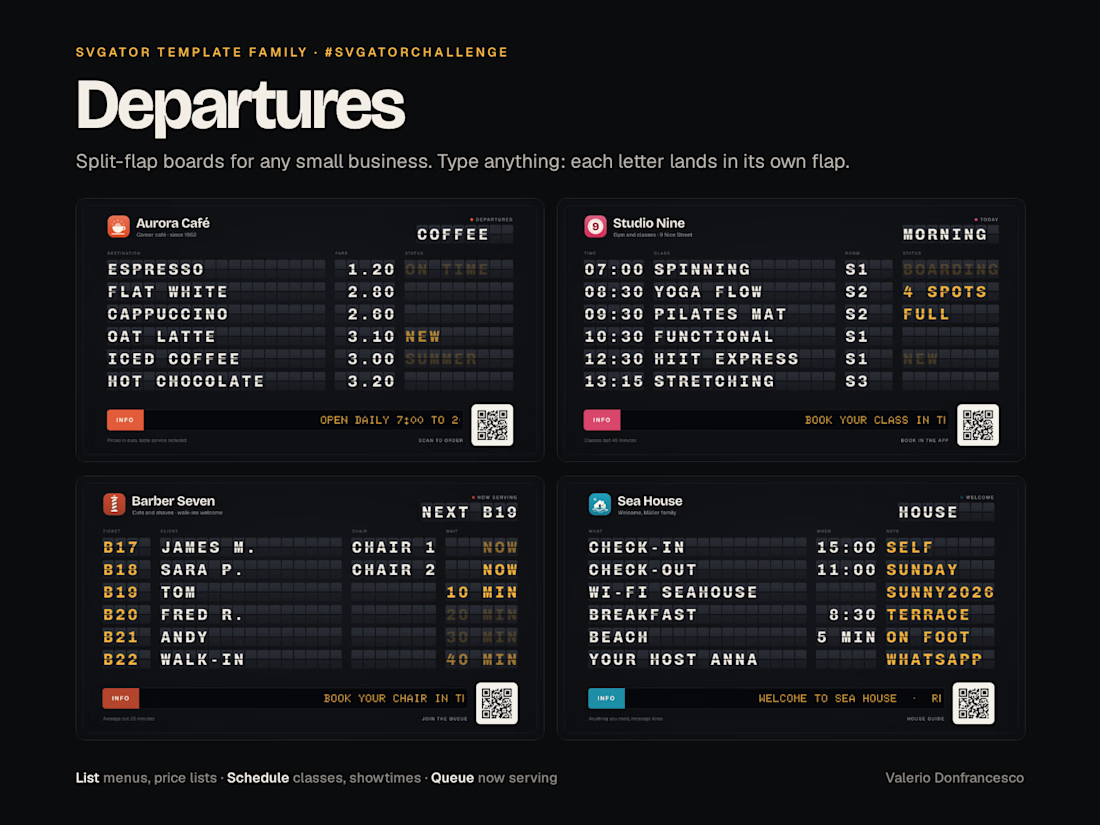
Departures: split-flap boards for any small business
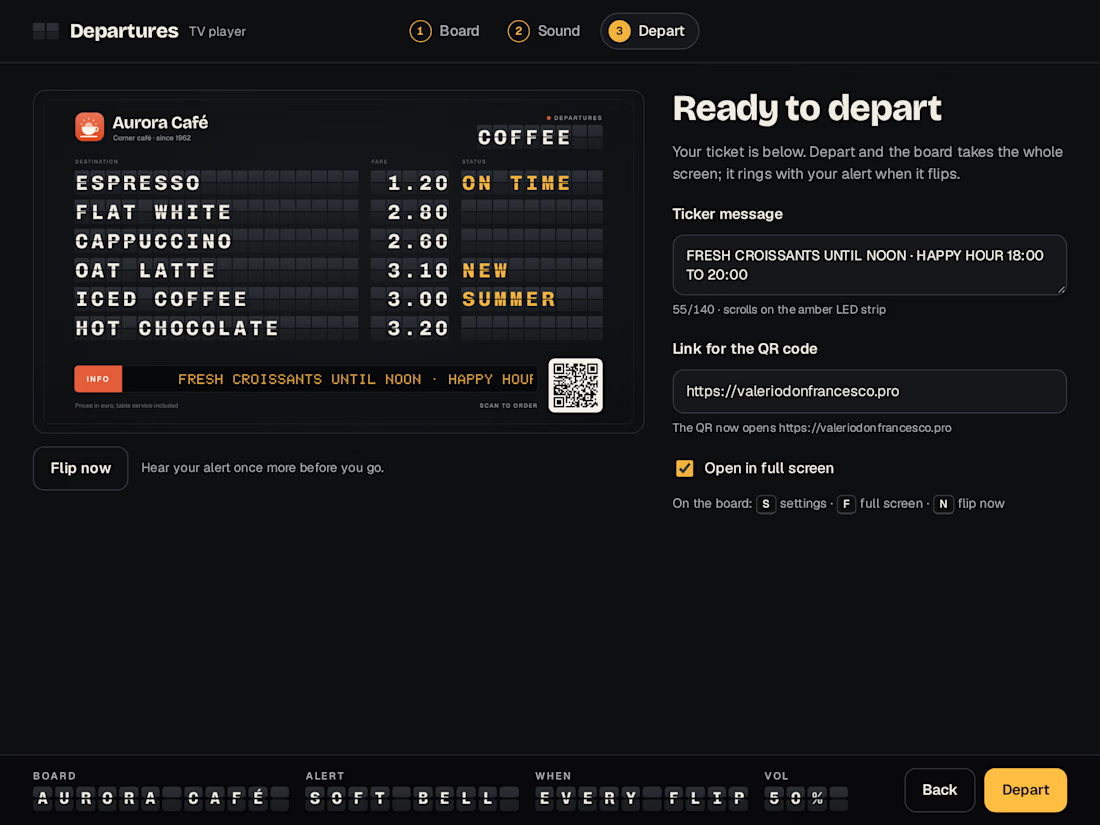
Departures is a family of split-flap boards for the screen of any small business: price lists for bars, cafés and shops, schedules for gyms and cinemas, queue boards for barbers and pharmacies, and a welcome board for holiday rentals. Every row is live text in a monospaced font whose letter spacing matches the flap grid, so whatever you type, each letter lands in its own flap, and two pages flip into each other every 12 seconds. Best for menu boards, class and showtime screens, now-serving displays and guest TVs, edited in SVGator or by chat through the SVGator MCP.
Departures turns the TV behind the counter into an Italian station board. Rows of flaps turn through the letters, an amber dot-matrix ticker scrolls the news of the day, a live dot breathes next to the board title, and every 12 seconds the board flips to its second page.
Three templates, one mechanic:
- List board (name · price · status): bar menu, cocktail list, greengrocer price list, holiday-rental welcome screen.
- Schedule board (time · class or film · room · status): gym classes, cinema showtimes, event agendas.
- Queue board (ticket · client or service · desk · wait): barbers, pharmacies, delis. Here the flip is the queue moving on.
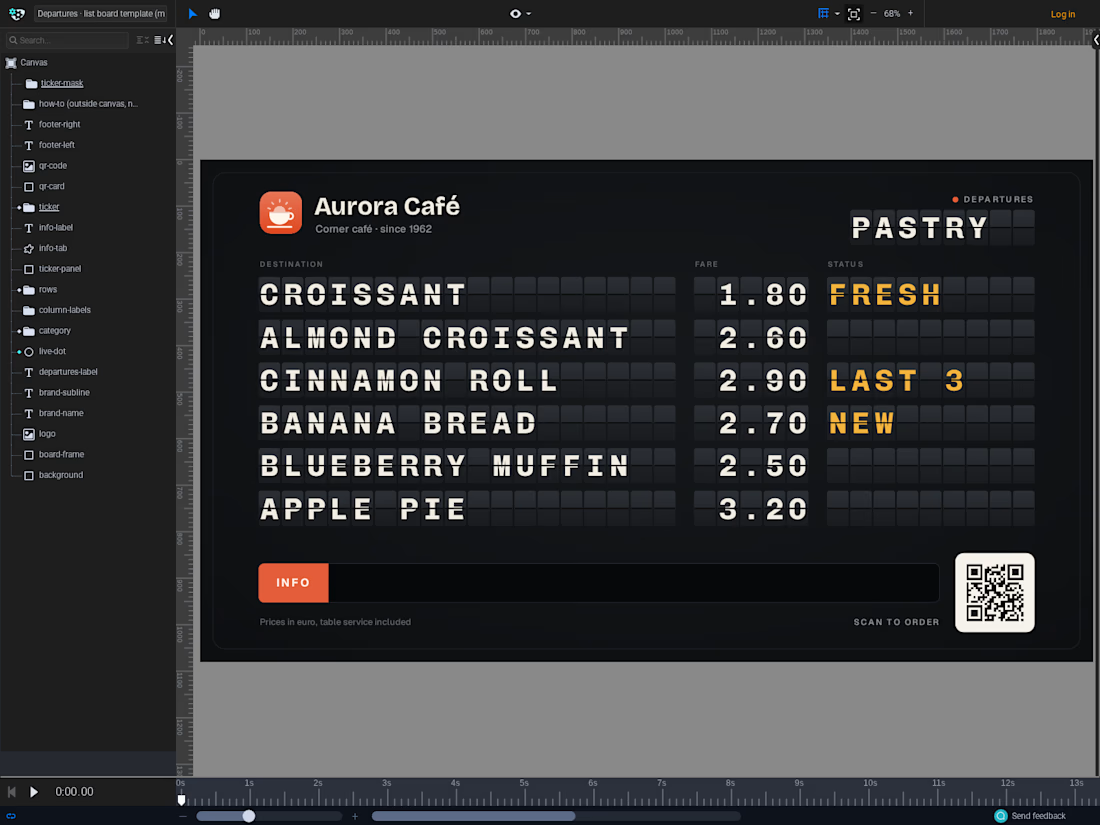
Why it is a template and not a one-off: each row is one live text layer per column, set in Chivo Mono (open source) with a letter spacing equal to the flap pitch. Type CAPPUCCINO, PILATES REFORM or A043 and every character falls into its own flap; right-aligned columns keep 1.20 and 10.00 lined up. The flap strips are locked layers, so people only touch what they need: the texts on page-a and page-b, the column labels, the board title, the ticker message (one text layer, up to 140 characters, it scrolls by itself), logo, qr-code and two brand-color layers (info-tab, live-dot). A "how to make it yours" note sits next to the canvas in the editor, outside the artboard, so it never shows up in exports.
The motion: when the board updates, a wave of flaps runs column by column and row by row (105 ms between rows). The flaps are half tiles that rotate on their hinge twice, and the text changes in the instant they cover it, so you see half letters mid-flip like on a real board. Then the statuses blink three times and the board settles.
Sound: SVGator exports carry no audio, so I built a small TV player for the boards. It listens to the board through the SVGator Player API and plays an alert each time it flips: a soft bell, a ding-dong, a chime, your own sound file or nothing, with a volume control and a choice between every update and the first one only. The same panel lets a shop owner retype the ticker message and point the QR code to their own link: the player swaps both on the board, no editor needed. Try it on any screen: https://valeriodon.github.io/departures-player/
Proof: the video opens on eight businesses flipping at once, then walks through a bar, a greengrocer, a gym, a cinema, a barber, a pharmacy and a holiday rental. Five of those eight boards were made from the three templates by a script that edits layers by name through the SVGator MCP (52 to 65 edits each, three to five minutes per board). The last scene is a chat message to the holiday-rental board, "New guests tomorrow: the Müller family. Check-out is Sunday at 11:00.", applied in 3 edits and visible at the next flip.
Best use of MCP: the templates were generated through the SVGator MCP (about 130 layers and 800 keyframes each, kept light so the editor stays fast), and because every text is a named layer, an assistant can keep a board up to date for someone who will never open an animation tool: sold-out items, today's prices, tonight's showtimes, the next guest's name, the line on the ticker.
All artwork is mine: the eight businesses, their logos and the QR placeholders are fictional and made for this template.
SVGator project (public, view only): https://app.svgator.com/editor#/2298b9724f0645a0a9cdab5ba6322226
TV player with alert sound, ticker and QR fields: https://valeriodon.github.io/departures-player/



Beautiful and mesmerizing! 🔮


Reviewing a feature in 2026:
Not this: a happy-path demo and a quick yes.
This: each state visible, side by side, with a decision on each.
Not this: comments on the whole screen.
This: comments tied to one state.
Not this: decisions in a meeting nobody remembers.
This: decisions in one log the team and its AI tools build from.
The first gets approved and shipped within a week. The second holds the team up and confuses the customer.


