The network for creativity
Join 1.25M professional creatives like you
Connect with clients, get discovered, and run your business 100% commission-free
Creatives on Contra have earned over $150M and we are just getting started
Back to feedPost

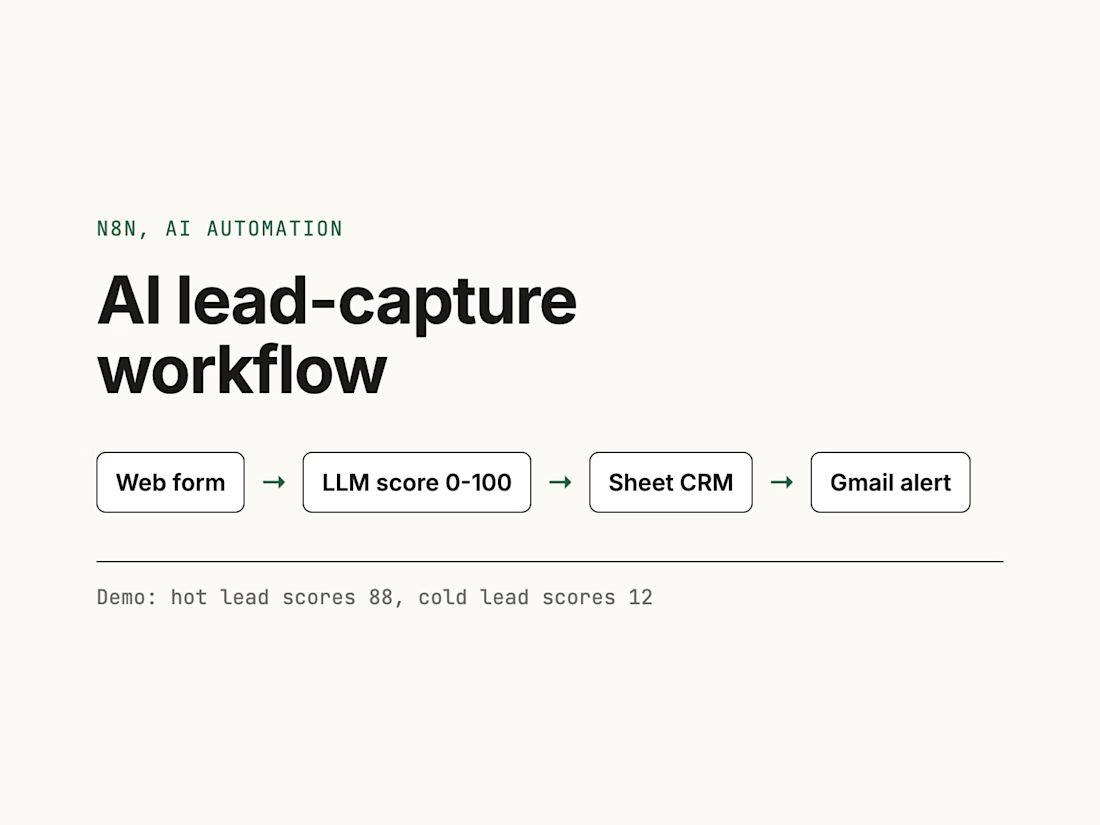
AI lead capture in n8n: a web form sends each lead to an LLM that scores it from 0 to 100 and drafts a reply, the lead is logged in a Google Sheet CRM, and hot leads trigger a Gmail alert. In the 2-minute demo a hot lead scores 88 and a cold one scores 12: https://youtu.be/SOm5txaL9L4


The network for creativity
Join 1.25M professional creatives like you
Connect with clients, get discovered, and run your business 100% commission-free
Creatives on Contra have earned over $150M and we are just getting started



Related posts

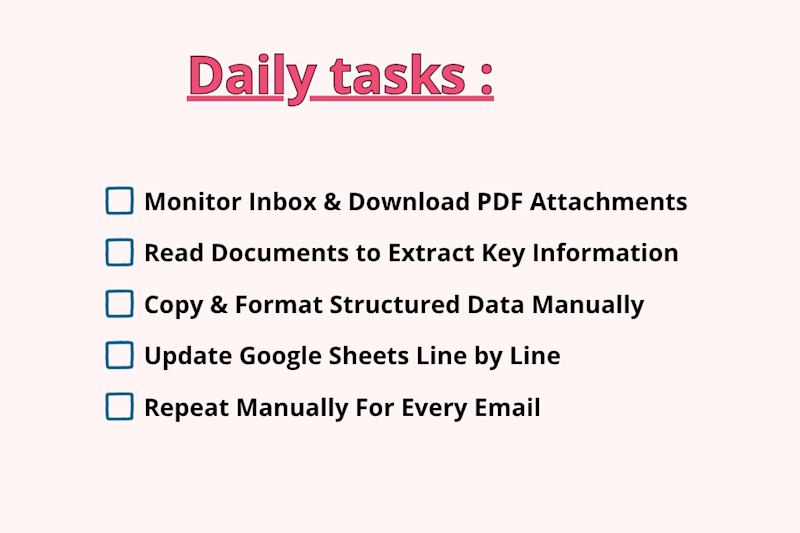
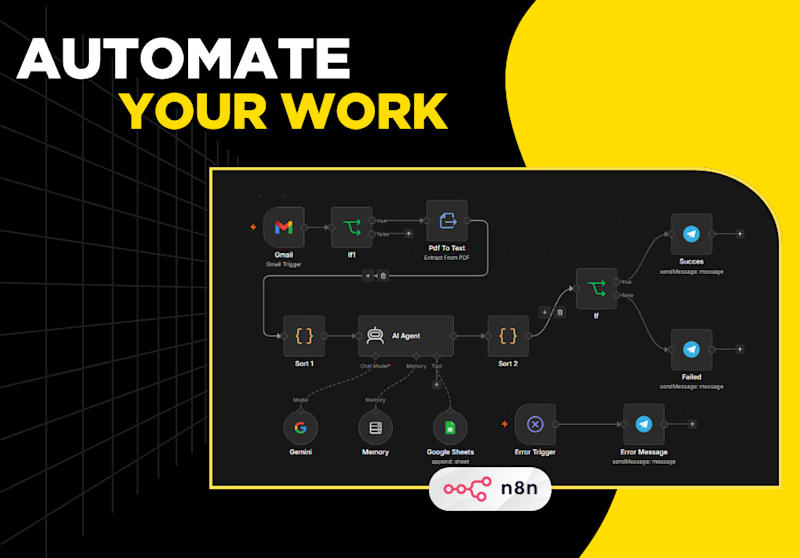
Processing incoming PDF attachments and logging key email data manually takes hours of tedious, repetitive work. Every time a new invoice, quote, or report lands in your inbox, you have to manually open the email, download the PDF, read through dense pages to extract important details, format the data, and log it into Google Sheets row by row.
Which one is faster, saves more time, and prevents mistakes?
1 voted
25%
3 voted
75%
4 votes
Closed

The manual-vs-automated framing is clear, but I'm curious how the workflow copes with PDFs that don't share a layout, like scanned invoices versus quotes. Do you parse them with a fixed template or an extraction step, and what happens to rows it can't read confidently?

For a local service business, the first reply often matters more than the best reply.
This is the speed-to-lead setup I build in GoHighLevel:
• Trigger: Form Submitted (or Facebook Lead Form Submitted)
• Create or update the opportunity in the New Lead stage
• Send an SMS with the calendar link straight away
• Internal notification to the owner, so a person can call too
• Appointment Status trigger moves the card to Booked
• When the job is Won, a review request goes out
The pipeline is what makes it useful. Every lead has a stage, so nobody asks "did anyone call them?". The board answers it.
One thing to sort before switching on SMS for US numbers: A2P 10DLC registration, or the messages may not be delivered.
How fast does a new lead hear back from your business today?
🎬 A new website build every day. Follow @sellwrightstudio so you catch the next one.
Follow for more videos: instagram.com/sellwrightstudio · youtube.com/@sellwrightstudio
Moving the card to Booked off the Appointment Status trigger is a nice touch. What happens when the same person submits the form twice, does the opportunity get updated or do you end up with a duplicate in New Lead?

Resolve: an AI support agent that answers from a company’s own policies, looks up orders, and escalates weak matches to a human instead of guessing. A human approves replies before they go out.
Live demo: support-resolver.vercel.app


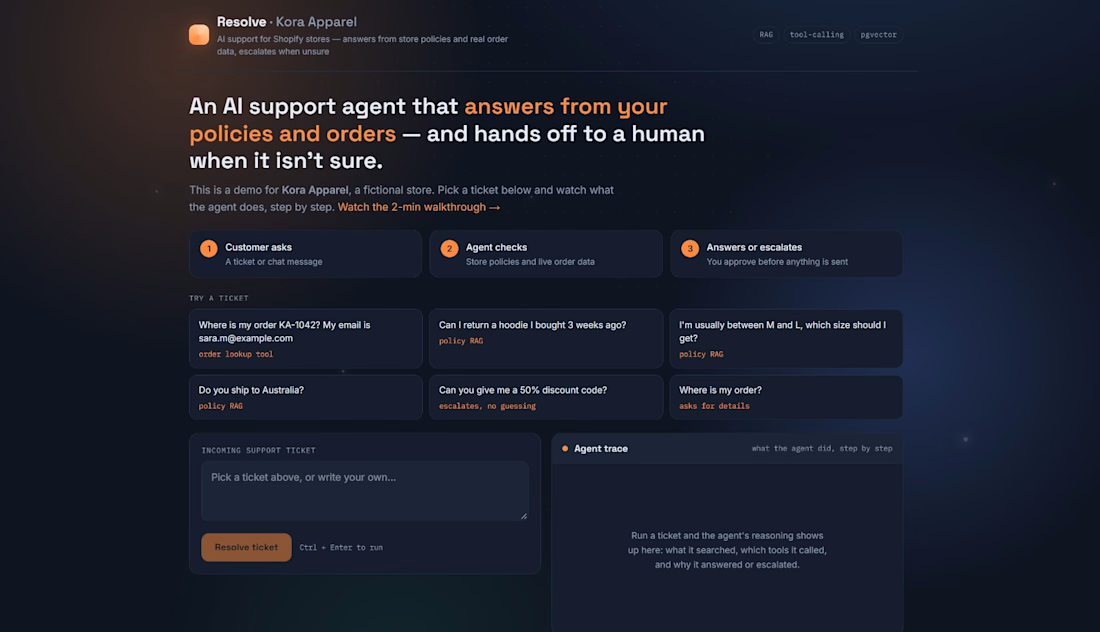

For the human approval step, I'd show the exact policy passage and its effective date beside the draft. Does Resolve flag a reply for re-review if the policy changes while it waits for approval?