The network for creativity
Join 1.25M professional creatives like you
Connect with clients, get discovered, and run your business 100% commission-free
Creatives on Contra have earned over $150M and we are just getting started
Back to feedPost

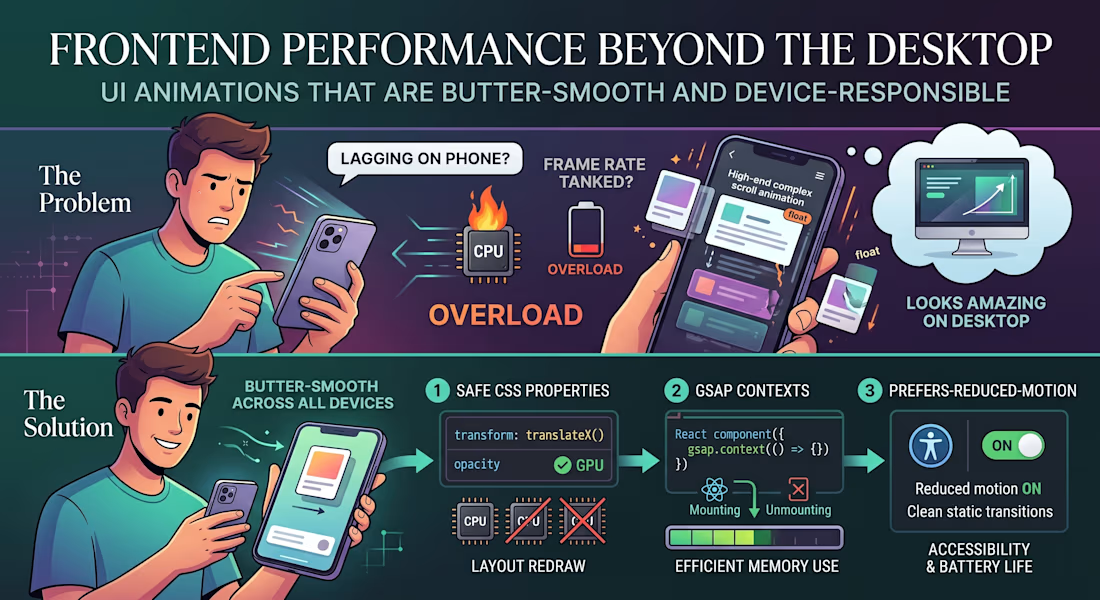
"The animations look amazing, but why is the page lagging on my phone?"
The Problem:
We’ve all seen modern websites loaded with high-end scroll effects, smooth micro-interactions, and floating cards. On a powerful developer desktop, it looks stunning. But hand it over to a user on a mid-range mobile device or a battery-saving laptop, and the frame rate tanks.
The issue is that heavy animations are often tied directly to the browser’s main rendering thread. When your visual effects start competing with data fetching and DOM updates, the entire user experience grinds to a halt.
The Solution:
Smooth animations shouldn't cost you user performance. If you want high-end motion that stays butter-smooth across all devices, here is the 3-step technical approach to use:
Animate Only the "Safe" CSS Properties:
Never animate properties that trigger a layout redraw (like width, height, top, or margin). Stick strictly to transform (for moving/scaling) and opacity. These are handled directly by the GPU, bypassing the heavy CPU rendering pipeline.
Isolate with GSAP Contexts:
If you are building dynamic user interfaces in React or Next.js, use a dedicated animation library like GSAP paired with useGSAP() or explicit context cleanup. Unmounted components with leftover scroll triggers will quietly eat up device memory in the background.
Respect prefers-reduced-motion:
Always add a media query check for reduced motion. If a user has motion sensitivity or low-power mode enabled on their operating system, serve them clean, static transitions instead of complex scroll triggers. It’s better for accessibility and saves battery life.
Visual polish should enhance the user experience, not break it.
What’s your go-to strategy for balancing heavy UI animations with real-world website performance? Let’s chat in the comments! 👇
webdevelopmentfrontenddevelopementReactMobile DesignSearch Engine OptimizationWeb DevelopmentNext.jsPHP


The network for creativity
Join 1.25M professional creatives like you
Connect with clients, get discovered, and run your business 100% commission-free
Creatives on Contra have earned over $150M and we are just getting started
Related posts


I felt something was off with my own website.
Too plain. Not how I envisioned the brand.
So I added more creative touches and built a real story into it. Now everything makes sense.
It finally feels like Outredge 🚀
https://outredge.com/


That big bold wordmark with the corner brackets gives it so much more character. "A marketing site as good as your product" is a strong line too, says exactly what you do.


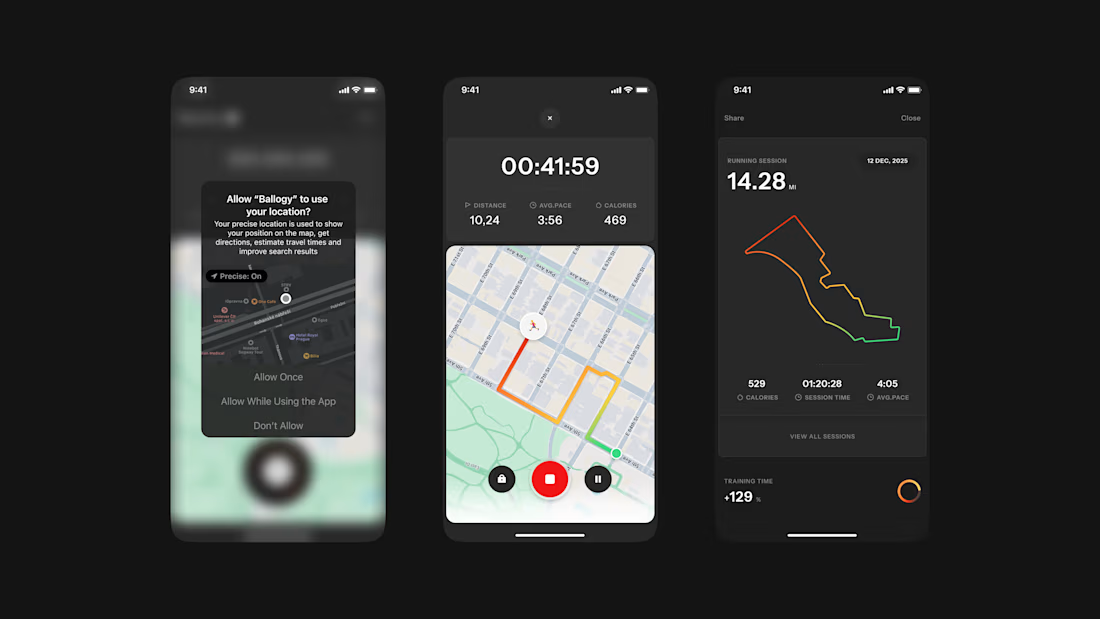
Ballogy app screens pt.2: live workout tracking, from location setup to the route map and session stats.


Looped animation made in @LottieFiles Creator playing with depth bold/simple shapes and text. 🪐
📂 Play with the original work here!

The blue was powerful