
Md Mamun Hossain
Full-Stack Developer | WordPress, MERN & SEO



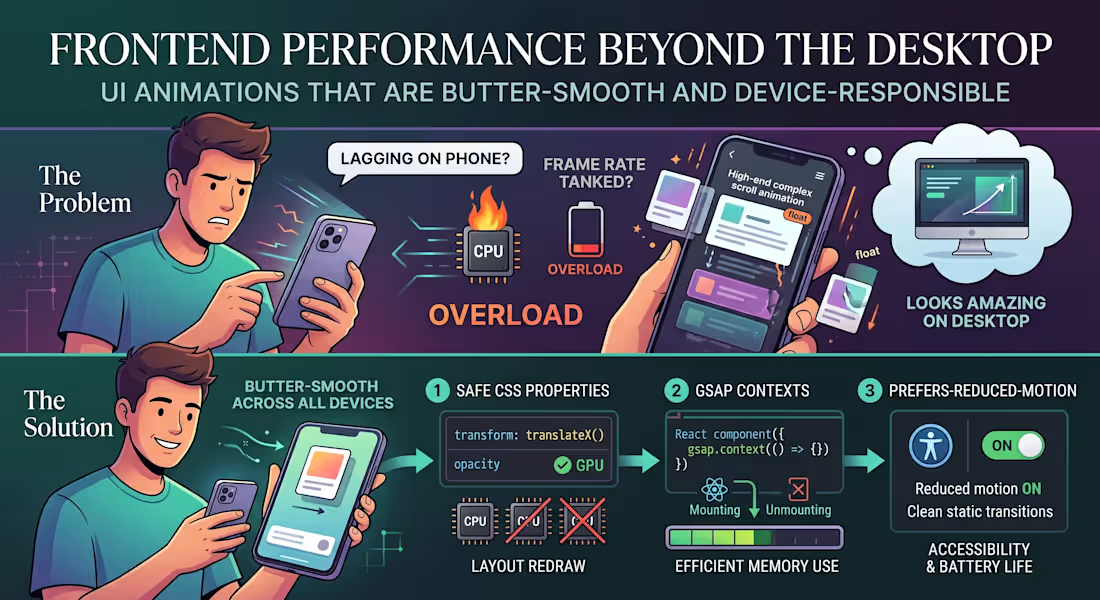
"The animations look amazing, but why is the page lagging on my phone?"
The Problem:
We’ve all seen modern websites loaded with high-end scroll effects, smooth micro-interactions, and floating cards. On a powerful developer desktop, it looks stunning. But hand it over to a user on a mid-range mobile device or a battery-saving laptop, and the frame rate tanks.
The issue is that heavy animations are often tied directly to the browser’s main rendering thread. When your visual effects start competing with data fetching and DOM updates, the entire user experience grinds to a halt.
The Solution:
Smooth animations shouldn't cost you user performance. If you want high-end motion that stays butter-smooth across all devices, here is the 3-step technical approach to use:
Animate Only the "Safe" CSS Properties:
Never animate properties that trigger a layout redraw (like width, height, top, or margin). Stick strictly to transform (for moving/scaling) and opacity. These are handled directly by the GPU, bypassing the heavy CPU rendering pipeline.
Isolate with GSAP Contexts:
If you are building dynamic user interfaces in React or Next.js, use a dedicated animation library like GSAP paired with useGSAP() or explicit context cleanup. Unmounted components with leftover scroll triggers will quietly eat up device memory in the background.
Respect prefers-reduced-motion:
Always add a media query check for reduced motion. If a user has motion sensitivity or low-power mode enabled on their operating system, serve them clean, static transitions instead of complex scroll triggers. It’s better for accessibility and saves battery life.
Visual polish should enhance the user experience, not break it.
What’s your go-to strategy for balancing heavy UI animations with real-world website performance? Let’s chat in the comments! 👇
2
2
153

The Ultrasound Source
I developed and managed the digital platform for The Ultrasound Source, a premier provider of new and refurbished ultrasound systems. The primary objective was to build a professional, trust-driven interface that caters specifically to hospitals, private clinics, and healthcare practitioners. The website features a complex product catalog that organizes equipment by brand and application, allowing users to easily filter between portable and console units from major manufacturers like GE, Philips, and Mindray.
1
221
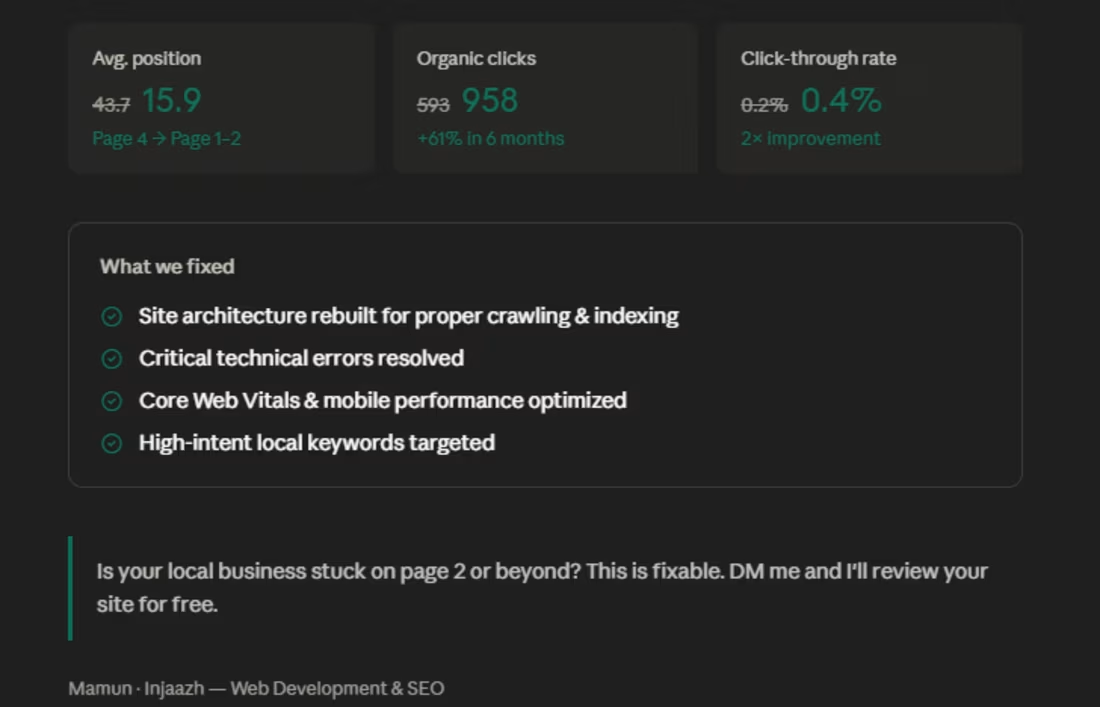
6 months ago, a contractor flooring supplier in Augusta came to me, stuck on page 4 of Google.
Average position: 43.7
Monthly clicks: 593
Visibility: almost zero for the keywords that actually bring in customers.
Here's what we fixed:
— Rebuilt the site architecture so Google could properly crawl and index every page
— Resolved critical technical errors that were silently killing rankings
— Optimized for high-intent local keywords like "contractor flooring supplier Augusta" and "flooring pros Augusta"
— Improved Core Web Vitals and mobile performance
— Structured content around the questions real customers search before buying
The result after 6 months:
Average position moved from 43.7 → 15.9
Organic clicks grew from 593 → 958
CTR doubled from 0.2% → 0.4%
The site now ranks on page 1–2 for keywords that bring in actual buyers.
No paid ads. No shortcuts. Just technical execution and the right strategy.
If you run a local business in the USA and your website is sitting on page 2, 3, or beyond — this is fixable.
DM me or drop a comment. I'll take a look at your site and tell you exactly what's holding it back.
0
180
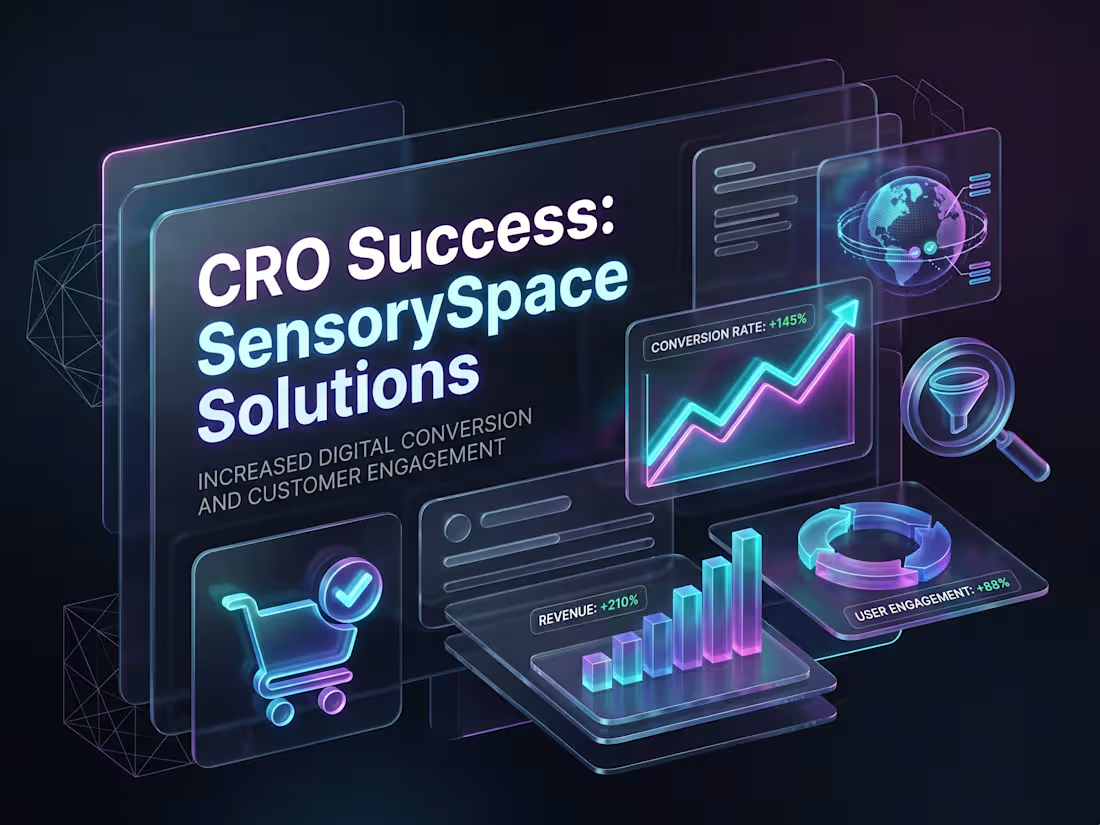
Shopify Conversion Rate Optimization (CRO) for SensorySpace Solutions
Project Overview
SensorySpace Solutions is a specialized e-commerce store dedicated to selling a variety of sensory products. While the website was generating consistent traffic, the sales and overall conversion rates were falling short of expectations. Operating as a solo freelancer, my primary responsibility was to conduct a comprehensive CRO audit and develop a data-driven framework and presentation to boost their conversions.
The Challenge
Upon analyzing the store, several key bottlenecks were identified:
1. Navigation Friction: The user experience (UX) and menu navigation were somewhat complex, making it difficult for potential customers to find their desired products quickly.
2. Insufficient Product Information: The product pages lacked compelling descriptions, high-quality visual hierarchy, and adequate social proof (customer reviews) to drive purchasing decisions.
3. Checkout Drop-offs: The process after adding items to the cart was too lengthy, resulting in a significantly high cart abandonment rate.
The Solution & Execution
To address these issues, I implemented a step-by-step strategic audit and optimization plan:
1. In-Depth CRO Audit: I conducted a deep dive into user behavior and website analytics to create a comprehensive CRO audit report identifying exact drop-off points.
2. UX/UI Optimization Recommendations: I proposed specific changes to modernize the product pages and make them more user-friendly. This included improving visual hierarchy, ensuring Call-to-Action (CTA) buttons were highly visible, and refining product descriptions.
3. Integrating Trust Factors: To build consumer confidence, I recommended the strategic placement of trust badges, secure payment icons, and highlighted customer reviews throughout the buyer's journey.
4. Strategic Presentation: I designed a professional presentation for the client that clearly outlined the audit findings, identified the core problems, and provided direct, actionable solutions.
The Result
By implementing the recommended framework and optimizations, the store saw several positive shifts:
- A noticeable decrease in the website's bounce rate.
- A increase in average session duration as users engaged more deeply with the optimized product pages.
- A reduction in checkout drop-offs, which directly contributed to an improved overall conversion rate and increased sales.
#ShopifyCRO #EcommerceGrowth #ConversionOptimization #UXDesign
0
218