The network for creativity
Join 1.25M professional creatives like you
Connect with clients, get discovered, and run your business 100% commission-free
Creatives on Contra have earned over $150M and we are just getting started
Back to feedPost

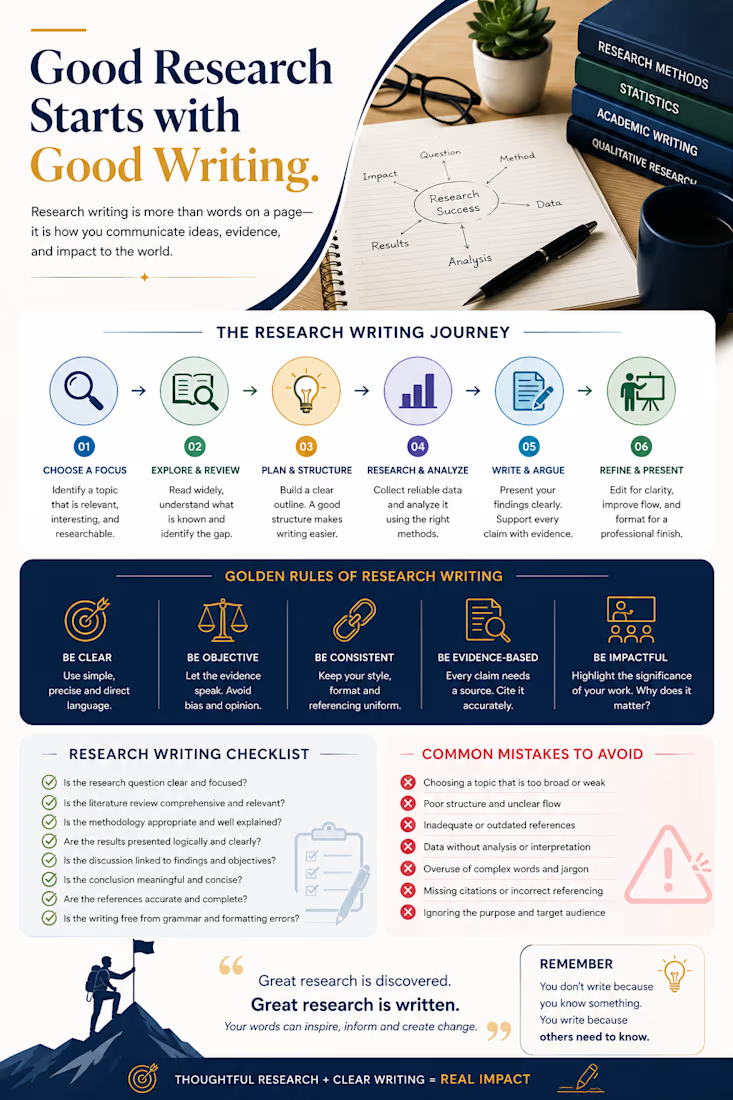
Good Research Starts with Good Writing.
Research is not just about collecting information—it is about building a clear argument, supporting it with evidence, and communicating meaningful insights.
A strong research paper should move logically from:
Question → Literature → Methodology → Analysis → Findings → Discussion → Impact
Before submitting, ask yourself:
Is the research question clear and focused?
Does the literature review establish a meaningful research gap?
Is the methodology appropriate and clearly explained?
Are findings presented logically?
Does the discussion explain why the findings matter?
Are claims supported by reliable evidence?
Is the writing clear, concise, and consistent?
The key insight:
Good research produces knowledge. Good research writing makes that knowledge understood.
Whether you're developing a proposal, writing a research paper, analyzing data, or preparing a thesis/dissertation, clarity is what turns research into impact.
#AcademicWriting #ResearchWriting #AcademicResearch #ResearchTips #LiteratureReview #ResearchMethodology #DataAnalysis
The network for creativity
Join 1.25M professional creatives like you
Connect with clients, get discovered, and run your business 100% commission-free
Creatives on Contra have earned over $150M and we are just getting started
Related posts

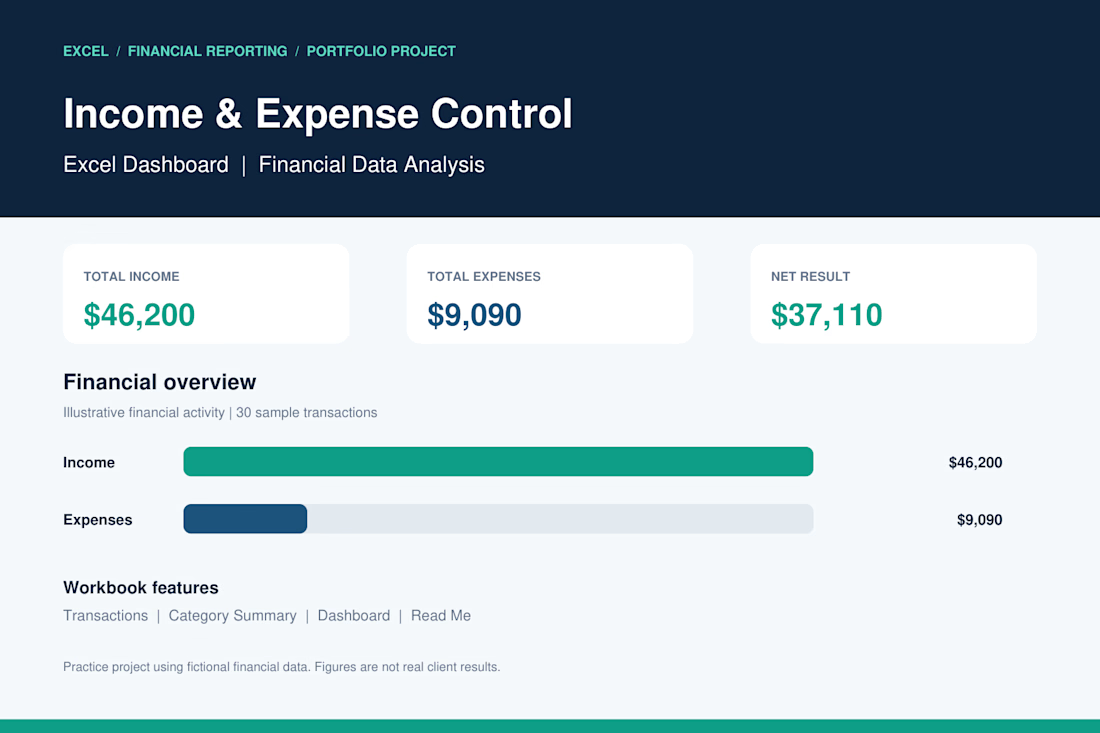
Income & Expense Control | Excel Dashboard
I developed a professional Excel dashboard as a portfolio practice project to demonstrate my skills in financial data management, income and expense tracking, and business reporting.
Project Features:
Automated income and expense calculations.
Financial dashboard with key performance indicators (KPIs).
Transaction tracking and organization.
Expense analysis by category.
Financial charts and visual reporting.
Net income calculation.
Project Results (Sample Data):
Total Income: $46,200
Total Expenses: $9,090
Net Result: $37,110
Tools: Microsoft Excel
Skills: Data Analysis, Accounting, Financial Reporting, Data Entry.
This project demonstrates my ability to organize financial records, analyze business performance, and create clear financial reports using Microsoft Excel.
Note: This is a portfolio demonstration using fictional financial data.


Great work 👏🏻

This interactive dashboard provides a comprehensive view of profit performance across multiple dimensions—time, segments, regions, categories, and sub‑categories.
This dashboard transforms raw business data into actionable insights by allowing stakeholders to quickly identify profitable areas, spot regional trends, and evaluate category performance. It’s designed for clarity, interactivity, and decision‑making support.

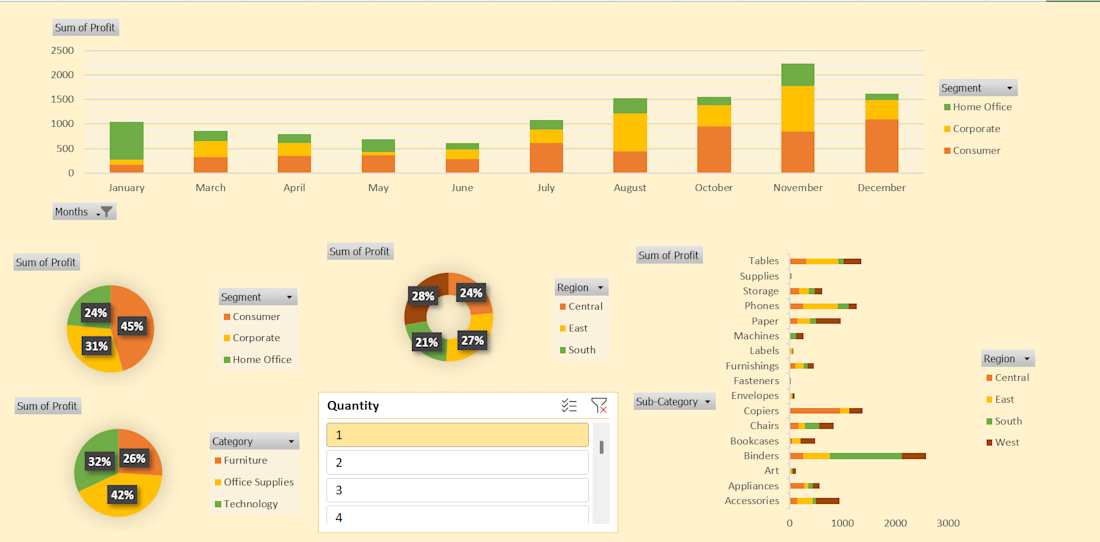
#This is an excellent Profit Dashboard which is made in MS Excel with multiple creative functions help in understanding Monthly , Yearly , Area wise Profits.

I specialize in data analysis using Microsoft Excel and Power BI to transform raw data into meaningful insights. I can help you organize data, calculate outstanding dues, create instructor-wise summaries, and develop clear reports and dashboards for better decision-making. I am committed to delivering accurate, professional, and easy-to-understand results that help businesses make data-driven decisions.