The network for creativity
Join 1.25M professional creatives like you
Connect with clients, get discovered, and run your business 100% commission-free
Creatives on Contra have earned over $150M and we are just getting started
Back to feedPost

🚀 From Zero to SEO Traction in 28 Days
What happens when branding, development, SEO, GEO, and paid ads work together instead of separately?
Our astrology SaaS focused on birth charts reached 8,000 Google impressions and 206 clicks in its first 28 days.
The strategy: build the product and growth engine together from day one.
We're exploring how SEO, AI search, and targeted advertising can work together to grow a digital product.
What's your biggest challenge when launching a SaaS from zero?

Good breakdown. How long before the organic leads were actually qualified, not just traffic? That gap is usually where founders give up on SEO.
The network for creativity
Join 1.25M professional creatives like you
Connect with clients, get discovered, and run your business 100% commission-free
Creatives on Contra have earned over $150M and we are just getting started

Challenges
View all


Related posts

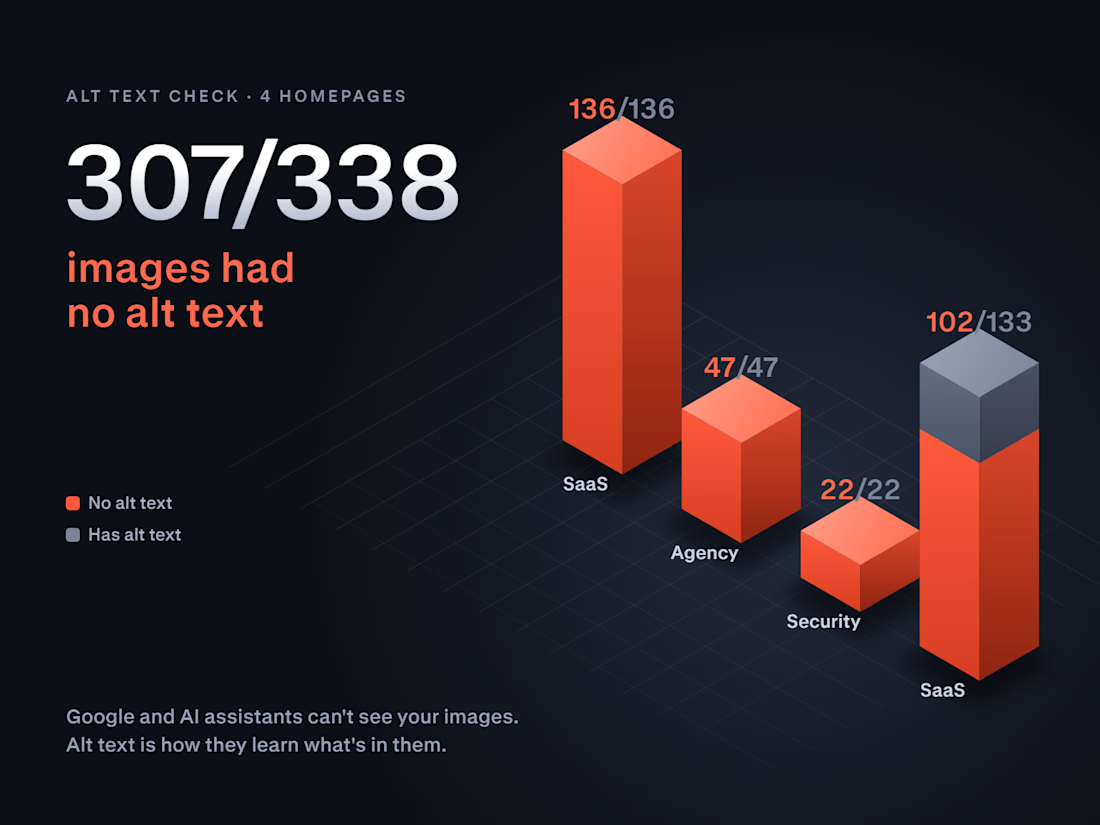
307 of 338 images had no alt text.
This weekend I checked 4 company homepages before applying to their projects: two SaaS products, a marketing agency and a security company. On three of them, not a single image had alt text. The fourth was missing it on 102 of 133.
Why it matters more now: Google and AI assistants like ChatGPT and Perplexity can't see your images. Alt text is how they learn what your product screenshots, team photos and diagrams show.
It's also one of the cheapest fixes there is. In Webflow you set alt text once per asset in the Assets panel, and every page that uses that image is covered.
Not sure how your site looks to Google and AI search? Drop your URL in the comments and I'll tell you the first thing I'd fix.


Great audit. One thing that makes the fix pay off for AI search too: give decorative images an empty alt (alt="") and describe only the meaningful ones by what they show, e.g. "invoice dashboard with overdue payments" rather than "dashboard screenshot". Alt text that names the...

Check the Live Sitemap Before Signing Off the Release
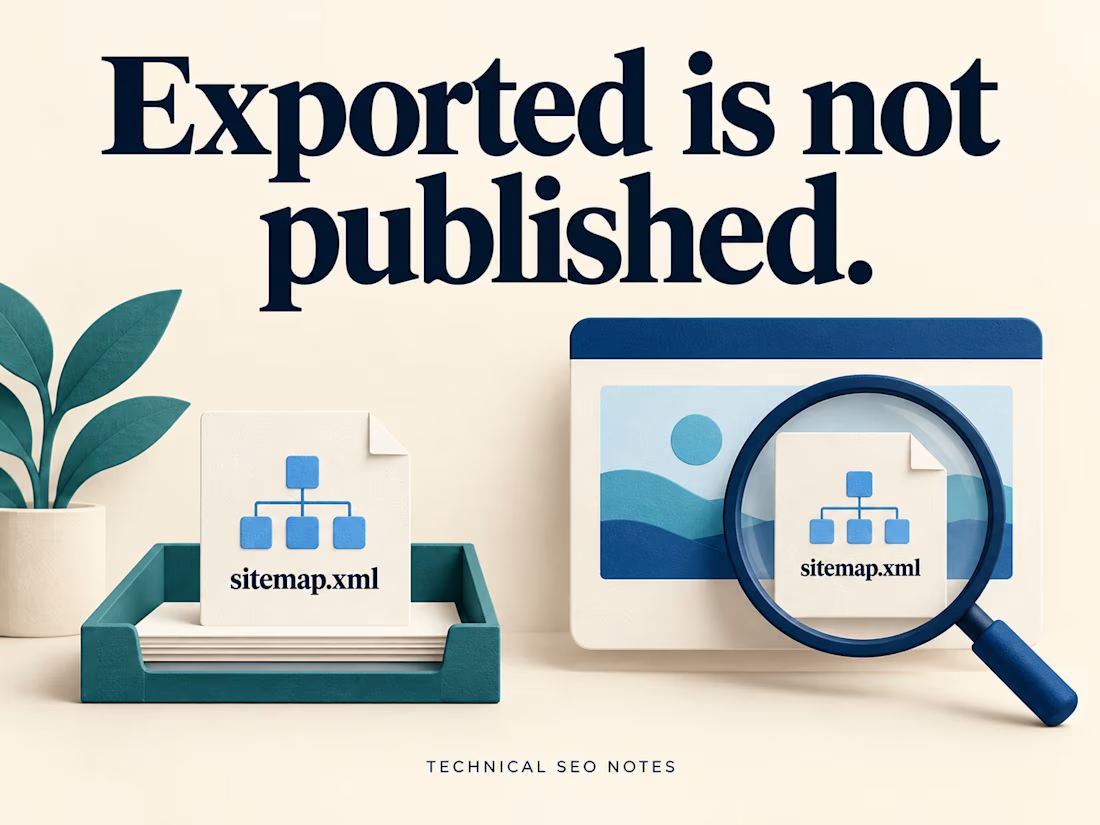
A sitemap can export correctly while the live website still serves an older URL list. The task needs a check at the public sitemap address after deployment.
That check should compare the published file with the pages the team agreed to include.
Imagine an export containing 200 URLs. The public sitemap also contains 200, but it still lists a retired service page and omits the new replacement. The totals match. The contents do not.
Before closing the task, check:
• The production sitemap address returns the expected XML.
• Its complete URL list matches the agreed inventory.
• Each intended page type is represented, including a newly published page.
• Deliberately excluded pages remain absent.
• Someone owns the process that keeps the file current.
Start with the sitemap already on the site. It may be an index pointing to several smaller files. Include those files in the comparison so a working index does not hide an outdated section underneath it.
Keep the inventory decision explicit: which service pages, locations, articles or products belong in this release? A crawler's export tells you what it discovered. Compare that list with the pages the site was supposed to publish.
Open a sample of the listed URLs as well. Check that they reach the intended production pages and use the preferred addresses. If the sitemap includes modification dates, those dates should reflect significant page updates; exporting the file again does not make every page newly updated.
For a site that publishes regularly, document how new pages enter the sitemap and how retired pages leave it. An automated generator still needs clear inclusion rules and a check when those rules change.
Keep the public address, inventory comparison and update owner in the release notes. Make the sitemap discoverable through Search Console or robots.txt, and check for retrieval or processing errors. Submission does not guarantee that every listed page will be crawled or indexed.
I put together the generation, export and publishing steps in the full guide on Technical SEO Notes:
https://technicalseonotes.org/how-to-generate-and-export-an-xml-sitemap/
Projects and client work: NikoCodes
https://nikocodes.com/
Solid checklist. I'd add lastmod: if every release stamps today's date on every URL, Google learns to ignore it. It should only change when the page content changes. Also worth confirming every sitemap URL returns a direct 200, not a redirect.

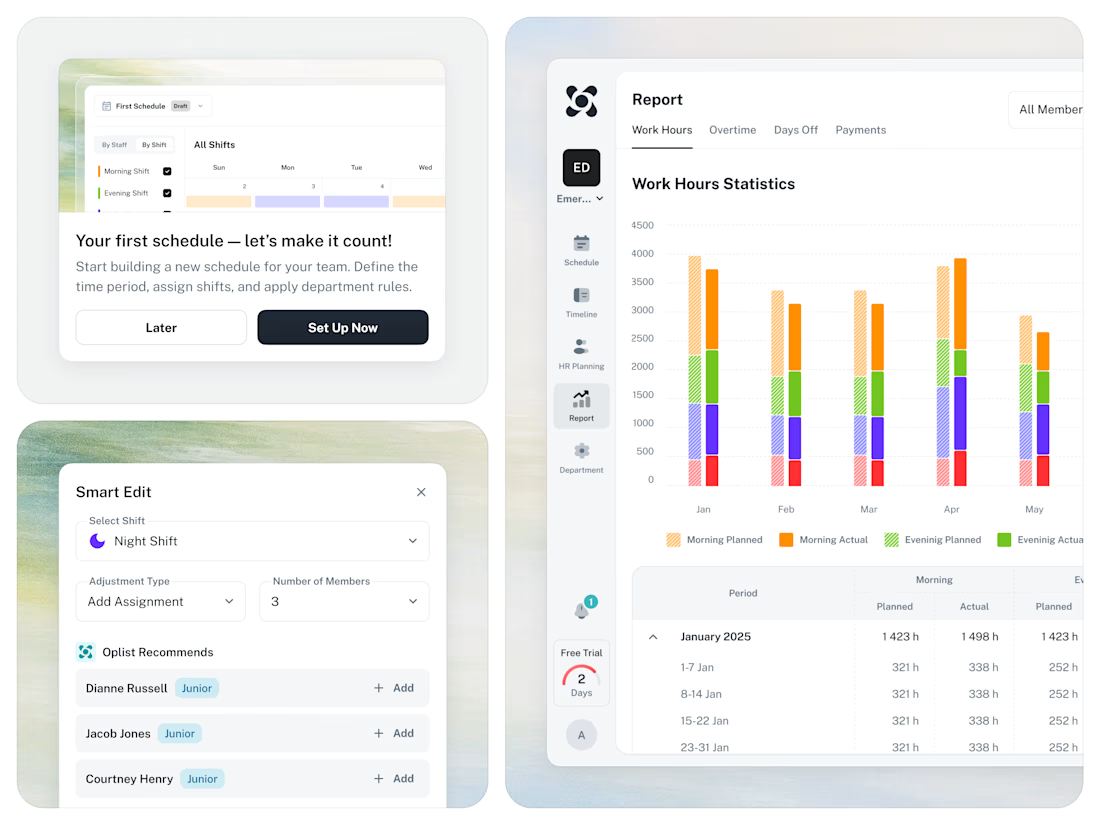
🚀 From Excel chaos to a clear SaaS workflow for staff scheduling.