The network for creativity
Join 1.25M professional creatives like you
Connect with clients, get discovered, and run your business 100% commission-free
Creatives on Contra have earned over $150M and we are just getting started
Back to feedPost

Gemini 3.6 Flash stands out as a vital strategic "brain" in an AI-native professional's workflow.
Having used Gemini 3.6 Flash across a few intense visual
experimentations and design workflow setups, this release feels like a genuine
step forward for real-world projects.
What stands out most in practice isn't just the speed, but
the clear accuracy and efficiency. When building complex, multi-step creative
setups, like keeping physical material textures, hardware details, and lighting
consistent across product libraries, the improved precision makes a huge
difference. You waste far fewer tries getting the model to understand subtle
prompt instructions.
In my process, Gemini 3.6 Flash acts as the vital strategic
"brain”, analyzing and breaking down complex prompts before handing them
over to image engines like Nano Banana to render. It handles structured,
repetitive tasks without losing context or getting overwhelmed by too many
details. This makes using it alongside manual post-processing (like Photoshop
color grading) feel like a smooth, reliable production pipeline.
My Suggestion on How to Manage Thread Noise & Workflow
Tools
In longer chat sessions, making too many back-and-forth
tweaks can cause "thread fatigue," where the AI starts losing track
of original details.
Consumer chat apps like the standard Google Gemini app often
worsen this by cutting out older messages behind the scenes to keep responses
fast.
My say is: when accuracy drops, the easiest fix is starting
a fresh chat with a strong base prompt, or moving to Google AI Studio to keep
your entire conversation history complete. Use the Gemini Consumer App for
quick ideas and rapid prototyping, but switch to Google AI Studio for complex
builds where you need strict prompt accuracy, deeper memory, and full control
over settings.
I’d love to hear how others in the community are finding it.
The network for creativity
Join 1.25M professional creatives like you
Connect with clients, get discovered, and run your business 100% commission-free
Creatives on Contra have earned over $150M and we are just getting started





Related posts


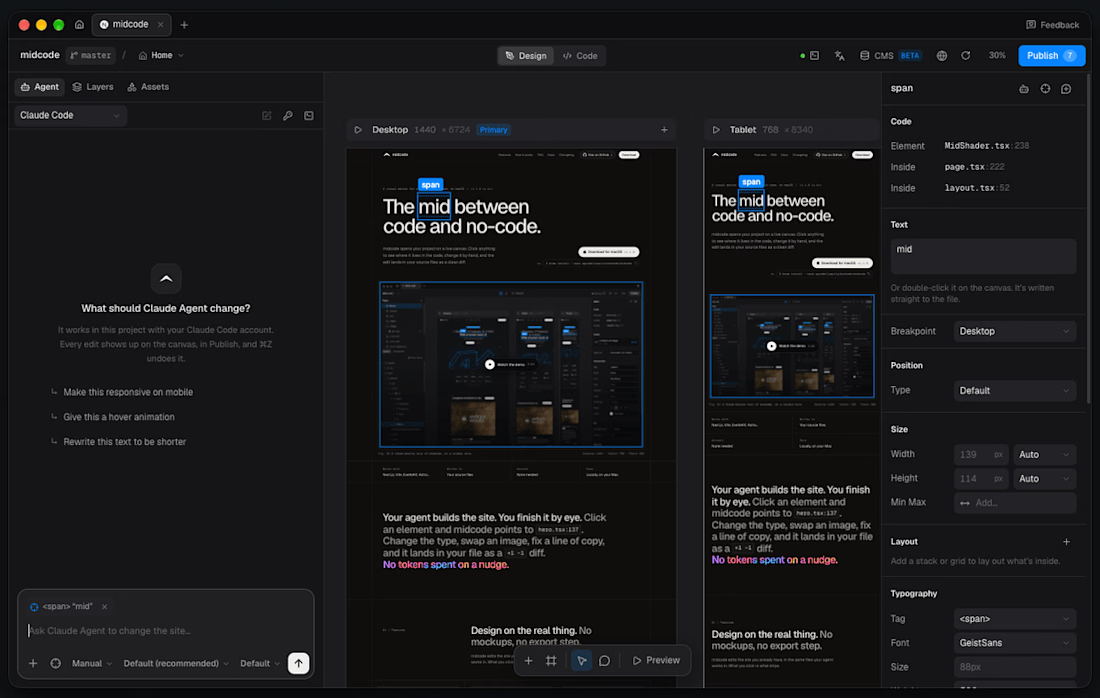
- massively improved the 'builder' part of the app.
-canvas is now functional and you can design directly there (outside of your breakpoints) wip
-your agent in a chat made for midcode
-components and pre-built sections
-much more

Building AI automation that actually saves time. ⚡
Lately I've been working with AI agents, n8n, Python, APIs and RAG to turn repetitive business tasks into automated workflows.
From lead qualification and document processing to AI assistants and notifications — the goal is simple:
Less manual work. More intelligent workflows. 🤖
Currently building and experimenting with new automation projects. 🚀
#AIAutomation #AIAgents #n8n #RAG #Python

Turning lead qualification into an AI driven flow really cuts the back and forth of data entry. Automating document parsing with RAG makes the handoff to downstream steps feel instant.

Hey frens, for years I could do much of the work around a new product:
Define the opportunity.
Clarify the audience.
Shape the positioning.
Map the customer journey.
Write the MVP brief.
Plan the launch.
But turning that thinking into a working product usually required another dependency: a developer, technical co-founder, agency budget, or a long wait.
That has changed.
AI-native building tools have become a practical technical execution partner in my work—effectively, an always-available CTO for the early stage of an idea.
Alongside my work as a Hands-On CMO, entrepreneur, and investor, I have added two new hats:
Web developer.
Software builder.
Not because AI replaces experienced engineers, product designers, security, or serious technical architecture.
But because it lets a commercially minded operator move from a clear business problem to a real, testable first version much faster.
A recent example is Viewly by Realto: a focused PropTech workflow designed to turn property interest into a structured viewing request.
The problem is familiar. Someone sees a property, asks for a viewing, and the process becomes a chain of calls, messages, email follow-ups, availability checks, delays, and sometimes a lost lead.
Viewly gives the prospect a clearer path: explore the property, choose a suitable time, submit details, and move toward a confirmed viewing—while the business receives a structured enquiry rather than another unorganised message.
The lesson is bigger than real estate.
The first entrepreneurial bottleneck is no longer always technical execution.
It is clarity:
• Who is the first user?
• What recurring problem do they have?
• What is the smallest useful outcome?
• What can we test before building too much?
The winners will not be the people who generate the most AI apps.
They will be the people who turn real friction into focused, usable products.
I wrote more about the shift from writing briefs to building the first version here:
#Entrepreneurship #AIBuilders #VibeCoding #ProductStrategy #MVP #PropTech #RealEstateTech #NoCode #AI #StartupBuilding

thenewentrepreneurship.substack.com
The New Entrepreneur Builds the First Version
From Property Enquiry to Confirmed Viewing: Building Viewly with AI

Excellent work