Edward Sseruyiga - Photo Editor | Contra
Work by Edward Sseruyiga
Sign Up
Post a job
Sign Up
Log In
Edward Sseruyiga
Photoshop Specialist | AI Workflows | Graphic Designer
Message
Follow
1x
Hired
5.00
Rating
4
Followers
Ideogram Partner
Ideogram Partner
Kampala, Uganda
Work
Posts
Reviews
Services
About
Kampala, Uganda
1
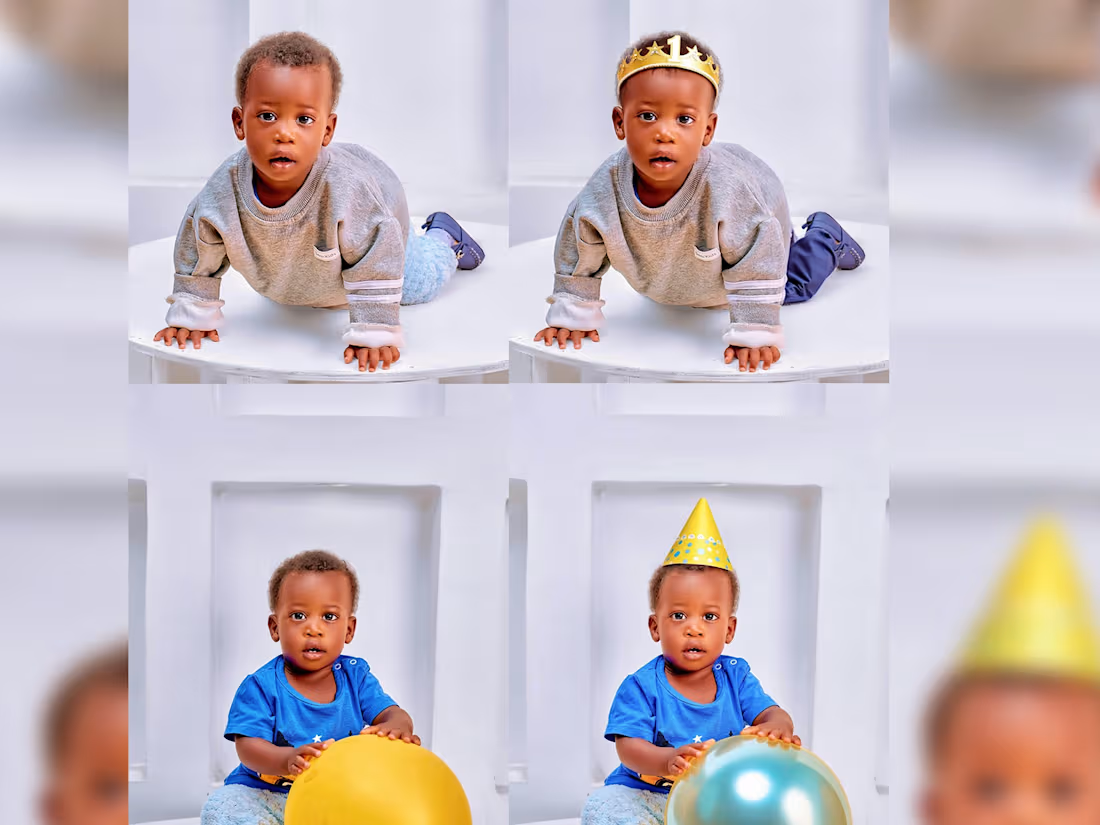
Before & After: Birthday Photo edit , Manipulation & Color Grading for Client Portrait Photo editing and manipulation for a client’s birthday portrait session. Published with full client permission.
1
1
983
1
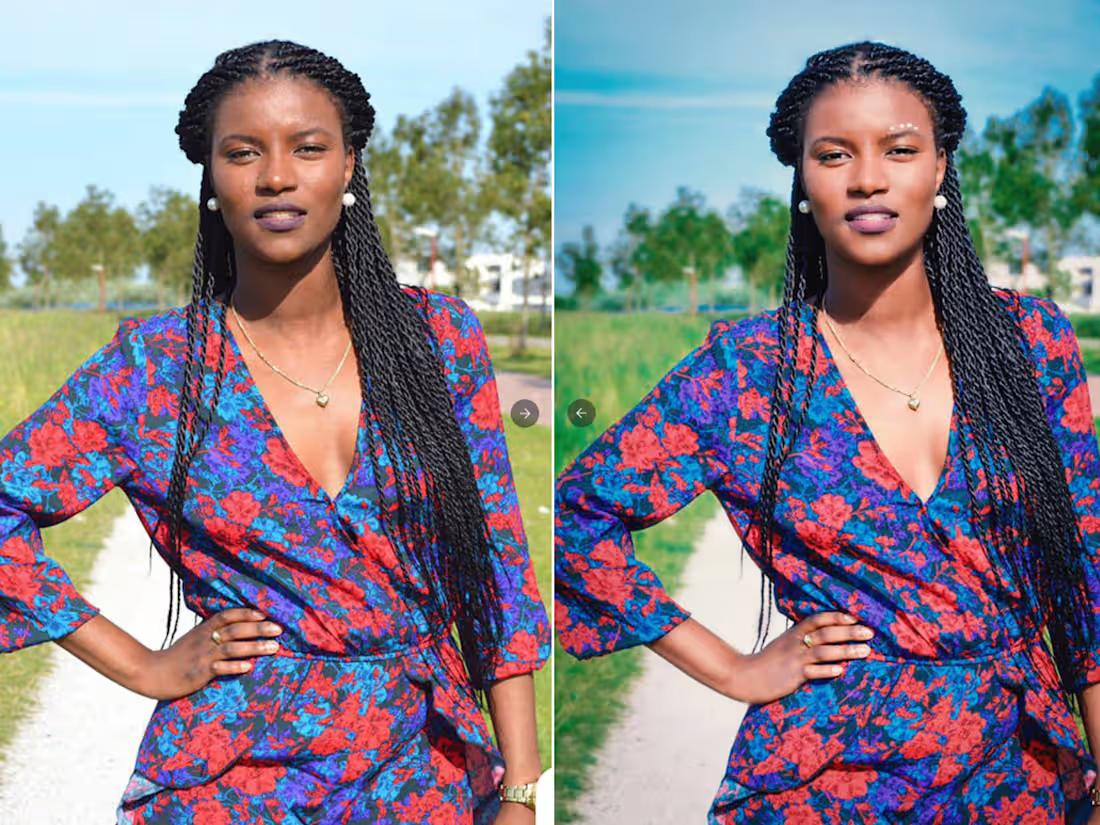
Elevating Images with Precision Color Grading and Portrait Retouching A quick look at how targeted color grading and skin refinement can dramatically elevate an image, even when working with lower-resolution assets or outdoor lighting. Image 1: Outdoor Color and Balance Focused on balancing natural skin tones against rich background environments. Enhanced contrast and color depth to bring out subtle details without making the scene look artificial. Image 2: (Trial Run) The Power of Color Grading A personal study demonstrating how intentional color grading alone can completely shift the mood and perceived quality of an image. No structural manipulation applied,just pure color harmony.
1
905
0
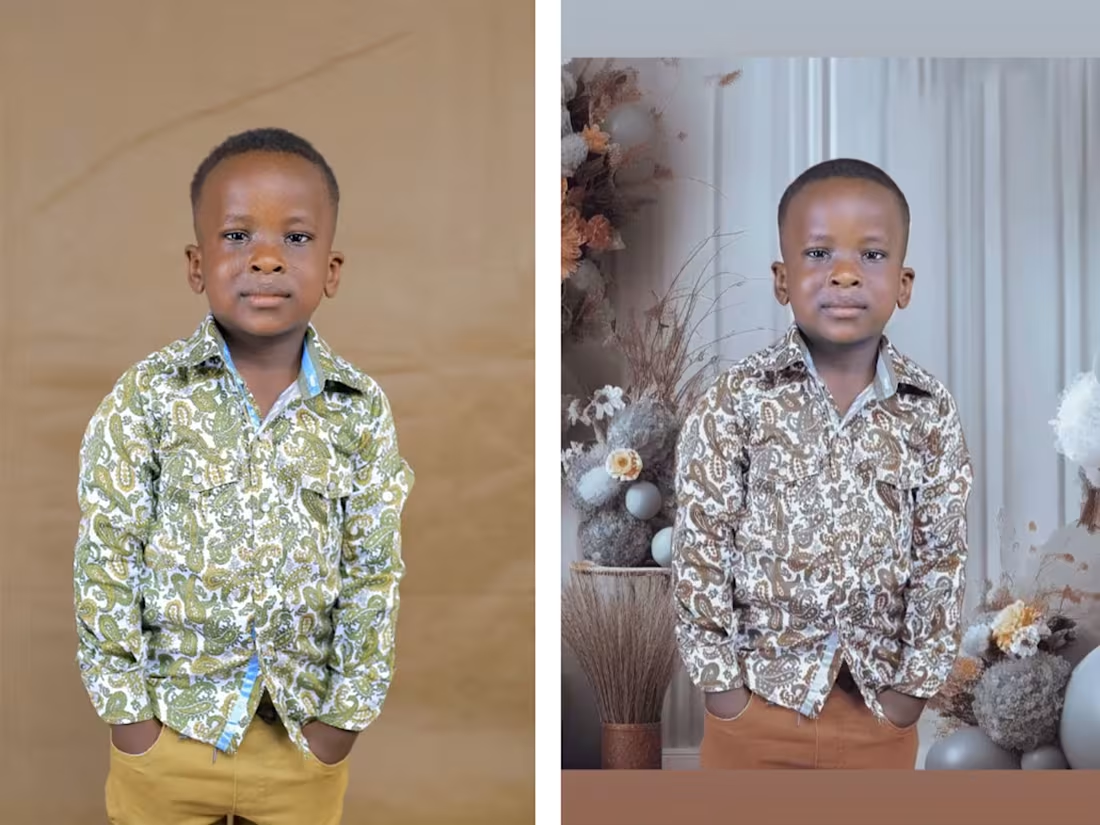
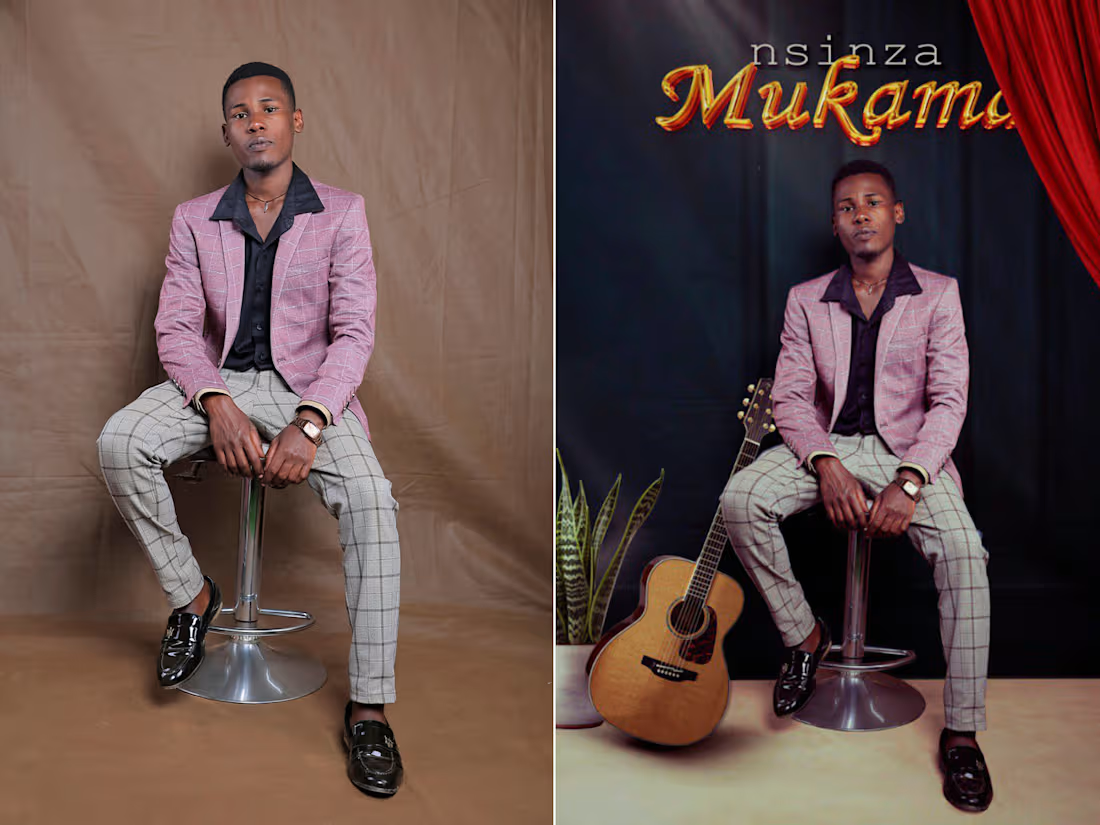
Photo Manuplation and colour grading
0
1K
3
Passion Project: Lisa Cakes – Sweet & Soft Baking is all about warmth, comfort, and joy. For this project, I wanted to design packaging for "Lisa Cakes" that feels just like the treats inside—soft, sweet, and incredibly inviting. The goal was to make people feel the soft texture of the baking the very second they look at the package. How I Brought It to Life: Capturing the Sweetness: I blended beautiful AI-generated visuals with real, high-quality images to create a scene that looks fresh, delicious, and completely real. Soft Lighting & Shadows to give the scene a cozy, natural, and premium feel. Placing the Logo: I used Adobe Photoshop to carefully blend logos onto the packaging wrappers, ensuring everything aligns perfectly and looks completely natural. Simple, Elegant Layouts: I kept the text clean and minimalist, giving the design plenty of breathing room so it feels modern, elegant, and peaceful.
2
3
780
1
Instagram STEM Coursels For Wowthatstem
1
1.1K
0
Luxury Apparel: E-Commerce & Campaign Shots Luxury brands often spend thousands on location shoots, models, and studio rentals just to launch a new seasonal collection. I solve this by using advanced AI rendering and professional Photoshop editing to create stunning, ultra-realistic product images and campaign visuals without the massive studio costs. What We Do Advanced AI Composition: I build the initial scene layout using cutting-edge AI tools. Luxury Textures: I use professional editing to make premium details look highly detailed and realistic. Editorial Lighting: I apply studio-grade lighting and realistic depth of field to give every image a high-end, cinematic feel. What You Get E-Commerce Studio Shots: Clean, professional product photos tailored for Shopify and online storefronts. Macro Detail Views: Ultra-sharp, close-up shots that highlight the premium quality and texture of your materials. Campaign Imagery: High-end editorial visuals designed specifically for luxury advertising and social media.
0
397
0
Complete E-Commerce Packaging Design for Beauty & Skincare Brands Skincare and beauty brands often struggle to make their products look consistent online. I solve this with a complete digital packaging service. I make sure your products look completely uniform, luxurious, and matching under the exact same lighting and style. This ivolves; Precisely matching digital glass, plastic, and metal to look exactly like your real-life products. Applying your unique fonts and clean label layouts across every single product type. Cleaning up every image so your entire collection looks high-end, identical in quality, and ready to sell. You Get: Ready-to-Use Website Photos. Hero Banners: High-resolution, eye-catching visuals for your homepage, Shopify, or print catalogs. Print-Ready Files in easy-to-use formats (PSD, PDF, PNG). Beautifully arranged group Shots of your full product line, perfect for Instagram, TikTok, and paid ads.
0
367
0
Social Media Post Designs
0
1.1K
0
Traditional stock mockups often force brand designers to give up control over lighting, colors, and layout. This project shows a custom, AI-aided design process. It blends Ideogram v2 image references with careful Photoshop editing. The result is custom, high-fashion 3D design assets that perfectly match a brand's look.
0
286
0
Commercial Book Cover Design with Ideogram + Photoshop Psychological thrillers demand immediate narrative impact and visual clarity. This project showcases a high-concept book cover designed to solve the commercial chokepoint of complex visual art. This whole process used to take days brainstorming concepts, gathering assets, and executing complex compositing in Photoshop. Now with Ideogram, the core concept and visual composition were fully developed in less than 2 hours. I then brought it into Photoshop for color grading, precise typography fixing, and fine manipulation tweaks, letting me focus on pure art direction.
0
319
0
Editorial Design and Newspaper Layout
0
925
0
Birungi Metal Art Concepts - Social Media carousel . . .. Grateful to work with @birungiartconcepts — where metal isn’t just fabricated, From a simple pencil sketch in a notebook to a bold rhino head
0
783
0
Packaging is more than just a container. (AI GENERATED BRAND VISUALS) It’s the first impression, the brand’s voice, and a key player in customer experience. I had the time to work on another passion project, got to design the product label and packaging for " Chimy Daddies ", ensuring it stands out while reflecting the brand’s personality. Every detail, from typography to color choice, was carefully crafted to create a satisfying identity that captures attention and builds trust. It’s always exciting to see how design +AI can transform a product’s appeal
0
775
0
Product Compositing and Color Variants: Premium Liquid Soap Campaign A demonstration of advanced digital compositing, environment manipulation, and commercial product color variation using Adobe Photoshop The Creative Workflow : Digital Compositing: Seamlessly integrated a 3D product mockup into a stylized, moody nature environment. Focused heavily on perspective and edge blending to make the bottle sit naturally on the rock surface. Advanced Light Wrapping: Adjusted the highlights on the jerrycan to realistically match the warm, golden backlight coming from the background sun. Color Grading and Product Variations: Developed complex color grading to establish a premium, organic mood. I precisely changed the red product into a vibrant green theme while seamlessly preserving the natural transparency, shadows, and reflections.
0
662
1
Still experimenting: Building my digital fabric library Yesterday, I posted about the system I’m using to prototype "Quiet Luxury" looks. Since then, I’ve been busy in the "AI studio" putting that system to work. I wanted to see if I could get the AI to actually understand the difference between fabrics, not just the colors, but the physics. I spent the last day generating a digital "swatch-book" of 22 different materials, everything from heavy, liquid satin to rough, structured denim. The main challenge: Most AI generators love to make everything look "perfectly smooth." To fix that, I stopped trying to describe the garment and started describing the behavior. I focused on how light should hit a fuzzy chenille weave versus a glossy silk. Here is the prompt template I’ve been using: "High-detail, editorial product macro shot of a stylized, matte-white mannequin with a featureless head. [Insert Fabric Type] fabric. Physics: [Describe drape, weight, and surface]. Lighting: Directional soft-box from front-left to highlight [texture/gloss]. 8k resolution, ultra-realistic, clean, professional." It’s not just about making cool images. By keeping the lighting and the mannequin consistent, I’ve turned this into a real workflow. Now, I can swap fabrics in seconds to see how a design looks in different materials, which is way faster than waiting for physical samples. The coolest part was seeing how the AI handles the "tension points" where the fabric pulls over the mannequin's knee or thigh. Those tiny creases are what make it look like a real garment. If you’re experimenting with AI fashion design, try focusing on the "physics" of your material first. It’s been a total game-changer for my workflow. I’m still adding to my library.
1
1
559
0
My First Experiment in AI-Driven Lookbooks I’ve just completed my first deep dive into using Gemini AI (https://gemini.google.com/) to prototype a "Quiet Luxury" collection. I focused on capturing the unique 'physics' of each fabric under professional studio lighting: the fluid, graceful flow of the merino-silk contrasted with the firm structure of the suede. This was a masterclass in precision. Navigating the AI’s evolving interpretation of depth and scale was the biggest hurdle; framing sometimes shifted from full-body silhouettes to tight texture crops. I chose to view these inconsistencies not as failures, but as essential data, which taught me how to better "direct" the engine through precise prompting. To ensure visual uniformity, I developed this prompt framework: Technical Baseline: 85mm f/1.8 lens, high-end editorial product photography, 8k resolution. Environment: Centered abstract mannequin with a smooth, featureless head on a round floor stand, neutral grey cyclorama. Lighting: Top-left directional soft-box, sculpting light and shadow for depth. Subject Specs: [Insert specific garment]. Fabric Physics: [Insert fabric details, e.g., drape, weight, texture]. [No logos/graphics]. In conclusion: This process proved that while AI is a powerful tool for rapid ideation, it requires the same eye for detail as traditional studio photography. I’m already back in the "studio," refining these silhouettes and pushing deeper into digital fabric simulation. It’s a process - and I’m just getting started.
0
416
0
Bridging Design & Production: Setting Up an AI Workflow for Knife Pleat Skirt Manufacturing When designing Knife Pleat Skirts, looking good isn't enough. It has to endure 50 machine washes, stay comfortable all day, and include functional safety linings. To show how AI can make sample making faster, I built a 5-shot Digital Specification Catalog for a Knife Pleat Skirt, moving from raw AI prompts to production-ready assets. The visual catalog covers every angle the production team needs to get started. It goes from an even Front View showing the 8-pleat design and hidden zipper, to a clean Back View where the pleats line up perfectly. Close-ups highlight the durable button and strong fabric texture, while the Action View shows the built-in safety shorts. Finally, an Inside Look reveals the care label, zipper shield, and neat stitching that keeps the fabric from fraying. AI starts the process, but professional editing makes it ready for business. I used Photoshop to match the exact colors, keeping the official navy blue the same across all views. Then, I used Canva to remove the messy backgrounds, turning the AI images into clean product shots ready for the final catalog. Creating physical samples costs too much time. This digital approach allows brands and consumers to check the fits, zippers, and safety shorts before production even begins. Presenting accurate digital samples directly to consumers helps close deals faster, cutting wait times from weeks to hours. I’d love to hear your thoughts about this.
0
125
0
A fast-paced, 30-second promotional video concept crafted for Kazzi Media to demonstrate visual storytelling, and short-form video creation for commercial food and hospitality brands.
0
42