The network for creativity
Join 1.25M professional creatives like you
Connect with clients, get discovered, and run your business 100% commission-free
Creatives on Contra have earned over $150M and we are just getting started
Back to feedPost

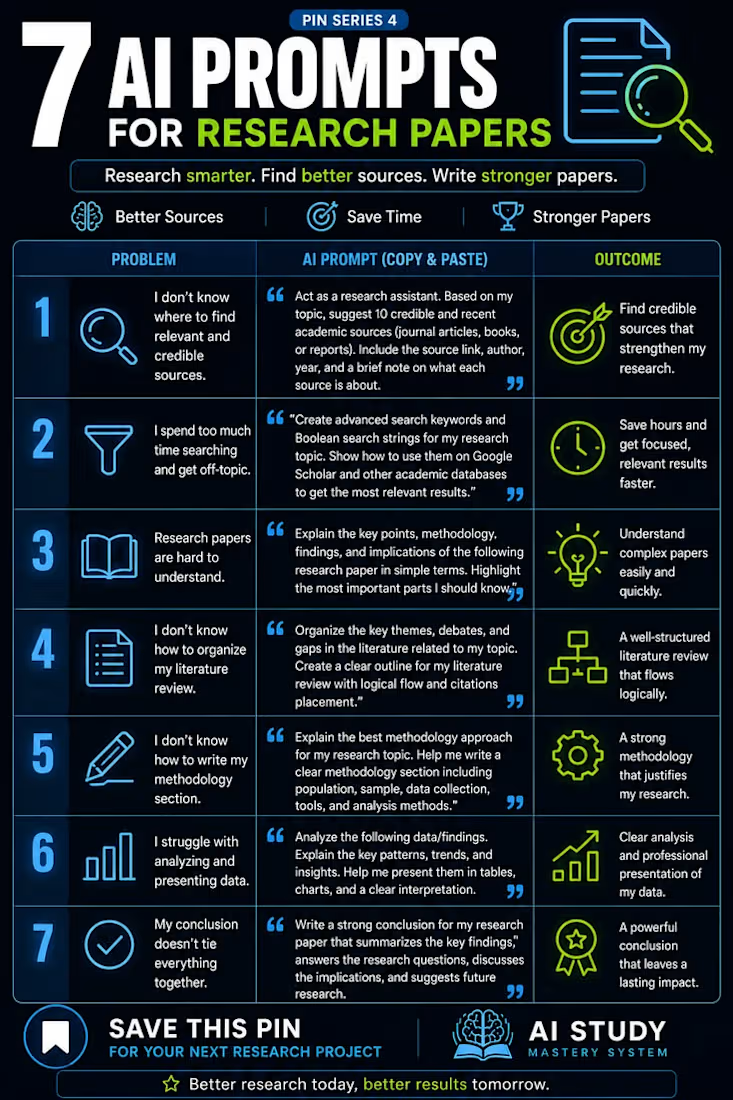
Are you struggling with your research paper, literature review, methodology or data analysis? AI can make your research process smarter, faster and more organised.
Research writing does not have to be unnecessarily stressful. With the right prompts, you can use Artificial Intelligence as a research assistant to improve the way you approach academic work.
Here are 7 powerful AI prompts every student and researcher should know:
Find credible academic sources: Discover relevant journal articles, books and reports for your research topic.
Improve your literature search: Generate advanced search keywords and Boolean search strings to locate relevant studies.
Understand complex research papers: Break down difficult academic papers into simple explanations, key findings and implications.
Organise your literature review: Identify major themes, debates, research gaps and logical connections between studies.
Develop your methodology: Explore appropriate research designs, sampling techniques, data collection instruments and analytical methods.
Analyse and present your findings: Identify patterns, interpret results and improve the presentation of research data.
Write a meaningful conclusion: Connect your findings to your research questions, discuss implications and identify areas for future research.
Remember: AI should support your academic thinking, not replace it. Always verify references, check the accuracy of information, protect confidential data and ensure that your work reflects your own understanding.
Save this infographic and keep these prompts handy for your next research project.
Research smarter. Find better sources. Write stronger papers.
If you need practical guidance on developing and completing your research project, explore my book, The Thesis Roadmap.
📖 Get your copy here: https://tersooj.gumroad.com/l/kzphps
#ResearchWriting #AIForResearch #AcademicWriting #ResearchMethods #LiteratureReview #ThesisWriting #DissertationSupport #ArtificialIntelligence #ResearchStudents #TheThesisRoadmap


The network for creativity
Join 1.25M professional creatives like you
Connect with clients, get discovered, and run your business 100% commission-free
Creatives on Contra have earned over $150M and we are just getting started



Related posts

Two concepts. Two different first impressions.
Exploring two visual directions for a finance and AI platform.
Option A | Fundely
Warm gradients, soft curves, and a clean layout. Designed to make finance feel simple, approachable, and easy to trust.
Option B | Proxyma
Bold typography, a structured grid, and a striking 3D visual. Designed to make AI feel confident, modern, and forward-thinking.
Both share the same goal: create a strong first impression through design.
But which direction communicates better?
A or B? I'd love to hear your perspective.
5 voted
50%

5 voted
50%

10 votes
Closed

Adorable
Thumbs up

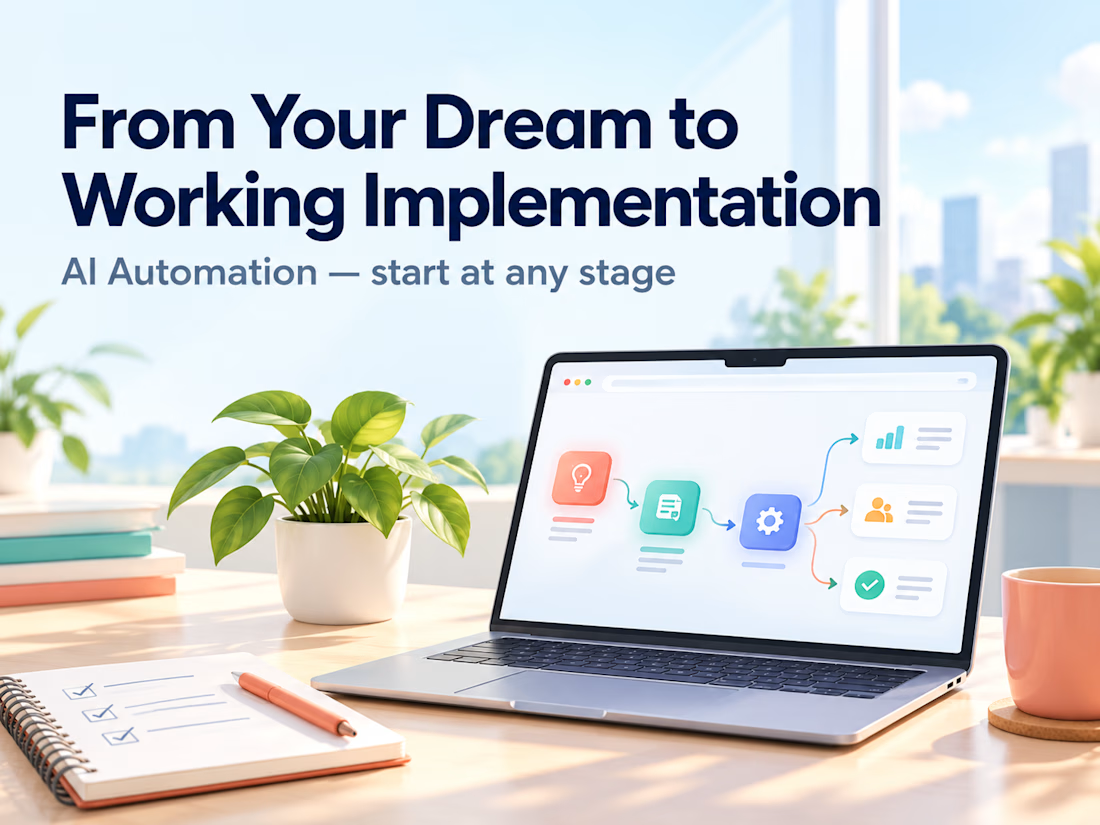
Clients often start with the same request: "Let's build an AI agent."
My counter-question is always: which manual process actually costs you time, errors, or money right now?
My selection rule: remove it first. If it can't be removed, simplify it. If it's still needed, automate it with a plain script. Only then add an integration or an agent. Often the best result is the process that no longer exists.
Safe automation means real scenarios, error handling, and alerts. Without alerts, a workflow can silently lose data for weeks. I always define what stays with a human and what goes to the system.
Question for you: which process would you automate first, and why is it still manual?
Service for audit and implementation: https://contra.com/s/BmWLbgFU-ai-automation-from-your-dream-to-working-implementation?r=auto_booster



Shopify Abandoned Cart Recovery Automation 🛒
Ever wondered how many potential orders an online store could miss when customers add products to their cart but leave without completing checkout?
I built an abandoned cart automation workflow using Activepieces, Shopify, Google Gemini, Gmail, and WhatsApp Business.
⚙️ How It Works
🛒 Cart Trigger: Detects an abandoned checkout event from Shopify.
🔀 Conditional Routing: Routes the workflow based on configured conditions.
🤖 AI-Powered Messaging: Gemini generates a personalized reminder message.
💬 WhatsApp Reminder: Sends a cart reminder through WhatsApp Business.
📧 Email Reminder: Sends a follow-up email to encourage the customer to complete checkout.
💡 How It Can Help E-commerce Businesses
Remind customers about products left in their carts.
Reduce repetitive manual follow-up work.
Make customer communication more consistent.
Create an opportunity to recover potentially lost sales.
Tools Used: Activepieces | Shopify | Google Gemini | Gmail | WhatsApp Business
Project Type: Personal Automation Project
I built this workflow to demonstrate how automation can support abandoned cart recovery for Shopify and D2C businesses.
Interested in automating your store's customer follow-ups? Let's connect.


The 30–60 minute delay then 24-hour follow-up is a sensible cadence. The part I would harden next is the stop conditions: once the cart converts or the customer replies, every channel should cancel, and WhatsApp especially needs a clear opt-in trail before the first send....