The network for creativity
Join 1.25M professional creatives like you
Connect with clients, get discovered, and run your business 100% commission-free
Creatives on Contra have earned over $150M and we are just getting started
Back to feedPost

Synapse — Designing an AI Assistant People Actually Want to Open
A personal case study on building an AI-powered product, from idea to interface
What This Project Is
Synapse is a concept landing page for an AI-powered assistant app — the kind of tool that can chat with you, write content, help with code, generate images, and even listen through voice mode. Think of it as one AI brain that switches roles depending on what you need that day: writer, designer, developer, or thinking partner.
I didn't build the actual AI behind it (that needs a real backend and a language model). What I built is the front door — the website that would greet a new user, explain what the product does, and convince them to try it. It's coded by hand using HTML, CSS, and JavaScript, and it's designed to feel like a real, funded, 2026-era AI startup — not a template.
Why I Made It
AI products are one of the most in-demand niches for designers and developers right now. Every week, a new AI tool launches, and every one of them needs the same three things: a website that explains it, an interface that's easy to trust, and a visual identity that doesn't look like everyone else's chatbot page.
I built Synapse for three reasons:
To learn by doing. Reading about animations and 3D CSS is one thing — actually building a rotating 3D orb, scroll reveals, and a typewriter chat demo forced me to understand how these effects really work under the hood.
To build a strong portfolio piece. Clients hiring for AI-product design want to see that you can design for AI — chat interfaces, live-typing states, "thinking" animations — not just static pages.
To practice going from brief to finished product, the same way a real freelance or agency project would run: picking a name, a color story, a tone of voice, and carrying it consistently across every section.
What's Inside
Section Purpose Hero Introduces Synapse in one glance — headline, floating 3D orb, live chat bubbles Marquee strip Builds trust by showing "who uses it" Stats Numbers that count up on scroll, for quick credibility Features grid Explains the 6 things Synapse can do How it works A simple 3-step flow: ask → Synapse reasons → get result Live demo A fake but realistic chat window that types out an answer, showing how the product feels in use Voices (testimonials) Social proof from "users," scrolling infinitely CTA band The final push to get someone to try the product Footer Quick links and closing brand mark
Skills I Practiced
UI/UX design thinking — deciding what a first-time visitor needs to see first, second, and last
Visual design & branding — building a color palette (violet, cyan, magenta, amber) and pairing three fonts (Space Grotesk, Inter, JetBrains Mono) that feel techy but warm
Responsive layout — making sure the page holds up on mobile, tablet, and desktop
Motion & interaction design — deciding where animation adds meaning (a "thinking" AI deserves movement) instead of adding effects just because I could
Front-end development — writing real, working HTML/CSS/JS instead of just designing static mockups
Copywriting — writing headlines and feature text that sound like a real product, not placeholder "Lorem ipsum" text
Problem-solving / debugging — like the navigation bug we just fixed, which taught me how a small JavaScript mistake can break a whole page's usability
Tools Used
HTML5 / CSS3 — structure and all visual styling, including 3D transforms and keyframe animations
Vanilla JavaScript — scroll reveals, cursor glow, orb parallax, counters, typewriter effect, mobile menu
Google Fonts — Space Grotesk, Inter, JetBrains Mono
Unsplash — free stock photography for avatars and testimonial faces
What I'll Build On Next (Future Contributions)
This version is the front door only. Here's where it can grow:
A working chat interface — connect it to a real AI API so the "demo" becomes a real conversation
A pricing page — since every SaaS/AI product needs a clear plan comparison
A dashboard / product screens — the inside of the app, not just the marketing page
Dark/light mode toggle — a common expectation in 2026 products
Accessibility pass — screen reader labels, better color contrast checks, keyboard navigation testing
Case study presentation — turning this into a polished Behance/Dribbble post with before/after and process shots
Closing Thoughts
Synapse started as a way to practice one skill — building an AI-product landing page — but it ended up teaching me design decisions, real front-end code, and debugging, all in one project.
Link to see my whole project: https://saifullah-ai-assistant.netlify.app



The network for creativity
Join 1.25M professional creatives like you
Connect with clients, get discovered, and run your business 100% commission-free
Creatives on Contra have earned over $150M and we are just getting started











Related posts

FOCUS — Creative Portfolio & Digital Art Website 🌸✨
A visually expressive website concept for a creative portfolio, built around digital art, bold imagery, and visual storytelling
The design combines vibrant pink tones, soft gradients, experimental typography, and immersive photography to create a distinctive editorial experience
Special attention was given to:
• Bold editorial hero composition
• Vibrant pink and dark color palette
• Experimental typography and visual details
• Immersive photography and digital artwork
• Creative project gallery and navigation
• Responsive mobile experience
• Clean layouts with a strong visual identity
The result is an expressive digital experience that puts creativity, emotion, and visual storytelling at the center of every screen 💗
Looking to create a standout portfolio or website for a creative brand? Let’s connect 🚀

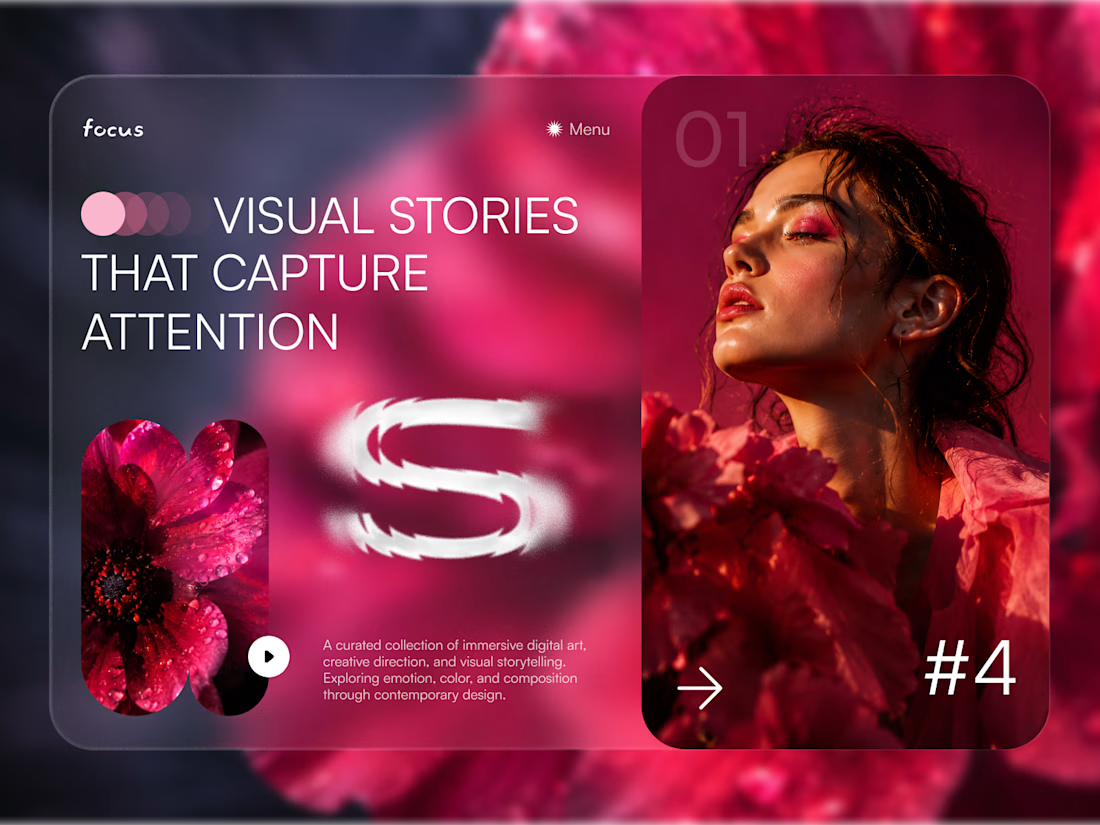
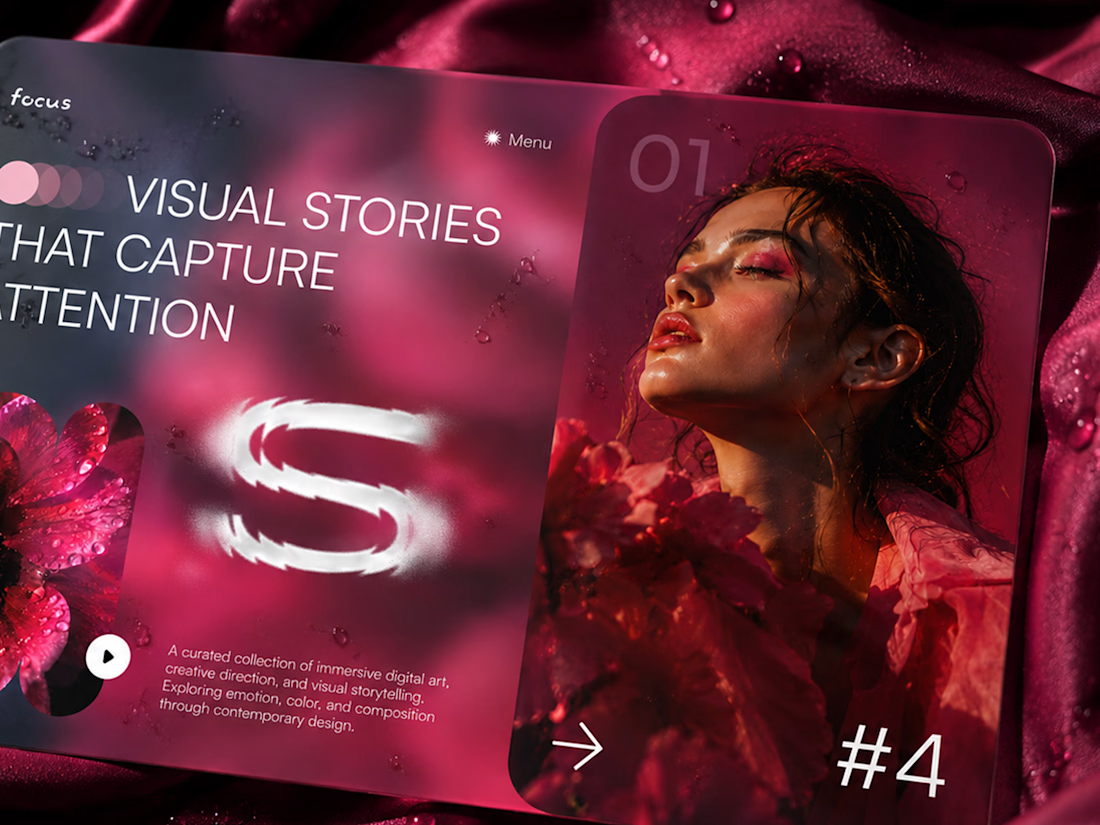
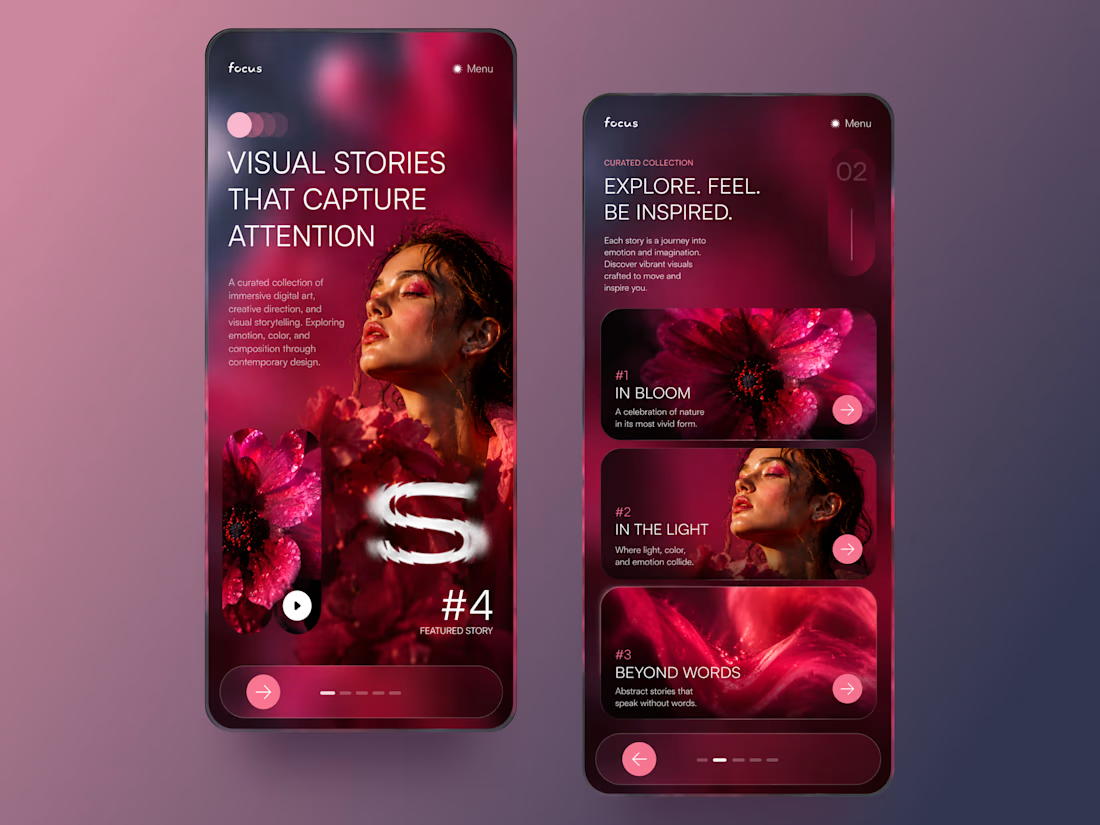

The vibrant pink against the dark palette gives this such a bold editorial feel. The experimental typography is the star here.

Figma Football
An unofficial football concept inspired by Figma and its visual language.
The ball was created using a custom 3D generator I built in ChatGPT, with animated interface icons and graphics developed with Claude.
Part design experiment, part exploration of how custom AI-powered tools can become part of the creative process.


The interface icons translate surprisingly well into a football identity.

A little peek at the brand work we did for Elio Mortgage.
A warm, approachable identity full of warm vibrant colors paired with soft sun rising inspired gradients, inner glows and custom illustrations & more. Loved this direction!
Full case study coming soon, from process to final identity.
Plenty of logo explorations to share too!


That color palette takes the whole identity to a different level!! I loove it.