The network for creativity
Join 1.25M professional creatives like you
Connect with clients, get discovered, and run your business 100% commission-free
Creatives on Contra have earned over $150M and we are just getting started
Back to feedPost

Promotional ads for website or apps

Custom component for the Forja website
The cards animate on horizontal scroll with a flashlight effect and revealing text
What do you think?

The flashlight reveal effect on scroll is so satisfying. Custom components like this really elevate what Framer can do.

I love the light emphasis 💚

Great work 👍🏻

The flashlight effect is a clever touch it makes the horizontal scroll feel interactive and gives the content a nice reveal.


To answer your question, I think this is a great way to handle reveal text. Hiding the details until the user actually interacts makes them want to keep exploring the page.
The network for creativity
Join 1.25M professional creatives like you
Connect with clients, get discovered, and run your business 100% commission-free
Creatives on Contra have earned over $150M and we are just getting started



Related posts

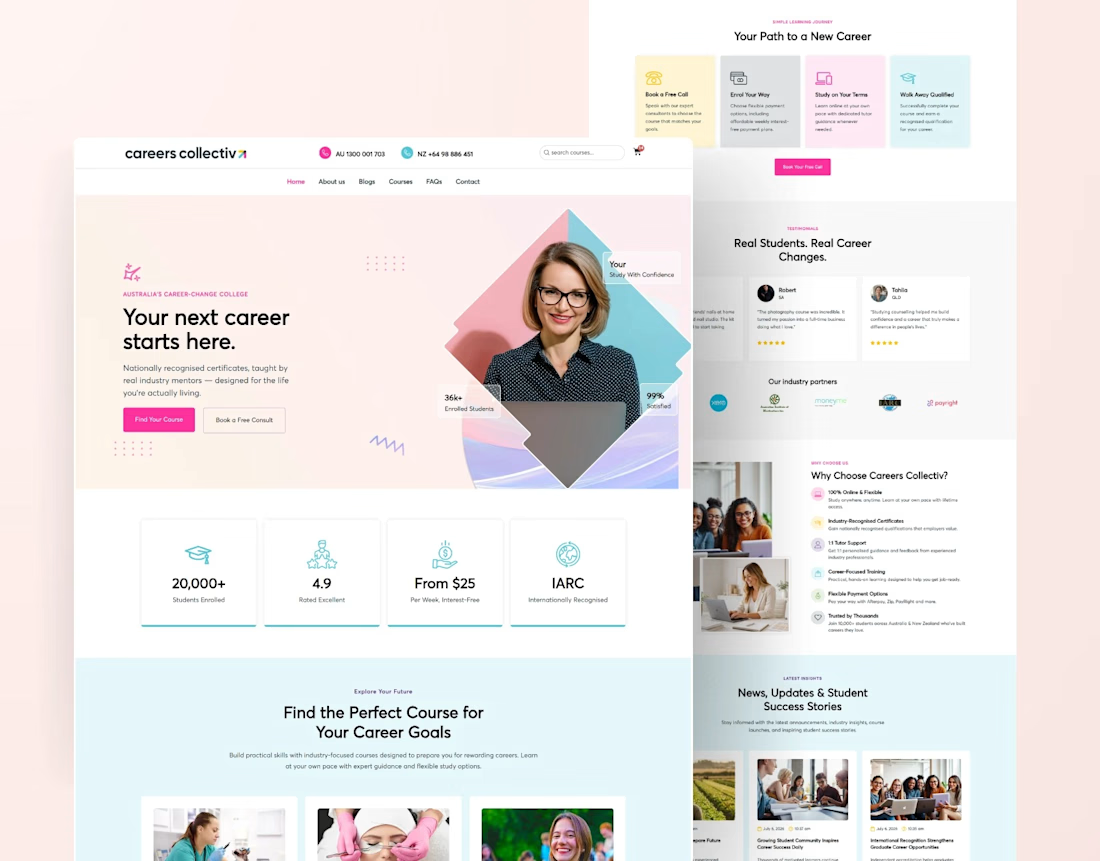
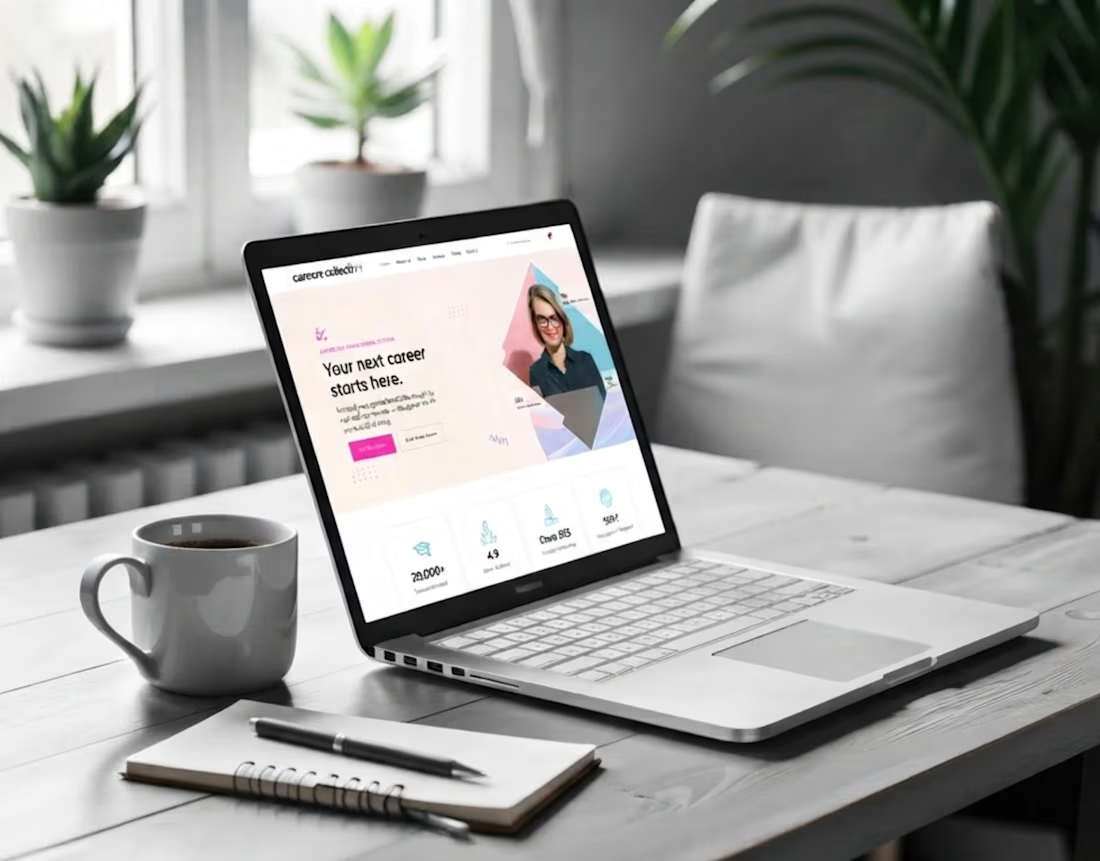
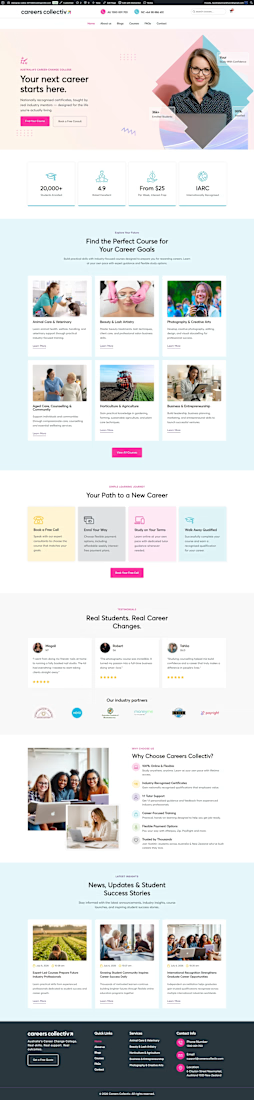
Educational College Website | Modern Kajabi Web Design
This project was about turning a college's online presence from a digital brochure into something that actually enrolls students. They needed a website that loaded fast, guided visitors naturally, and made the leap from "I'm interested" to "I'm applying" feel obvious.
Built on Kajabi, so the whole thing runs in one system: no clunky add-ons, no plugins fighting each other, no inflated maintenance.
What went into it:
Modern, mobile-first design that reflects identity
Clear program and course pages that answer questions before they're asked
A streamlined admissions funnel from first visit to application
pages, all built to convert, not just to look pretty
The part I care about most: it performs. Every section exists to move a prospective student one step closer to saying yes.
If your school, academy, or education brand is living on a dated site, that's my lane. Let's build yours.




Kajabi Website Design | Modern Coaching & Personal Brand Website
A great coaching website should do more than look professional. It should build trust, communicate your value, and make it easy for potential clients to take the next step.
This Kajabi website project focuses on clean layouts, clear messaging, intuitive navigation, and a seamless user experience designed to turn visitors into potential clients.
The goal? A professional online presence that supports brand credibility, client engagement, and business growth.
Need a Kajabi website for your coaching, consulting, or personal brand business?
I help businesses with Kajabi website design, Kajabi landing pages, website redesigns, and conversion focused sales funnels.
Open to new Kajabi projects and collaborations.


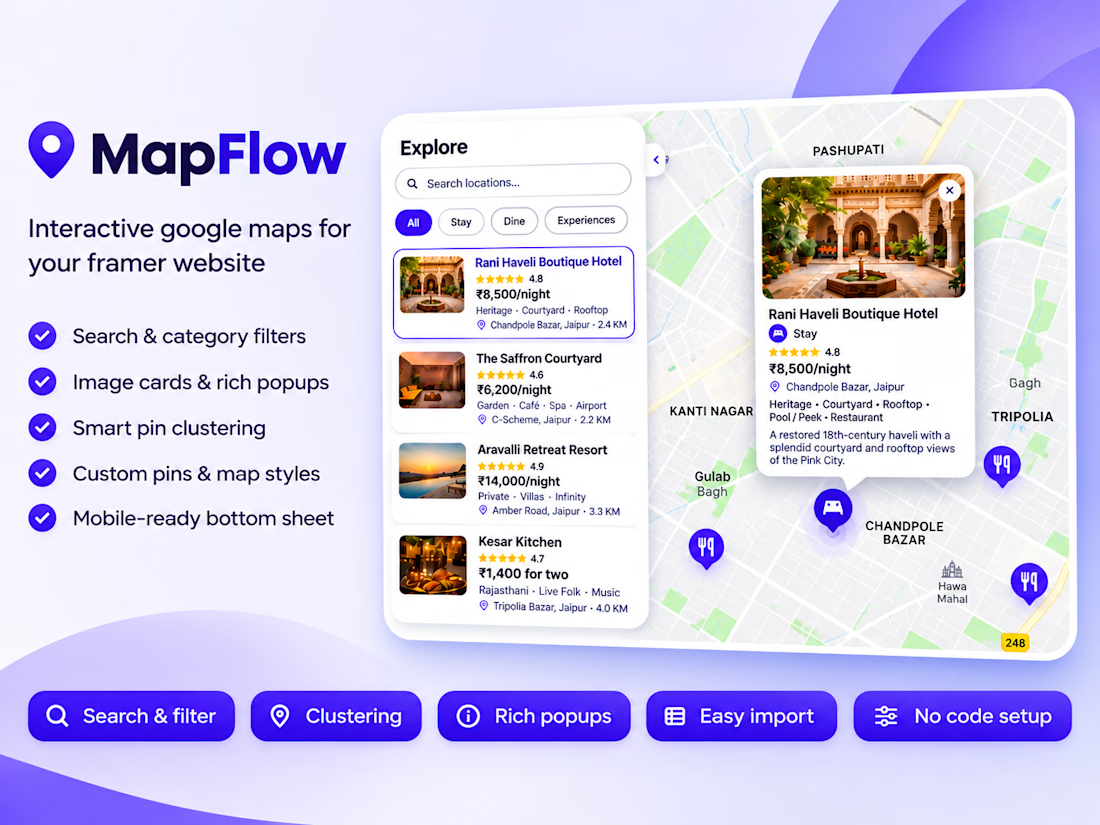
Introducing MapFlow 2.0: map, sidebar and popups in one Framer component
MapFlow 2.0 is a custom Google Maps component for Framer. Add locations with images, ratings, prices and details, then show them with category filters, search, clustering and polished popups. Everything is set from the property panel, no code.
Built for Framer, fully controlled from the property panel.
What’s new in 2.0
Sidebar with Image Cards or Category List. Show locations as image cards with rating, price and address, or as a clean drill-down list by category.
Search and category filters. Visitors search by name and filter with pills; the map reframes to match.
Rich popups. Image, category badge, star rating, price, address, details and a call-to-action button, each one toggled on or off.
Standard or Group markers. Use plain markers for a simple map, or group locations into categories with their own pin style and color.
Primary Location. Highlight your HQ, store or event venue with its own star pin and popup.
Smart clustering. Dense areas collapse into clean bubbles and expand as you zoom.
Auto distance. Show how far each place is from your primary location.
Bulk import. Paste a JSON or CSV list and add dozens of locations at once.
Easy coordinates. Type decimal degrees or degrees and minutes (21° 36' N).
Mobile-ready. On small screens the sidebar becomes a bottom sheet.
Full styling control. Map presets (Silver, Minimal, Grayscale, Night, Retro), custom JSON styles, native font controls, colors, radius and more.
Great for
Travel guides, real estate listings, restaurant and store locators, coworking and healthcare directories, event maps and city guides.
Demo data
The preview uses a fictional Jaipur City Guide (hotels, restaurants and experiences) to show every feature.
How to use it
- Drop MapFlow onto your canvas.
- Add your Google Maps API key.
- Add locations or paste an import list.
- Pick a sidebar layout and style it.