The network for creativity
Join 1.25M professional creatives like you
Connect with clients, get discovered, and run your business 100% commission-free
Creatives on Contra have earned over $150M and we are just getting started
Back to feedPost
I built an automated lead generation system using Make.com that finds businesses on Google Maps and extracts their emails, completely automatically.
Here's exactly how it works:
🗺️ Connects to Google Maps API and searches any industry in any location
📊 Creates a Google Sheet automatically and populates it with business names and websites
📧 Makes HTTP requests to each website and extracts email addresses using AI
✅ Ignores errors automatically and moves to the next lead
⏰ Can be scheduled to run every 15 minutes on autopilot
I ran it live and it found 50 marketing agencies in Bangkok with their emails, automatically.
Any industry. Any location. Anywhere in the world.
As long as the business is on Google Maps, this finds them.
Check out my Linkedln to learn more: https://www.linkedin.com/in/daniel-oluwafikayomi-famuyiwa-268a2a3a6/
Video below 👇
#AIAutomation #LeadGeneration #MakeCom #NoCode #EmailMarketing #BusinessAutomation #WorkflowAutomation #SalesAutomation #AITools #DigitalMarketing


its should be good for us who do cold emailing to clients

You get the idea 💡
If you were building a lead list today, what information would be most valuable besides email addresses? Website? Social profiles? Phone numbers? Industry data?
I'm currently exploring ways to enrich the leads further with additional business information before they even enter the CRM.
The real value isn't just finding businesses, it's creating a repeatable system that consistently generates opportunities without manual effort.
Most businesses spend hours searching for prospects manually. Automating the research phase frees up more time for outreach and closing deals.
This can also be adapted for real estate agencies, recruitment firms, local businesses, consultants, and virtually any industry with a Google Maps presence.
One thing I like about this workflow is that it doesn't require manual prospecting. Once configured, it continuously builds lead lists in the background.

This is a nice build. Wonderful seeing automation guys here
Thanks for the compliment. Are you also into Ai automation?
Yes purely voice AI chatbot development
I am even about to make a post regarding Voice Ai, kindly check it out

Great!
Thanks for the compliment

Wonderful! Did you ever think of building a SaaS out of it?
Yes, i have had the thought


What a beautiful automation
Thank you

Great execution. Everything feels baanced.
Thanks

Great thinking!
Thank you

Simple, functional and straight to the point🔥
Thanks for the feedback

awesome!
Thank you

That's great, keep up the good work!
Thank you

Perfect
Thank you

Impressive build. Do you verify the extracted emails before exporting them, or is that handled in a separate workflow?
Also have you compared this approach with commercial lead-generation tools in terms of accuracy and cost?
Thanks, Ashish!
In this version of the workflow, I focused on extracting and organizing the lead data. Email verification can absolutely be added as the next step by integrating a verification service before exporting the results.
Compared to commercial lead-generation tools, the...
Thanks for the clarification! The customization aspect is what stands out to me as well. Looking forward to seeing how you expand the workflow with verification and enrichment.

That's a great solution and it's really helpful. However, it relies on the Google Maps API. I built a tool that doesn't require the Google Maps API, and it runs perfectly on my laptop. It can generate up to 200 leads in a single run.
Thanks for sharing! That's an interesting approach.
There are definitely multiple ways to solve the same problem. I chose the Google Maps API for this workflow because it provides structured business data and integrates well with the rest of the automation pipeline.
A local...
I built it for my own use. It doesn't follow Google's policies, but since it doesn't require a server, it's difficult to detect and gets the job done.
Thanks for the clarification.
I can see why that approach works for personal use. For client projects, though, I generally prefer solutions that align with platform policies and are reliable enough to maintain over the long term.
My goal is to build automations that businesses can...
The network for creativity
Join 1.25M professional creatives like you
Connect with clients, get discovered, and run your business 100% commission-free
Creatives on Contra have earned over $150M and we are just getting started
Trending

Claude
Claude has entered the design space. How are you using it?

Contra University
Learn from expert creatives how to earn more using next-gen AI tools.
Brand Design
The best brand designers are on Contra. Scroll to see what's trending in brand design. What are you building?
creativeaiflow
Creative AI workflows are evolving. What tools do you use, and what are their strengths and weaknesses?
freelancerlife
Freelancer life is wins, pivots, and everything in between. What’s yours right now?


Related posts

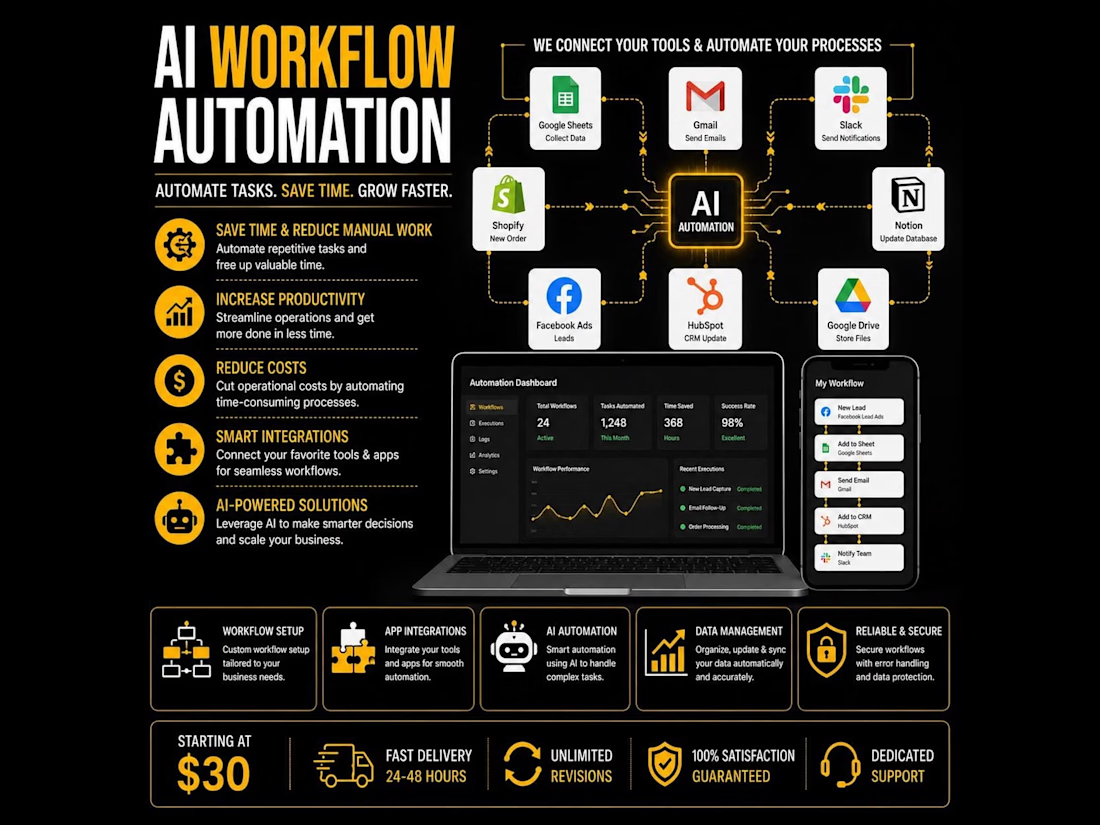
Automate your business, eliminate repetitive tasks, and save hours every week with custom AI workflow automation. I build intelligent automation systems that connect your favorite apps, streamline operations, and help your business run faster with minimal manual work.
#AIAutomation #WorkflowAutomation #BusinessAutomation #ArtificialIntelligence #NoCode #Automation #Zapier #Make #n8n #GoogleSheets #HubSpot #Notion #Shopify #Slack #CRM #Productivity #DigitalTransformation #SmallBusiness #Entrepreneur #BusinessGrowth




Built RetroGrasp — an e-commerce store with an AI-generated UI on the front end and Shopify running the backend. 📼
The stack: Lovable designed and built the entire storefront UI, while Shopify handles inventory, checkout, and store logic underneath — AI-native front end, battle-tested e-commerce backend.
A few things that make it more than just a themed store:
🎨 Retro Image Generator — visitors can turn their own photos into 90s-style retro edits directly on the site, tying the interactive experience back to the brand's whole "step into the 90s" concept
🕹️ Arcade Games — playable retro mini-games built right into the site, turning a shopping visit into something you actually stick around for
🛒 Full Shopify catalog — Walkmans, boomboxes, VHS players, cassettes and more, with Analog Press letting customers send in their own tapes for digital transfer
This is what happens when you stop treating "AI website builder" and "e-commerce platform" as separate categories — Lovable for the experience layer, Shopify for the commerce layer, working together instead of one replacing the other.
Check it out: retrograsp.com


This is amazing! Wow! was this for a client or hobby project?

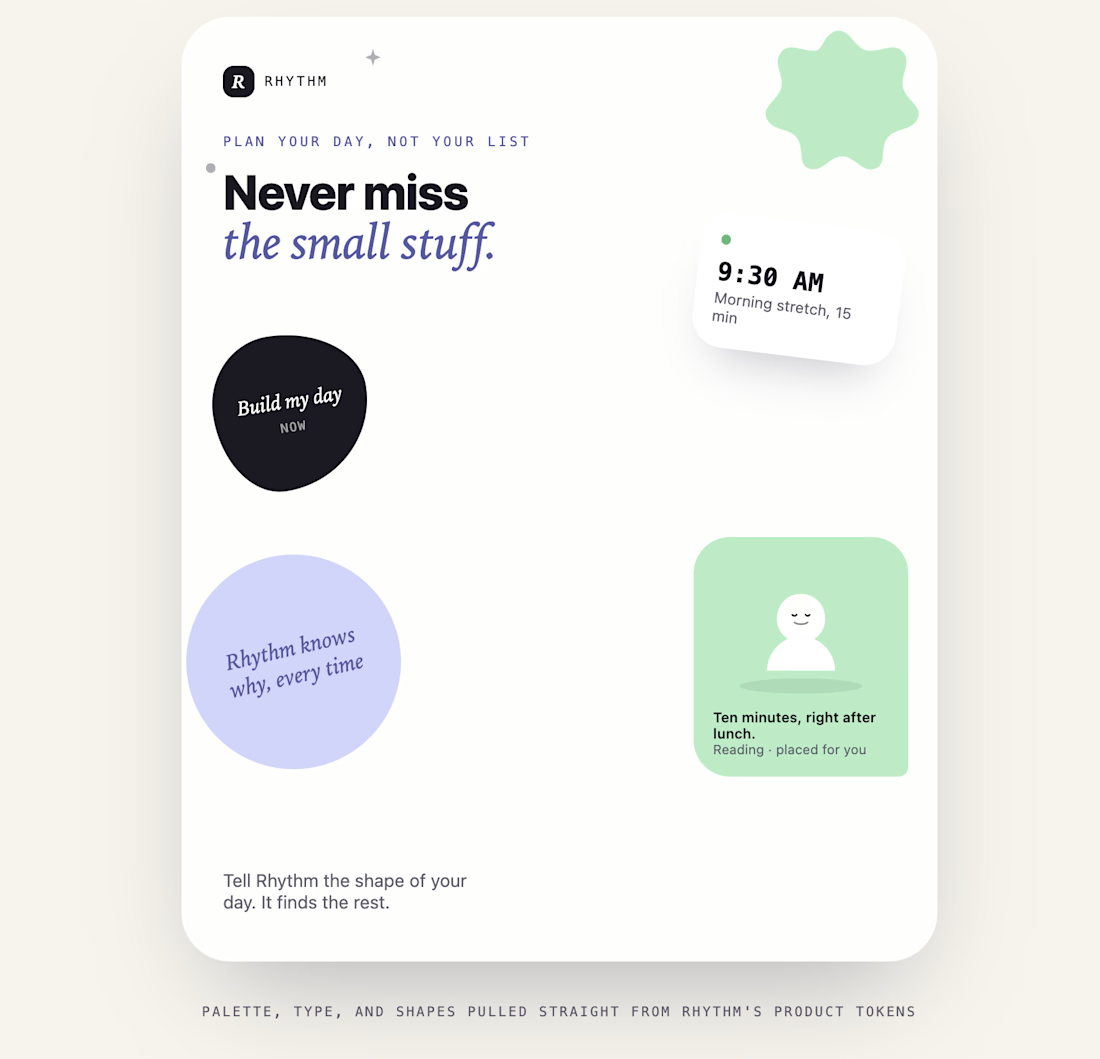
Rhythm: An AI daily planner that plans when, not just what
I kept missing my own basic goals. Drink water, stretch, read for twenty minutes: I had no trouble writing them down, I just never had a place to put them. Every habit app I tried handed me a list and left the scheduling to me, and "later" always lost to whatever the day actually threw at me. So I built the tool I actually needed.
Rhythm takes the fixed shape of your day (wake time, sleep time, work hours) and slots your goals into the real open windows around it, using an AI scheduling engine that explains its reasoning for every placement instead of acting as a black box. It handles three distinct kinds of goals: simple recurring habits, several-times-a-day reminders (spaced automatically, tightened on the fly if you skip one), and bigger goals broken into a paced, multi-week plan toward a deadline you set.
Built with Next.js, React, and a real OpenAI-backed scheduling API, with a calm, warm, journal-like design system, hand-tuned color and type tokens, organic shapes instead of generic dashboard chrome, and zero gamified streak badges. Every screen, from onboarding to the reasoning card behind each task, was designed to feel like a planner, not a productivity dashboard.
This is the first pass, an early design concept proving out the core idea. What's here is a working web prototype; what's next is a proper native mobile app with real push notifications, calendar sync, and a fuller feature set built on top of this foundation.


I really need this !!!