The network for creativity
Join 1.25M professional creatives like you
Connect with clients, get discovered, and run your business 100% commission-free
Creatives on Contra have earned over $150M and we are just getting started
Back to feedPost

AI Hotkey Assistant: Desktop AI Tool
Copy-pasting to ChatGPT dozens of times a day was killing my focus: select text, switch tabs, paste, wait, copy the result, switch back, paste again. I built a Windows desktop tool that collapses the whole loop into one hotkey.
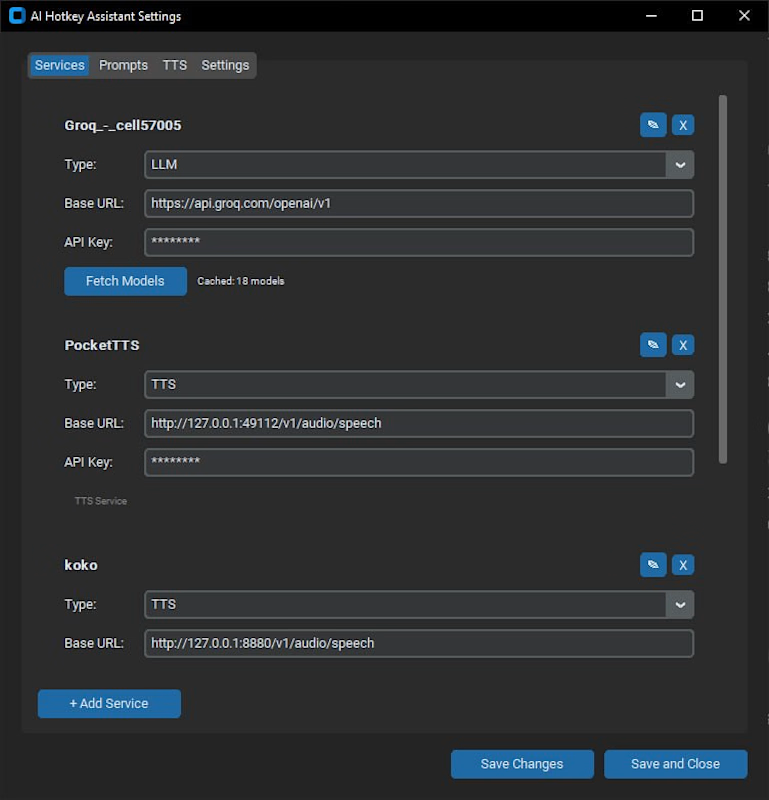
Select any text anywhere, press a hotkey, and it is transformed in place by the AI service of your choice, using your own prompt files: fix spelling, rewrite, translate, summarize, or anything you can describe in a prompt. A second hotkey path reads any selected text aloud through text-to-speech, with keyboard control of the audio.
The app lives in the system tray with a full settings interface: multiple AI services (any OpenAI-compatible API, plus ElevenLabs for voice), per-action hotkeys, prompts as editable files, and model lists fetched from each provider. API keys are stored in the Windows credential manager, never in a config file.
Built for my own workflow and shipped as v2.0.0.
Stack: Python, pywin32 (global hotkeys + tray), customtkinter (settings UI), keyring (credentials), OpenAI-compatible chat APIs, ElevenLabs TTS.


The network for creativity
Join 1.25M professional creatives like you
Connect with clients, get discovered, and run your business 100% commission-free
Creatives on Contra have earned over $150M and we are just getting started





Related posts

Just finished building a Salon Booking Management System!
The goal was simple: make appointment management easier for salon owners and reduce the manual work involved in handling bookings and reminders.
The system connects the complete workflow in one place:
1 Customer makes a booking
2 Booking gets confirmed
3 Owner sees it on the dashboard
4 Upcoming appointments are organized clearly
5 Reminders help the owner stay on top of appointments
One of the key things I focused on was making the experience simple, clean, and easy to understand, while keeping the workflow practical for a real business.
This project helped me think beyond just building screens — and focus more on the actual business problem, user flow, and overall product experience.
Excited to keep improving it and turn it into an even more polished product.
#BuildInPublic #SaaS #WebApp #BookingSystem #SalonManagement #ProductDesign #MVP #NoCode #Entrepreneurship


Good work

This project focused on building and testing a practical AI security assessment lab for evaluating LLM defenses against prompt injection and jailbreak attacks.
I integrated Spikee by Reversec with a locally hosted cybersecurity model running through LM Studio, then added NVIDIA NeMo Guardrails to compare model behavior under three conditions: no guardrails, input filtering, and combined input/output protection.
The work included configuring the local model environment, building a custom FastAPI gateway, integrating NeMo Guardrails, troubleshooting model latency and timeout issues, creating a reusable Spikee target, and analyzing attack results using Spikee’s built-in reporting tools.
The project also explored different adversarial testing approaches, including prompt injection datasets, obfuscation, encoded attacks, Best-of-N testing, synthetic canary leakage tests, and structured benchmark comparisons.
The objective was to measure how much the guardrails reduced successful attacks while keeping the model, dataset, and testing conditions consistent.
Tools used: Spikee, NVIDIA NeMo Guardrails, LM Studio, Python, FastAPI, PowerShell, Parrot OS, local LLMs, JSONL datasets, and custom security testing scripts.
This project demonstrates a hands-on approach to LLM red teaming, AI safety testing, prompt-injection assessment, and guardrail validation for organizations deploying generative AI systems.


pretty cool tbh. testing the same attacks with different guardrail setups makes the results way more interesting.

JARVIS
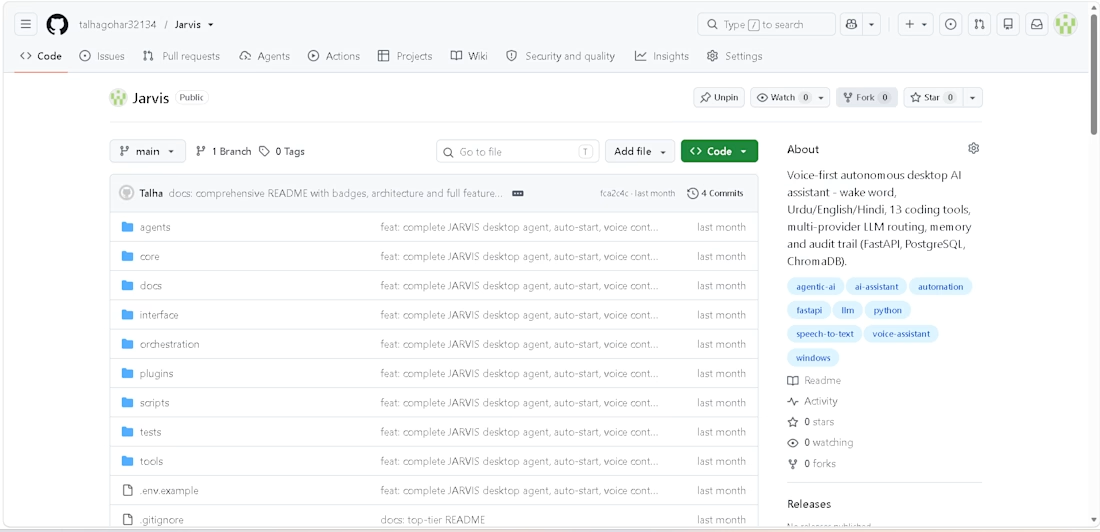
Title: JARVIS: Voice-First Autonomous AI Assistant
Description:
A locally hosted AI assistant that listens, reasons, and acts on my computer with human approval where it matters.
What I built:
Voice interface with a "Hey Jarvis" wake word, speech-to-text and text-to-speech
Autonomous coding agent that locates, patches, tests, and fixes its own code
Multi-provider LLM routing (Gemini, Groq, OpenRouter, Ollama, OpenAI) with automatic fallback
13 tools, approval gates, and an audit trail for safety
n8n workflow automation and a REST/WebSocket API
Tools: Python, FastAPI, LangChain, PostgreSQL, Redis, ChromaDB, Ollama, Docker, n8n



Having automatic fallback across multiple LLM providers keeps the assistant running smoothly even when one service drops.