This prototype explores how thoughtful design can reduce cognitive load and help users stay focused on their work.
Curious to hear your thoughts.
3
26
Most scheduling apps give you too much.
Too many options. Too many views. Too much to process before you even start your day.
So I designed around one question:
What does the user need to know right now?
That thinking shaped every screen, every interaction, every transition you see here.
Built entirely in Figma Make, from static UI to a fully interactive experience, while keeping the design system tight and the experience frictionless.
Because the goal was never a pretty app.
It was a useful one.
0
17
Designed this scheduling app concept, then used Figma Make to bring it to life.
For me, great product design goes beyond static screens. Users should be able to experience the flow, understand what comes next, and complete tasks with as little friction as possible.
The goal was simple: make scheduling feel effortless.
0
14
People don't want another calendar.
They want clarity.
When someone opens a scheduling app, they're not admiring the UI.
They're asking three things:
What's next?
Where do I need to be?
What should I focus on right now?
Everything else is noise.
So that's what I designed around.
Not features. Not visual complexity.
Just those three questions, answered the moment you open the app.
Clear hierarchy. Zero overwhelm. Fast decisions.
Because the best interface is the one that gets out of your way.
1
41
Most people use AI to skip the design process.
I use it to execute it precisely.
This video upload UI started as a detailed Figma file. Every shadow, every spacing, every state, decided before AI wrote a single line.
Because AI gives you what you ask for. Bring it intention, it returns execution. Bring it vagueness, it returns mediocrity.
This is what intentional AI-assisted design looks like. ↓
I'm Onuorah Victor, product designer. Detail first, always.
2
34
With Claude I was able to prototype my design to a working component
2
3
63
Onboarding flow for cryptoX
2
3
60
Every event organizer deserves a command center. This is what I built for them in Meetiva.
0
43
I'm designing and building the next $10 million events platform. Meetiva is the all-in-one event platform.
1
65
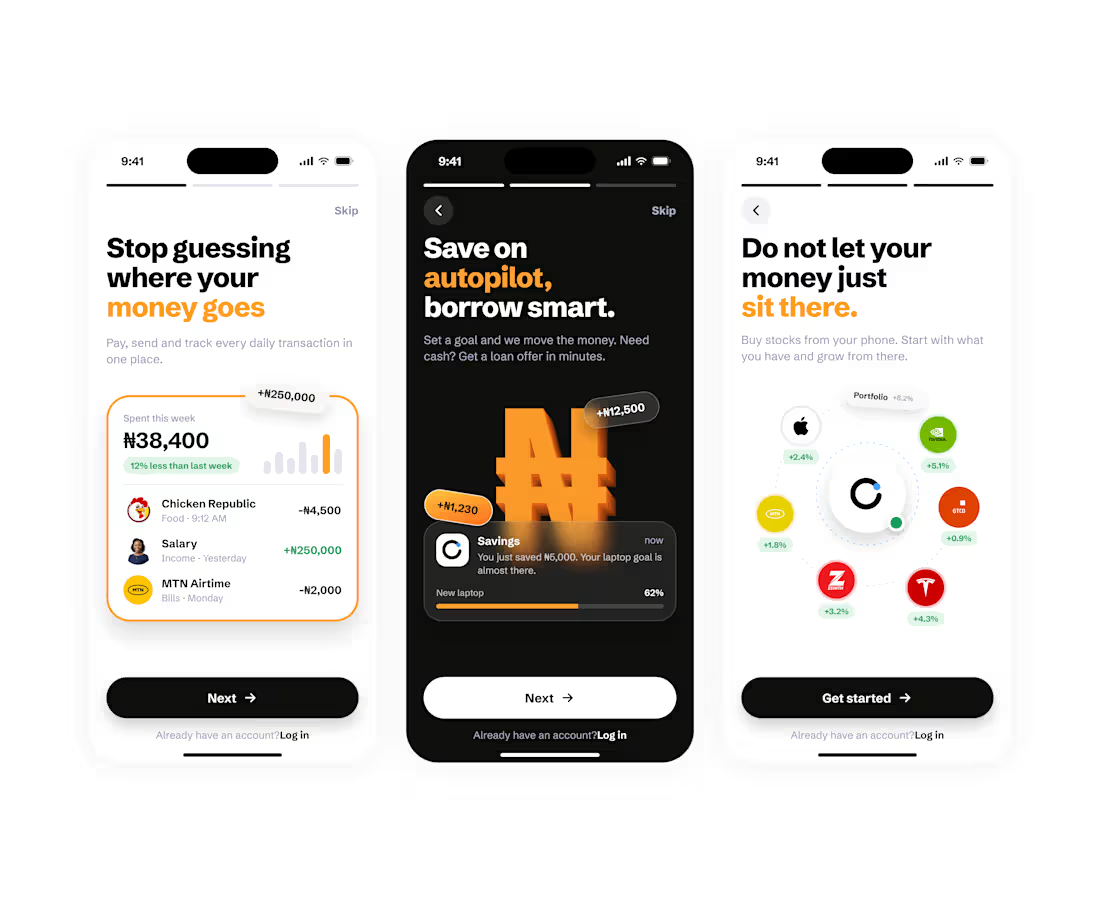
Onboarding Flows that convert users into consistent users
4
4
95
I just designed a 1$ million dollar product that could change how people find homes.
6
5
222
SVG illustration of an Isometric Warehouse Conveyor
1
60
When someone opens your app for the first time, they’re not looking for a manual. They’re looking for a reason to care.
That’s why I designed this onboarding to work like a story, not a tutorial.
1
58
Fisero AI waitlist landing page fully designed and responsive.
2
89
Hero section for Fisero AI
2
74
Shieldedbit hero section. A cybersecurity consulting agency
Healthcare products don’t fail because of lack of data.
They fail because people don’t understand the data.
That was the core decision behind this design.
The purpose wasn’t to build another “feature-rich” health dashboard, but to solve a very human problem: health anxiety and confusion. Most users are not doctors. When they see numbers like 92 bpm or 120/92, they don’t know what to do next. They just worry.
So the first design decision was clarity over complexity.
Instead of overwhelming the user, the layout prioritizes what matters today:
A clear health overview
Visual indicators instead of raw numbers
Recent tests grouped logically
Doctors and appointments placed where reassurance is needed most
Every section answers a silent user question:
How am I doing right now?
Should I be concerned?
Who is responsible for my care?
1
62
Healthcare apps shouldn’t feel clinical or complicated. They should feel calm, clear, and reassuring, especially when users aren’t feeling their best.