
Usman Naeem
Business Process Automation using n8n & Zapier


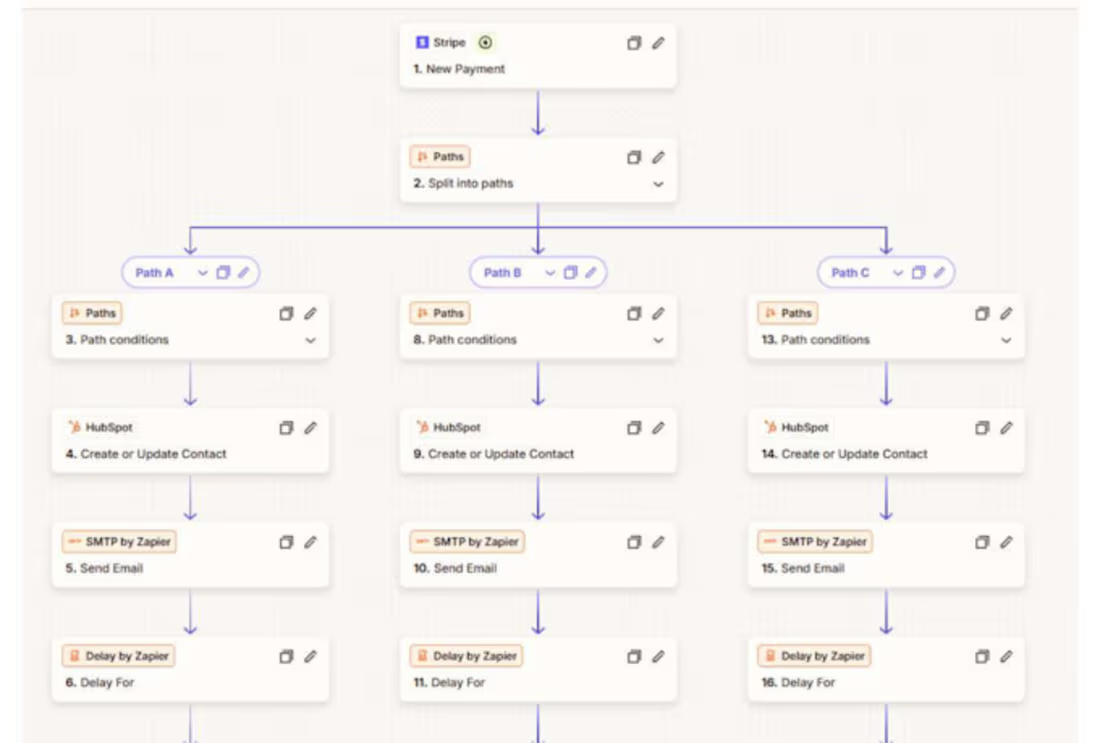
Stripe to HubSpot & Gmail Automation
Automate your workflow by connecting Stripe with HubSpot CRM and Gmail. Instantly sync new payments and customers to HubSpot and send automated Gmail notifications, saving time and reducing manual work.
1
51
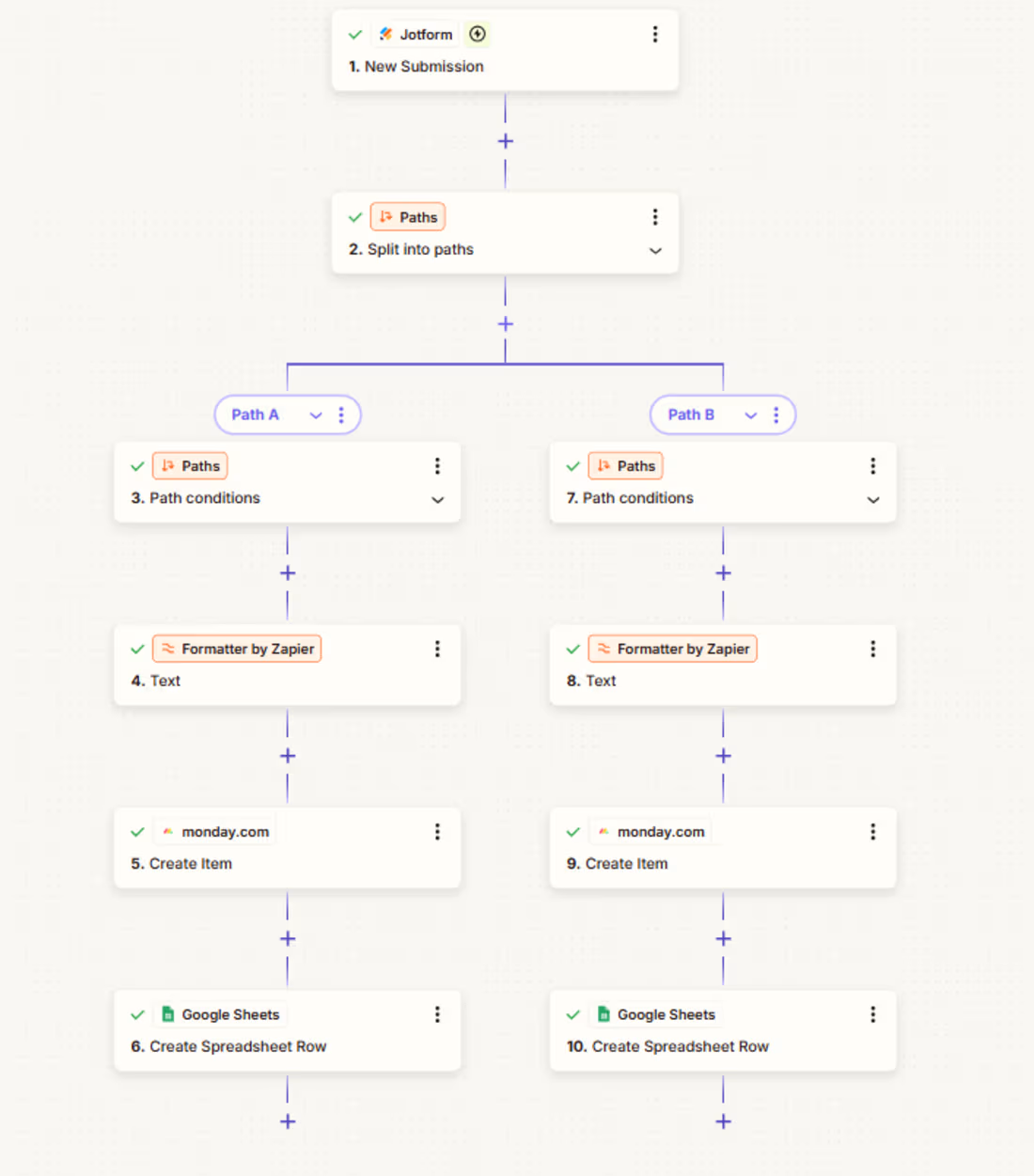
Zapier Workflow for Jotform Data Management
Hi everyone, I made this Zapier automation to handle Jotform submissions smoothly without any manual work.
The form data is neatly sent to Monday so your team can see and act on it, while the same information is also saved in Google Sheets as a simple record or database.
It’s a clean, practical setup that keeps things organized, saves time, and makes day-to-day work feel much easier and smoother.
1
95
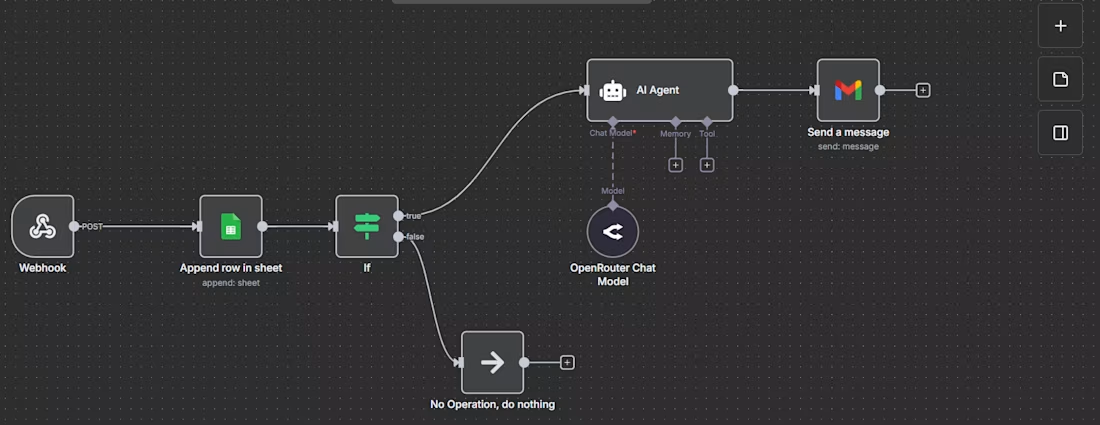
Simple VAPI Calling Agent for Doctor Appointments
This simple but powerful VAPI calling agent handles doctor appointment calls automatically. When a patient calls, the AI agent collects basic details like name and other required information in a natural conversation, without any manual effort from the clinic staff.
After the call, the caller’s data is saved directly to Google Sheets for easy tracking. The system also sends an email with clinic details, and if needed, includes a Calendly appointment link so patients can book their visit instantly.
This workflow saves time, reduces missed calls, and makes appointment booking smooth and stress-free for both clinics and patients.
2
2
142
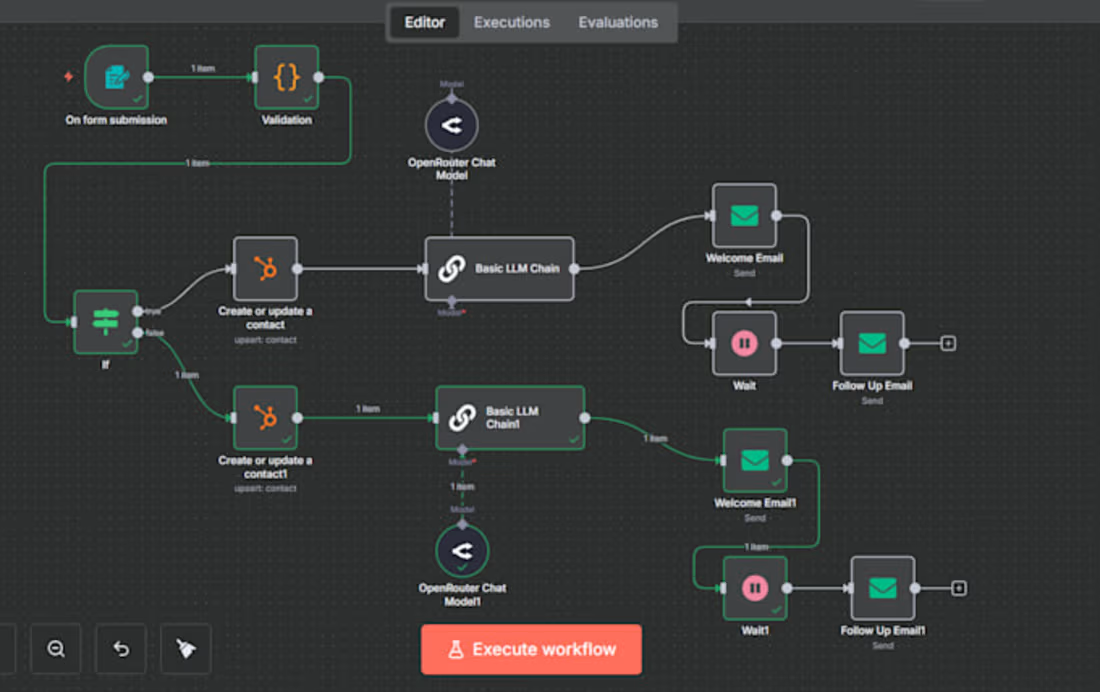
🚀 Smart n8n Automation: From Form Submission to Welcome & Follow-Up Emails (Fully Automated)
This n8n automation works instantly when someone submits a form. It uses custom JavaScript to verify the email address, then automatically sends the valid user data to HubSpot CRM so your leads stay clean and organized.
After the contact is saved, a welcome email is sent immediately, followed by an automatic follow-up email after a short delay. The whole process runs on autopilot, saving time and creating a smooth, professional user experience.
2
106