
Framer Landing Page — Design + BuildDaniel G Bright
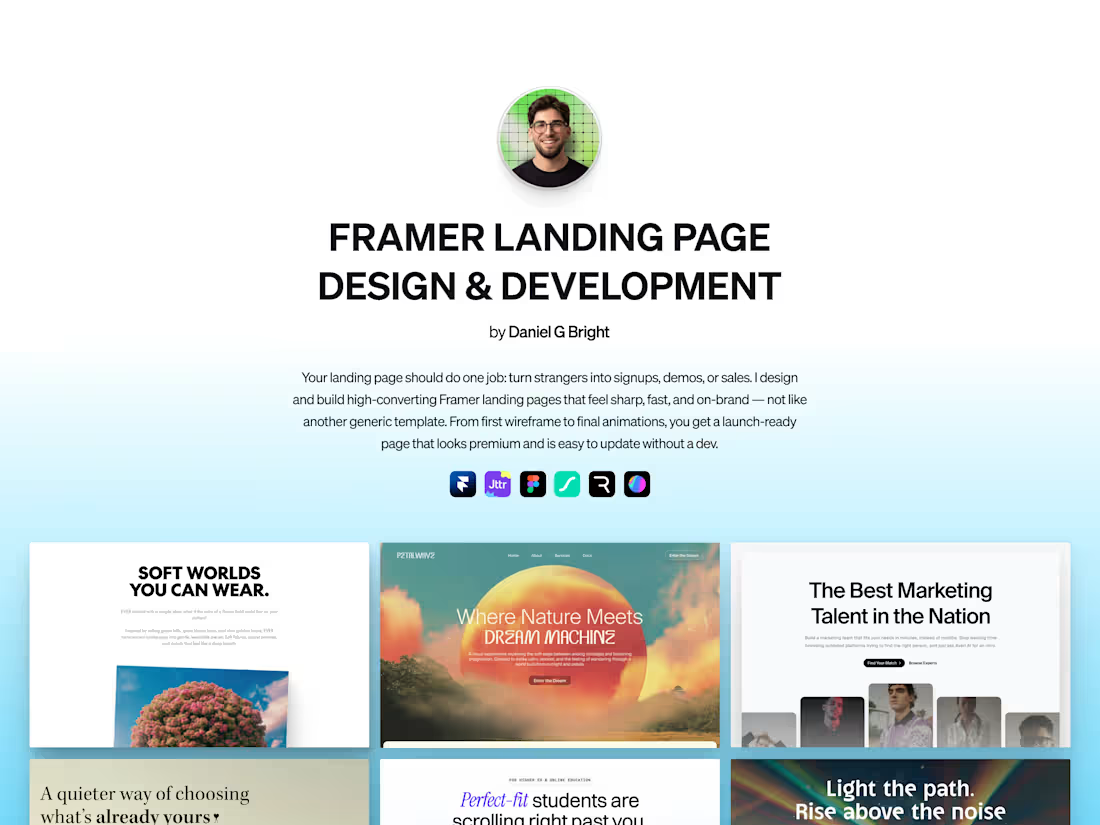
A campaign landing page needs to explain the offer and make the intended next step clear.
This engagement designs and builds your landing page: custom Figma design, Framer build, structure around the visitor’s decision, purposeful motion and performance work. Your team receives editing access at handover.
What separates this from "a Framer landing page"
We agree the audience, traffic source and intended action before designing the page.
The brief determines the order of information, evidence and CTA. We review the finished page against that intended decision.
I lead strategy and creative direction, with specialist production and development support.
Who this is for
Companies running paid traffic who need a real landing experience, not a homepage. Founders launching a product, feature, or campaign that deserves its own page. Teams who want Framer's speed (no developer-dependency for content edits) without sacrificing craft.
Not for: anyone who needs a multi-page website (use the Framer Website Design + Development engagement at $11K), or anyone who already has a design and only needs the build (use the Framer Landing Page Development engagement at $4K).
What you walk away with
A conversion brief: traffic source, audience, what they need to believe, what action they take next.
A hi-fi Figma design sequenced for the decision arc, not visual interest.
A pixel-tight Framer build, responsive across desktop, tablet, mobile.
Motion logic that supports the conversion arc, not decoration.
Performance optimization: lazy loading, asset compression, font tuning. Sub-1.5s LCP target on desktop.
SEO basics: meta tags, OG image, semantic HTML.
Third-party integrations: analytics (GA4, Plausible, Posthog), forms (Tally, Typeform, native), CRM webhooks, calendar embeds, chat.
The Framer remix link. You edit after handoff.
Two weeks of post-launch support.
How it ships
Week 1: conversion brief and Figma design.
Week 2: Framer build, motion, responsive.
Week 3: integrations, performance, polish.
Week 4: QA, launch, handoff.
FAQs
Example work

Daniel G's other services
Starting at$5,500
Duration4 weeks
Tags
Brand Identity
Figma

Framer

B2B SaaS
Framer Designer
Framer Developer
UI Designer
Visual Identity
Web Designer
Web Developer
Service provided by
Daniel G Bright maxTel Aviv-Yafo, Israel
- $1M+
- Earned
- 89
- Paid projects
- 4.93
- Rating
- 6821
- Followers
Framer Landing Page — Design + BuildDaniel G Bright
Starting at$5,500
Duration4 weeks
Tags
Brand Identity
Figma
Framer
B2B SaaS
Framer Designer
Framer Developer
UI Designer
Visual Identity
Web Designer
Web Developer
A campaign landing page needs to explain the offer and make the intended next step clear.
This engagement designs and builds your landing page: custom Figma design, Framer build, structure around the visitor’s decision, purposeful motion and performance work. Your team receives editing access at handover.
What separates this from "a Framer landing page"
We agree the audience, traffic source and intended action before designing the page.
The brief determines the order of information, evidence and CTA. We review the finished page against that intended decision.
I lead strategy and creative direction, with specialist production and development support.
Who this is for
Companies running paid traffic who need a real landing experience, not a homepage. Founders launching a product, feature, or campaign that deserves its own page. Teams who want Framer's speed (no developer-dependency for content edits) without sacrificing craft.
Not for: anyone who needs a multi-page website (use the Framer Website Design + Development engagement at $11K), or anyone who already has a design and only needs the build (use the Framer Landing Page Development engagement at $4K).
What you walk away with
A conversion brief: traffic source, audience, what they need to believe, what action they take next.
A hi-fi Figma design sequenced for the decision arc, not visual interest.
A pixel-tight Framer build, responsive across desktop, tablet, mobile.
Motion logic that supports the conversion arc, not decoration.
Performance optimization: lazy loading, asset compression, font tuning. Sub-1.5s LCP target on desktop.
SEO basics: meta tags, OG image, semantic HTML.
Third-party integrations: analytics (GA4, Plausible, Posthog), forms (Tally, Typeform, native), CRM webhooks, calendar embeds, chat.
The Framer remix link. You edit after handoff.
Two weeks of post-launch support.
How it ships
Week 1: conversion brief and Figma design.
Week 2: Framer build, motion, responsive.
Week 3: integrations, performance, polish.
Week 4: QA, launch, handoff.
FAQs
Example work
Daniel G's other services
$5,500