
SaaS Dashboard & Web App UI Design (Figma)Mykola Tanasiichuk
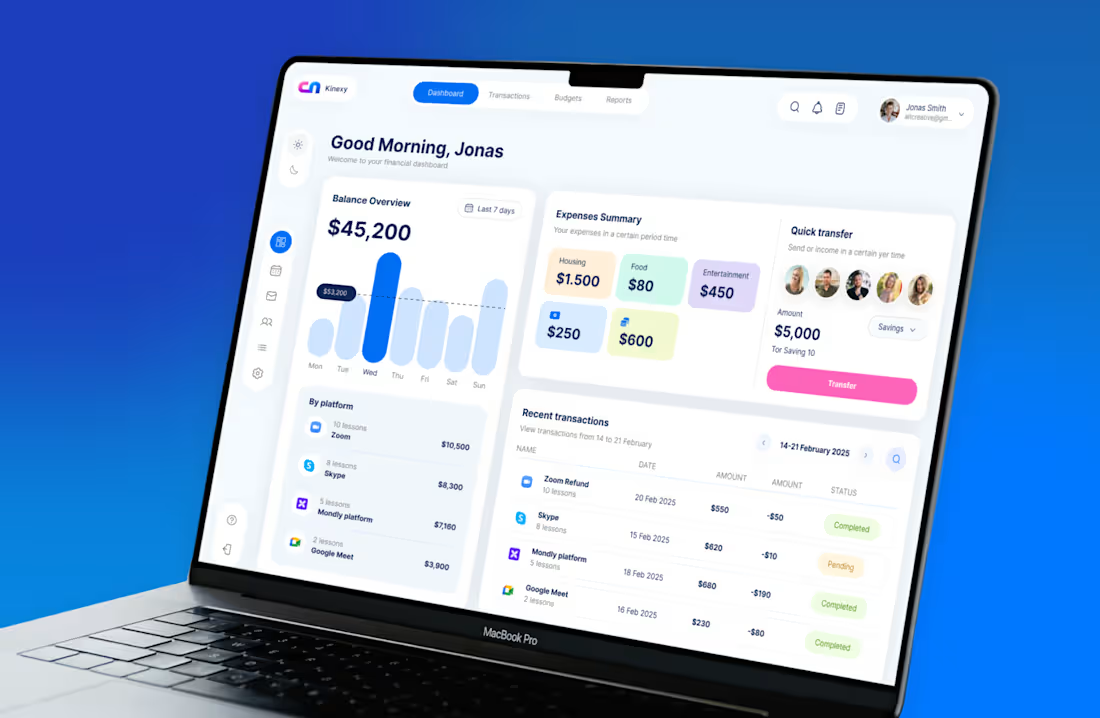
I design the screens people use after they sign up - dashboards, settings, onboarding, checkout, admin panels.
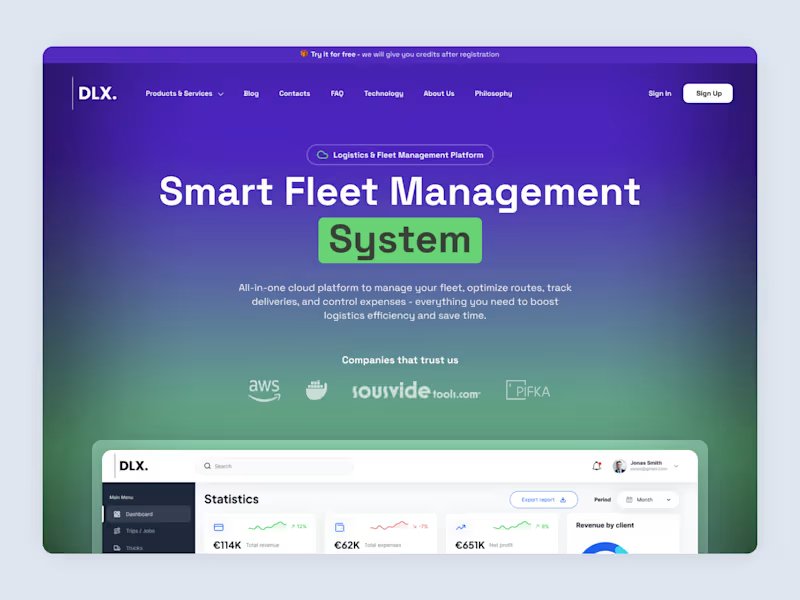
Marketing pages are judged on first impression. Product screens are judged on the fifth week, when the data is messy, the table has four hundred rows and someone is trying to find one number. That's a different craft: hierarchy under density, states that actually exist, and defaults that hold up when real content arrives.
Eleven years in, 560+ projects, mostly SaaS and fintech. I design in Figma and hand off files developers can build from without a meeting — components, variants, every state specified, spacing on a real scale rather than eyeballed.
The starting price covers a core set of screens. Full products and design systems are quoted after I've seen the scope.
What's included:
Flow & Screen Map
A written map of what screens exist, what each one is for, and how a user moves between them — agreed before any pixels.
Wireframes
Structure and hierarchy for every screen, resolved at low fidelity where changes are cheap.
High-Fidelity UI Design
Complete visual design in Figma — typography scale, colour system, spacing, data density worked out against realistic content rather than placeholders.
Component Library
Reusable components with variants, so the product stays consistent as it grows and your developers aren't rebuilding buttons.
All States Specified
Empty, loading, error, success, disabled, overflow. The states most designs skip and every real product needs.
Responsive Behaviour
How each screen reflows on smaller viewports, specified rather than left to the developer to guess.
Developer Handoff
An organised, annotated Figma file with a written walkthrough. Built for async — no handoff call required.
Two Revision Rounds
Two structured rounds after the first full delivery.
FAQs
Example work
Starting at$1,800
Duration2 weeks
Tags
Figma

Design Systems Specialist
Interaction Designer
Product Designer
dashboard design
fintech
saas
ui ux design
web app design
Service provided by
Mykola Tanasiichuk proUkraine
- 8
- Followers
SaaS Dashboard & Web App UI Design (Figma)Mykola Tanasiichuk
Starting at$1,800
Duration2 weeks
Tags
Figma
Design Systems Specialist
Interaction Designer
Product Designer
dashboard design
fintech
saas
ui ux design
web app design
I design the screens people use after they sign up - dashboards, settings, onboarding, checkout, admin panels.
Marketing pages are judged on first impression. Product screens are judged on the fifth week, when the data is messy, the table has four hundred rows and someone is trying to find one number. That's a different craft: hierarchy under density, states that actually exist, and defaults that hold up when real content arrives.
Eleven years in, 560+ projects, mostly SaaS and fintech. I design in Figma and hand off files developers can build from without a meeting — components, variants, every state specified, spacing on a real scale rather than eyeballed.
The starting price covers a core set of screens. Full products and design systems are quoted after I've seen the scope.
What's included:
Flow & Screen Map
A written map of what screens exist, what each one is for, and how a user moves between them — agreed before any pixels.
Wireframes
Structure and hierarchy for every screen, resolved at low fidelity where changes are cheap.
High-Fidelity UI Design
Complete visual design in Figma — typography scale, colour system, spacing, data density worked out against realistic content rather than placeholders.
Component Library
Reusable components with variants, so the product stays consistent as it grows and your developers aren't rebuilding buttons.
All States Specified
Empty, loading, error, success, disabled, overflow. The states most designs skip and every real product needs.
Responsive Behaviour
How each screen reflows on smaller viewports, specified rather than left to the developer to guess.
Developer Handoff
An organised, annotated Figma file with a written walkthrough. Built for async — no handoff call required.
Two Revision Rounds
Two structured rounds after the first full delivery.
FAQs
Example work
$1,800