
UI UX design for SaaS Yurii Funkendorf
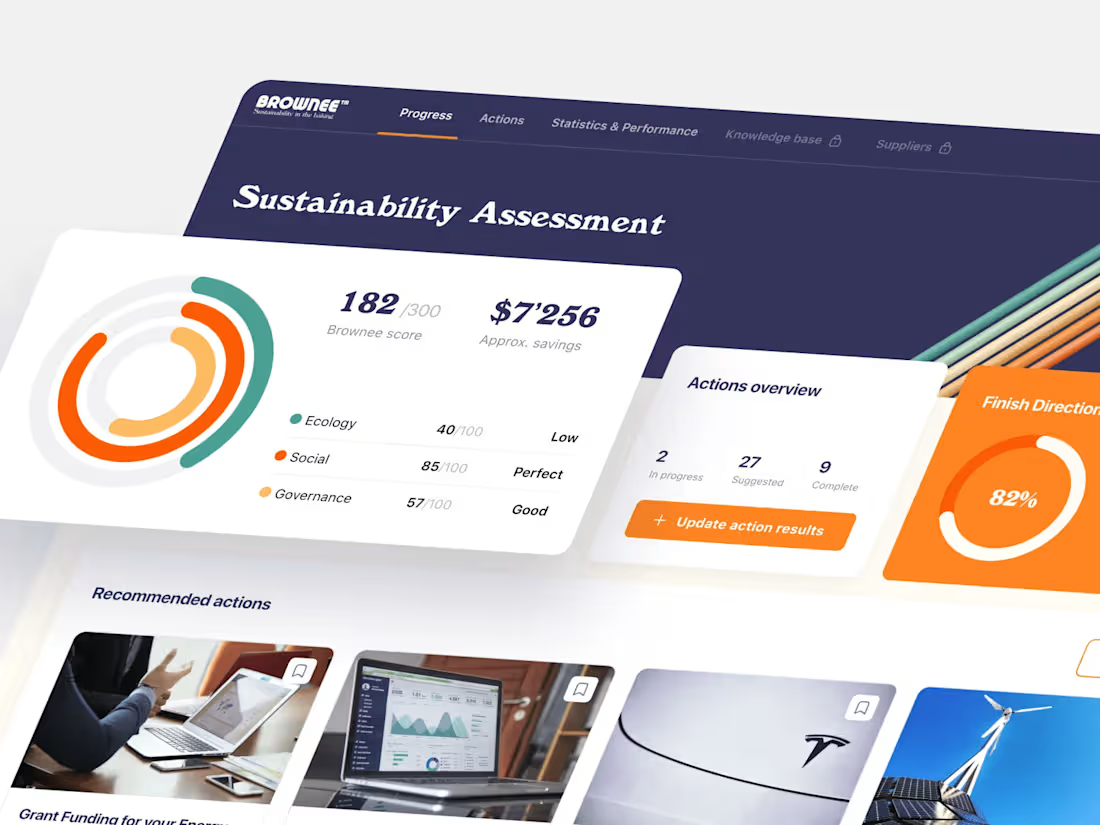
All decisions are made in favor of the project's success. We think about the 1/3/5 years future of the product we’re creating.
We study user behavior and client’s goals in order to create a logical and yet not boring app structure. We collect all information about your niche, competitors, identify common patterns of user behavior for the best user experience
What's included
UI/UX Design for SaaS ( Discovery phase)
Competitor Analysis – Research and evaluate competing SaaS platforms to identify industry trends, best practices, and areas for differentiation.
Wireframes & Prototyping – Create low-fidelity structural layouts and interactive prototypes to define user flow and functionality.
UI Design (Branding, Moodboard) – Develop a visually cohesive design system, including color schemes, typography, and brand elements, to ensure a strong identity.
Usability Testing – Conduct user testing sessions to gather feedback, identify pain points, and refine the design for optimal user experience.
UI/UX Design for SaaS (UI/UX Assets)
Wireframes – Low-fidelity sketches outlining the page structure and layout.
User Flows & Journey Maps – Visual representation of how users navigate through the platform.
High-Fidelity UI Mockups – Pixel-perfect screen designs created in Figma, Adobe XD, or Sketch.
Clickable Prototypes – Interactive mockups to simulate user interactions before development.
Style Guide & Design System – A comprehensive set of UI components, typography, colors, and guidelines for consistency.
UI/UX Design for SaaS (Strategy & Guidelines)
User Research & Personas – Data-driven insights into user needs, behaviors, and pain points.
Accessibility & Usability Guidelines – Ensuring compliance with WCAG and UX best practices.
Design Handoff Package – Assets, specs, and guidelines for developers, including responsive behavior documentation.
Interaction & Animation Guidelines – Explanation of microinteractions and motion effects within the SaaS platform.
Testing & Validation Reports – Results from usability testing and user feedback analysis.
FAQs
My business mindset. I dive deep into your business to find the shortest, most comfortable user path to your goals.
Yes, definitely
Of course! Moreover, I suggest starting with an audit to identify obvious and hidden pain points. This way, we won't just redesign to make it look fresh but will improve your product with practical ROI.
Great question! UI/UX design investment varies widely based on your project's goals, so I'd love to understand more to give tailored guidance.
Could you share:
The platforms (web, mobile, SaaS)?
Key features or user flows?
Timeline and any research needs?
Your target users and success metrics?
I offer retainer-style support:
Ongoing updates and iterations
Targeted UX issue resolution
Feature expansion support
Component refinement and scaling
Figma project
Developer-ready components
Prototypes
Assets export
Style guide
Handoff documentation
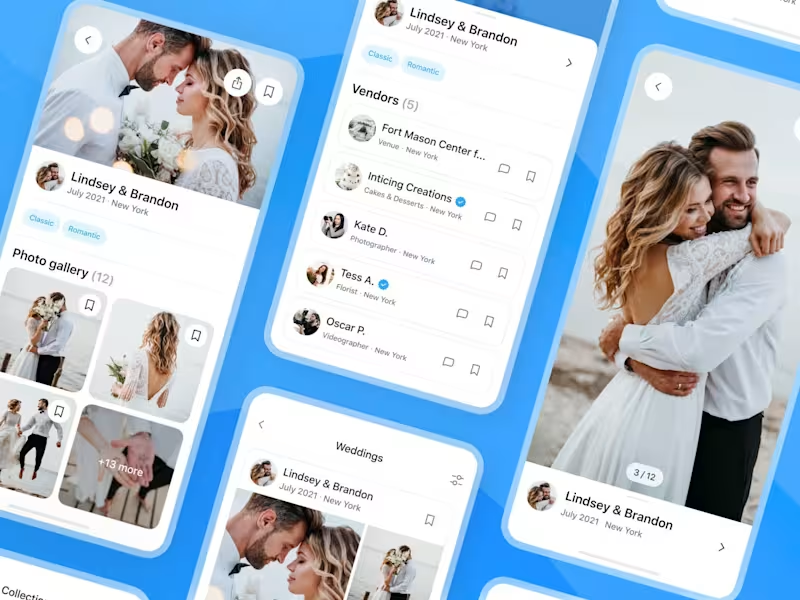
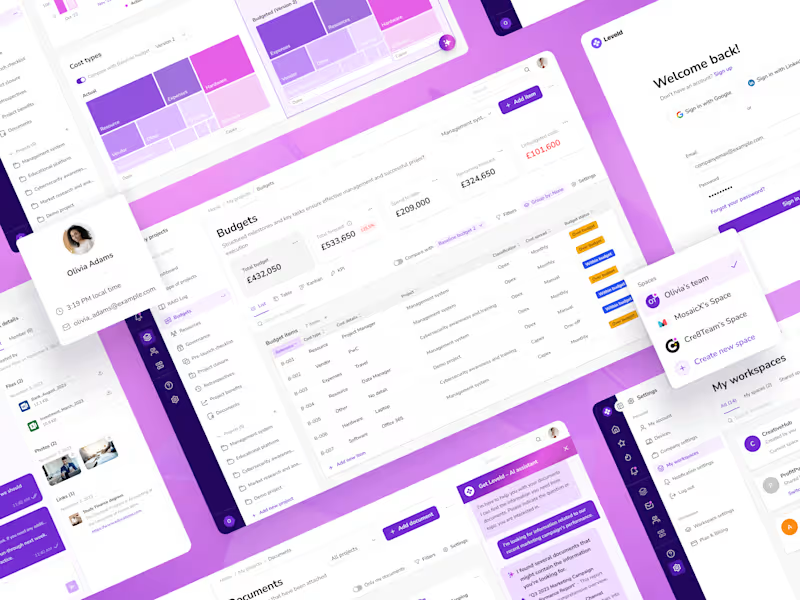
Example work

Yurii 's other services
Contact for pricing
Tags
Figma


Sketch

SaaS
UI Designer
UX Designer
UX Engineer
Service provided by
Yurii Funkendorf proZagreb, Croatia
- $1k+
- Earned
- 2
- Paid projects
- 5.00
- Rating
- 15
- Followers
UI UX design for SaaS Yurii Funkendorf
All decisions are made in favor of the project's success. We think about the 1/3/5 years future of the product we’re creating.
We study user behavior and client’s goals in order to create a logical and yet not boring app structure. We collect all information about your niche, competitors, identify common patterns of user behavior for the best user experience
What's included
UI/UX Design for SaaS ( Discovery phase)
Competitor Analysis – Research and evaluate competing SaaS platforms to identify industry trends, best practices, and areas for differentiation.
Wireframes & Prototyping – Create low-fidelity structural layouts and interactive prototypes to define user flow and functionality.
UI Design (Branding, Moodboard) – Develop a visually cohesive design system, including color schemes, typography, and brand elements, to ensure a strong identity.
Usability Testing – Conduct user testing sessions to gather feedback, identify pain points, and refine the design for optimal user experience.
UI/UX Design for SaaS (UI/UX Assets)
Wireframes – Low-fidelity sketches outlining the page structure and layout.
User Flows & Journey Maps – Visual representation of how users navigate through the platform.
High-Fidelity UI Mockups – Pixel-perfect screen designs created in Figma, Adobe XD, or Sketch.
Clickable Prototypes – Interactive mockups to simulate user interactions before development.
Style Guide & Design System – A comprehensive set of UI components, typography, colors, and guidelines for consistency.
UI/UX Design for SaaS (Strategy & Guidelines)
User Research & Personas – Data-driven insights into user needs, behaviors, and pain points.
Accessibility & Usability Guidelines – Ensuring compliance with WCAG and UX best practices.
Design Handoff Package – Assets, specs, and guidelines for developers, including responsive behavior documentation.
Interaction & Animation Guidelines – Explanation of microinteractions and motion effects within the SaaS platform.
Testing & Validation Reports – Results from usability testing and user feedback analysis.
FAQs
My business mindset. I dive deep into your business to find the shortest, most comfortable user path to your goals.
Yes, definitely
Of course! Moreover, I suggest starting with an audit to identify obvious and hidden pain points. This way, we won't just redesign to make it look fresh but will improve your product with practical ROI.
Great question! UI/UX design investment varies widely based on your project's goals, so I'd love to understand more to give tailored guidance.
Could you share:
The platforms (web, mobile, SaaS)?
Key features or user flows?
Timeline and any research needs?
Your target users and success metrics?
I offer retainer-style support:
Ongoing updates and iterations
Targeted UX issue resolution
Feature expansion support
Component refinement and scaling
Figma project
Developer-ready components
Prototypes
Assets export
Style guide
Handoff documentation
Example work
Yurii 's other services
Contact for pricing