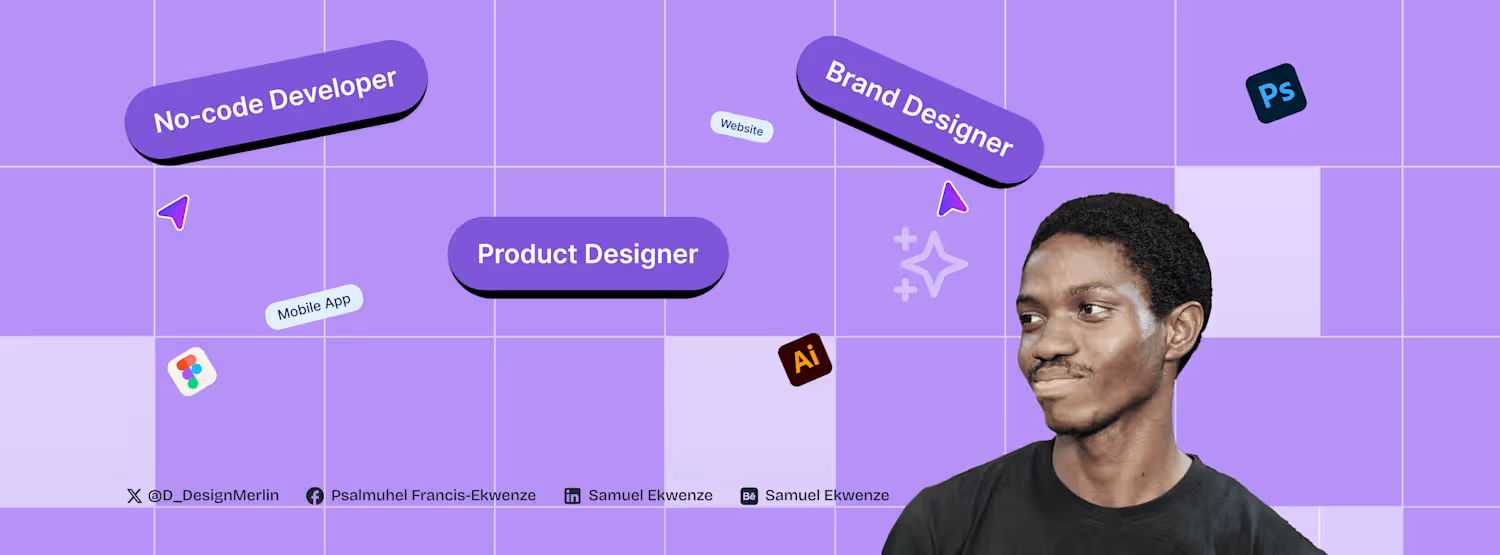
Samuel Ekwenze's Work | ContraWork by Samuel Ekwenze
Samuel Ekwenze

Samuel Ekwenze

Top-tier Figma Designer Expert | Web and Mobile Designer

Profile in progress

Samuel is building their profile!

๐——๐—ฎ๐˜† ๐Ÿญ๐Ÿณ ๐—ผ๐—ณ ๐—ฟ๐—ฒ-๐—น๐—ฒ๐—ฎ๐—ฟ๐—ป๐—ถ๐—ป๐—ด ๐—ณ๐—ฟ๐—ฎ๐—บ๐—ฒ๐—ฟ ๐˜‚๐—ป๐˜๐—ถ๐—น ๐—ถ ๐—ด๐—ฒ๐˜ ๐—บ๐˜† ๐—ณ๐—ถ๐—ฟ๐˜€๐˜ ๐—ด๐—ถ๐—ด Today I built a hover image slider animation. As you hover, images slide smoothly, creating a more interactive and engaging way to explore content. Still building. Still refining.
2
2
20
๐——๐—ฎ๐˜† ๐Ÿญ๐Ÿฒ ๐—ผ๐—ณ ๐—ฟ๐—ฒ-๐—น๐—ฒ๐—ฎ๐—ฟ๐—ป๐—ถ๐—ป๐—ด ๐—ณ๐—ฟ๐—ฎ๐—บ๐—ฒ๐—ฟ ๐˜‚๐—ป๐˜๐—ถ๐—น ๐—ถ ๐—ด๐—ฒ๐˜ ๐—บ๐˜† ๐—ณ๐—ถ๐—ฟ๐˜€๐˜ ๐—ด๐—ถ๐—ด Today I took a slightly different turn. Instead of regular animations, I experimented with scroll-based image and text reveal using variants. As the user scrolls, the content gradually reveals itself, creating a more interactive storytelling experience. What Iโ€™m discovering is that scroll interactions can do more than decorate a page. They can control pacing. They decide when the user sees information and how the story unfolds. Little by little, this challenge is helping me think less like someone designing static pages and more like someone designing experiences. Still building. Still experimenting.
0
9
๐——๐—ฎ๐˜† ๐Ÿญ๐Ÿฑ ๐—ผ๐—ณ ๐—ฟ๐—ฒ-๐—น๐—ฒ๐—ฎ๐—ฟ๐—ป๐—ถ๐—ป๐—ด ๐—ณ๐—ฟ๐—ฎ๐—บ๐—ฒ๐—ฟ ๐˜‚๐—ป๐˜๐—ถ๐—น ๐—ถ ๐—ด๐—ฒ๐˜ ๐—บ๐˜† ๐—ณ๐—ถ๐—ฟ๐˜€๐˜ ๐—ด๐—ถ๐—ด Today I built a hover preview image animation. When you hover on an element, a preview image smoothly appears. Simple interactionโ€ฆ but it makes the website feel alive. Small details like this are what turn a normal website into a premium experience. Still building every day. Design โ†’ Build โ†’ Improve.
1
30
๐ƒ๐š๐ฒ ๐Ÿ๐Ÿ’ ๐จ๐Ÿ ๐ซ๐ž-๐ฅ๐ž๐š๐ซ๐ง๐ข๐ง๐  ๐Ÿ๐ซ๐š๐ฆ๐ž๐ซ Today I experimented with a horizontal smooth scroll animation. The goal was to make content move naturally as users navigate across sections, instead of feeling abrupt or static. What I learned: โ€ข Smooth horizontal movement helps guide attention โ€ข Transitions make the interface feel more fluid โ€ข Small motion details improve the overall experience Animations are not just for aesthetics. They help users understand where they are and where they are going. Still learning. Still refining.
1
24
๐——๐—ฎ๐˜† ๐Ÿญ๐Ÿฏ ๐—ผ๐—ณ ๐—ฟ๐—ฒ-๐—น๐—ฒ๐—ฎ๐—ฟ๐—ป๐—ถ๐—ป๐—ด ๐—ณ๐—ฟ๐—ฎ๐—บ๐—ฒ๐—ฟ ๐˜‚๐—ป๐˜๐—ถ๐—น ๐—ถ ๐—ด๐—ฒ๐˜ ๐—บ๐˜† ๐—ณ๐—ถ๐—ฟ๐˜€๐˜ ๐—ด๐—ถ๐—ด In order to get more grounded in framer, I focused on optimization for different screens. A website might look perfect on desktop, but the real test is how it behaves on tablet and mobile. So today was about refining: โ€ข Breakpoints โ€ข Spacing adjustments โ€ข Section behavior across screens โ€ข Text readability on smaller devices โ€ข Keeping animations smooth across layouts Because great websites arenโ€™t just designed for one screen. Theyโ€™re designed for every screen. Still building. Still improving.
1
22
๐——๐—ฎ๐˜† ๐Ÿญ๐Ÿฎ ๐—ผ๐—ณ ๐—ฟ๐—ฒ-๐—น๐—ฒ๐—ฎ๐—ฟ๐—ป๐—ถ๐—ป๐—ด ๐—ณ๐—ฟ๐—ฎ๐—บ๐—ฒ๐—ฟ ๐˜‚๐—ป๐˜๐—ถ๐—น ๐—ถ ๐—ด๐—ฒ๐˜ ๐—บ๐˜† ๐—ณ๐—ถ๐—ฟ๐˜€๐˜ ๐—ด๐—ถ๐—ด Still exploring scroll animations today. I focused on refining how elements appear and move as users scroll through the page making the transitions feel smoother and more natural. One thing Iโ€™m realizing is that good scroll animation isnโ€™t about doing too much. Itโ€™s about timing, subtlety, and guiding attention. The goal is simple: Make the experience feel smooth without the user even noticing the effort behind it. Still building. Still refining.
1
24
๐ƒ๐š๐ฒ ๐Ÿ๐Ÿ ๐จ๐Ÿ ๐ซ๐ž-๐ฅ๐ž๐š๐ซ๐ง๐ข๐ง๐  ๐Ÿ๐ซ๐š๐ฆ๐ž๐ซ ๐ฎ๐ง๐ญ๐ข๐ฅ ๐ข ๐ ๐ž๐ญ ๐ฆ๐ฒ ๐Ÿ๐ข๐ซ๐ฌ๐ญ ๐ ๐ข๐  Todayโ€™s focus was scroll animations. I experimented with how elements appear and move as users scroll through a page, making the experience feel smoother and more engaging. What Iโ€™m learning is that scroll animations shouldnโ€™t just look cool. They should guide attention and support the story of the page. Little by little, these details are helping me understand how to make websites feel more alive and premium. Still building. Still learning.
0
44
๐ƒ๐š๐ฒ ๐Ÿ๐ŸŽ ๐จ๐Ÿ ๐ซ๐ž-๐ฅ๐ž๐š๐ซ๐ง๐ข๐ง๐  ๐Ÿ๐ซ๐š๐ฆ๐ž๐ซ ๐ฎ๐ง๐ญ๐ข๐ฅ ๐ข ๐ ๐ž๐ญ ๐ฆ๐ฒ ๐Ÿ๐ข๐ซ๐ฌ๐ญ ๐ ๐ข๐  Still deep in the world of micro-interactions. Today I built a checkbox animation, a small interaction, but one that makes a big difference in how an interface feels. Instead of a static check, I added motion so the action feels responsive and satisfying. When a user clicks something, the interface should respond in a way that feels alive. Still learning. Still refining the details.
0
20
๐——๐—ฎ๐˜† ๐Ÿต ๐—ผ๐—ณ ๐—ฟ๐—ฒ-๐—น๐—ฒ๐—ฎ๐—ฟ๐—ป๐—ถ๐—ป๐—ด ๐—ณ๐—ฟ๐—ฎ๐—บ๐—ฒ๐—ฟ ๐˜‚๐—ป๐˜๐—ถ๐—น ๐—ถ ๐—ด๐—ฒ๐˜ ๐—บ๐˜† ๐—ณ๐—ถ๐—ฟ๐˜€๐˜ ๐—ด๐—ถ๐—ด Today I focused on icon animations and experimented with creating a signature animation using the pen tool. Itโ€™s one of those small details that can instantly make a website feel more personal and premium. This challenge keeps teaching me that the difference between a normal website and a great one often comes down to motion and tiny interactions. Still building. Still learning.
0
33
๐——๐—ฎ๐˜† ๐Ÿด ๐—ผ๐—ณ ๐—ฟ๐—ฒ-๐—น๐—ฒ๐—ฎ๐—ฟ๐—ป๐—ถ๐—ป๐—ด ๐—ณ๐—ฟ๐—ฎ๐—บ๐—ฒ๐—ฟ ๐˜‚๐—ป๐˜๐—ถ๐—น ๐—ถ ๐—ด๐—ฒ๐˜ ๐—บ๐˜† ๐—ณ๐—ถ๐—ฟ๐˜€๐˜ ๐—ด๐—ถ๐—ด Happy Sunday! Today I focused on icon animation. I animated a progress stepper from start to finish and recorded the whole process. What looked like a small element actually took a lot of thinking: How the icon transitions How the progress flows How the motion feels natural These tiny details are what make interfaces feel alive and premium. Still building. Still learning.
0
38
๐ƒ๐š๐ฒ ๐Ÿ• ๐จ๐Ÿ ๐ซ๐ž-๐ฅ๐ž๐š๐ซ๐ง๐ข๐ง๐  ๐Ÿ๐ซ๐š๐ฆ๐ž๐ซ ๐ฎ๐ง๐ญ๐ข๐ฅ ๐ข ๐ ๐ž๐ญ ๐ฆ๐ฒ ๐Ÿ๐ข๐ซ๐ฌ๐ญ ๐ ๐ข๐  Iโ€™ve been learning how to properly design landing pages the past few days. Today I focused on micro-interactions and animations to give the site a more premium feel. Small things like hover effects, smooth entrances, and subtle motion. Turns out the difference between an average site and a premium oneโ€ฆ is usually the little details. Still building. Still learning. #BuildInPublic (https://x.com/hashtag/BuildInPublic?src=hashtag_click) #Framer (https://x.com/hashtag/Framer?src=hashtag_click) #NoCode (https://x.com/hashtag/NoCode?src=hashtag_click) #WebDesign (https://x.com/hashtag/WebDesign?src=hashtag_click)
0
45
๐——๐—ฎ๐˜† ๐Ÿฒ ๐—ผ๐—ณ ๐—ฟ๐—ฒ-๐—น๐—ฒ๐—ฎ๐—ฟ๐—ป๐—ถ๐—ป๐—ด ๐—ณ๐—ฟ๐—ฎ๐—บ๐—ฒ๐—ฟ ๐˜‚๐—ป๐˜๐—ถ๐—น ๐—ถ ๐—ด๐—ฒ๐˜ ๐—บ๐˜† ๐—ณ๐—ถ๐—ฟ๐˜€๐˜ ๐—ด๐—ถ๐—ด Continuation from yesterdayโ€™s build. Day 5 was about laying the foundation - Navbar, hero section, and the first subsection. Today was about expansion and structure. I focused on building out more subsections, pushing deeper into advanced CMS integration, and working with layout templates to make the system scalable. Then I wrapped it up by structuring the footer to tie the entire page together. What looked like โ€œjust adding sectionsโ€ was actually deeper work: โ€ข Making subsections reusable โ€ข Structuring CMS collections properly โ€ข Ensuring layouts stay responsive โ€ข Keeping animations consistent across sections Day 6 done. The goal isnโ€™t perfection. The goal is compounding skill, one build at a time.
2
60
๐——๐—ฎ๐˜† ๐Ÿ“ ๐—ผ๐—ณ ๐—น๐—ฒ๐—ฎ๐—ฟ๐—ป๐—ถ๐—ป๐—ด ๐—ณ๐—ฟ๐—ฎ๐—บ๐—ฒ๐—ฟ ๐˜‚๐—ป๐˜๐—ถ๐—น ๐—ถ ๐—ด๐—ฒ๐˜ ๐—บ๐˜† ๐—ณ๐—ถ๐—ฟ๐˜€๐˜ ๐—ด๐—ถ๐—ด Today wasnโ€™t about skill. It was about resolve. I tested myself by building completely from scratch a framer template from Framer Marketplace. No YouTube, No step-by-step walkthrough, because if Iโ€™m serious about building Framer templates from scratch, I canโ€™t always rely on someone elseโ€™s thinking. This is a 2-part series. Part 1: โ€ข Navbar โ€ข Hero section โ€ข First subsection I used component templates strategically for the header (thinking systems, not just visuals). Then layered in effects like ticker and slideshow. Part 1 done. Part 2, we add the other subsections, and footer.
1
47
๐——๐—ฎ๐˜† ๐Ÿฐ ๐—ผ๐—ณ ๐—ฟ๐—ฒ-๐—น๐—ฒ๐—ฎ๐—ฟ๐—ป๐—ถ๐—ป๐—ด ๐—ณ๐—ฟ๐—ฎ๐—บ๐—ฒ๐—ฟ Today, I still continued with my framer journey by starting from a blank canvas. Followed along the tutorial on YT. The focus was on building an animated, fully responsive website from scratch, making sure: โ€ข Breakpoints actually made sense โ€ข Sections flowed naturally โ€ข Animations felt purposeful โ€ข Layout held up across devices โ€ข Nothing broke under resize Starting from a blank canvas exposes your real understanding. Every day I build, I feel my thinking getting sharper. Less guessing. More intention. More control. If you can design it and build it, you think differently. Day 4 complete. Weโ€™re not stopping.
2
3
222
๐ƒ๐š๐ฒ ๐Ÿ‘ ๐จ๐Ÿ ๐ซ๐ž-๐ฅ๐ž๐š๐ซ๐ง๐ข๐ง๐  ๐…๐ซ๐š๐ฆ๐ž๐ซ Today, I built a high-level animated hero section. Not just something that โ€œmovesโ€ but something that feels intentional. I used effects components from Framer University and pushed them further: โ€ข Layered entrance animations โ€ข Staggered text reveals โ€ข Subtle parallax movement โ€ข Smooth easing curves โ€ข Scroll-triggered transitions Day 3 done. We keep building till i land my first framer gig!
1
62
๐ƒ๐š๐ฒ ๐Ÿ ๐จ๐Ÿ ๐ซ๐ž-๐ฅ๐ž๐š๐ซ๐ง๐ข๐ง๐  ๐…๐ซ๐š๐ฆ๐ž๐ซ Today wasnโ€™t about colors. It wasnโ€™t about fancy hero sections. It was about structure. Setting up proper breakpoints. Defining clean sections. Thinking responsive before thinking beautiful. Because hereโ€™s what most designers wonโ€™t admit: If your structure is weak, your design will collapse under pressure.
2
109
Iโ€™m starting a Framer building challenge. Not for clout. Not for content. But to stretch myself. So for the next few weeks, Iโ€™m building consistently in Framer. No-code isnโ€™t a trend anymore. Itโ€™s becoming part of a designerโ€™s lifestyle. The ability to: โ€ข Design the idea โ€ข Prototype the interaction โ€ข Publish the live site โ€ข Iterate instantly ๐˜๐˜ฆ๐˜ณ๐˜ฆ'๐˜ด ๐˜ต๐˜ฐ ๐˜‹๐˜ข๐˜บ 1 ๐˜ฐ๐˜ง ๐˜ณ๐˜ฆ๐˜ญ๐˜ฆ๐˜ข๐˜ณ๐˜ฏ๐˜ช๐˜ฏ๐˜จ ๐˜ง๐˜ณ๐˜ข๐˜ฎ๐˜ฆ๐˜ณ. I dived deep into the basics, styling, components, Z index, responsiveness and animations. This was a playful design to re-boost my knowledge in designing from scratch without using templates.
2
64
I vibecoded an AI smart scheduler that can help accounting firms consultants schedule task and make it easy for people to see their task, used Figma and Figma make to ship from design to code. The future is AI #AIcapcutchallenge #maxearnings #aidesignflows #aivideos
2
114
I created an "how it works" section container for a US based immigration company website, and animated it on Jitter, this bringing the design to live. Subtle entrance. Soft easing. No overdesign, just smooth storytelling through motion. Kindly share your feedback. Thanks.
2
96
Cover image for Designed a bento grid for
Designed a bento grid for AI based start-up that deals with AI Agents to help navigate your journey as an immigrant in the United States. Actively seeking gigs and open for collaboration. ๐Ÿ”ฅ
4
3
211
Cover image for Deigned a real estate properties
Deigned a real estate properties page where clarity does the selling. No clutter. No visual noise. No โ€œlook-at-meโ€ UI. Just: โ€ข Clean layouts โ€ข Clear hierarchy โ€ข Properties that feel easy to scan, compare, and trust Open to collaborations, partnerships, and interesting product work. #Contra #BuiltOnContra #DesignOnContra #ProductDesign #UXDesign #UIDesign #DesignSystems #StartupDesign #WebDesign #CreativeCollaboration #whennotai #feelsreal #asciidreams
2
77
Cover image for I explored designing a real
I explored designing a real estate agent dashboard where agents can track their property listings, manage sales and revenue. It was well thought out layout. I'm actively looking to collaborate, and open for freelance gigs. I deliver 100% #clienttips #whennotai #figma #buildinpublic
0
70
Cover image for Currently building an event app, here is a snapshot of the e...
Currently building an event app, here is a snapshot of the event tickets page
0
93
Cover image for Fysi E-commerce(Eco-friendly) Website
Fysi E-commerce(Eco-friendly) Website
0
0
Cover image for POWER-ROUTE EV CHARGING STATION LOCATOR APP
POWER-ROUTE EV CHARGING STATION LOCATOR APP
0
0
Cover image for FundPath Crowdfunding App
FundPath Crowdfunding App
0
0
Cover image for Roamify Travels | Logo and Brand Identity
Roamify Travels | Logo and Brand Identity
0
0