
Task Manager App By Mohammad Al Bali
Description
The Task Manager App is a robust and feature-rich application built using Flutter. It enables users to manage tasks efficiently with functionalities like authentication, task CRUD operations, pagination, and state management. The app is designed following Flutter best practices, with a focus on performance, clean code, and intuitive user experience following Google Material 3 Design Rules.
Features
User Authentication
Secure login using
https://dummyjson.com/docs/auth.Validates username and password and fetches user details based on the authentication token.
Task Management
Add, view, edit, and delete tasks.
User-specific task management with distinct endpoints for personal and global tasks.
Pagination
Efficient task retrieval using paginated APIs (
https://dummyjson.com/todos?limit=30&skip=30).Lazy Loading by listening to screen scrolls to effectively fetch more data
State Management
Implemented using BLoC for efficient and scalable application state handling.
Local Storage
Tasks are stored persistently using SQFLite for local data availability.
Settings like themes, language preferences and tokens are managed via SharedPreferences.
Localization
Multi-language support for English and Arabic, seamlessly switchable in-app without the need to restart.
Light & Dark Mode
Dynamically toggles between light and dark themes to enhance user experience.
Unit Testing
Comprehensive test coverage for task CRUD operations, input validation, and state management using mocks.
Show Case View
Tutorials on first startup, improving user usability
Screenshots
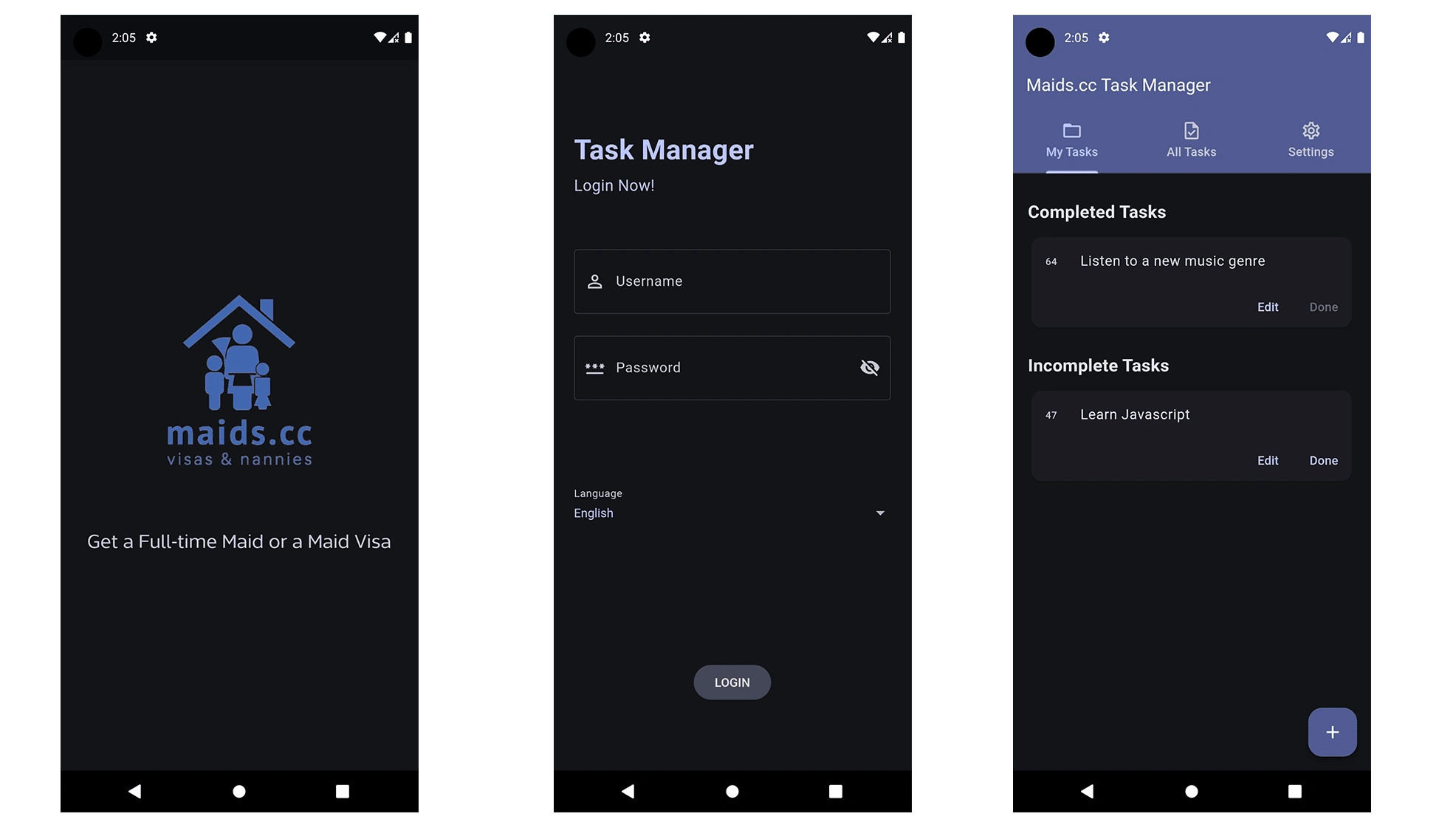
Splash Screen - Login Page - Home Page
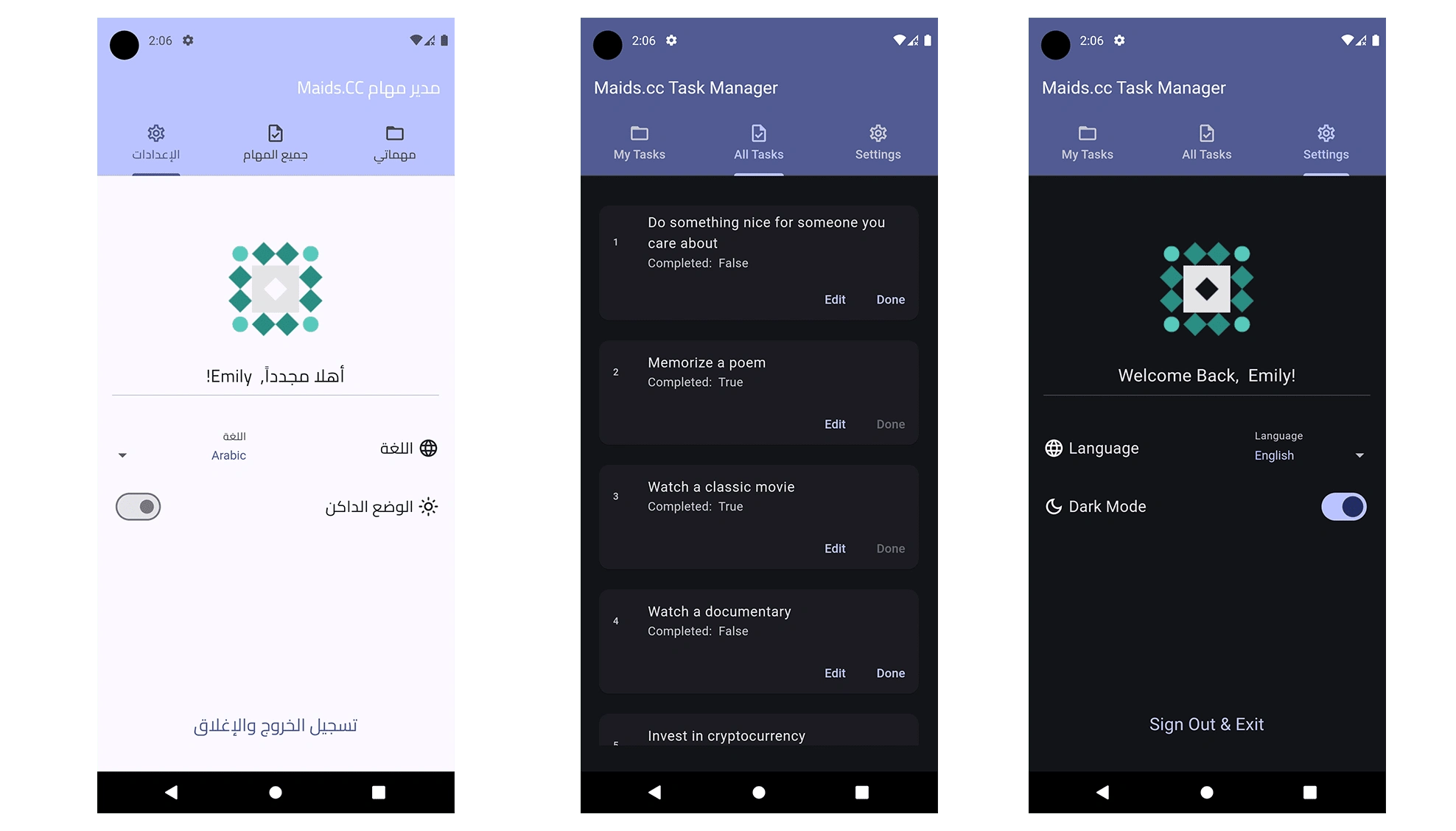
Light Mode in Arabic - Settings Page - All Tasks
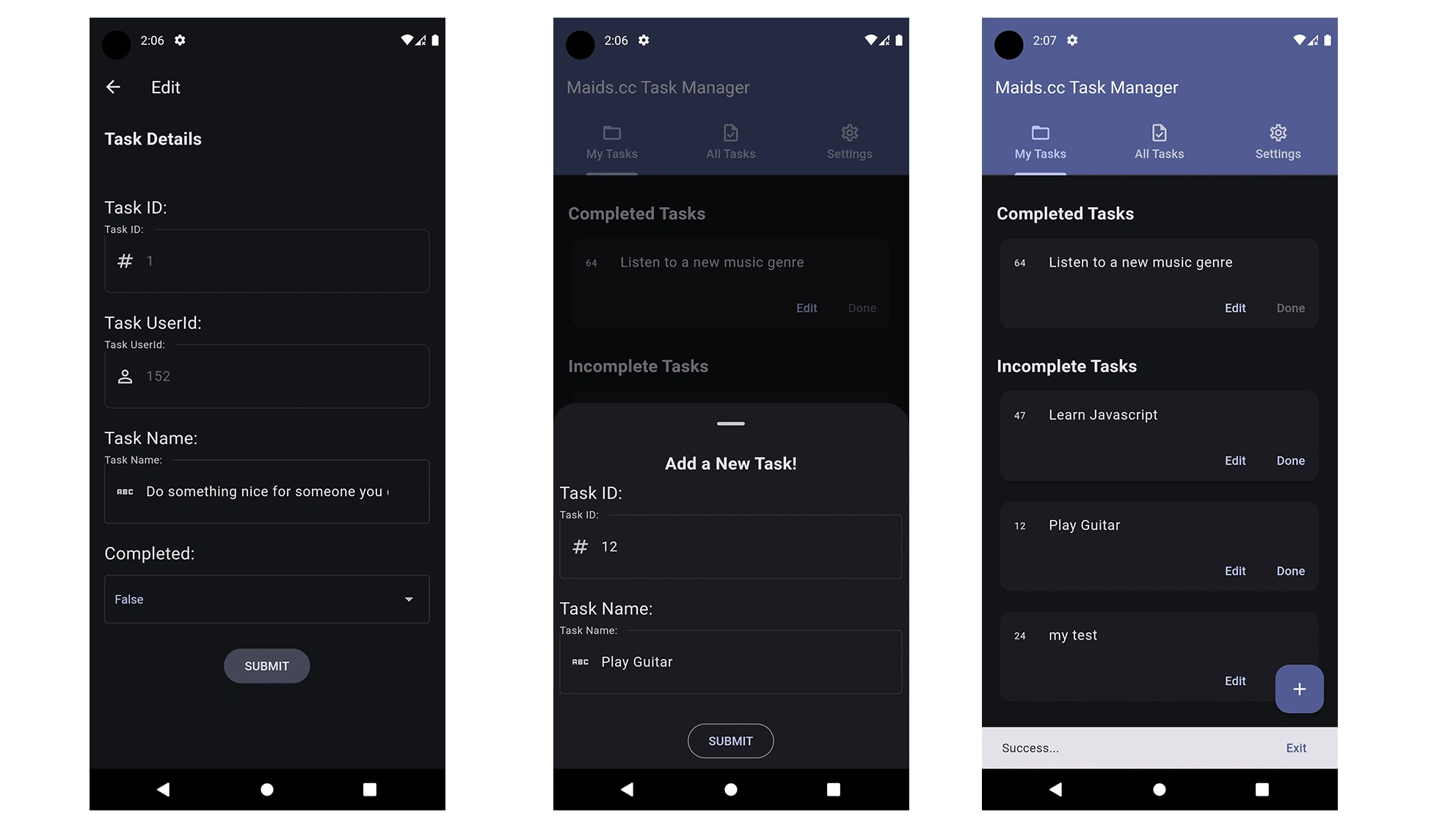
Edit a Task - Add a New Task - SnackBar
Technologies Used
Flutter & Dart: Framework for building cross-platform applications.
BLoC: State management pattern for efficient state handling.
SQFLite: Local database for data storage.
SharedPreferences: Lightweight storage for app settings & tokens.
Dio: Powerful HTTP client for API integration.
Google Material 3: For UI design and accessibility.
Folder Structure
The project is organized to ensure maintainability and scalability.
.
├── assets
│ ├── fonts
│ │ └── Cairo
│ │ └── WithoutSans
│ │
│ └── images
│ ├── personal
│ └── splash
│
├── lib
│ ├── main.dart
│
│ ├── layout
│ │ ├── cubit
│ │ │ ├── cubit.dart
│ │ │ └── states.dart
│ │ │
│ │ └── home_layout.dart
│ │
│ ├── models
│ ├── modules
│ └── shared
│ ├── components
│ ├── network
│ ├── styles
│ └── bloc_observer.dart
│
├── test
│ ├── cubit_test.dart
│ ├── db_test.dart
│ ├── network_test.dart
│ └── input_validation_test.dart
├── pubspec.yaml
└── README.md
Setup Instructions
Prerequisites
Flutter SDK: Ensure Flutter is installed. Install Flutter
Dart SDK: Included with Flutter.
Installation
Clone the repository
cd Task-Manager
Install Dependencies: flutter pub get
Run the application using Android Studio or VS Code: flutter run
To Produce an APK for an Android Release: flutter build apk --release
Apk Instance is available with the files /releases/maidsTaskManager.apk
NOTE: App is not signed yet for a Google Store Release, so it will ask for a scan on Installation
Design Decisions
BLoC for State Management: Chosen for scalability and separation of concerns.
SQLite for Persistent Storage: Ensures tasks are available offline.
Dio: Simplifies HTTP requests and error handling.
Material 3 Design: Used for a modern and accessible user interface.
Localization Localization is important for multiple language support.
Modes Light & Dark Mode are enabled to ensure ease of use
Challenges
Writing comprehensive unit tests for both online and offline functionality.
Following Google Material 3 guidelines
Testing
Run Tests via terminal: flutter test
Thank You For This Opportunity
Mohammad Al Bali
0 likes · 4 views · Dec 15, 2024
The Task Manager App is a robust and feature-rich application built using Flutter. It enables users to manage tasks efficiently with functionalities like authen

