
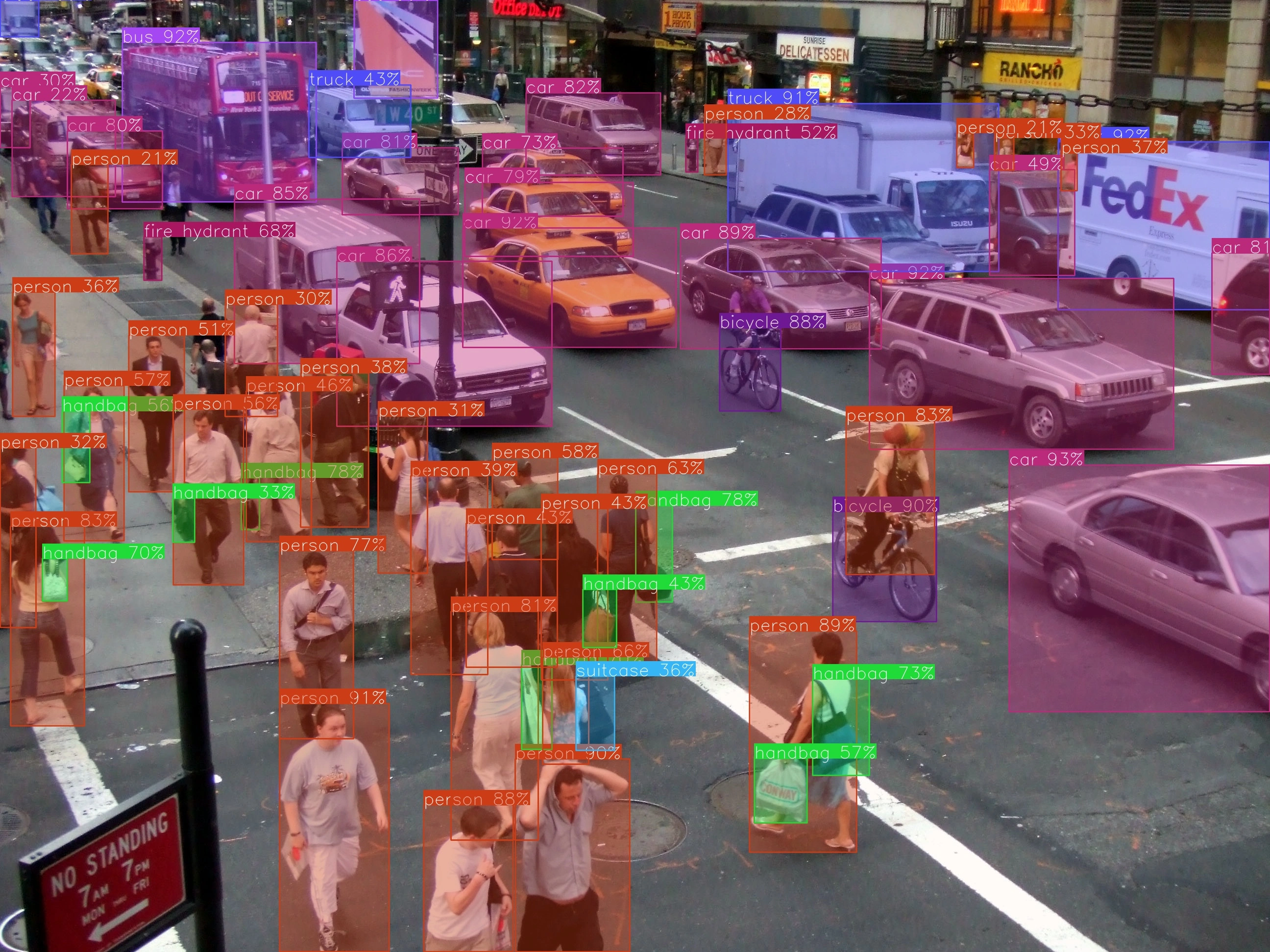
Original image: https://www.flickr.com/photos/nicolelee/19041780
Important
The input images are directly resized to match the input size of the model. I skipped adding the pad to the input image, it might affect the accuracy of the model if the input image has a different aspect ratio compared to the input size of the model. Always try to get an input size with a ratio close to the input images you will use.
Requirements
Check the requirements.txt file.
For ONNX, if you have a NVIDIA GPU, then install the onnxruntime-gpu, otherwise use the onnxruntime library.
Installation
git clone https://github.com/ibaiGorordo/ONNX-YOLOv8-Object-Detection.git
cd ONNX-YOLOv8-Object-Detection
pip install -r requirements.txt
ONNX Runtime
For Nvidia GPU computers:
pip install onnxruntime-gpuOtherwise:
pip install onnxruntimeONNX model
Use the Google Colab notebook to convert the model:

You can convert the model using the following code after installing ultralitics (
pip install ultralytics):from ultralytics import YOLO
model = YOLO("yolov8m.pt")
model.export(format="onnx", imgsz=[480,640])
Original YOLOv8 model
The original YOLOv8 model can be found in this repository: YOLOv8 Repository
The License of the models is GPL-3.0 license: License
Examples
Image inference:
python image_object_detection.py
Webcam inference:
python webcam_object_detection.py
Video inference: https://youtu.be/JShJpg8Mf7M
python video_object_detection.py

Original video: https://youtu.be/Snyg0RqpVxY
References:
YOLOv8 model: https://github.com/ultralytics/ultralytics
YOLOv5 model: https://github.com/ultralytics/yolov5
YOLOv6 model: https://github.com/meituan/YOLOv6
YOLOv7 model: https://github.com/WongKinYiu/yolov7
PINTO0309's model zoo: https://github.com/PINTO0309/PINTO_model_zoo
PINTO0309's model conversion tool: https://github.com/PINTO0309/openvino2tensorflow
3 likes · 67 views · Aug 31, 2024
Developed an efficient object detection system using NVIDIA Jetson, leveraging AI for real-time recognition and analysis in edge environments.