
How recording starts in Medal, a desktop app that records your games in the background and saves clips on a hotkey. 3 million daily users.
The app said it was recording. What to do next was up to you.
Tension
Medal's top bar had one dropdown for everything. It showed your online status to friends, and once a game was running it said "Clipping: PayDay 2". Clicking it opened a stack of quality settings. Nothing about how to save a moment. Next to it sat a separate Add Game button.
My notes from back then: the Add Game button makes it unclear how to start recording. The difference between full session and clipping isn't clear. There's no control over a recording that's already running.
A round of small patches would have closed the tickets. Rename the button, label the modes, add some tooltips.
Role
New users kept asking support how to start recording, and not many of them got as far as posting a clip. The PM brought me the task with a direction, and the rest was my call. I was the only designer on this flow. I handed off the design and left the company before it shipped.
01. Recording gets its own place
Online status and recording status lived in one dropdown.
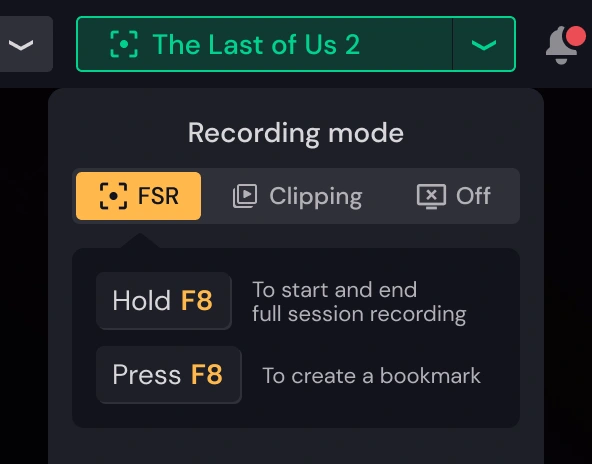
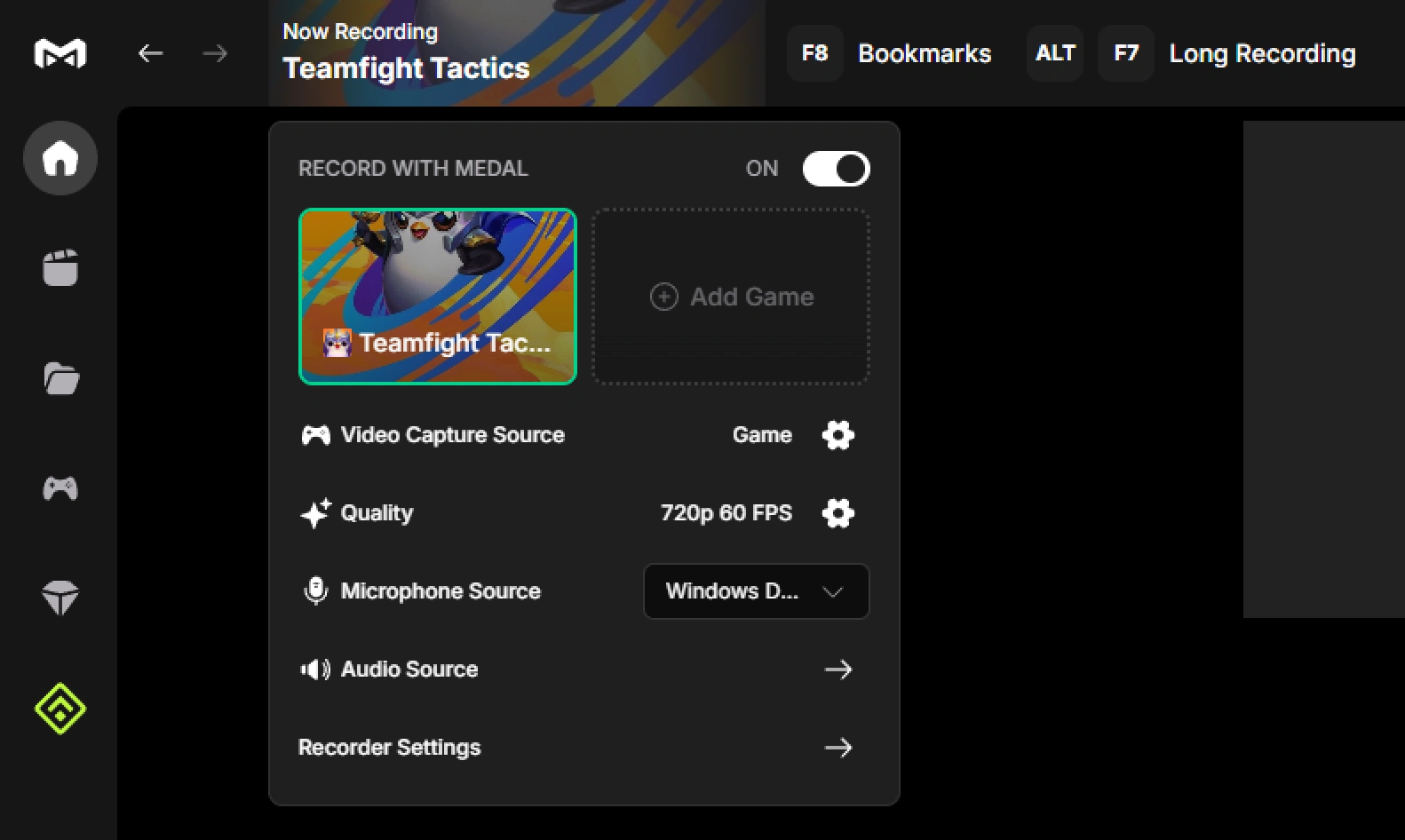
I pulled everything about recording out of it. Online status stayed on the left, next to the avatar. Recording got its own button on the right, named after the game you're playing. Inside: the mode (clips, full session or off), your active games with their covers, and a slot to add one more. The Add Game button became that slot.
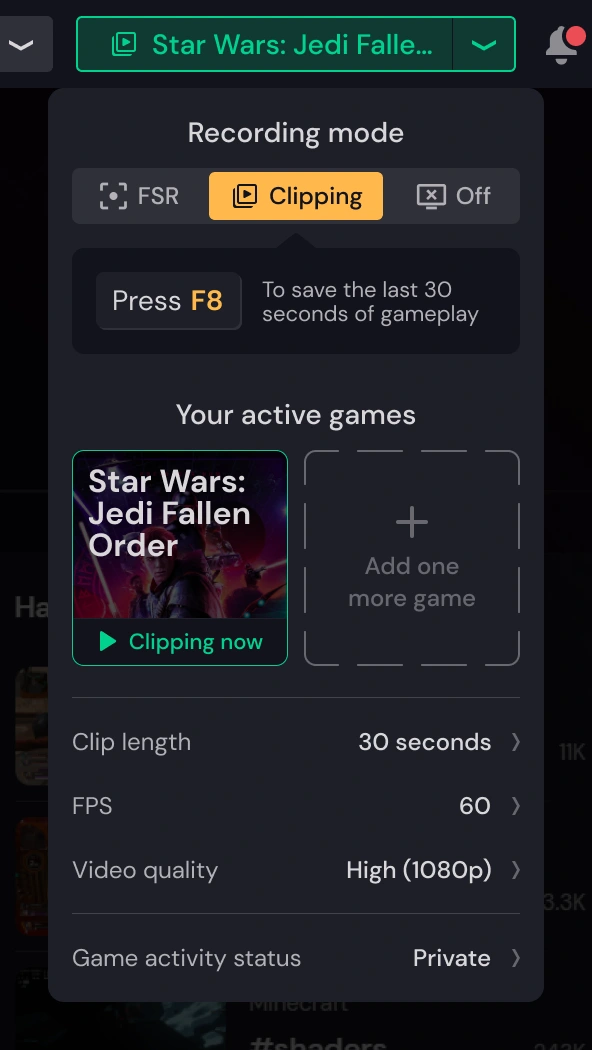
The hint under the mode changes with it. In clipping it says press F8 to save the last 30 seconds. In full session, hold F8 to start and stop.
The cost was the settings. Everything except clip length, FPS and quality moved one level deeper, and people who tuned their recording now take an extra click.
02. Recording is the normal state
Recording is red. It's red on every camera, and it was red in Medal too, a red dot next to "Clipping: PayDay 2".
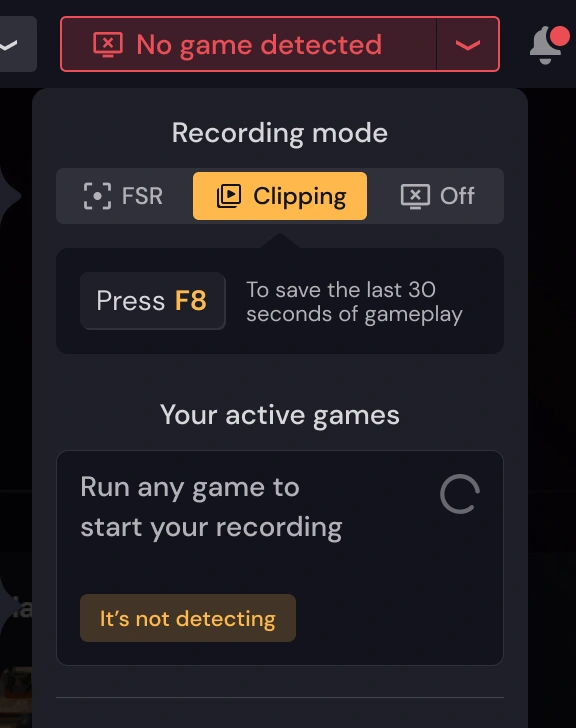
I flipped it. While Medal records, the button and the game's frame are green. Red is for "Recorder off". For an app that records in the background, recording is the normal state. The thing to worry about is when it stops, because the next moment won't be saved.
It breaks a convention people know from every camera.
What happened
The flow shipped about six months after I left, with small changes.
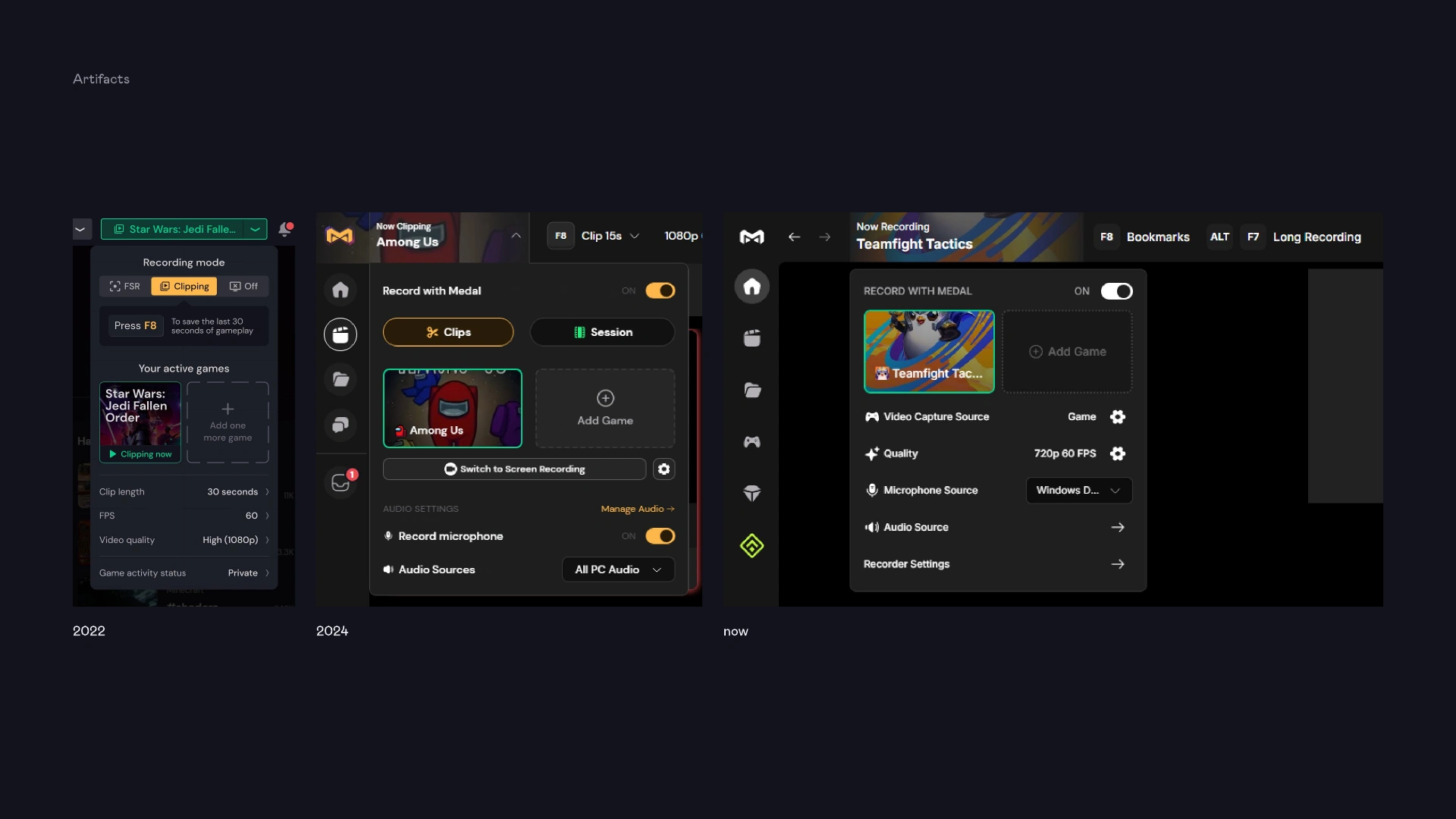
Medal has been through two redesigns since. The mode switch didn't make it: off became a toggle, and full session moved to its own hotkey.
The core held. Recording still has its own button in the top bar. The game you're recording sits in a green frame next to an Add Game slot. The hotkey stays on screen, and if detection fails you can still pick the process yourself.
0 likes · 0 views · Oct 16, 2026
How recording starts in Medal, a desktop app that records your games in the background and saves clips on a hotkey. 3 million daily users
